
The E-Khata auto mutation process in Bangalore has now become much simpler and faster for many registered properties. Once the sale deed is registered, the ownership details in the E-Khata are automatically updated from the seller’s name to the buyer’s name through the BBMP eAasthi portal.
In this article, let us understand the complete E-Khata auto mutation process with a real example.
Watch Our Video Guide:
Steps Involved in the E-Khata Auto Mutation Process
The E-Khata auto mutation process generally consists of the following steps:
- Sale Deed Registration
- Registration Data Synchronization with eAasthi
- Review Period (typically around 7 days)
- Mutation Approval
- Download Updated E-Khata
Once the sale deed is successfully registered, the mutation request is automatically initiated in the eAasthi system.
Real Example: E-Khata Transfer After Sale Deed Registration
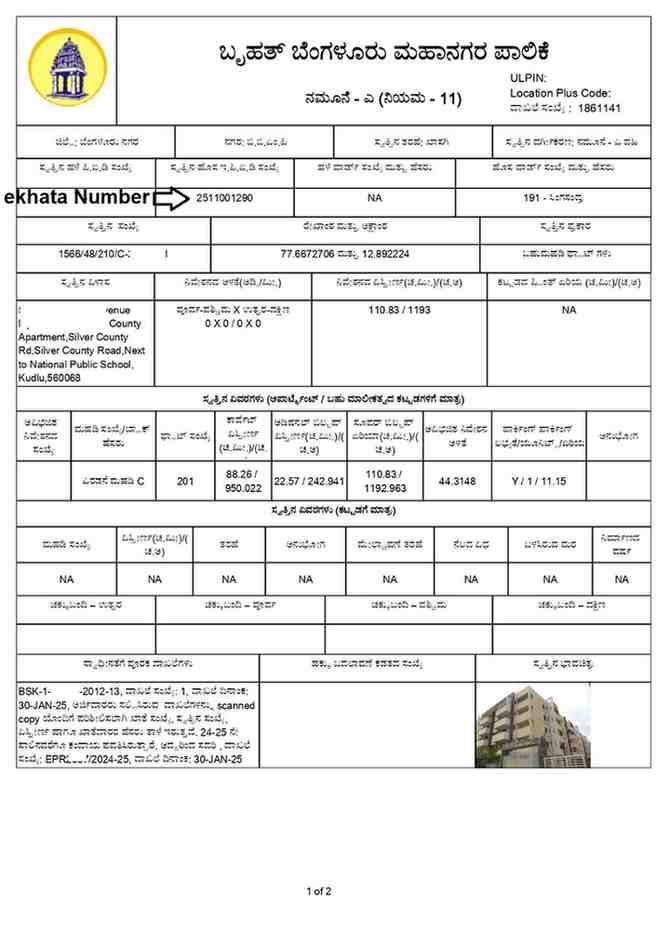
One of our clients, Mr. Ramesh and Mrs. Sangeetha, planned to purchase a resale flat in Bangalore. Before proceeding with the registration, all the property documents were verified, including the existing E-Khata.
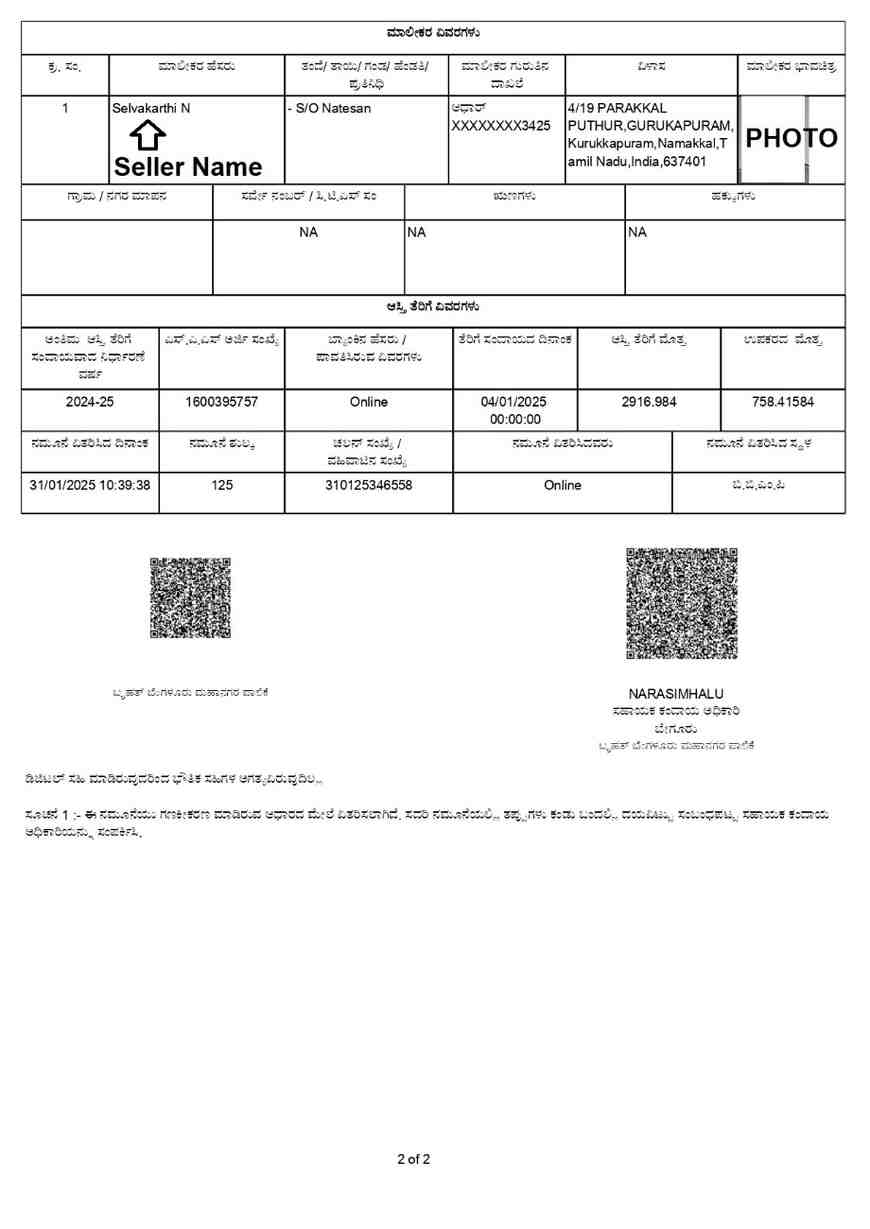
The E-Khata was in the seller’s name, Mr. Selvakarthi, as shown below.
Registration of Sale Deed
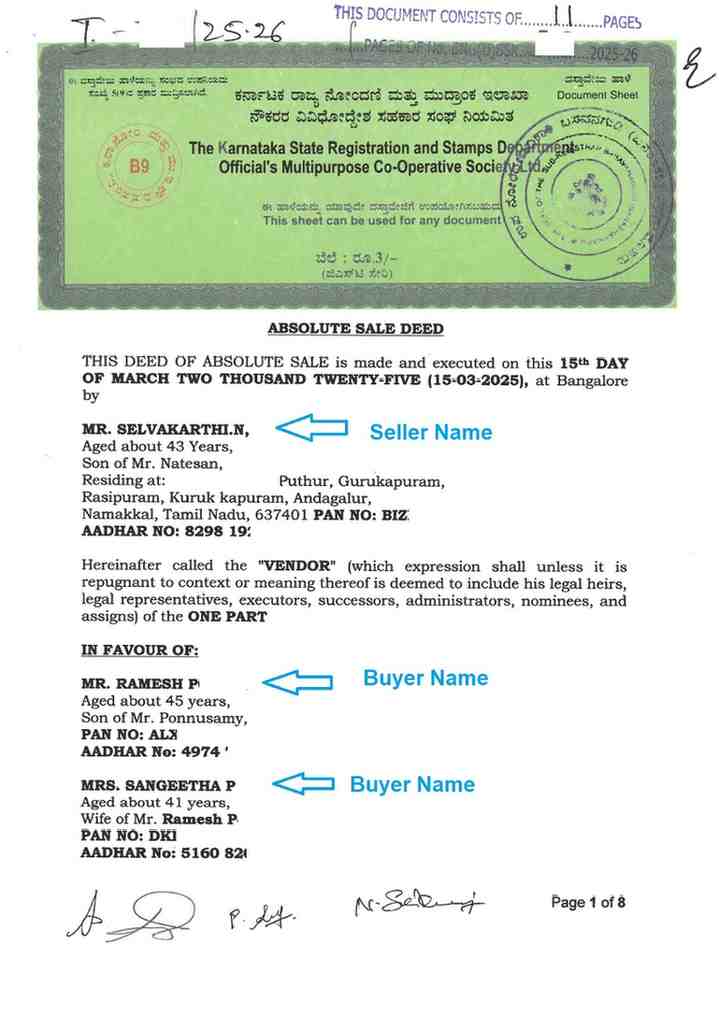
The seller, Mr. Selvakarthi, and the buyers, Mr. Ramesh and Mrs. Sangeetha, completed the sale deed registration before the Sub-Registrar Office.
The registered sale deed clearly reflected the transfer of ownership from the seller to the buyers.
Mutation Approval Status
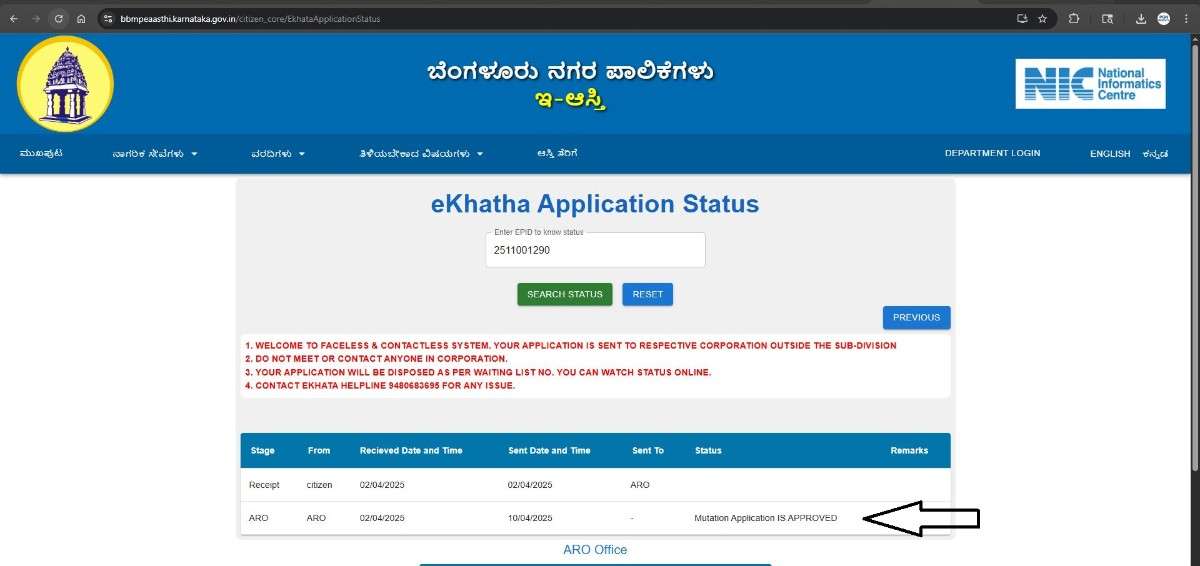
Around 7 days after the sale deed registration, we checked the mutation status on the eAasthi portal. The application status displayed:
“Mutation Application is Approved”
This means the E-Khata transfer from the seller’s name to the buyers’ names was automatically approved by the system.
You can check your E-Khata mutation status here: BBMP eAasthi E-Khata Status Portal
Payment of Mutation Fee and Download of E-Khata
After mutation approval, the updated E-Khata can be downloaded through the eAasthi portal.
Visit: BBMP eAasthi E-Khata Download Page
Process to Download Updated E-Khata
- Enter the 10-digit E-Khata number
- Click on “Search”
- The mutation fee amount will appear
- Click “OK” to proceed with payment
- Complete the payment using UPI, net banking, or debit
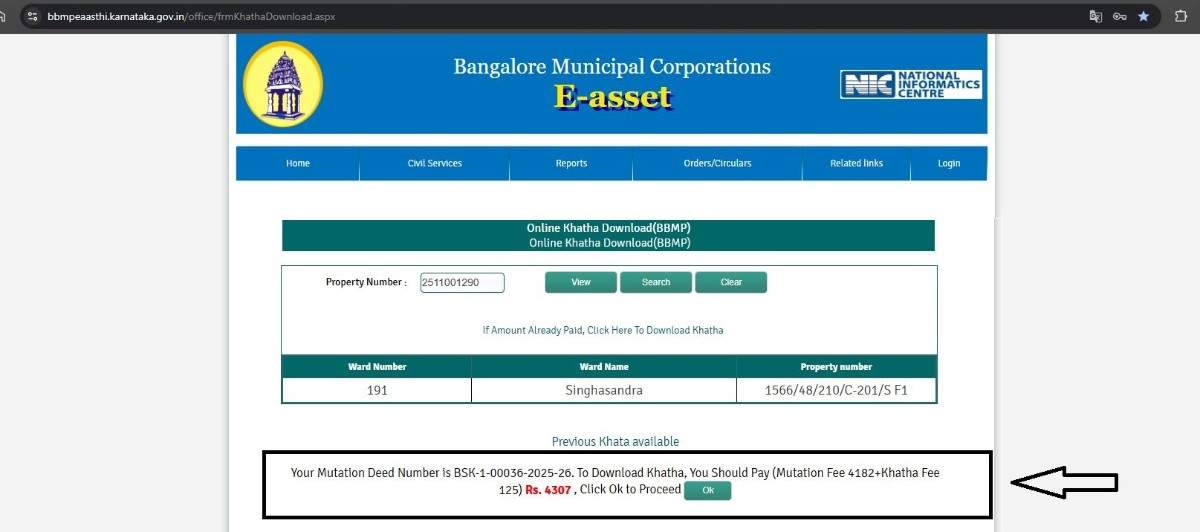
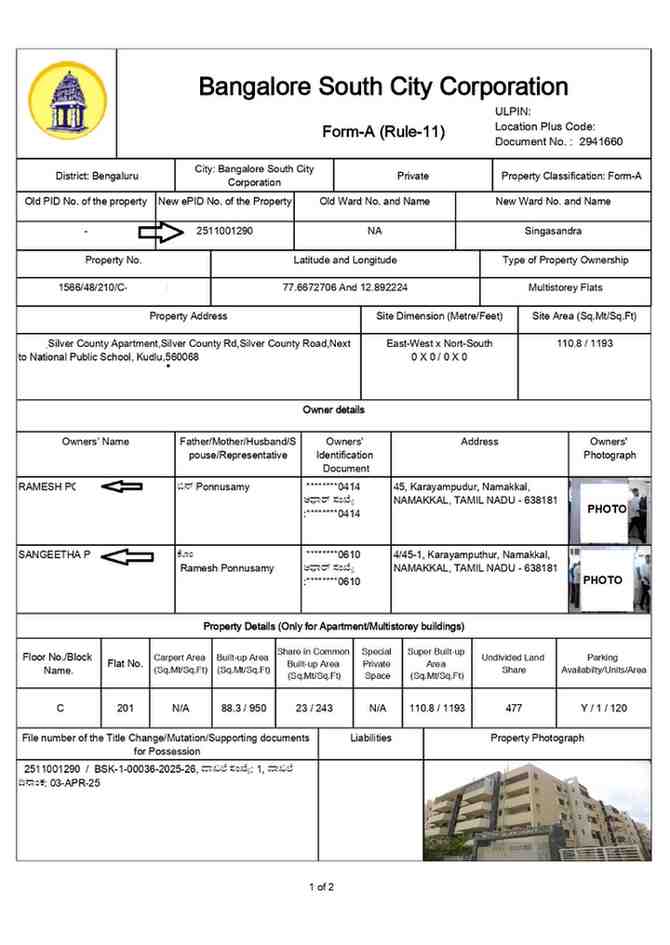
After successful payment, the updated E-Khata can be downloaded instantly.
In the new E-Khata, the seller’s name, Mr. Selvakarthi, was replaced with the buyers’ names, Mr. Ramesh and Mrs. Sangeetha.
Need Assistance with Property Documentation & Registration?
For professional assistance with property registration, E-Khata, verification, and property documentation services in Bangalore:
PGN PROPERTY
Contact No. +91-9742479020
Email ID: pgnproperties@gmail.com