
VIDEO TUTORIAL — STEP-BY-STEP ONLINE RENTAL AGREEMENT PROCESS Watch our YouTube tutorial explaining each step:
DOCUMENTS REQUIRED
- Rental agreement draft
- e-Khata
- Owner’s Aadhaar
- Tenant’s Aadhaar
- Witness Aadhaar
STEP-BY-STEP PROCESS Visit the Kaveri Online Services Website Open the portal and click "Registration" to create a new account. Log in using your registered email ID and password.
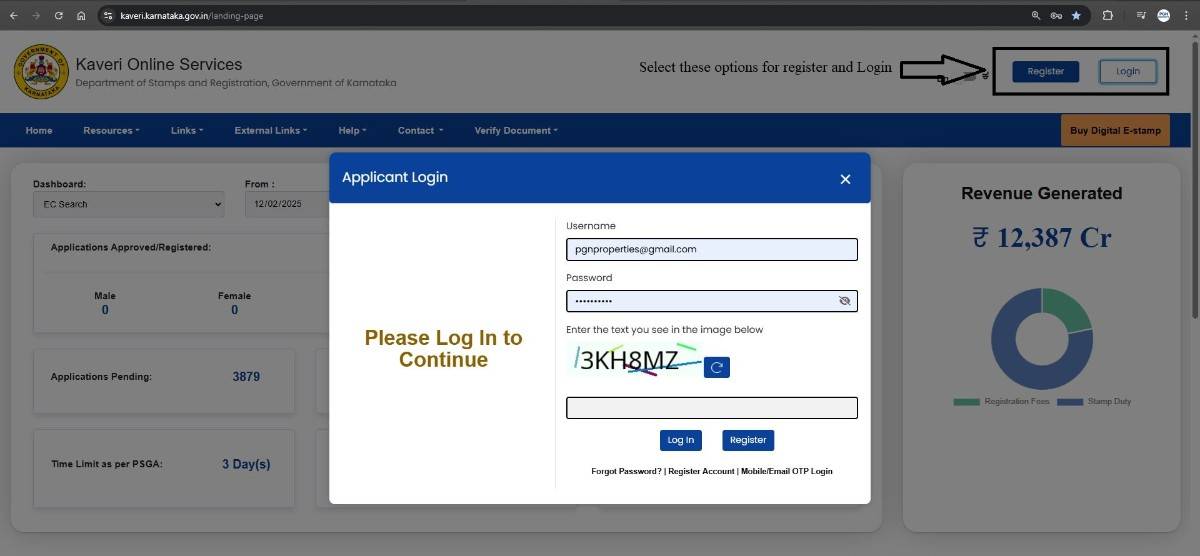
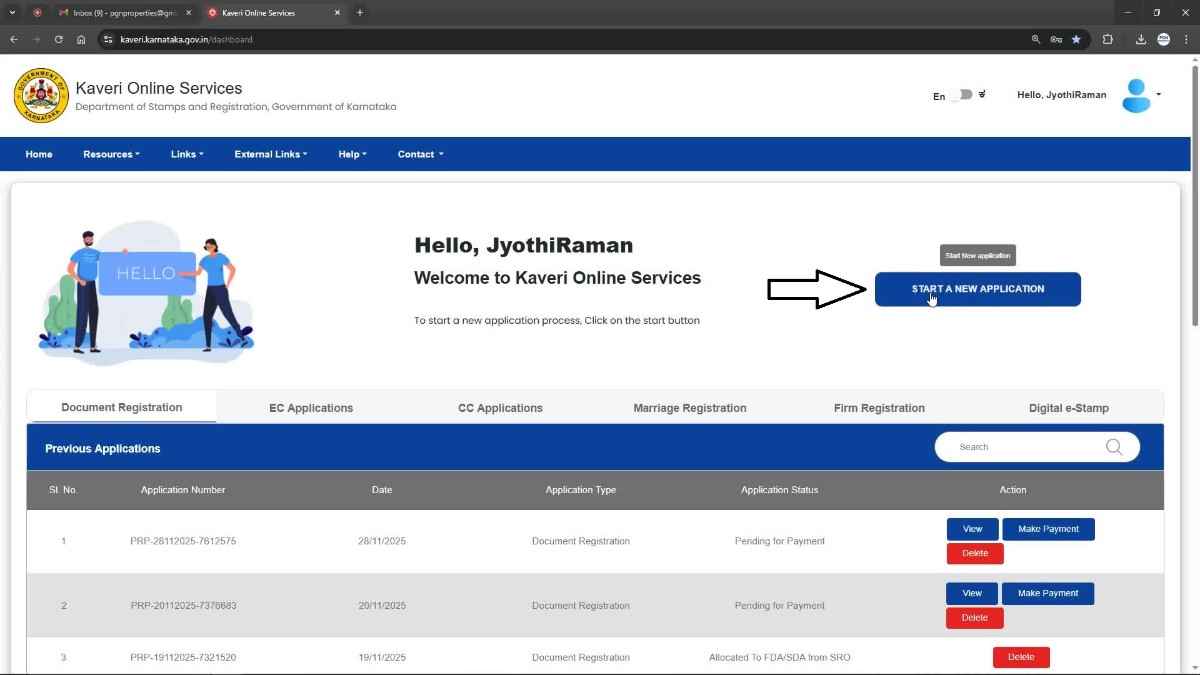
Start a New Application On the homepage, click START A NEW APPLICATION.
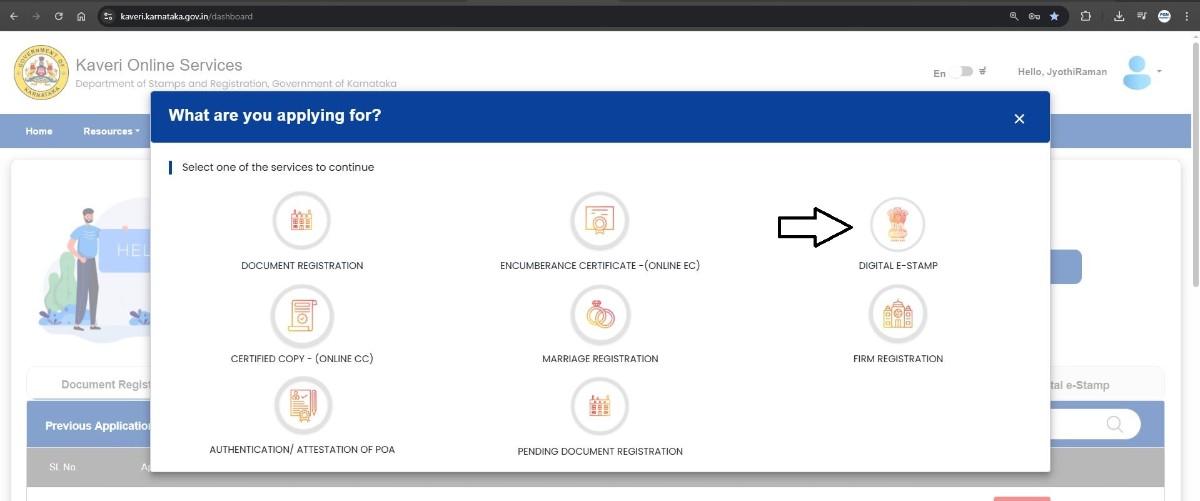
Digital E-Sign Choose DIGITAL E-SIGN to initiate the process.
Select Article and Sub Article Choose the following options:
- Nature of Document: Lease
- Sub Article: 30 (1)(i) Lease not exceeding 1 year – Immovable residential property
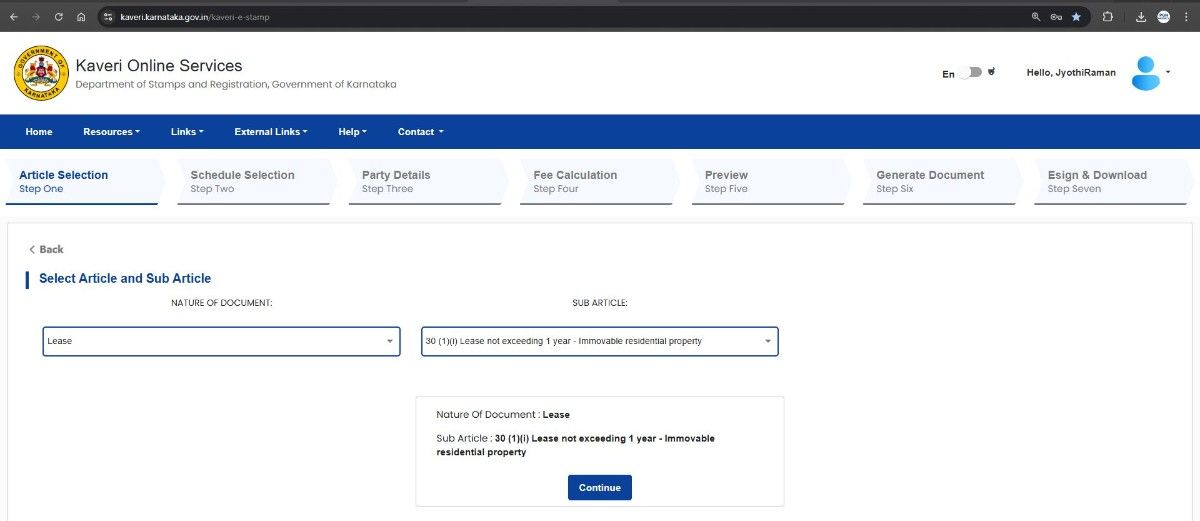 Click Continue
Add the following Property Details
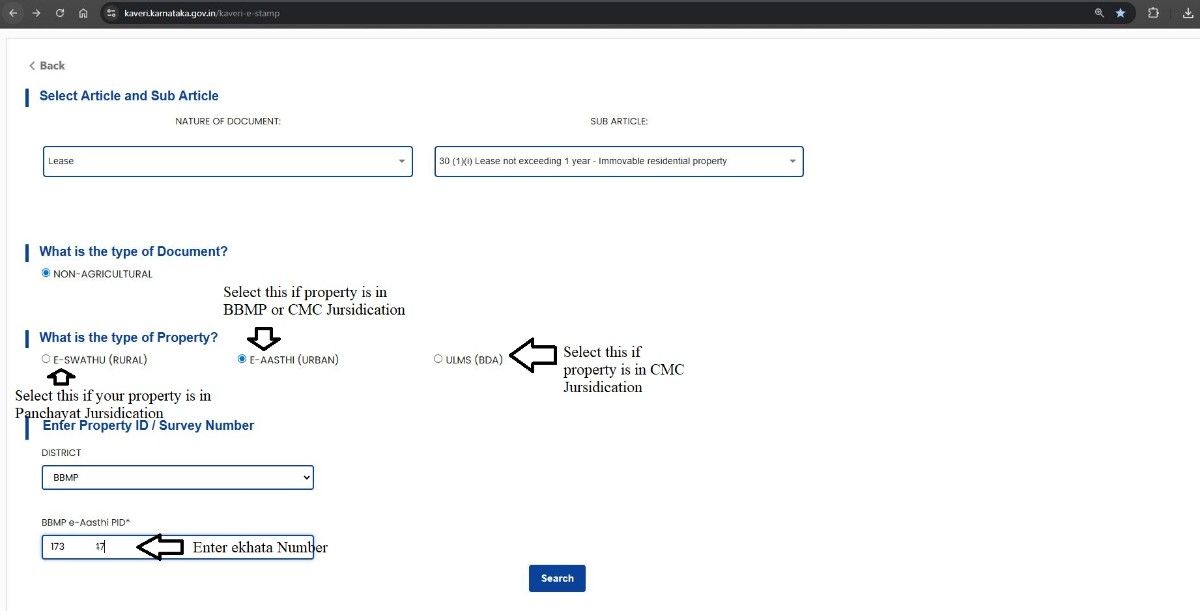 Enter the property description as per the steps in the image below
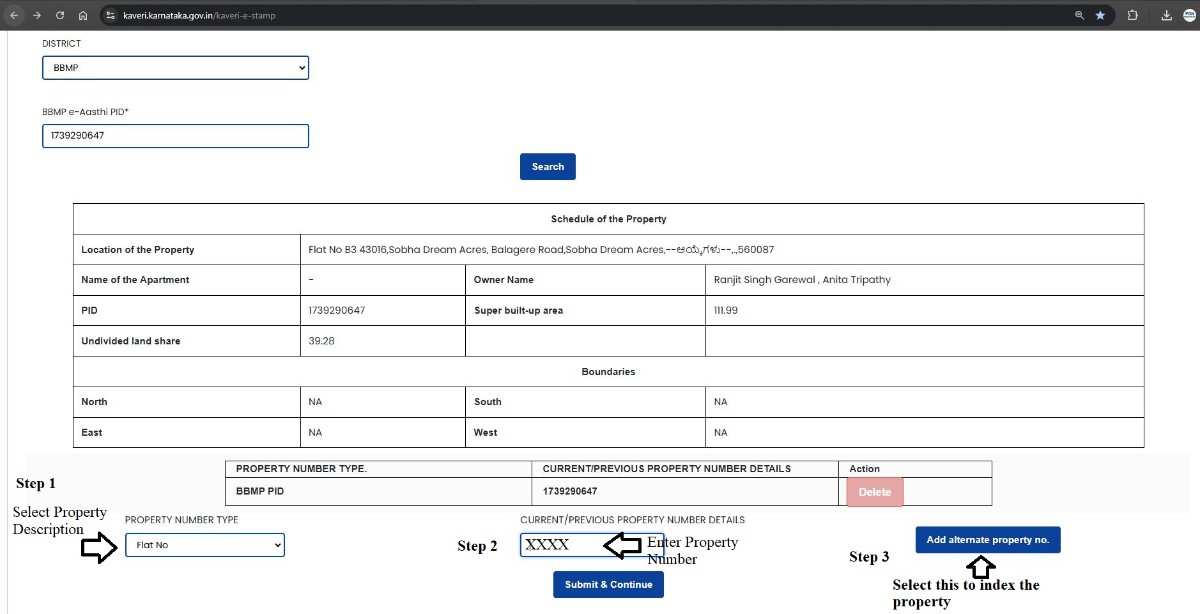 After completing, the Property Schedule will display.
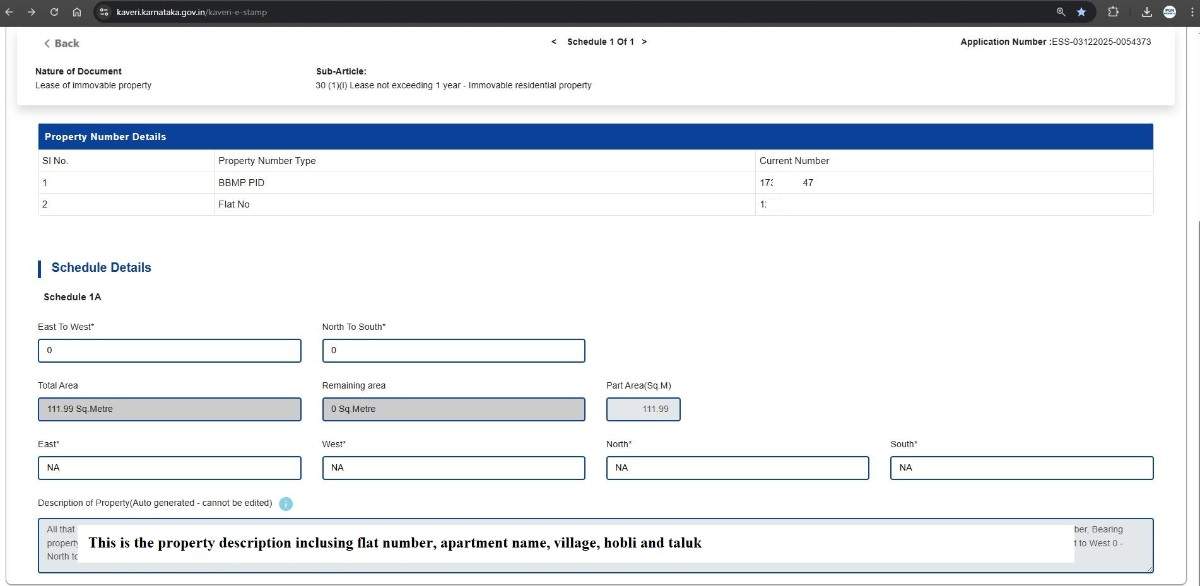 Click Continue.
ENTER OWNER AND TENANT DETAILS Owner Details
- Select Individual or Organization
- defaults to Executant
- Complete Aadhaar and mobile OTP verification
- choose Claimant
- Complete Aadhaar and mobile OTP verification
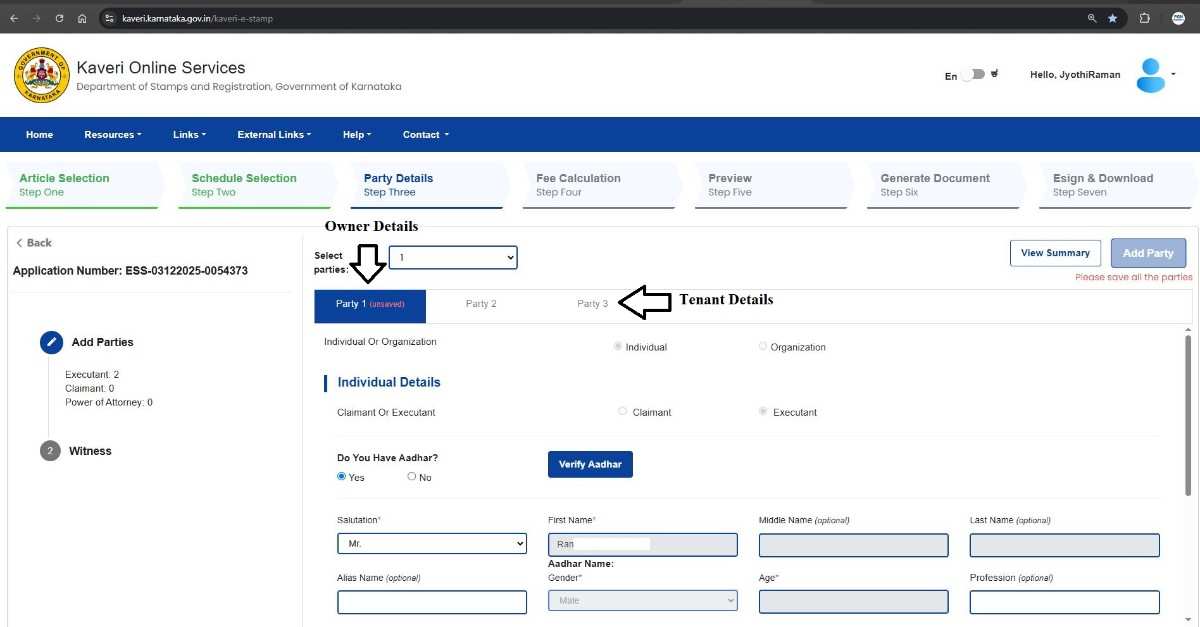 Click Save and Continue.
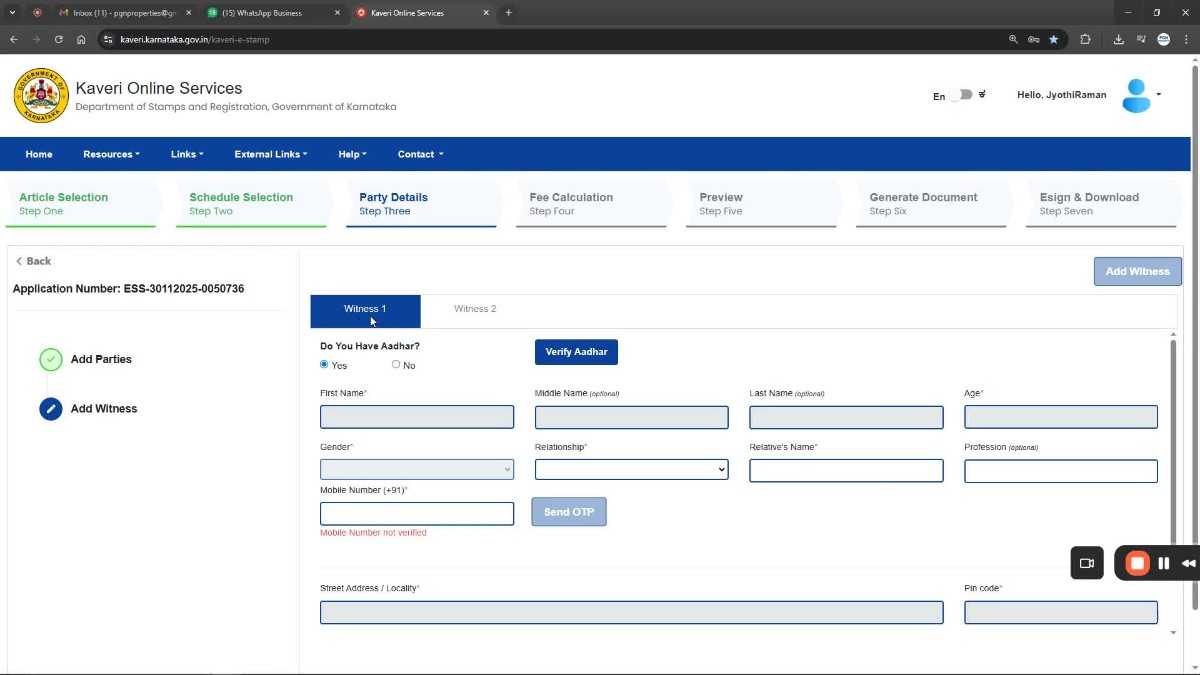
Add Witness Details Verify Aadhaar and mobile number for witnesses
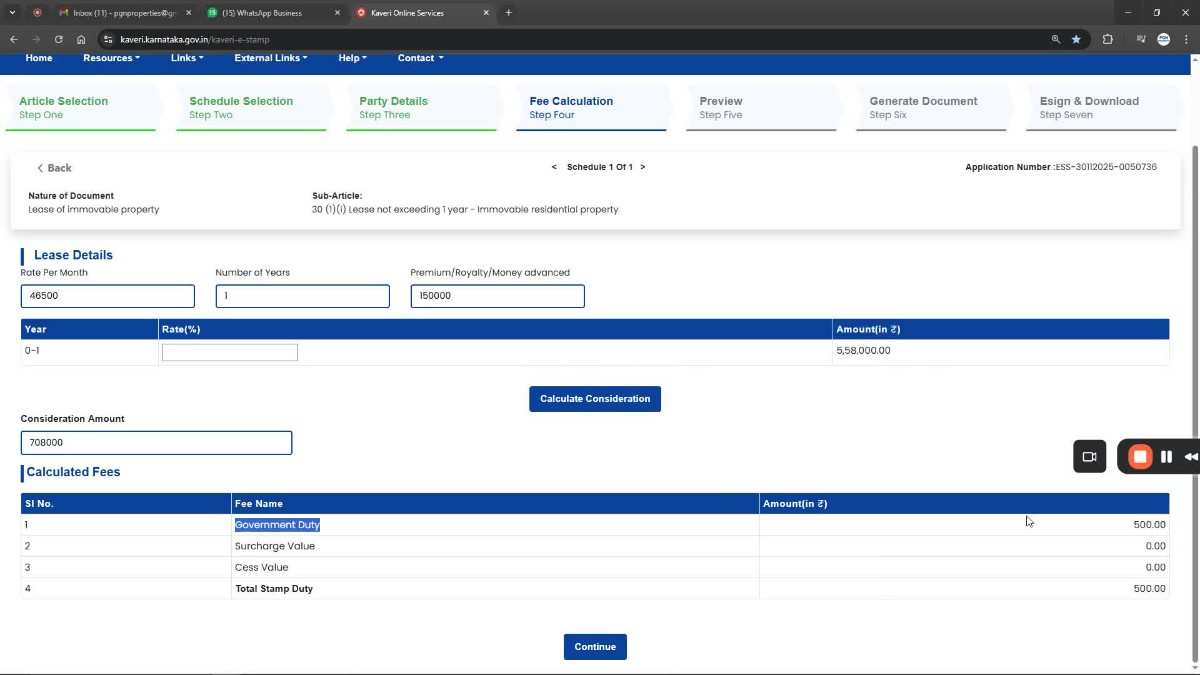
Fee Calculation Enter details related to:
- Monthly rent
- Duration
- Security deposit
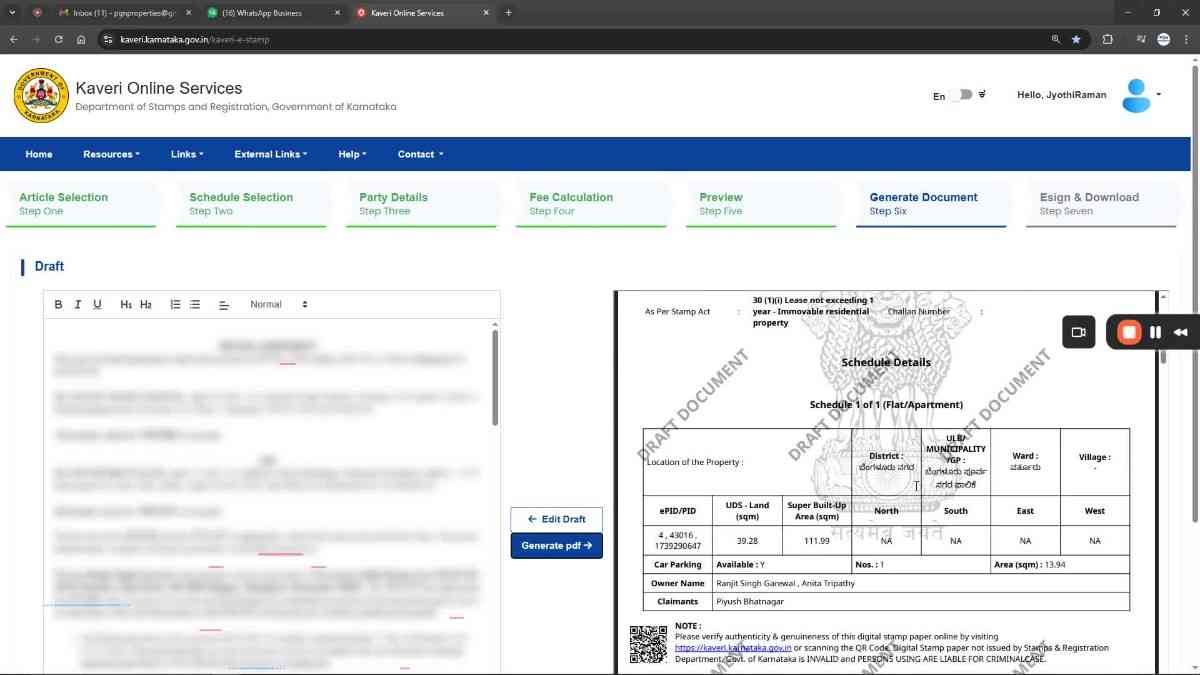
 Prepare and Preview the Draft
- Draft the rental agreement on the left panel
- Preview appears on the right panel
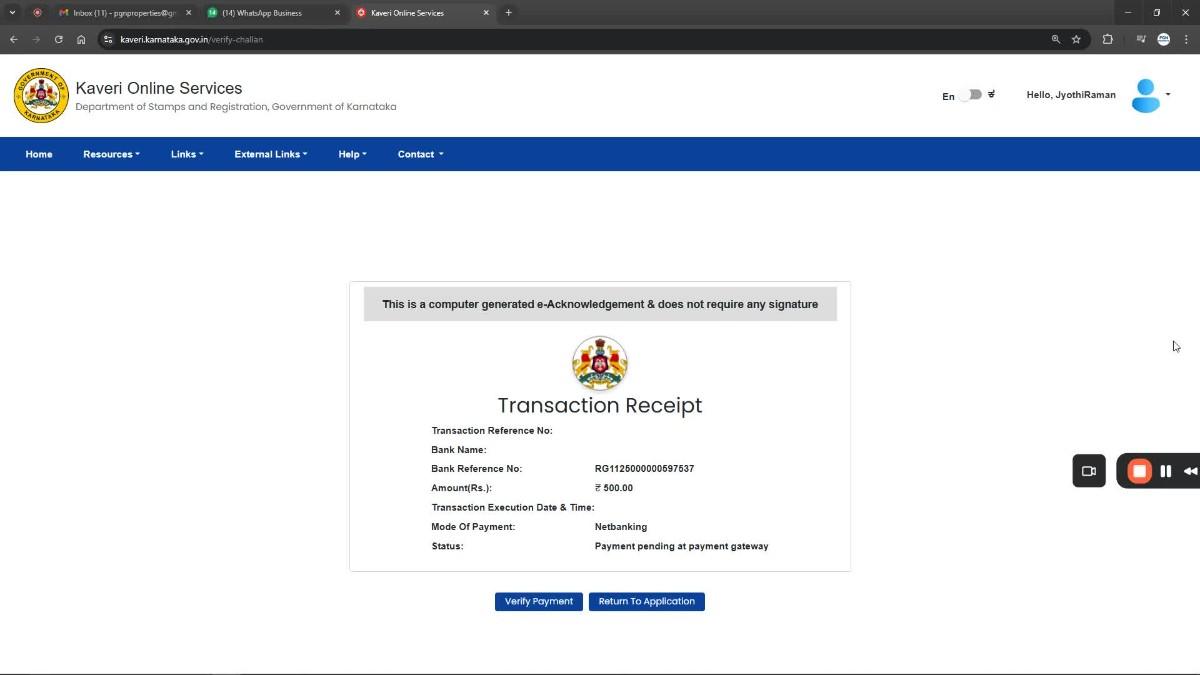
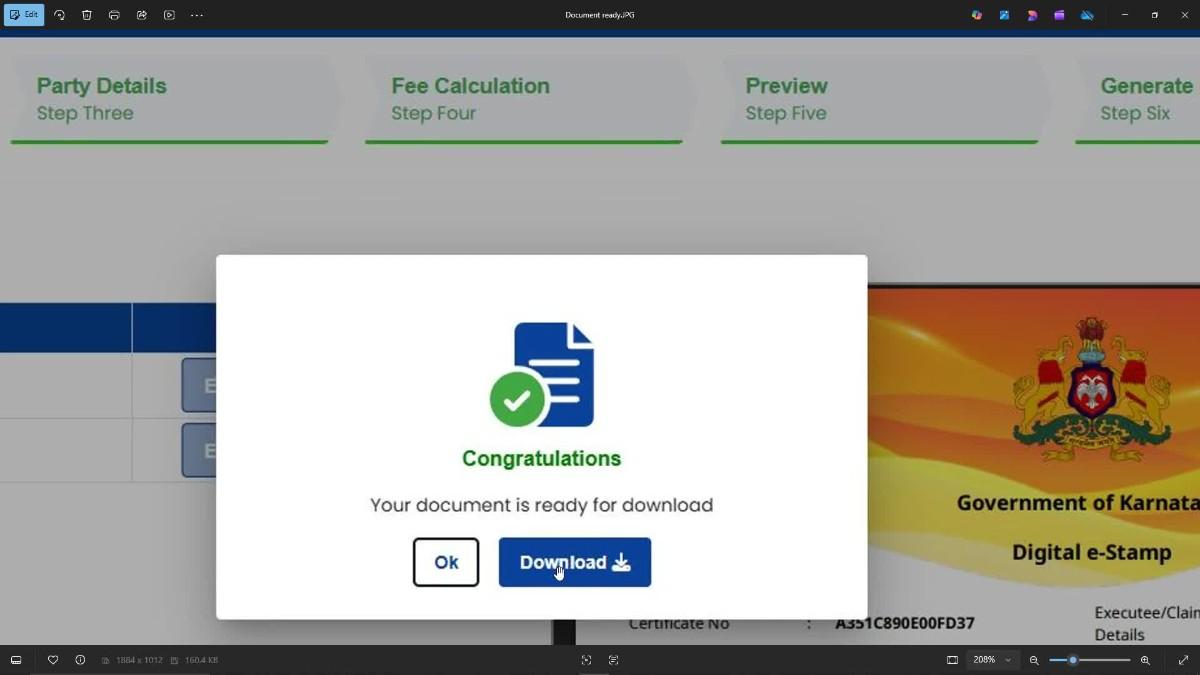
Make Payment and Download Complete the payment to generate the rental agreement.
 Once successful, download and save your Digitally Signed Rental Agreement.
NEED HELP CREATING YOUR RENTAL AGREEMENT? If you require professional assistance for online rental agreement services in Karnataka, contact us:
- Write to us: pgnproperties@gmail.com
- WhatsApp: +91-9742479020
FREQUENTLY ASKED QUESTIONS (FAQ)
- Can a rental agreement be created completely online in Karnataka?
- Do both landlord and tenant need digital signatures?
- How much time does it take to create the rental agreement online?
- Can I create a commercial rental agreement using the Kaveri portal?
- Is witness Aadhaar mandatory for the online agreement?
- Do I need to visit the Sub-Registrar Office after creating the online rental agreement?