
WHERE CAN YOU BUY E-STAMP PAPER IN KARNATAKA? You can obtain e-Stamp paper through:
- Kaveri Online Services (preferred method), or
- Authorised stamp vendors located near Sub-Registrar Offices, Courts, and certain RTO premises.
BENEFITS OF USING KAVERI ONLINE SERVICES
- Single Integrated Platform
- Completely Paperless Process
- Faster processing
- No physical paperwork
- Zero printing or scanning
- Eco-friendly documentation
- Zero Processing Fee
DOCUMENTS REQUIRED Keep the following documents ready before starting the process:
- Sale Agreement Draft
- e-Khata (PID Number)
- Aadhaar of Seller, Buyer, and two Witnesses
VIDEO TUTORIAL For your convenience, we have created a complete step-by-step video. You can watch it below before starting the process.
CASE STUDY CONTEXT To provide clarity, this guide is based on the following real scenario:
- Buyer is purchasing a 2BHK flat in BBMP limits, Bengaluru
- Purchase price: Rs.57,00,000
- Buyer is applying for a home loan, and the bank requires a Sale Agreement
- Property possession is not yet delivered
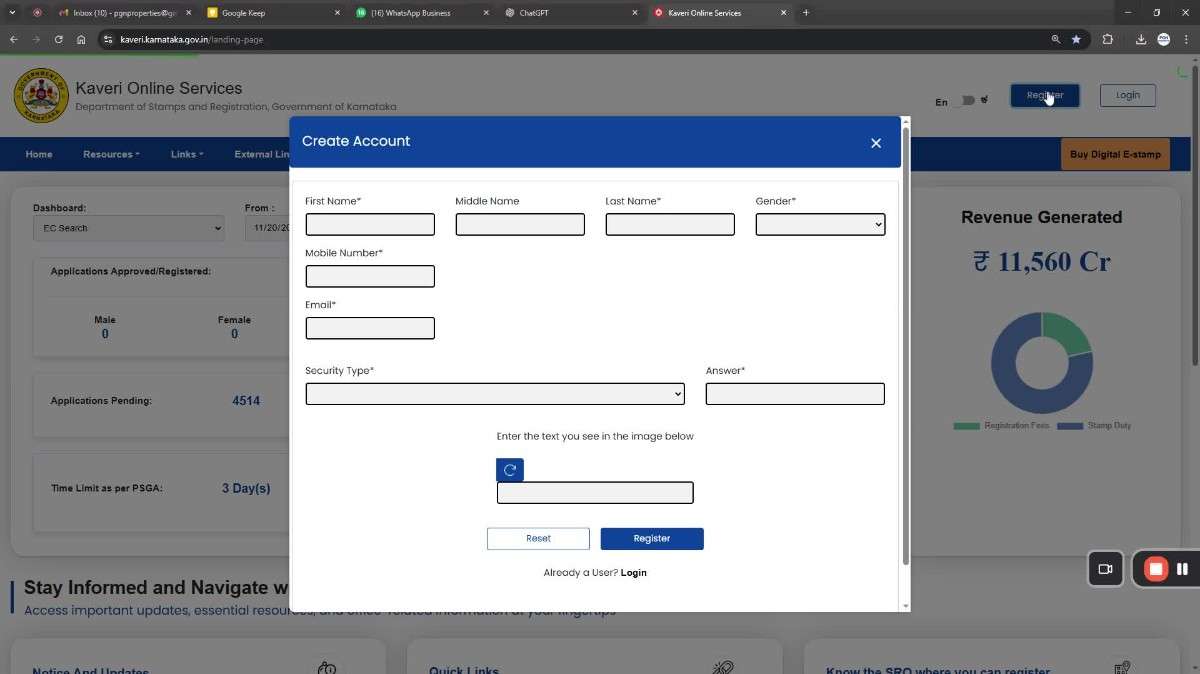
STEP-BY-STEP PROCEDURE TO BUY E-STAMP PAPER & PREPARE A SALE AGREEMENT Step 1: Create an Account and Log In Visit the Kaveri Online Services portal and register using:
- Name
- Gender
- Mobile Number
- Email ID
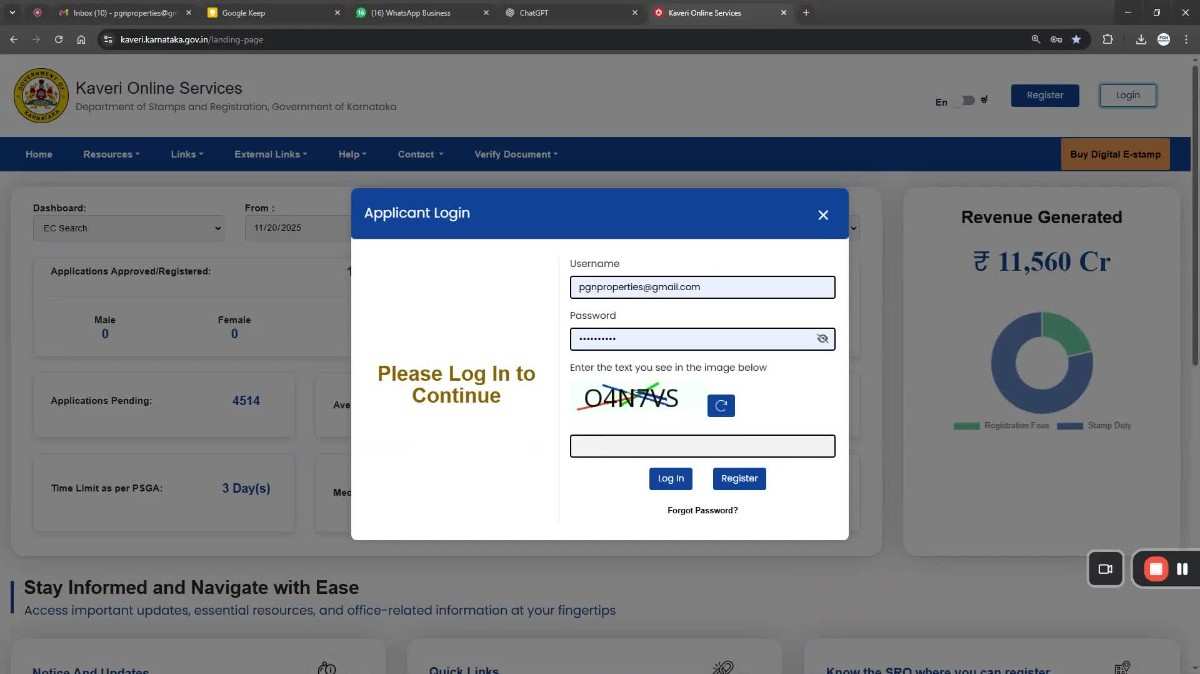
 Log in using your registered email and password.
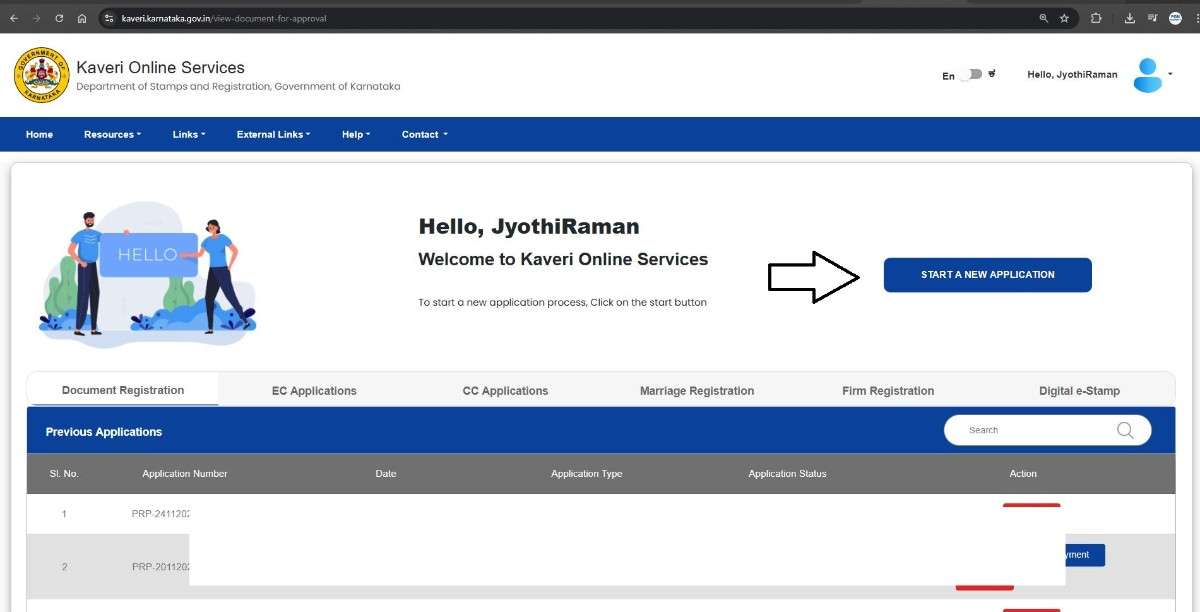
Step 2: Start a New Application From the dashboard, select: START A NEW APPLICATION
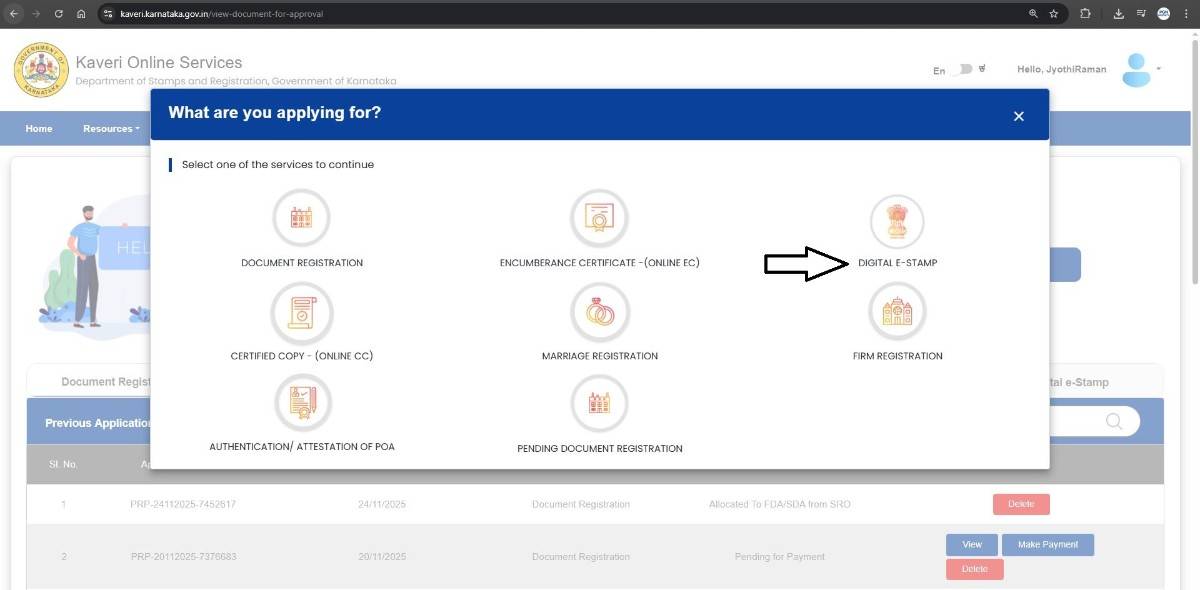
 DIGITAL E-STAMP
Step 3: Select the Correct Article and Sub-Article Choose:
- Nature of Document: Agreement
- Sub-Article: 5(e)(ii) – Agreement relating to the sale of immovable property where possession is not delivered
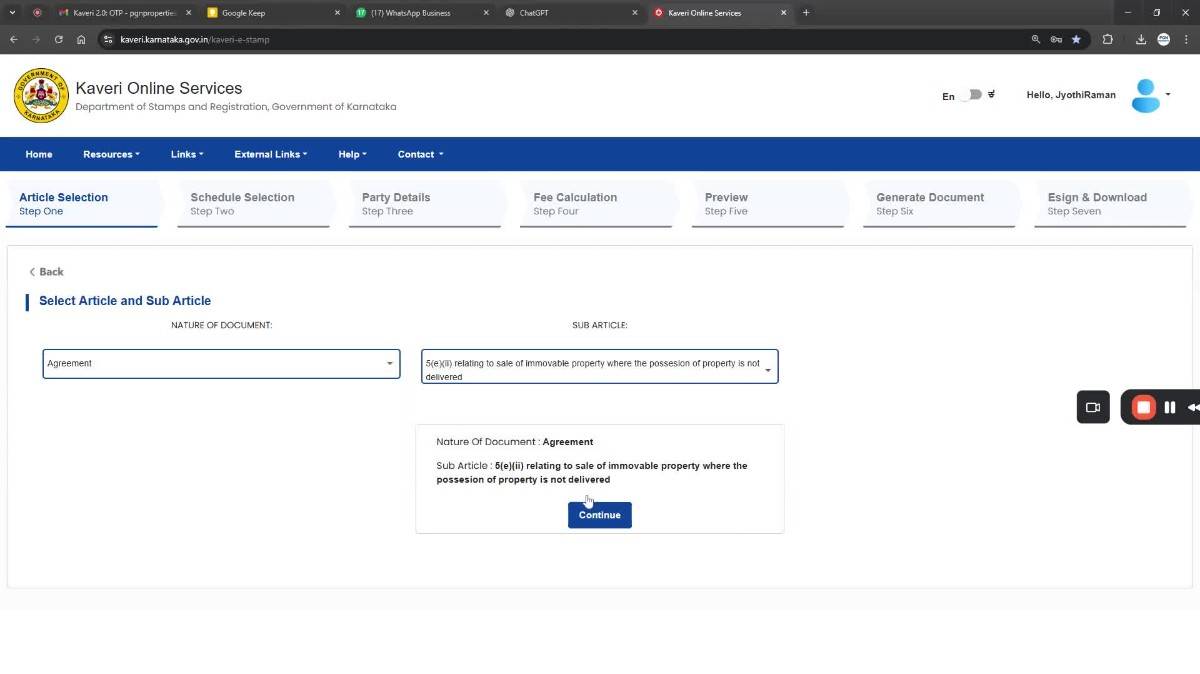
Step 4: Enter Property Information Choose the following:
- Type of Document: Non-Agricultural
- Type of Property: e-Aasthi (Urban)
- District: BBMP
- BBMP e-Aasthi PID: Enter your 10-digit e-Khata number
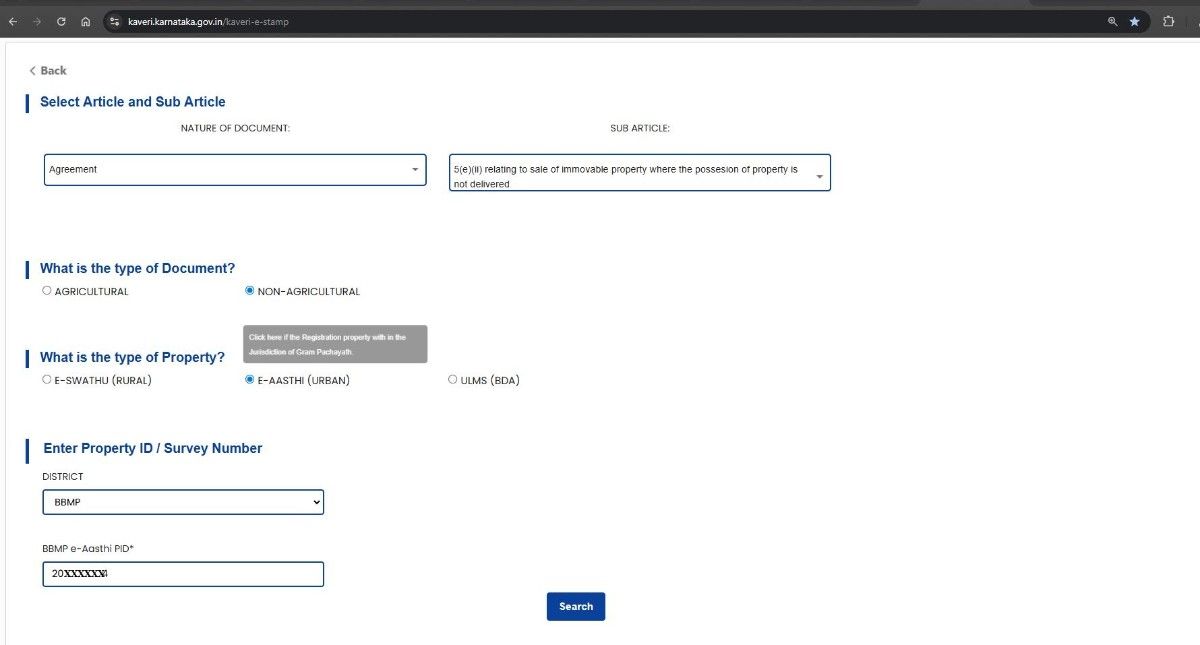 Click Continue.
Step 5: Enter Property Details Enter the property details:
- Flat Number
- Block / Tower
- Apartment Name
- Survey Number
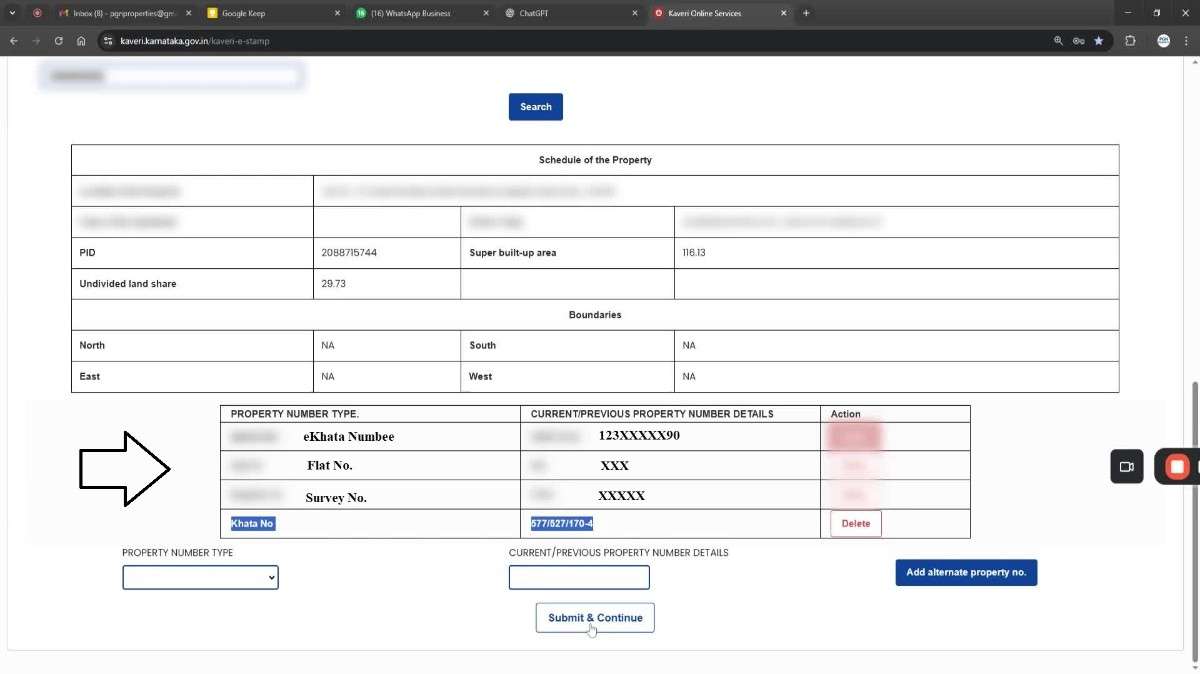 Click Submit & Continue.
Step 6: Verify Property Schedule The system auto-fills the property schedule based on e-Khata data. Manual entry is not required.
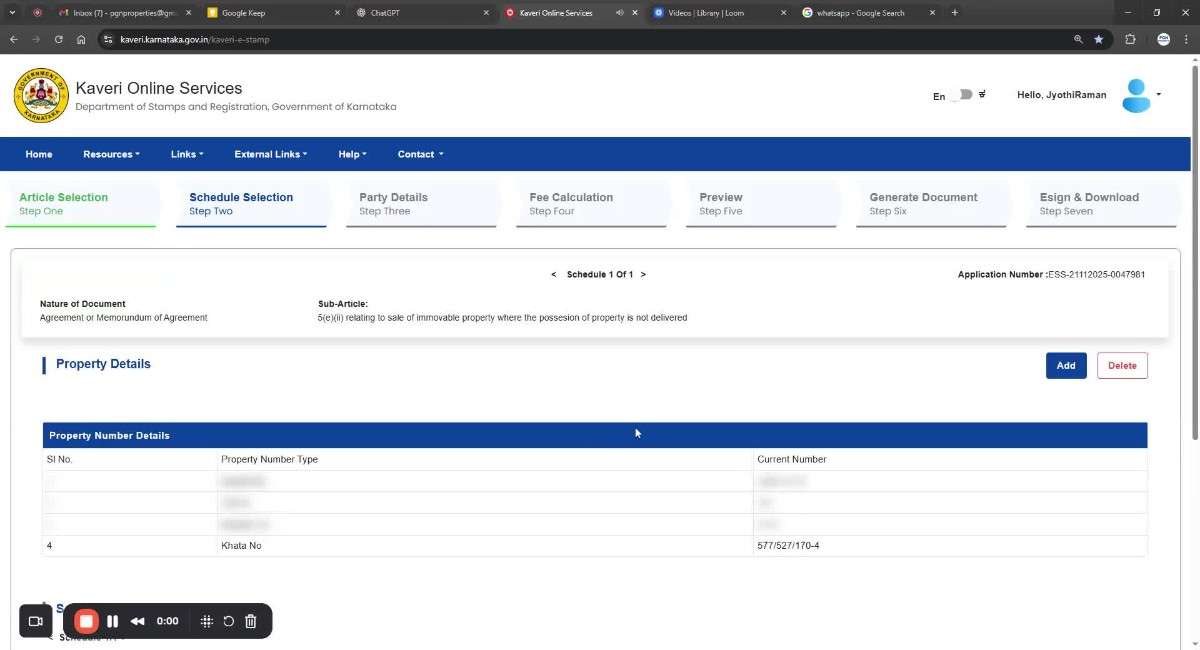
Step 7: Enter Seller and Buyer Details For each party:
- Authenticate Aadhaar using OTP
- System auto-fills name, age, gender, and address
- Verify mobile number using OTP
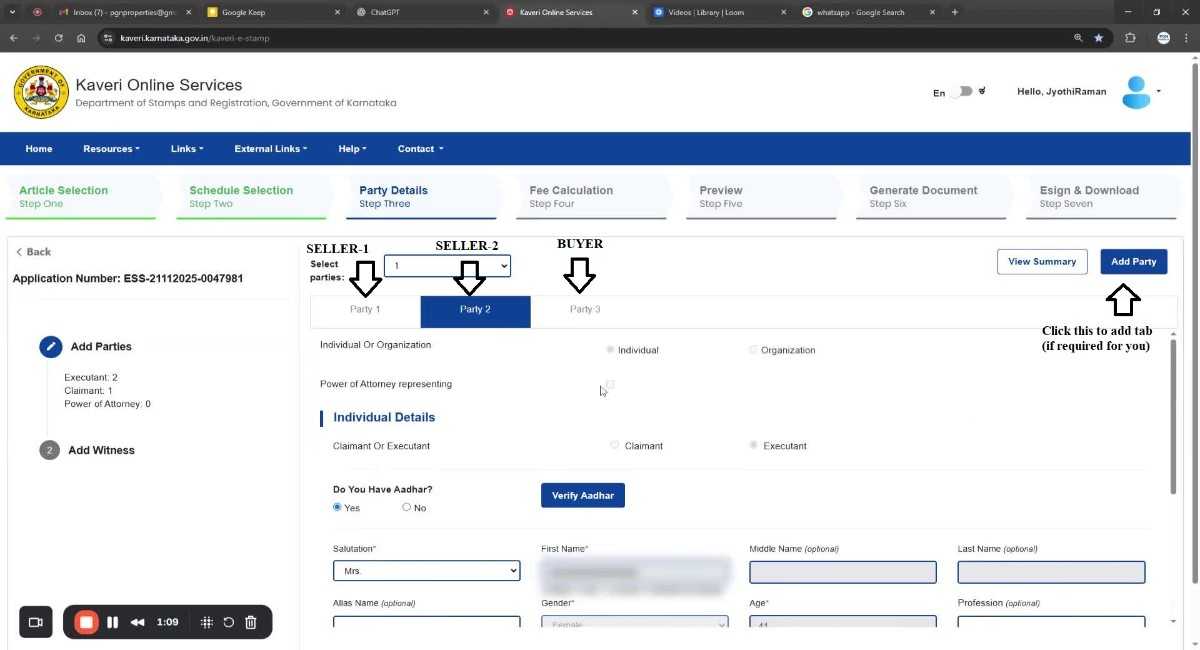
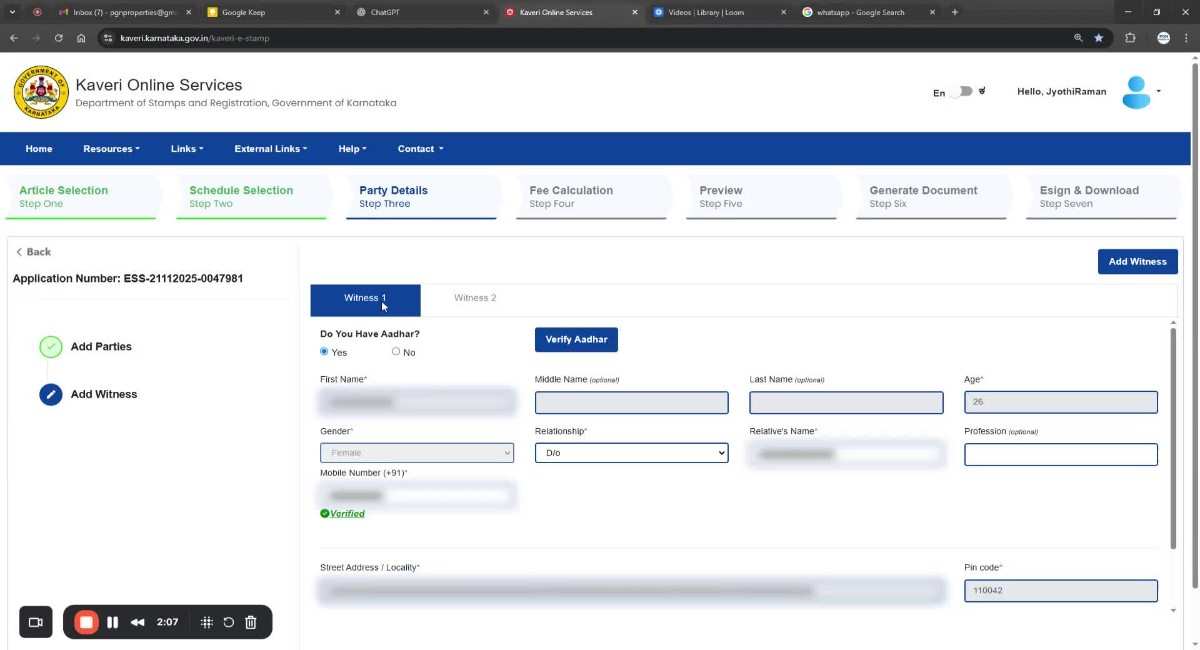
Step 8: Add Witness Details Two Witnesses are mandatory. For each witness:
- Authenticate Aadhaar via OTP
- Details are auto-filled
- Verify mobile number via OTP
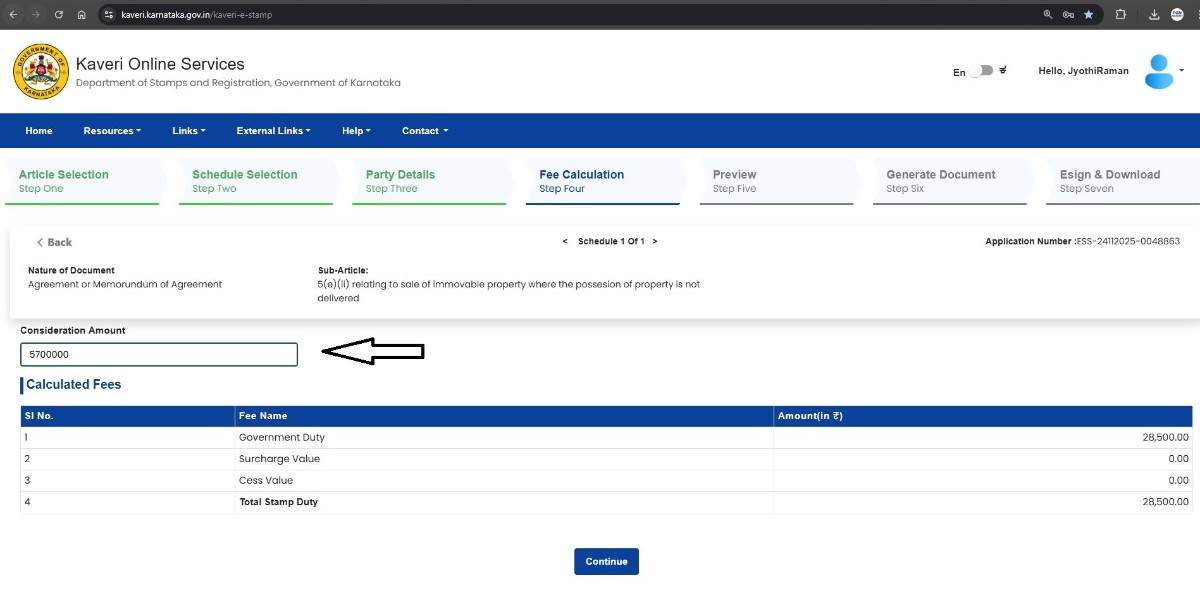
Step 9: Enter Consideration Amount and Review Stamp Duty Enter the Buying Price. Example:
- Consideration Amount: Rs.57,00,000
- Stamp Duty: 0.5% = ₹28,500
Step 10: Make the Payment Payment options include:
- NetBanking
- Debit Card
- UPI
Step 11: eSign and Download the Sale Agreement After successful payment:
- eSign the Sale Agreement using Aadhaar-based OTP
- Download the complete Sale Agreement in PDF format
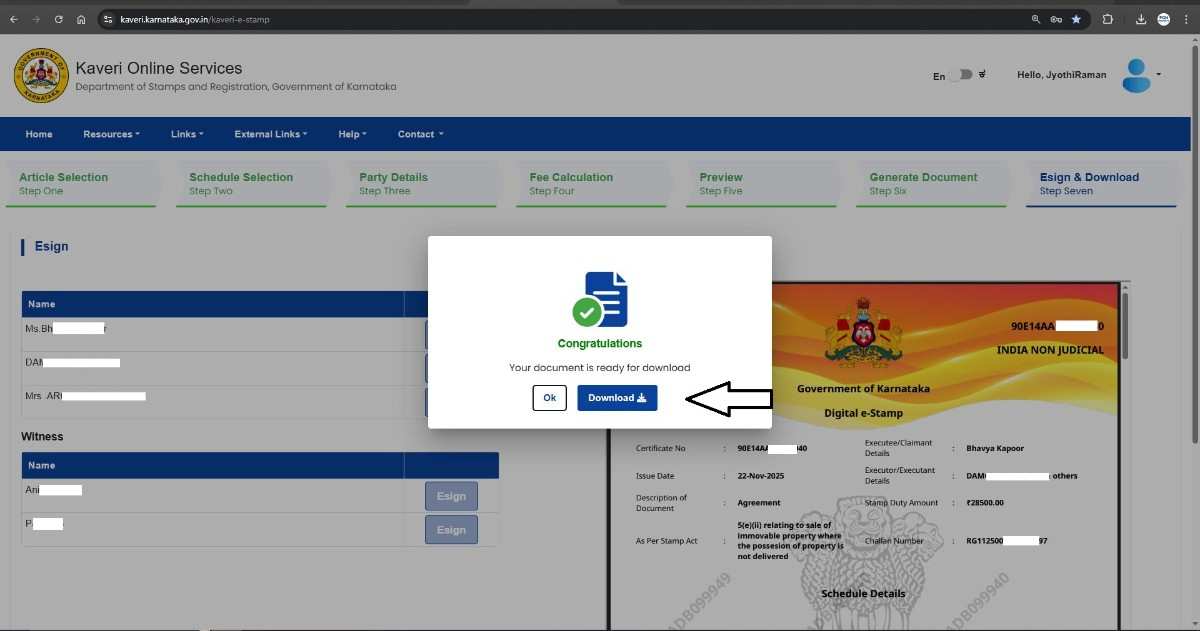 The PDF includes:
- e-Stamp Certificate on the first page

- Digital Signature Details on the final page
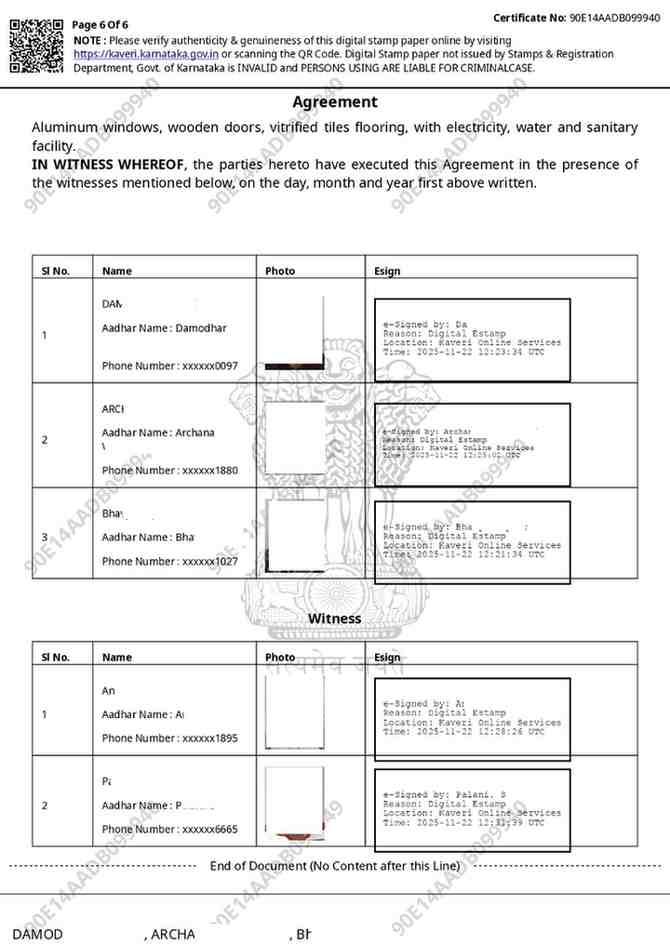 This completes the Sale Agreement process.
CONCLUSION The Digital e-Stamp and online Sale Agreement facility on Kaveri Online Services has transformed property documentation in Karnataka. By offering a single platform for drafting, stamping, and digital signing, the system eliminates paperwork and reduces errors. By following the steps outlined in this guide, buyers and sellers can complete the process quickly and efficiently without visiting a Sub-Registrar Office or stamp vendor.
FREQUENTLY ASKED QUESTIONS (FAQS)
- Can I still buy physical stamp paper instead of using Kaveri Online Services?
- Is Aadhaar authentication mandatory?
- What if I enter the wrong stamp duty amount?
- Can NRIs complete the process from outside India?
- Is the digitally signed Sale Agreement accepted by banks?