
A Sale Deed is a vital legal document that officially records the transfer of ownership of a property from the seller to the buyer.
It is one of the most important documents in any property transaction, as it serves as conclusive proof of ownership. Once a Sale Deed is registered with the Sub-Registrar’s Office, the buyer becomes the lawful owner of the property.
DOCUMENTS REQUIRED FOR SALE DEED REGISTRATION
To register a Sale Deed in Bangalore, the following documents are generally required:
- Registered deed (document showing how the seller acquired the property)
- Property tax receipt
- e-Khata
- Identity proof of seller, buyer, and at least two witnesses (Aadhaar / PAN)
- Sale deed draft (to be registered)
- TDS challan (if applicable)
REAL-LIFE EXAMPLE: REGISTRATION OF A 2BHK FLAT
To better understand the process, let us look at a real example.
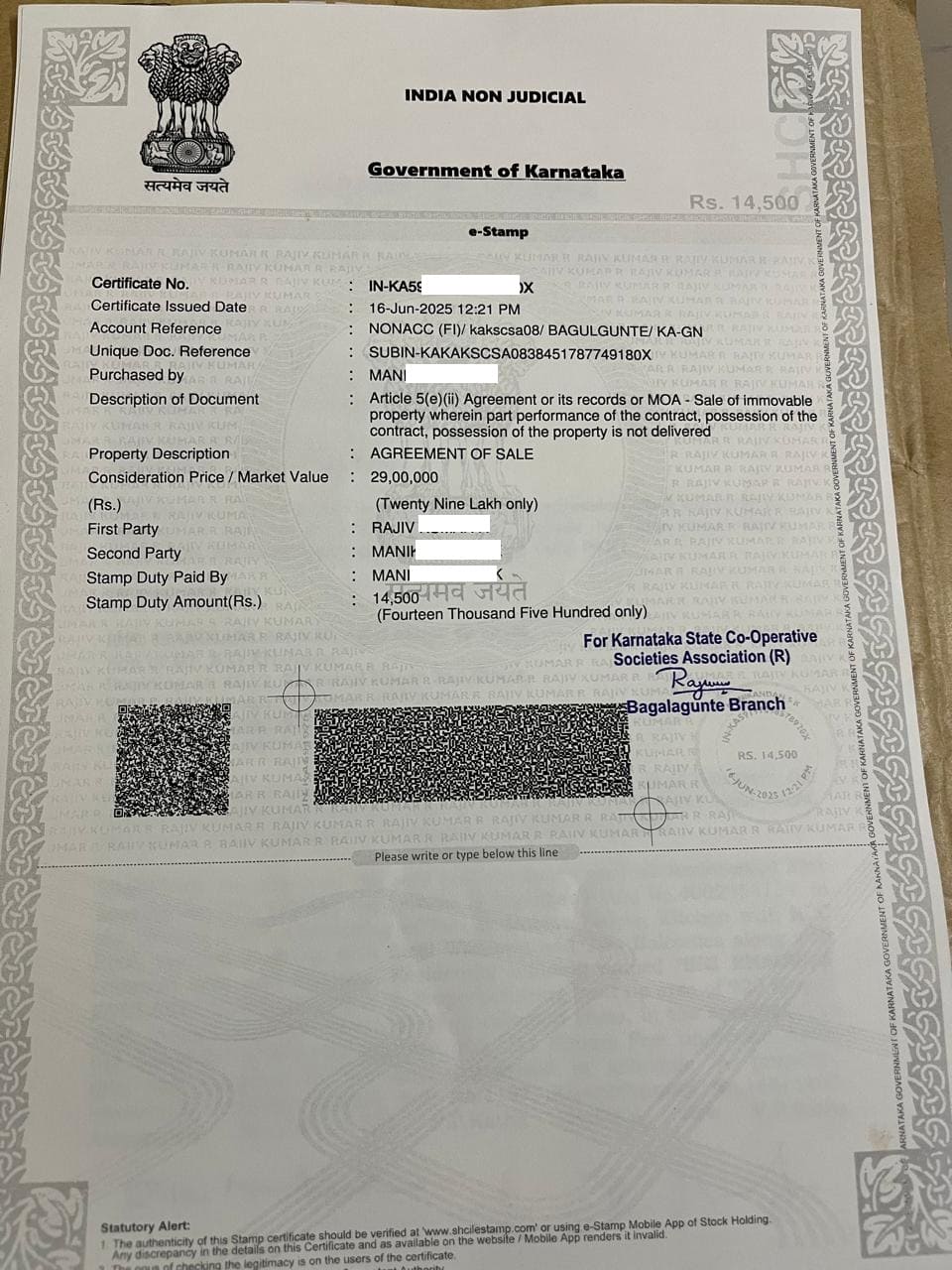
- One of my clients purchased a resale 2BHK flat in Bangalore at a price of Rs.29 lakhs.
- A down payment of Rs.3 lakhs was made, and a Sale Agreement was executed on non-judicial e-stamp paper.
- The stamp duty for the agreement was 0.5% of the consideration amount. That is:
Rs.29,00,000 × 0.5% = Rs.14,500.
(Refer to the Sale Agreement image below)
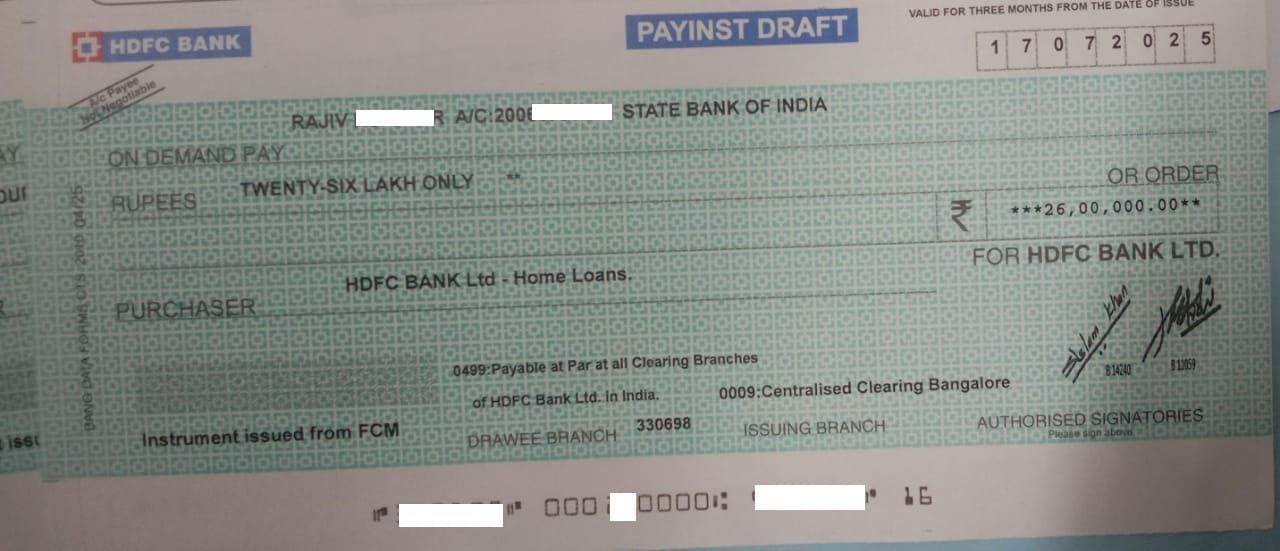
- We then applied for a home loan of Rs.26 lakhs (the balance consideration). The bank took around 15 working days to process the loan.
- After this, we proceeded with the Sale Deed registration through Kaveri Online Services.
STEP-BY-STEP PROCESS OF SALE DEED REGISTRATION
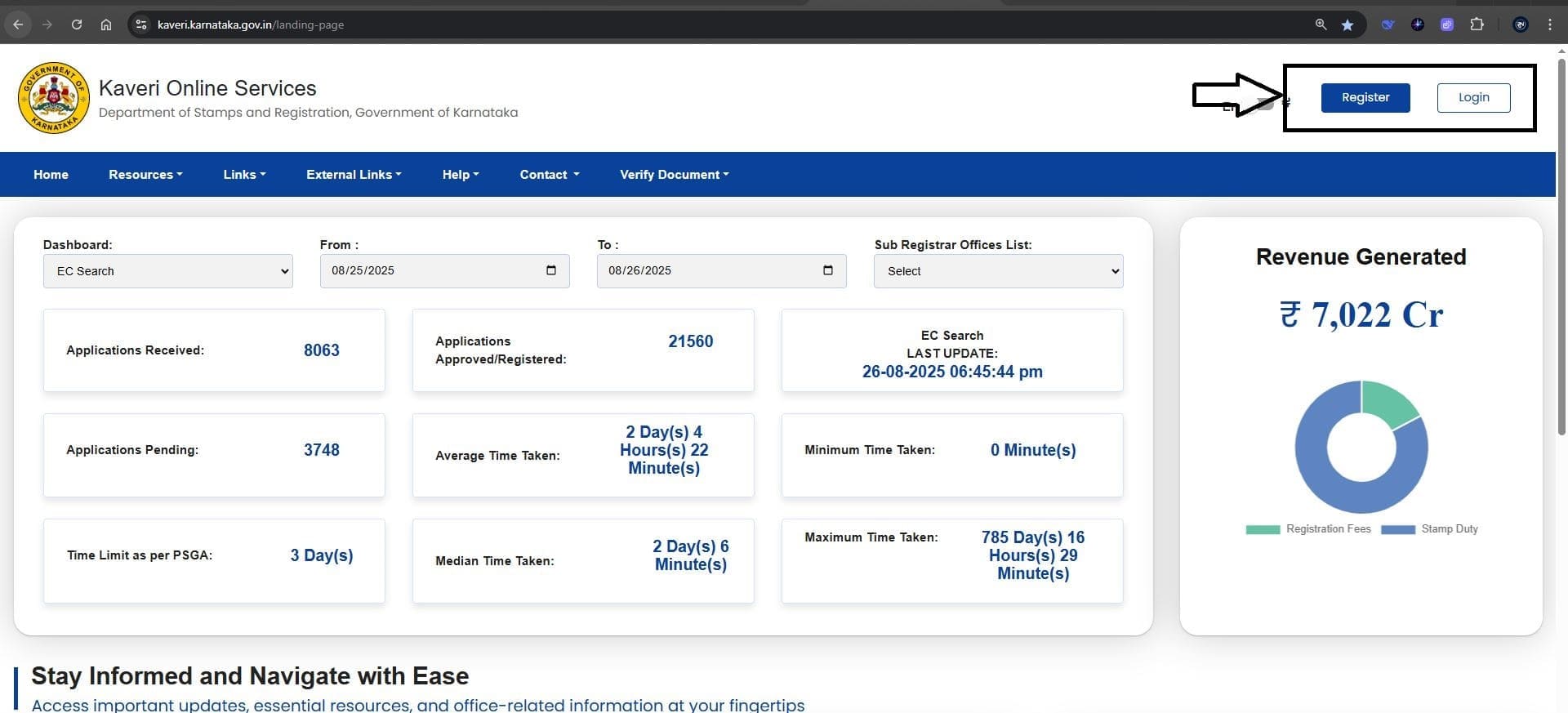
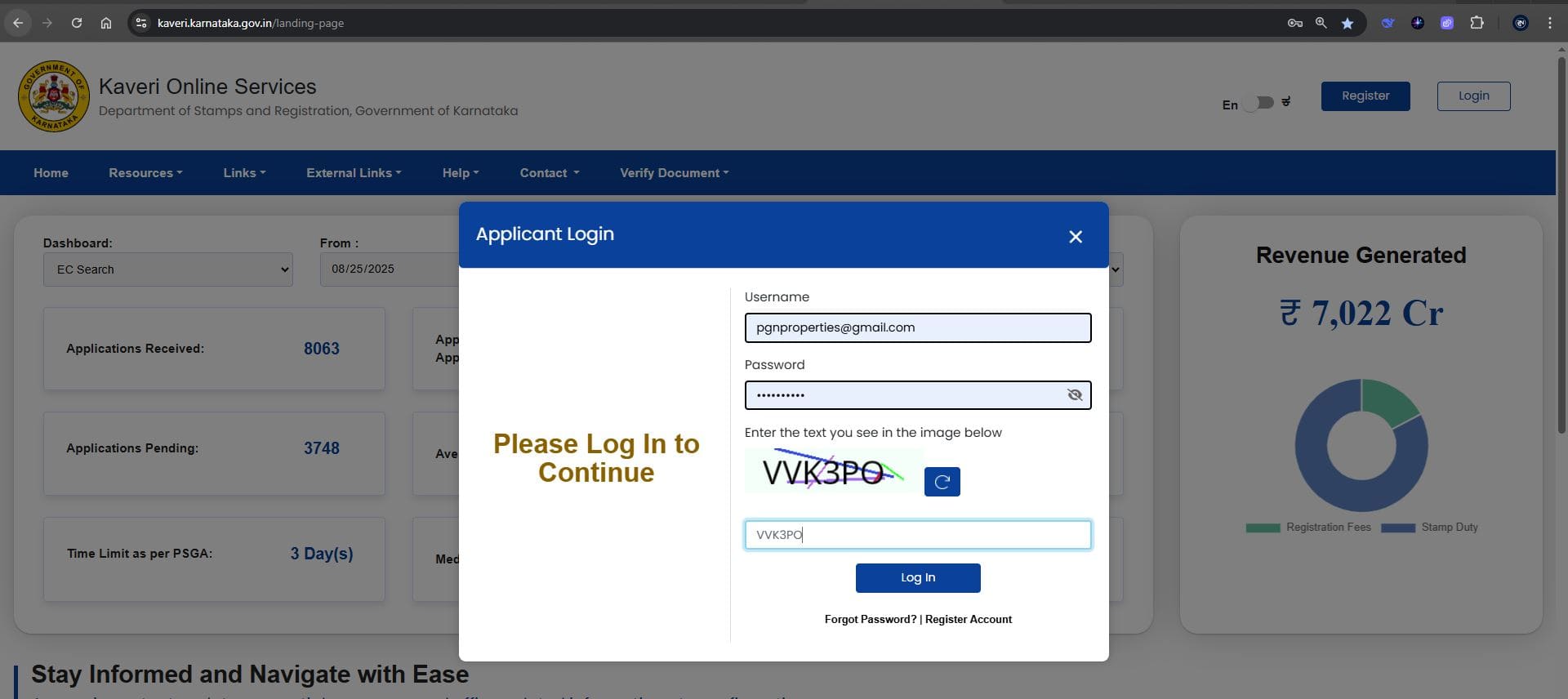
1. Register on Kaveri Online Services
- Create an account on Kaveri Online Services and log in. The Register and Login options are highlighted in the reference image below.
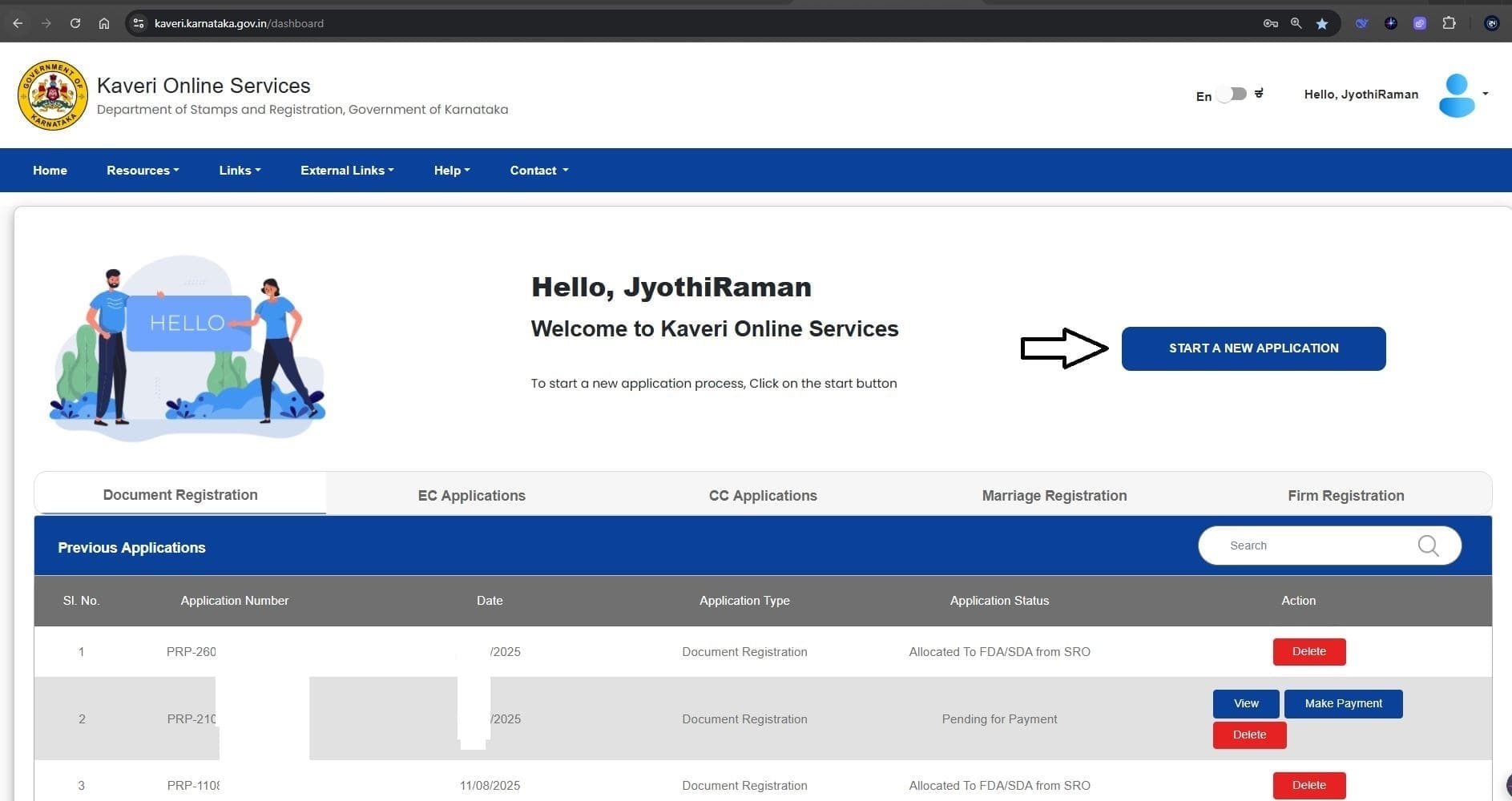
2. Start a New Application.
- Select “Start a New Application” as shown in the reference image below.
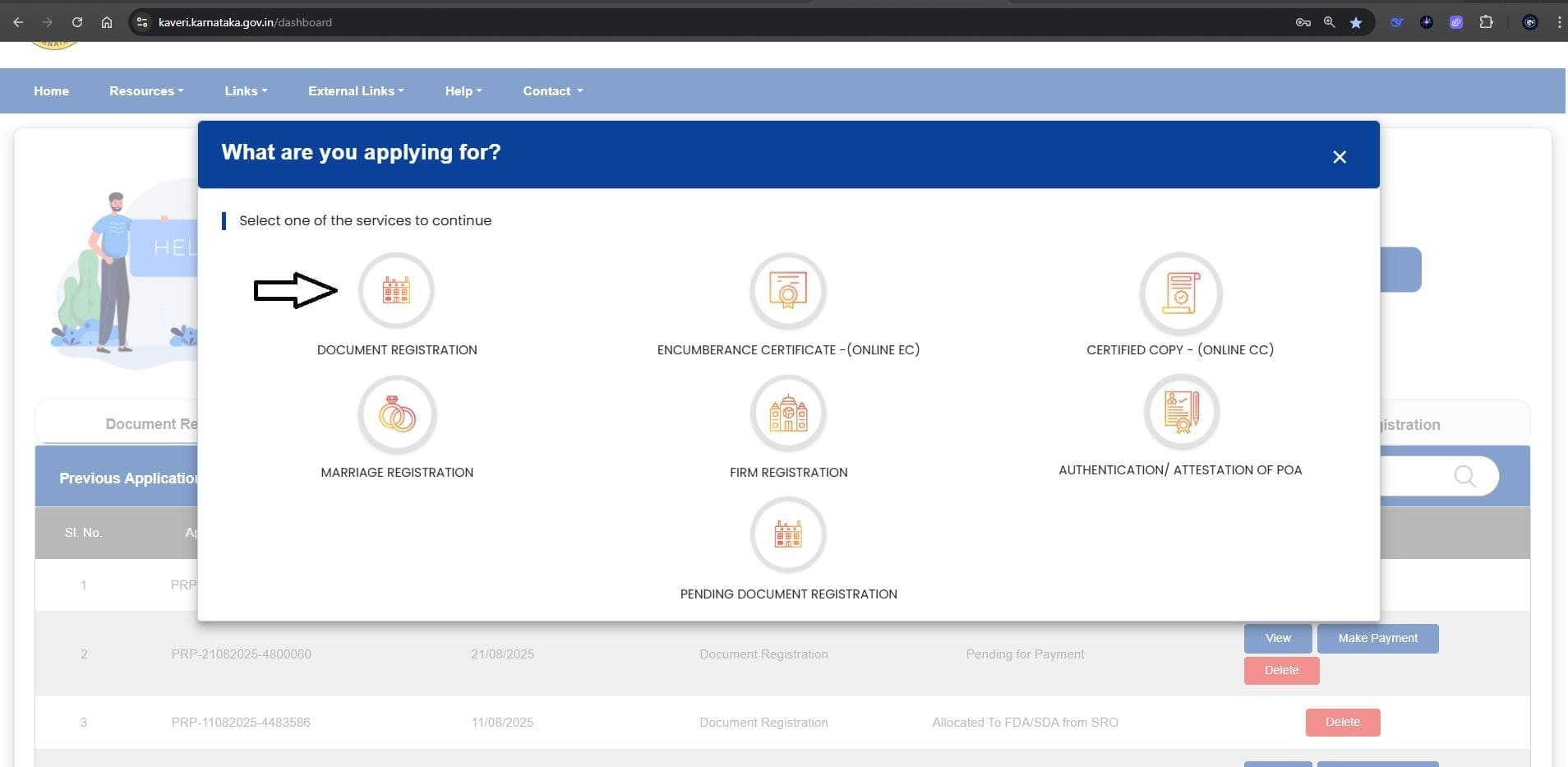
3. DOCUMENT REGISTRATION
- Click on “Document Registration” from the options provided, as illustrated in the reference image below.
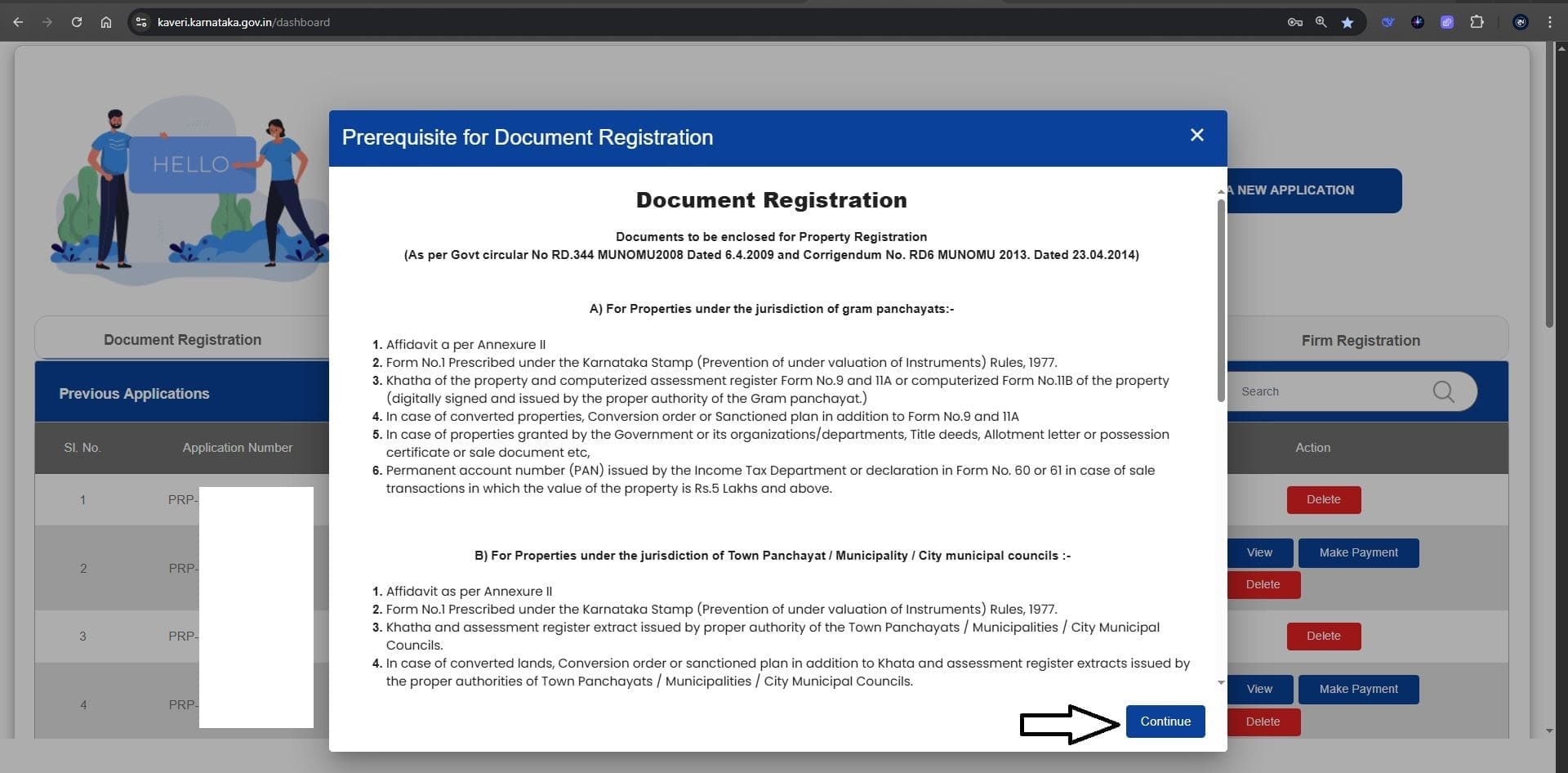
- Click “Continue” under Prerequisite for Document Registration, as shown in the reference image below.
4. Article and Sub Article: Select the following options
- Nature of Document: Sale
- Article: Conveyance
- Sub-Article: (20-1) Sale/Conveyance of Immovable Property – Converted Land / Site / Building / Apartment
(See the reference image below)
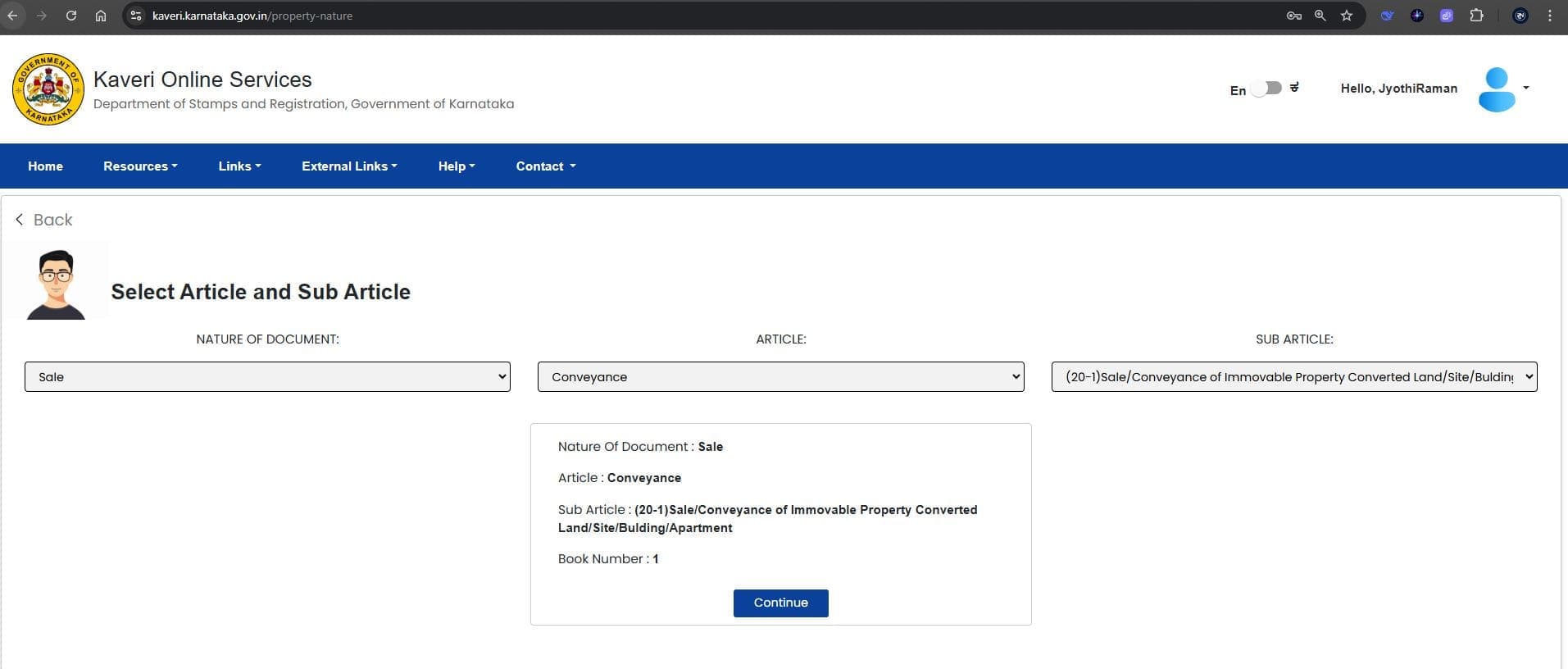
Select Continue
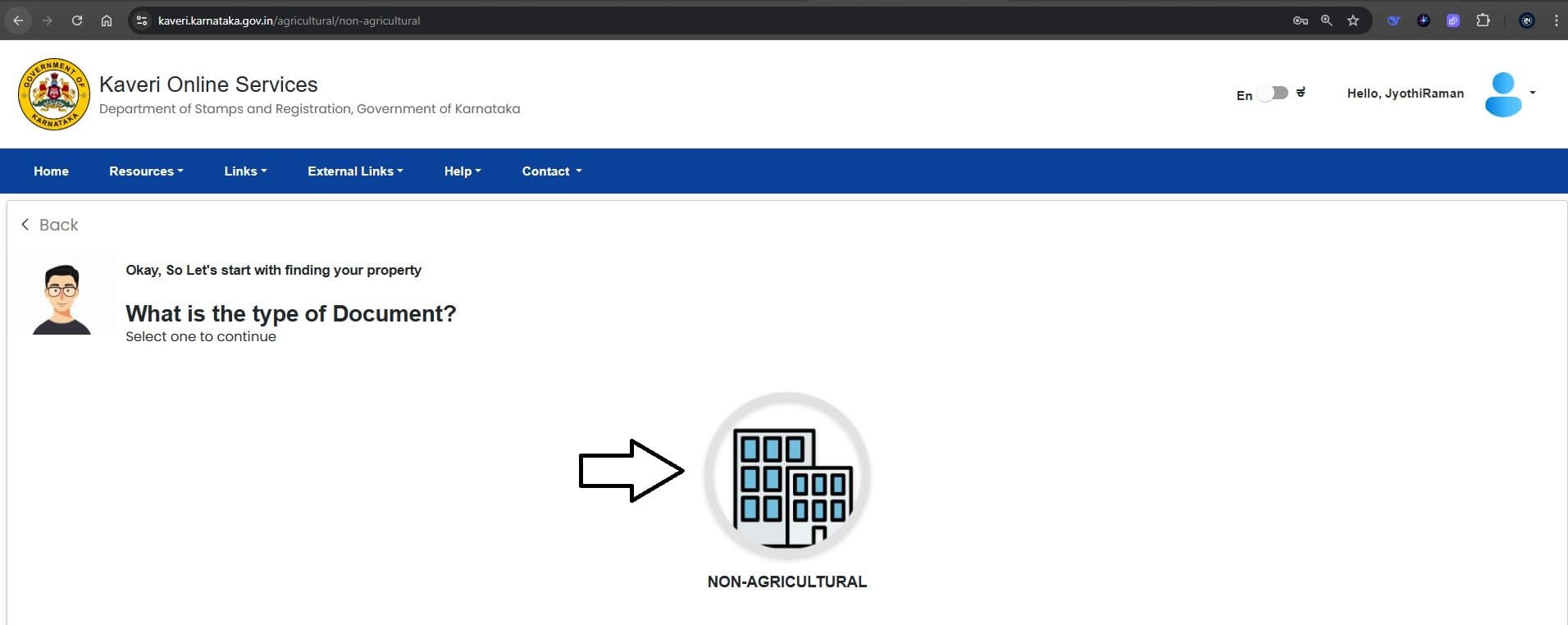
5. Type of Document
Select “Non-Agricultural” under Type of Document, as shown in the reference image below.
6. Property Jurisdiction Selection
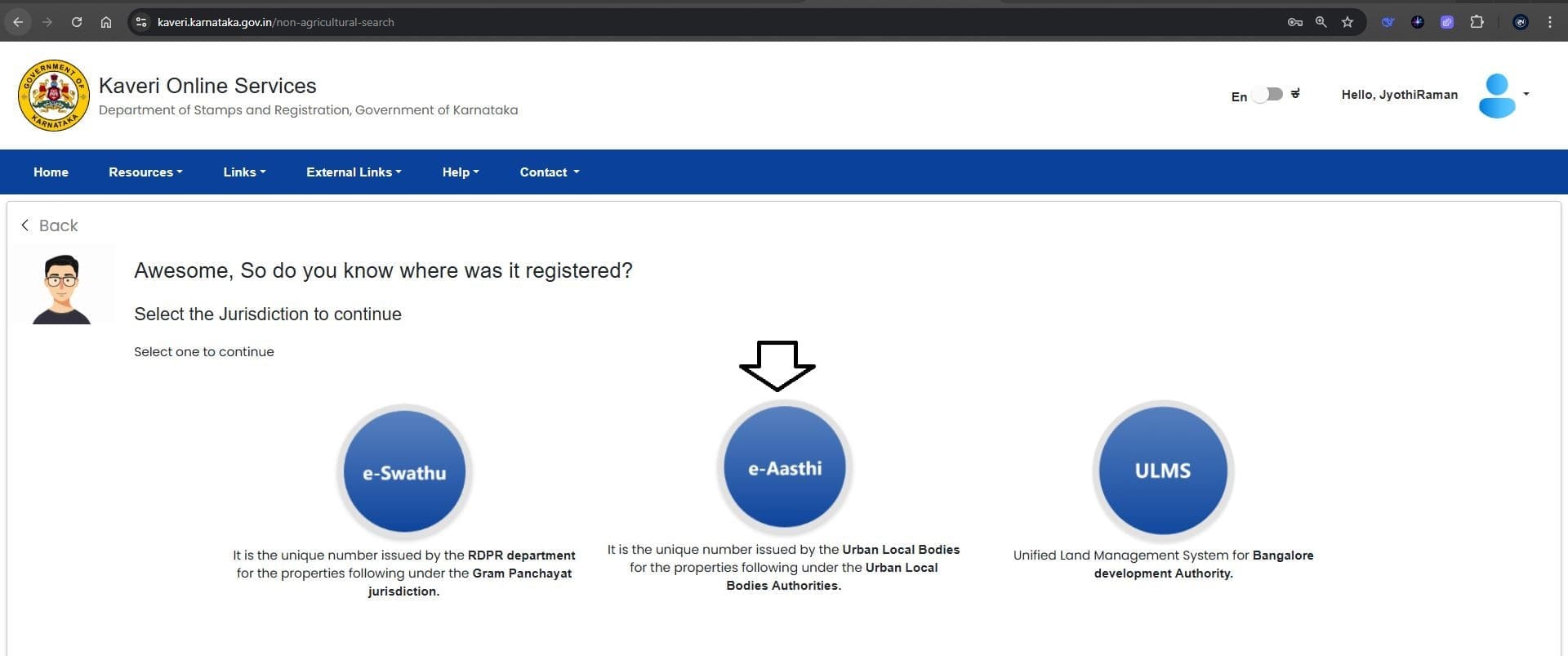
- For properties located in BBMP and CMC, select e-Aasthi.
- For properties in a Panchayat, select e-Swathu.
- For BDA properties, select ULMS.
In this case, my client’s property is under City Municipal Council (CMC), so we selected e-Aasthi (see reference image below).
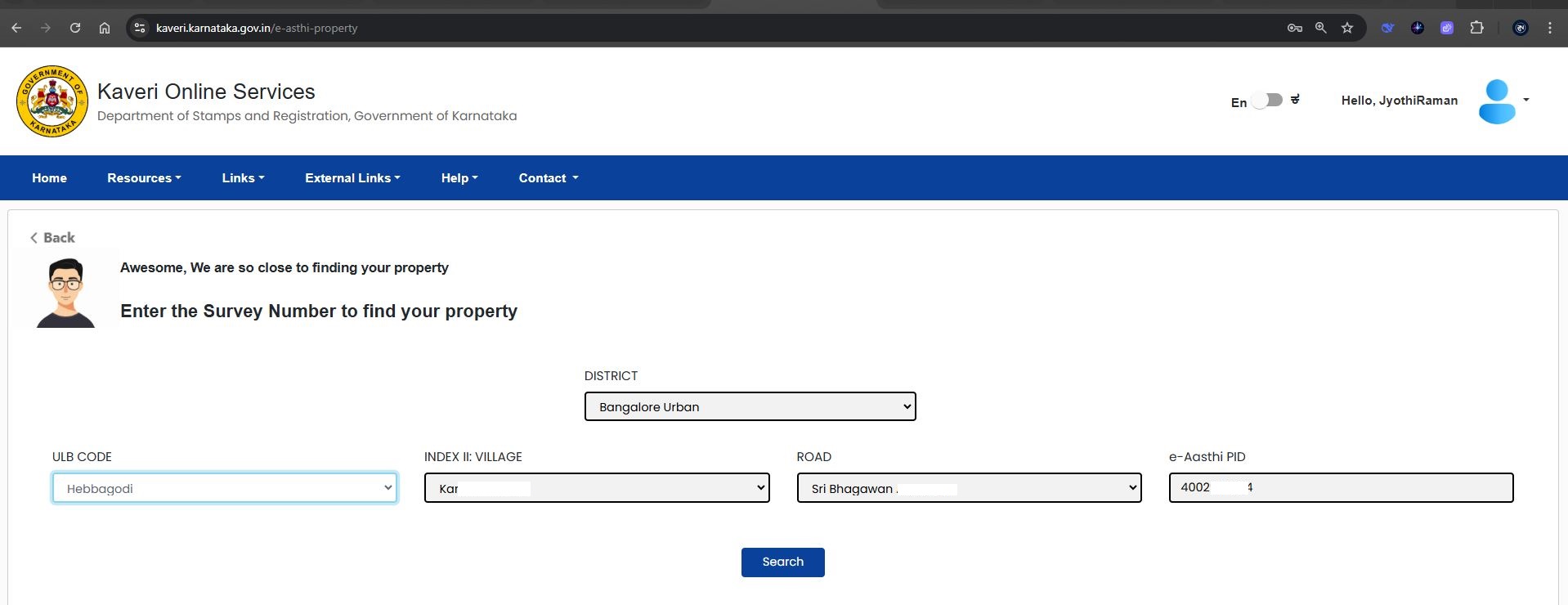
Next, we entered:
- District: Bangalore Urban
- ULB Code: Hebbagodi (as my CMC office location is Hebbagodi)
- Index II – Village: Select your property’s village name
- Road: Select the apartment, layout, or village name
- e-Aasthi PID: Enter the e-Khata number
(See the filled reference image below)
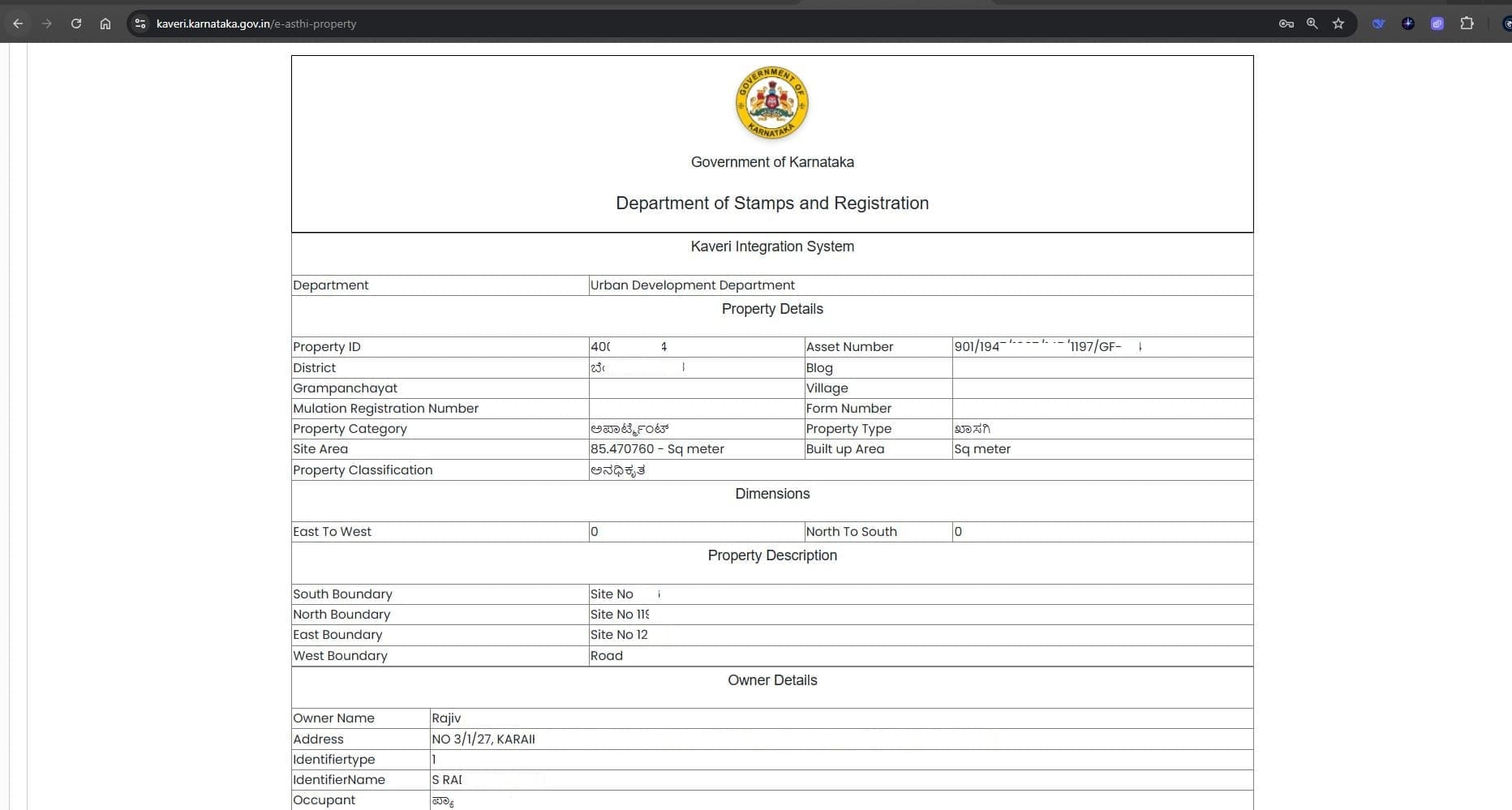
Click “Search” to view the results, as shown below.
7. Property Details
Enter the property details, including Flat Number, Khata Number, and Survey Number (see reference image below).
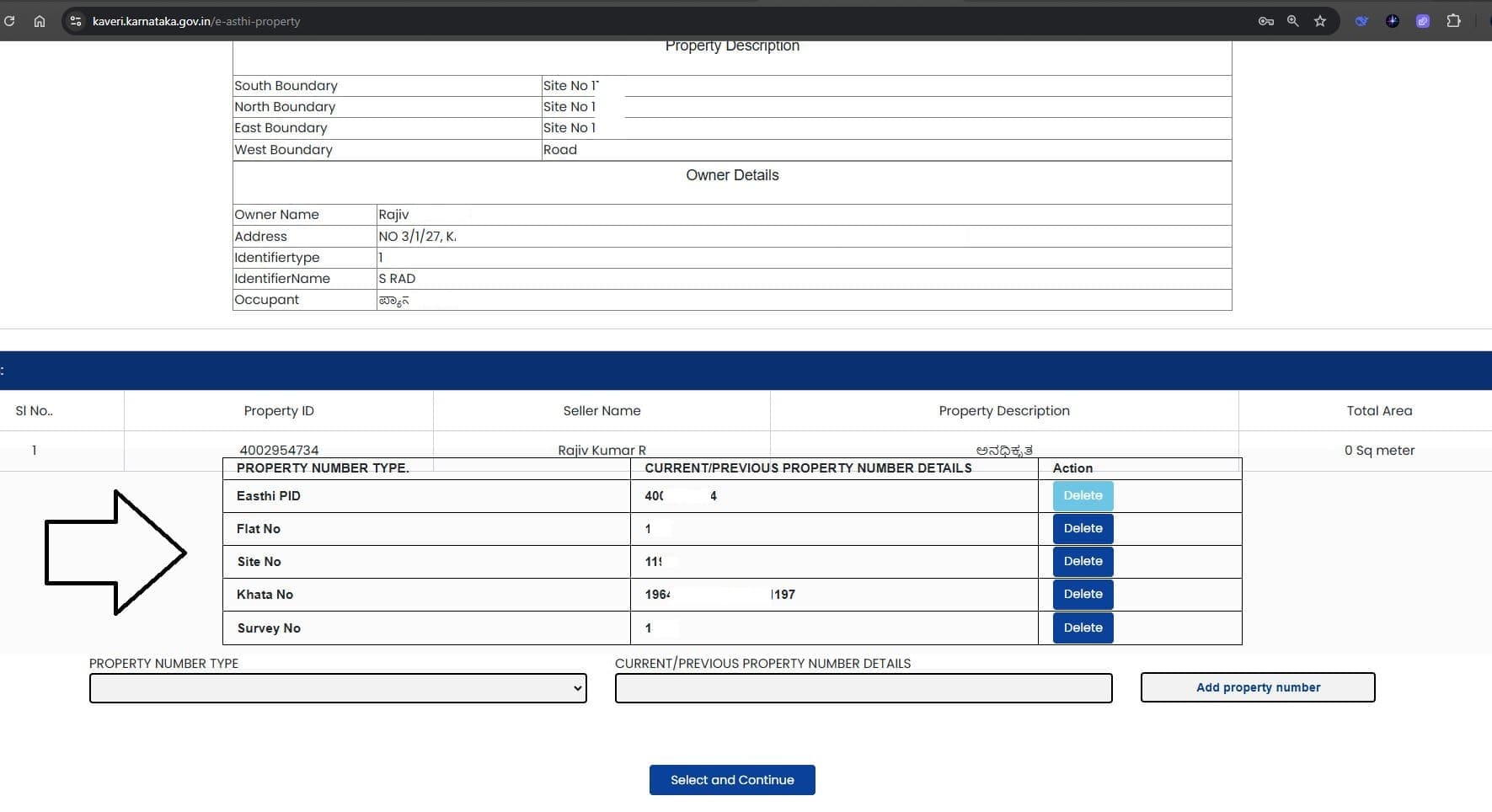
Click “Select and Continue” to proceed. The property description output will be displayed as shown below.
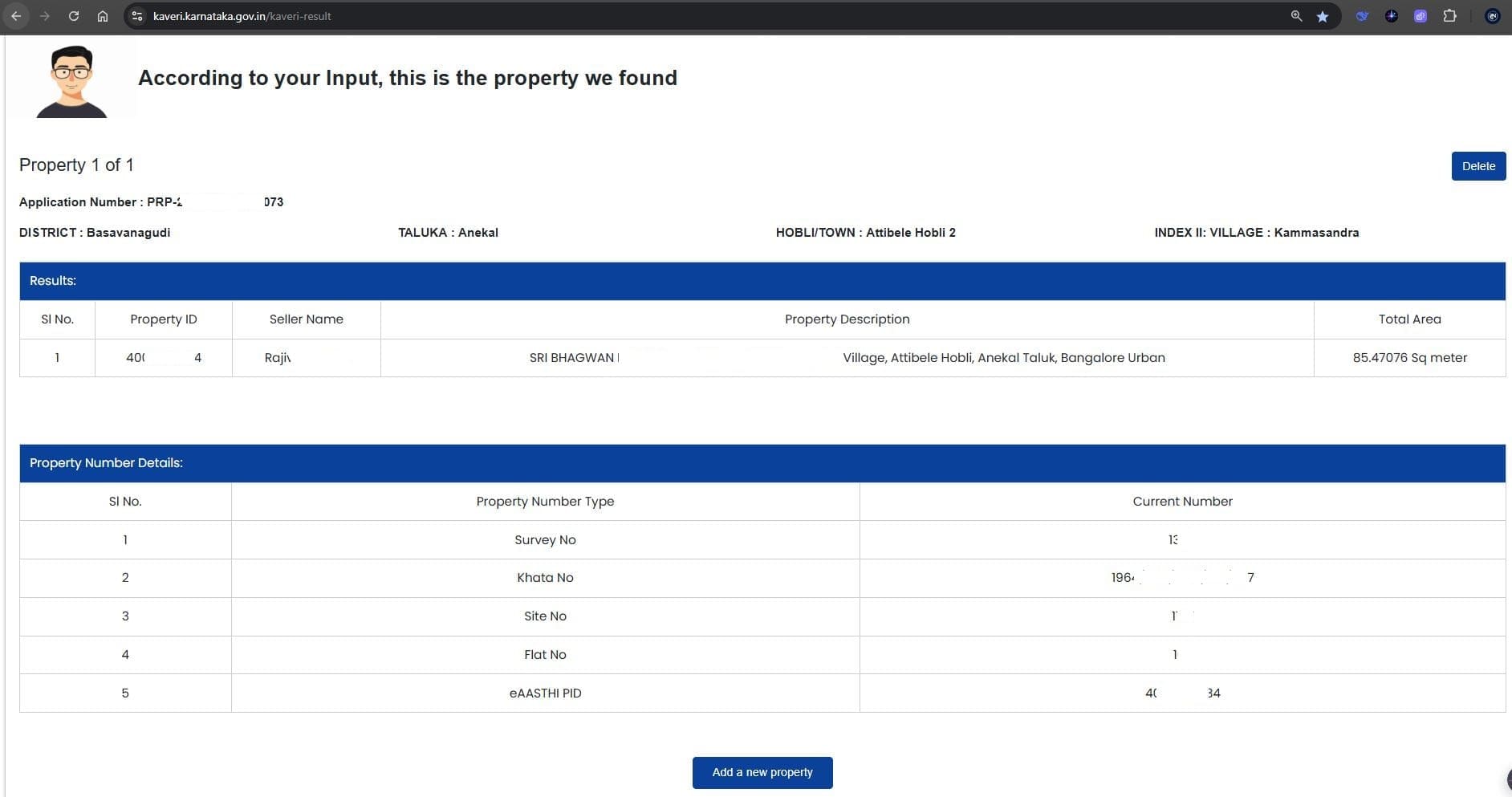
Click “Save Property & Continue” to proceed.
8. Property schedule
Enter the Property Schedule, including boundaries and a description of the property. You may also copy and paste the schedule from your Sale Deed draft (see filled reference image below).
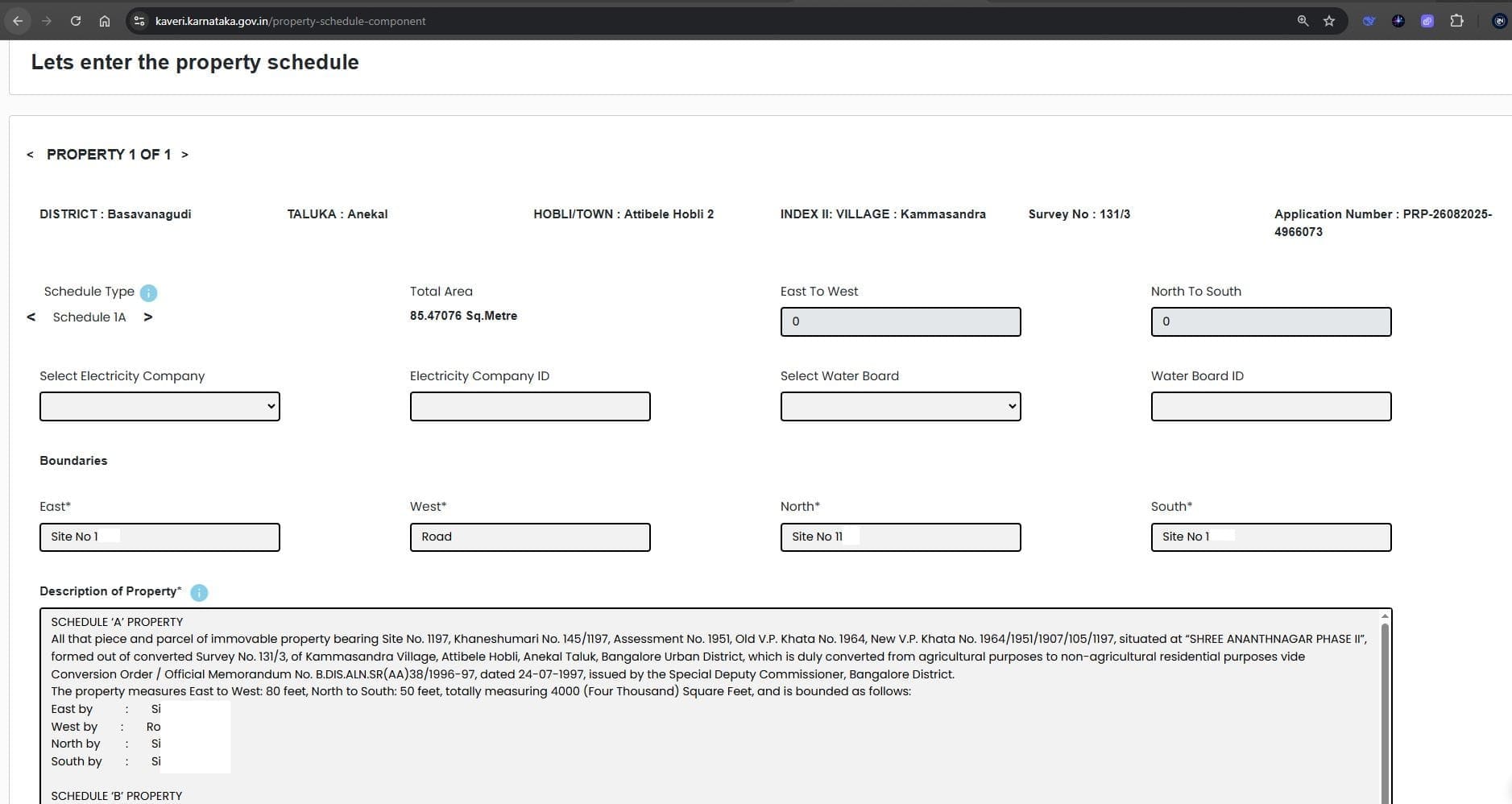
Click “Save and Continue” to proceed
9. Seller (Executant-1) Details
The seller’s details are auto-filled based on the e-Khata. Additionally, provide Aadhaar OTP authentication or PAN number, along with the contact number and address (see filled reference image below).
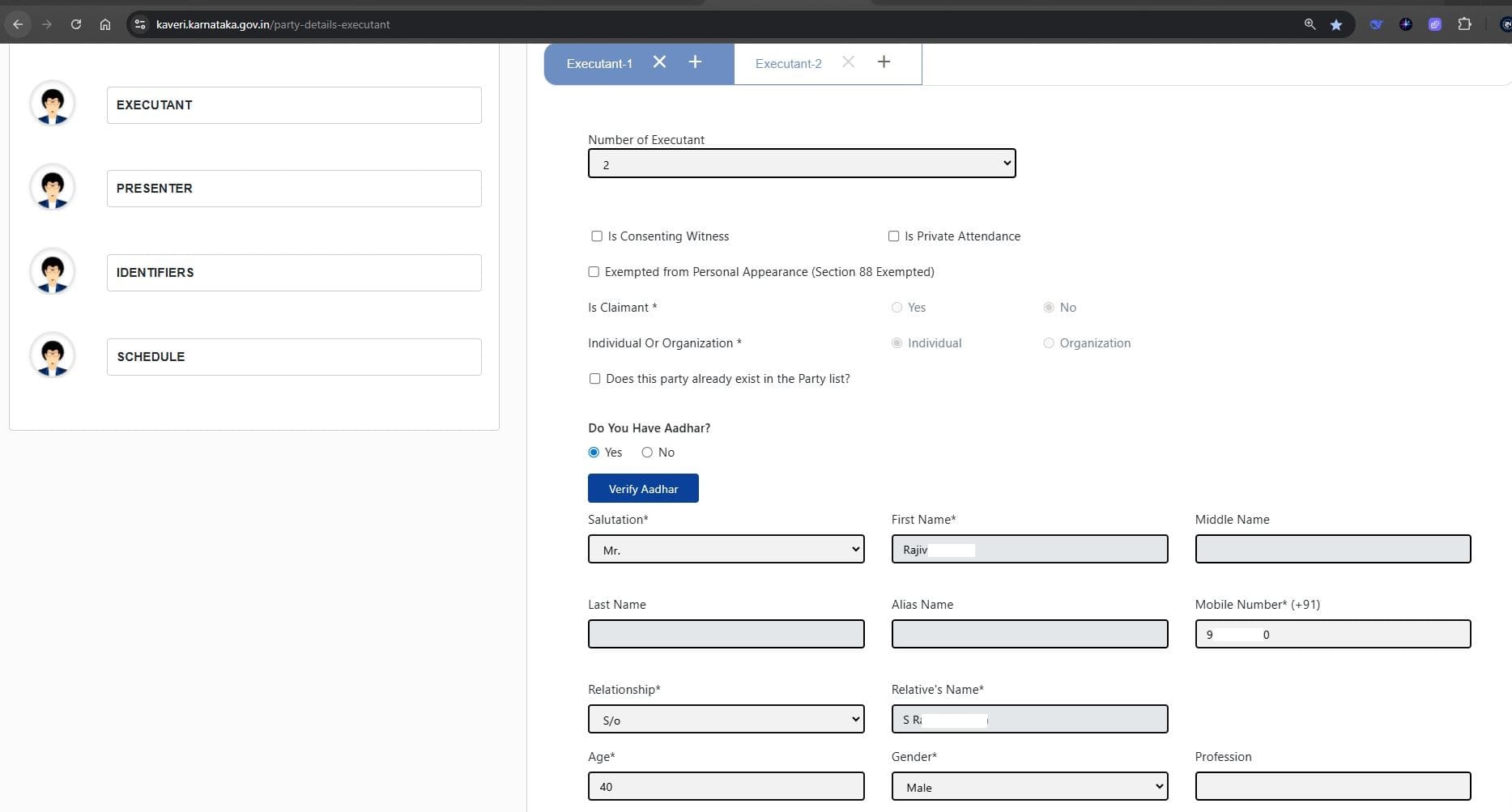
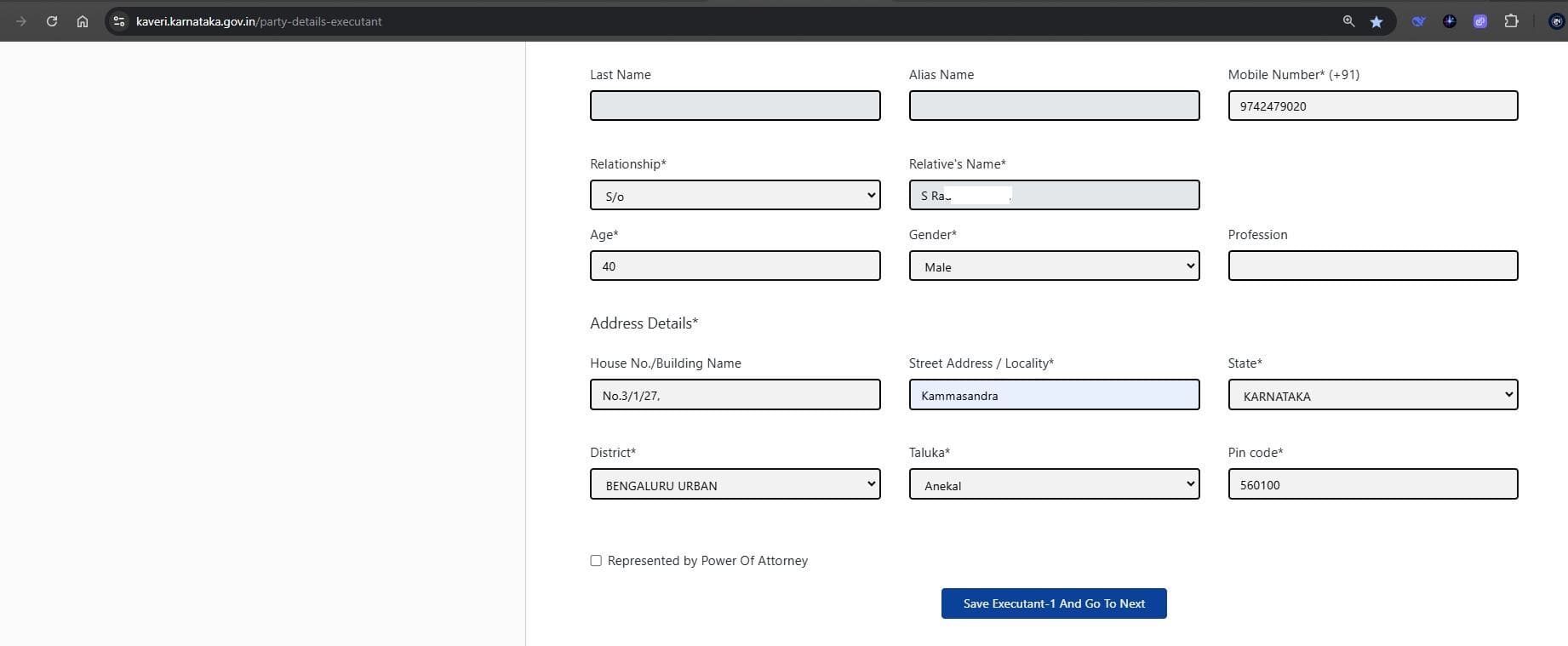
Click “Save Executant-1 and Go To Next” to proceed.
10. Buyer (Executant-2) Details
Select the following options:
- Is Claimant: Yes (Buyer should select Yes)
- Individual or Organization: Individual (My client is an individual, not representing any organization)
- Provide Aadhaar authentication
(See reference image below.)
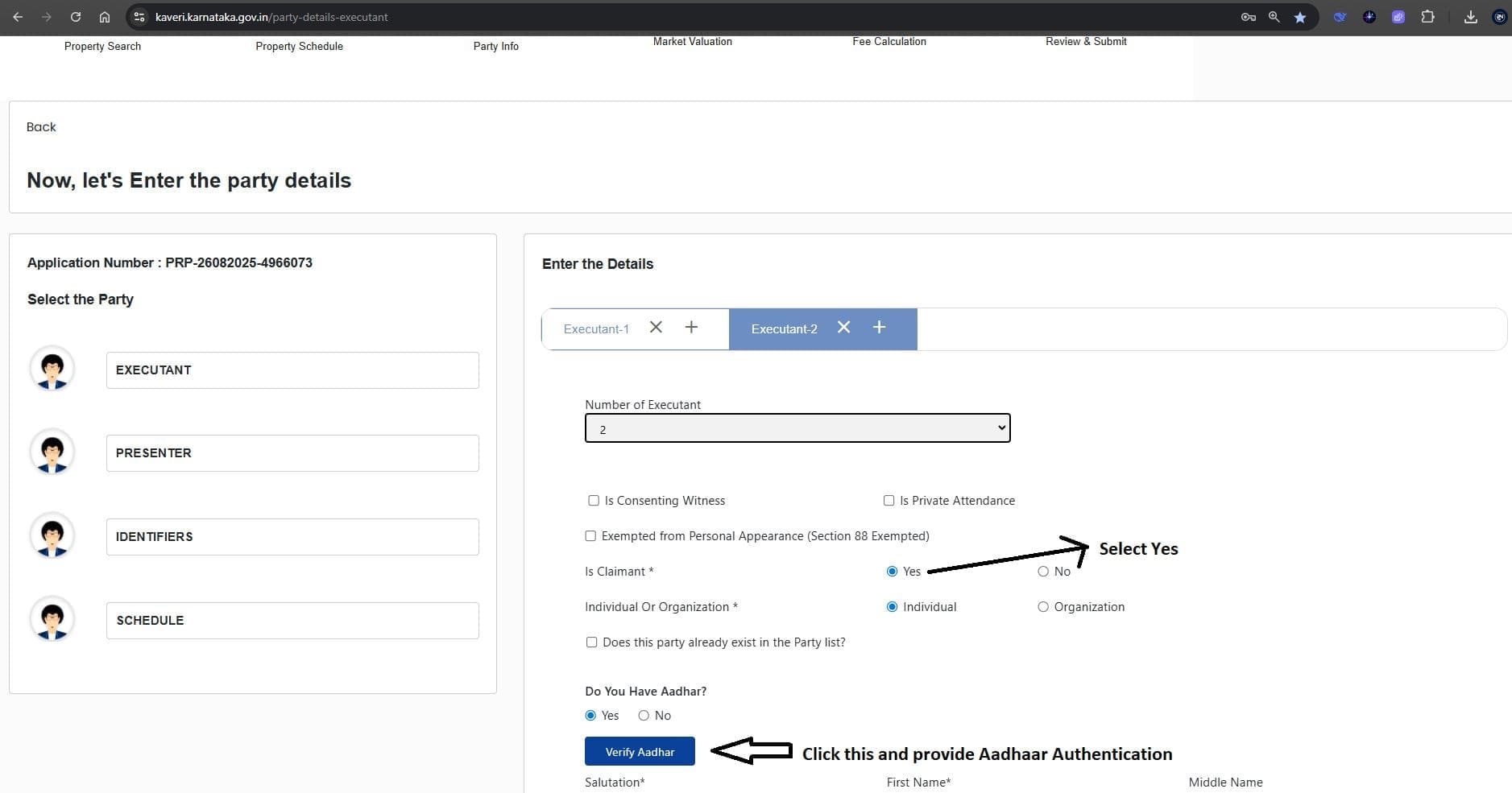
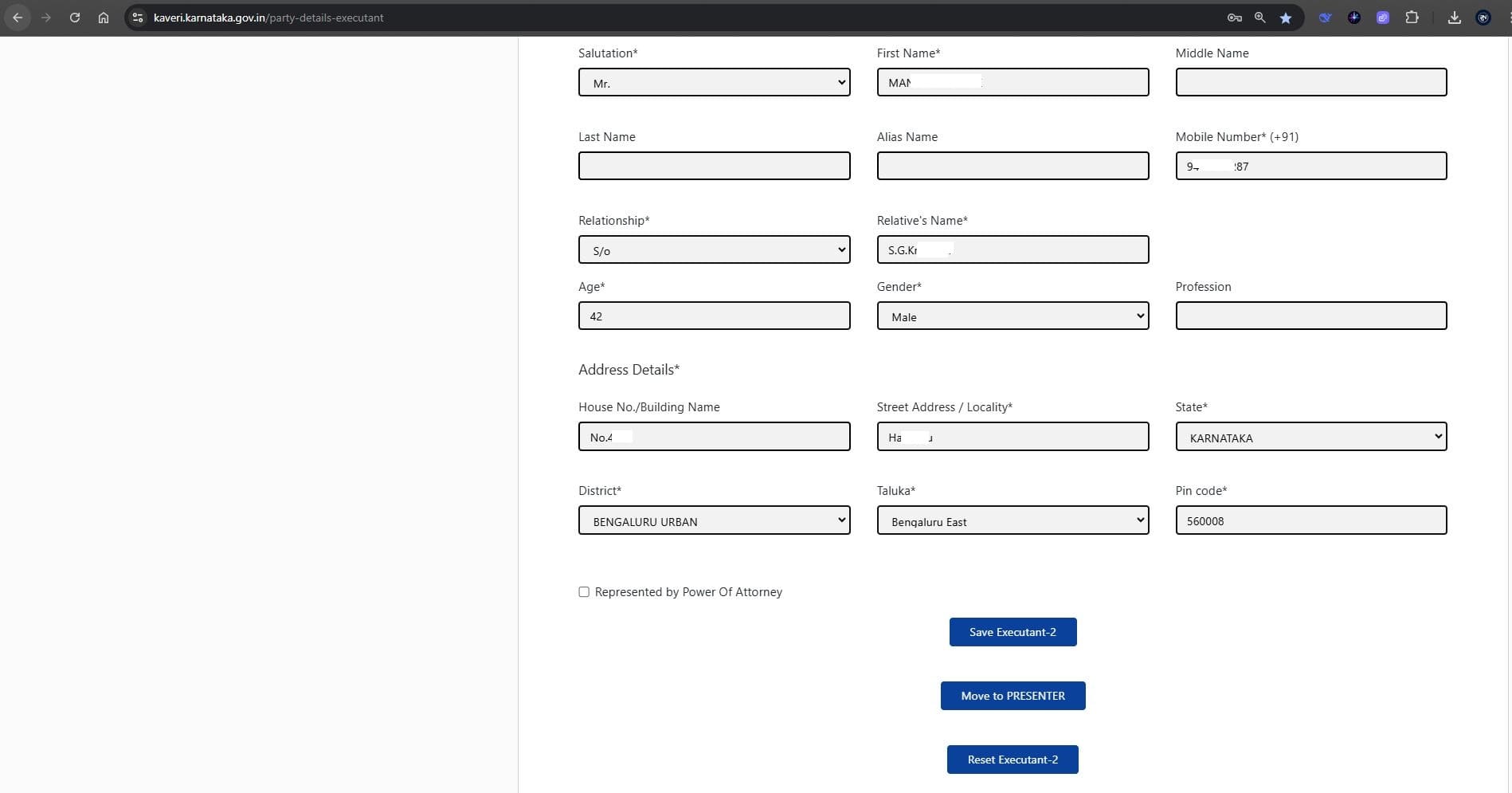
Enter the buyer’s name, age, gender, and address (see filled reference image below).
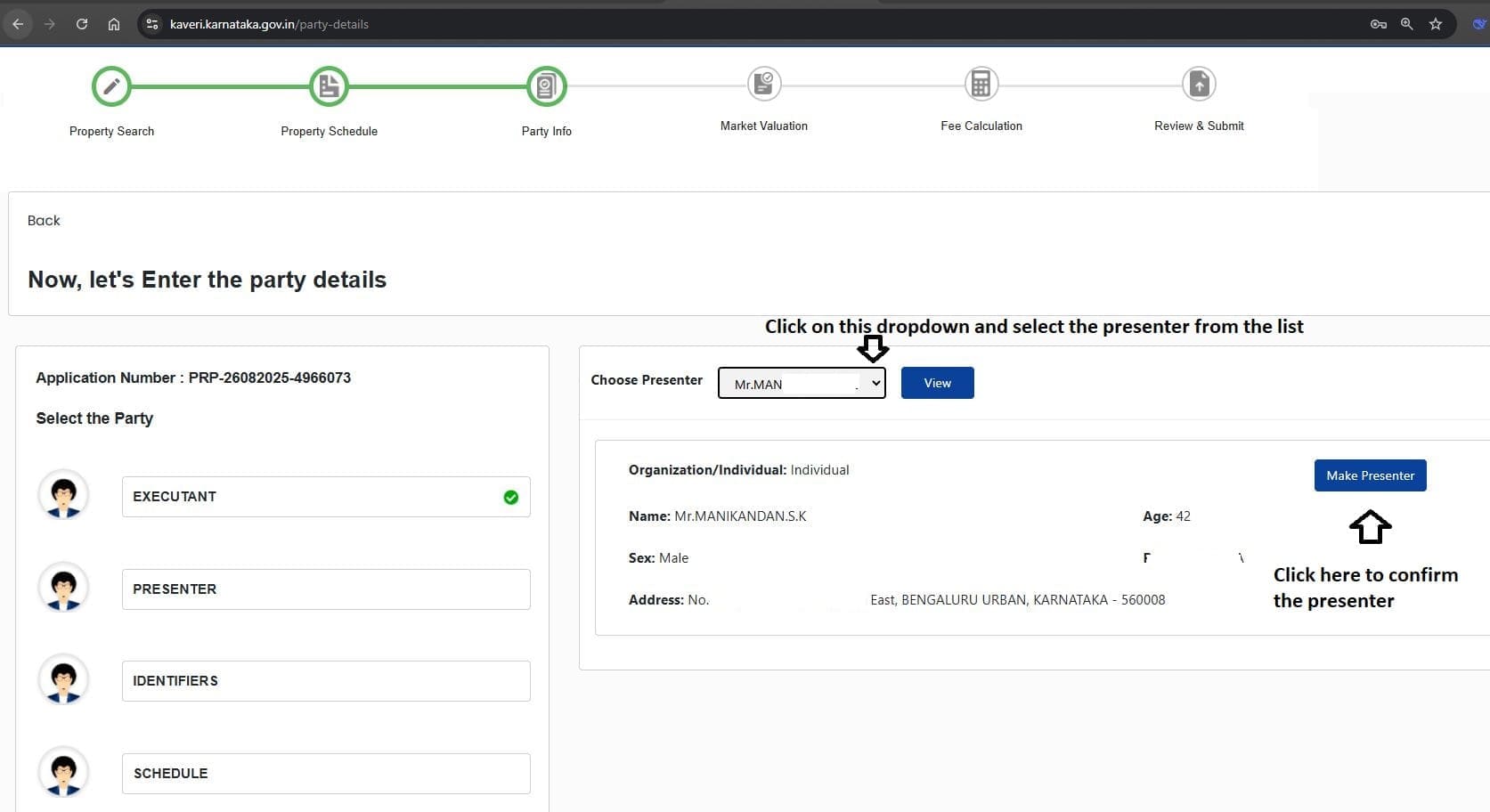
11. Presenter Selection
Select the Presenter from the dropdown list (either seller or buyer). In this case, we selected the buyer as the presenter (see highlighted section in the reference image below).
12. Witness Details
- In Identifier-1, enter the witness’s details, including name, age, gender, and address.
- In the Identifies field, select the party (seller or buyer) whom the witness is attesting to (see reference image below).
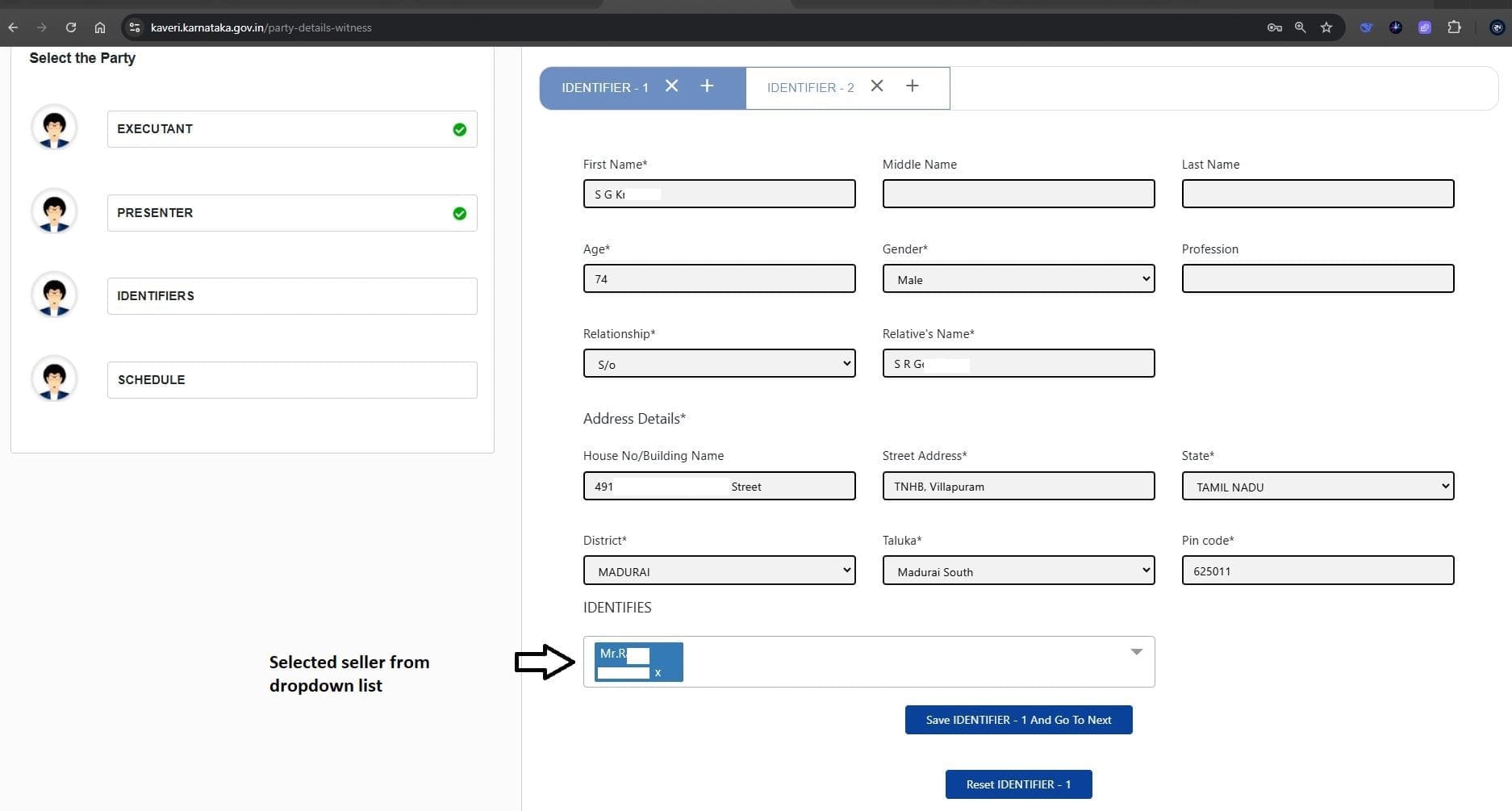
Click “Save Identifier-1 and Go To Next”. Similarly, enter the details of the second witness in Identifier-2 (see reference image below).
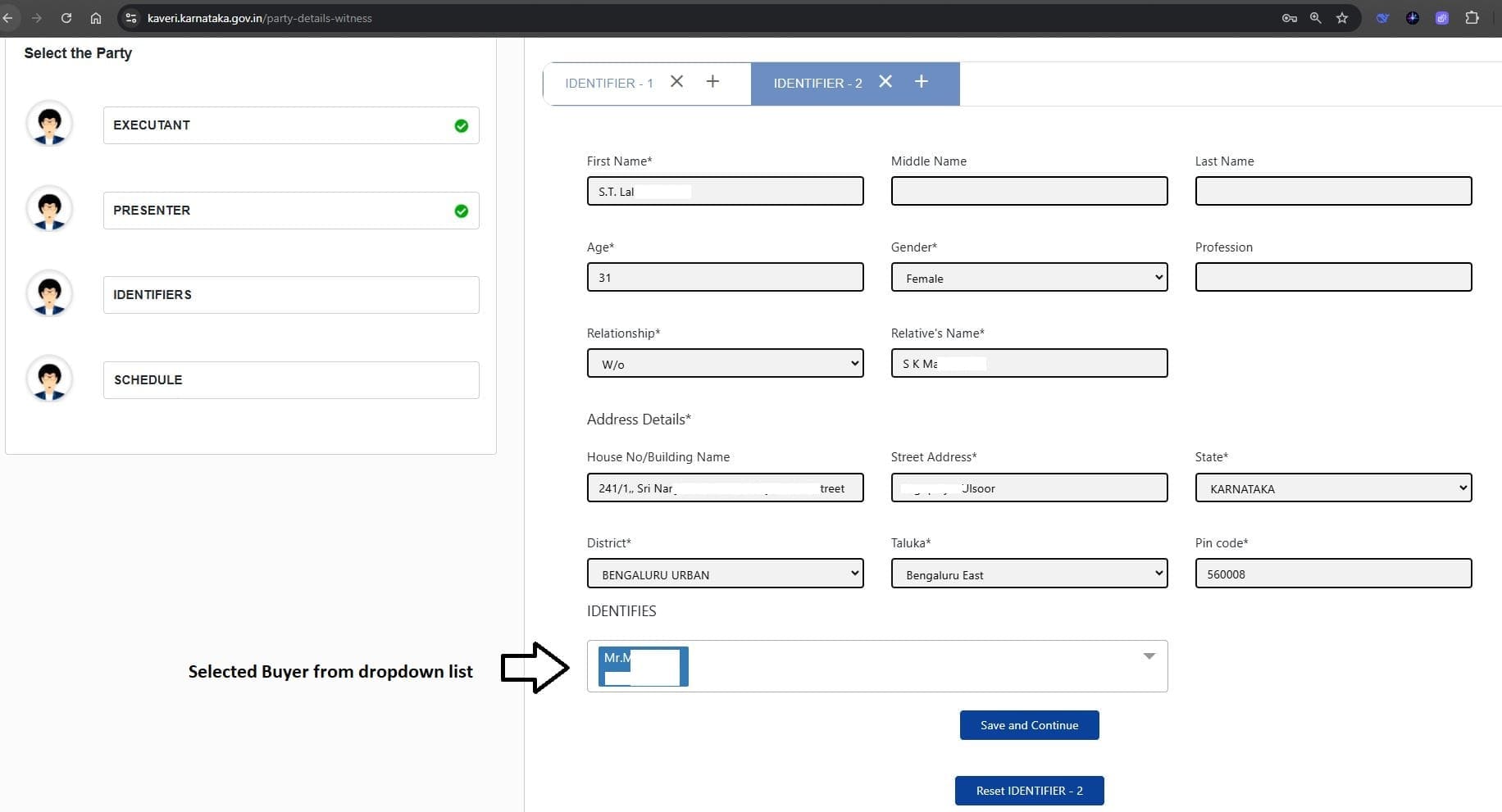
Click “Save and Continue” to proceed.
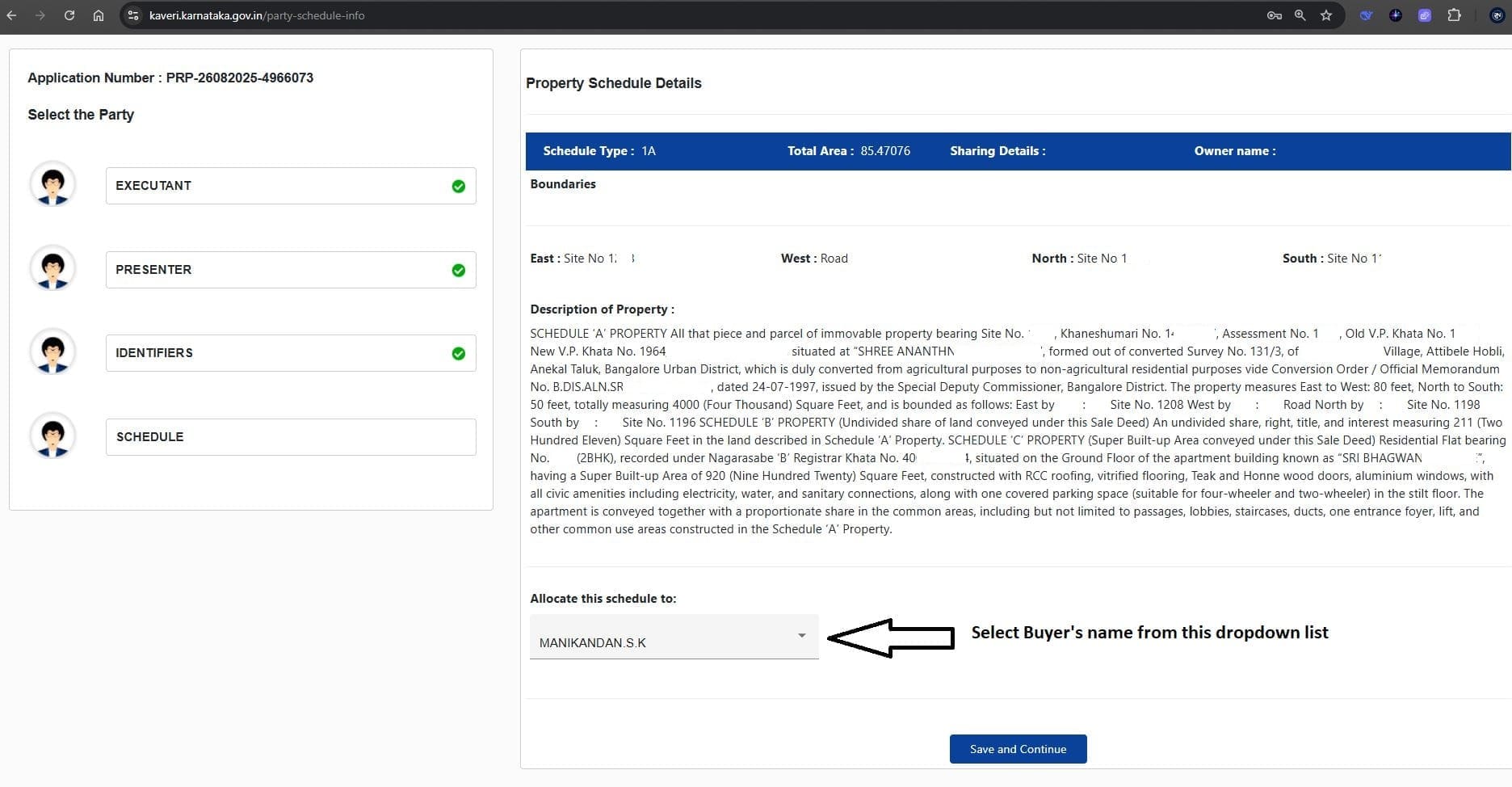
13. Allocate schedule: Select the buyer’s name from the list (see reference image below).
14. Property Valuation & Consideration Amount
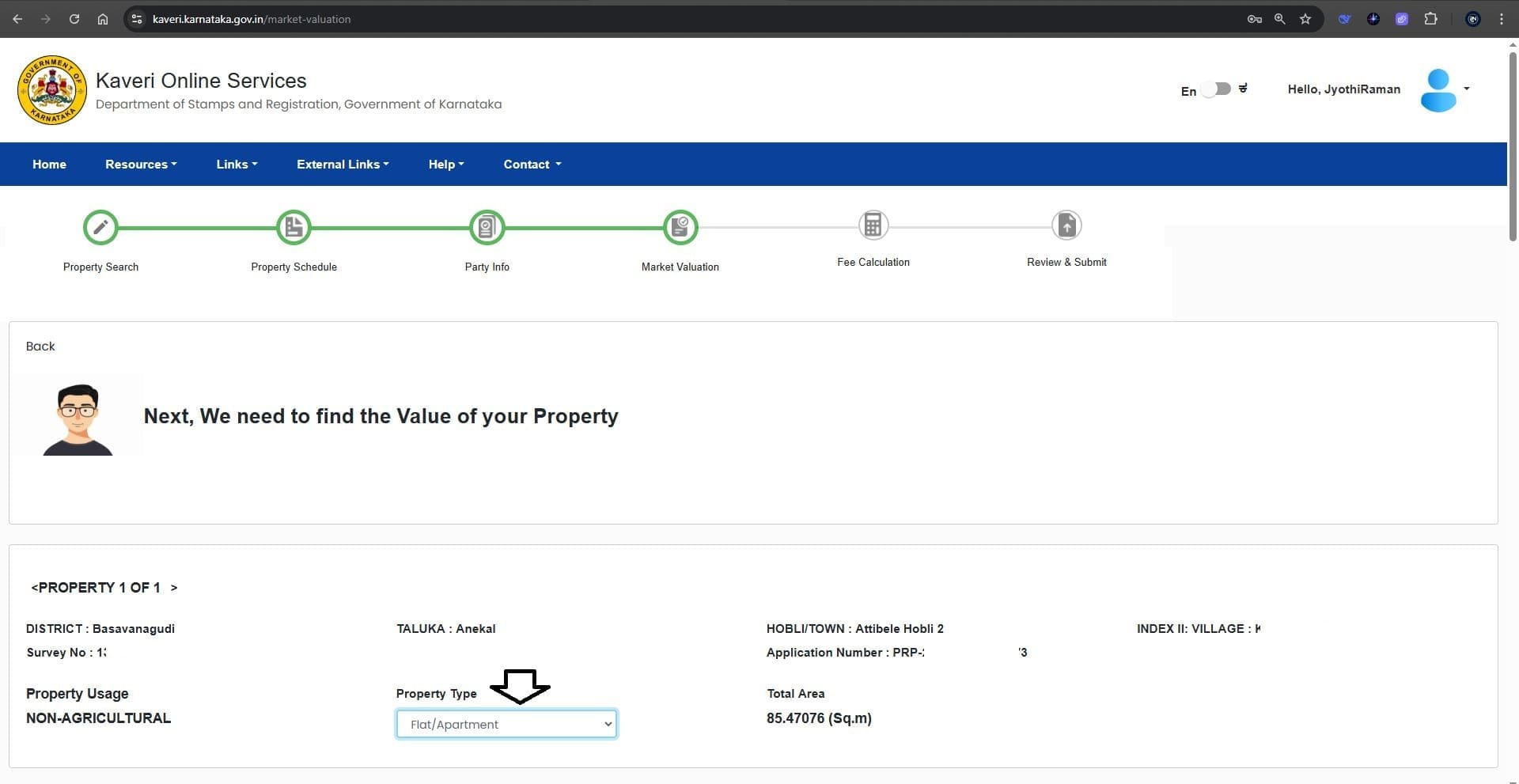
- Select property type (Flat/Apartment/Plot): my client’s property is a 2BHK flat in an apartment, we selected Flat/Apartment (see reference image below).
- Enter amenities, parking, and floor details.
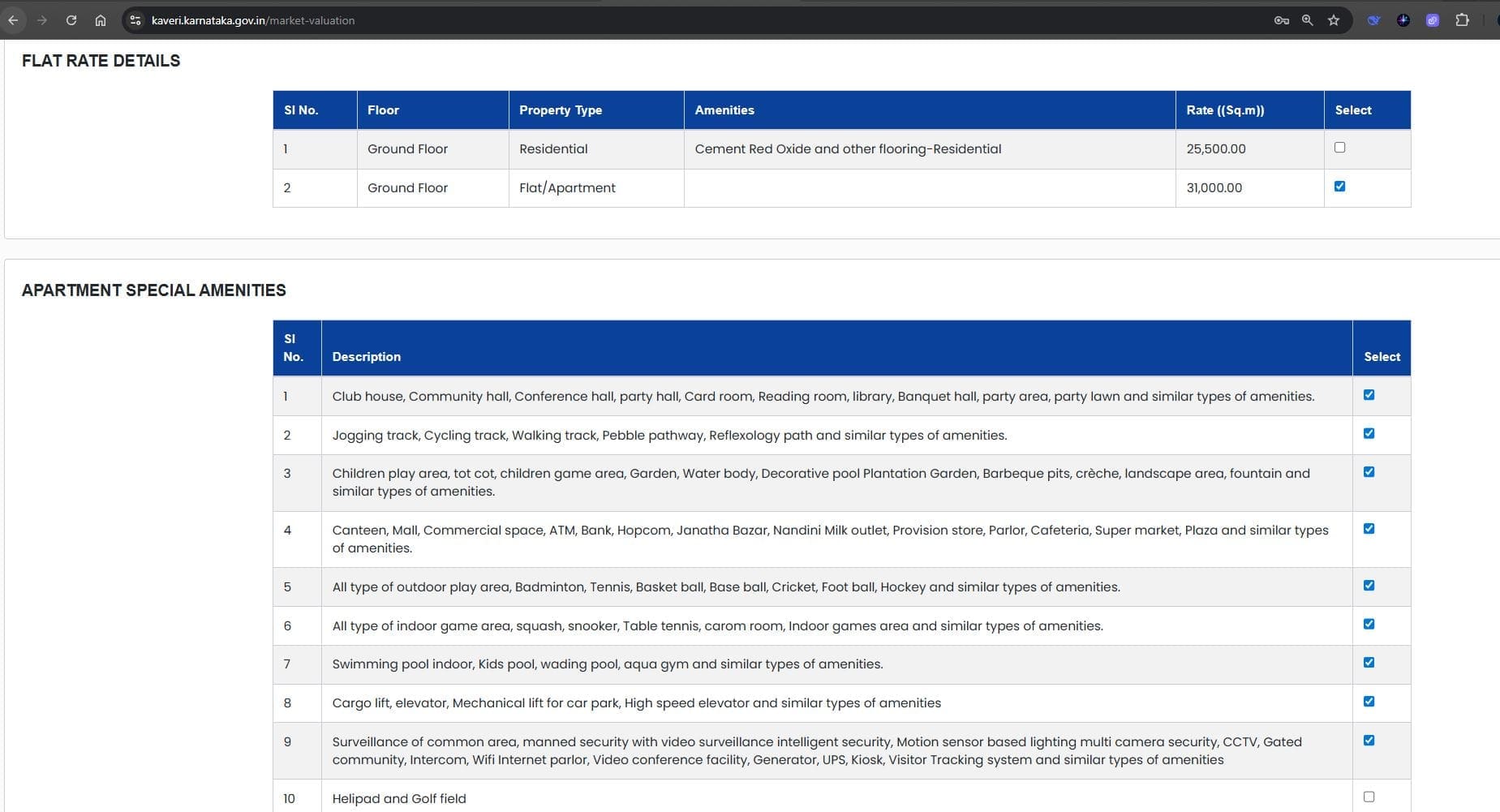
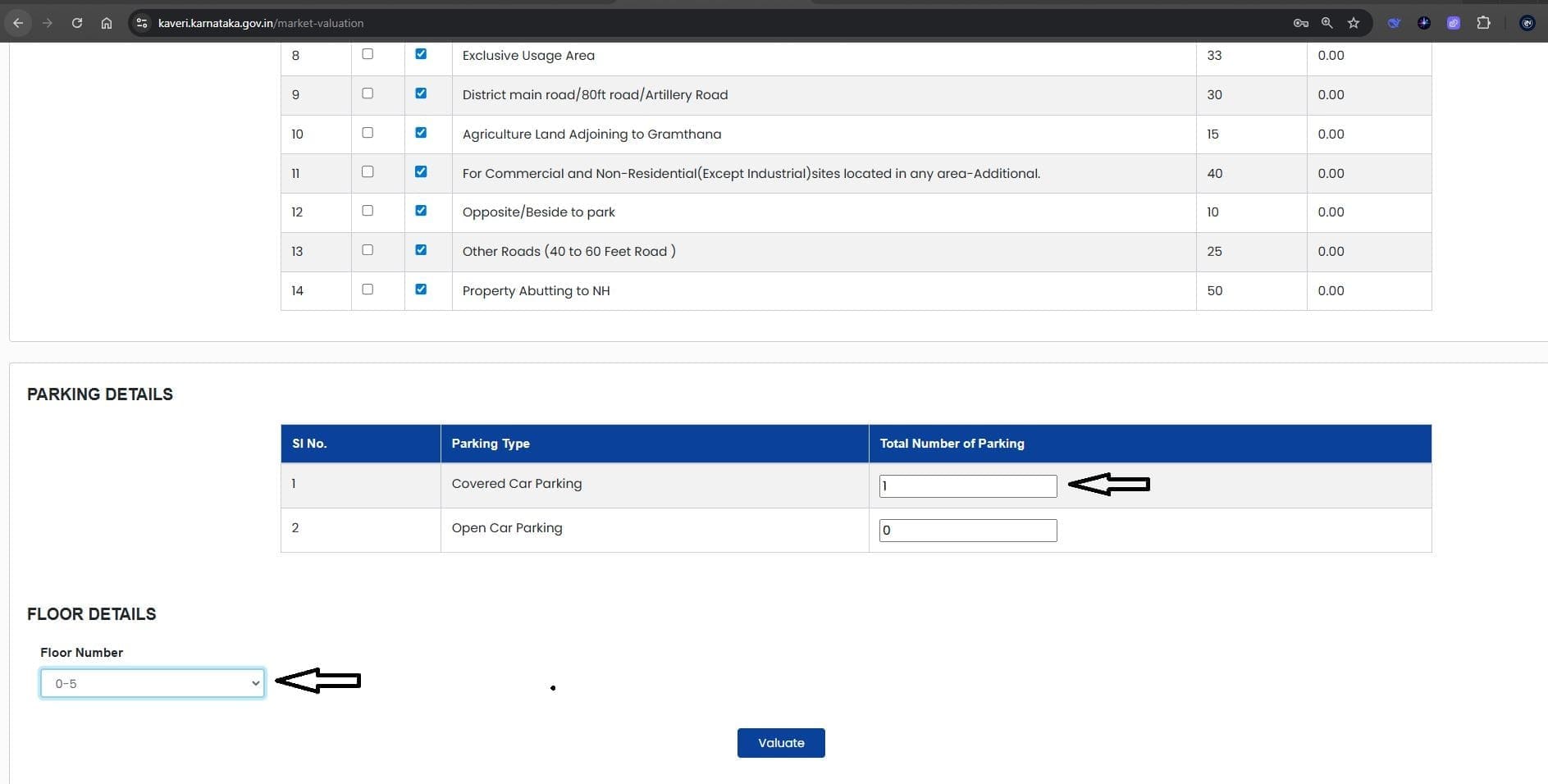
Click “Valuate” to display system generates the valuation (see reference image below).
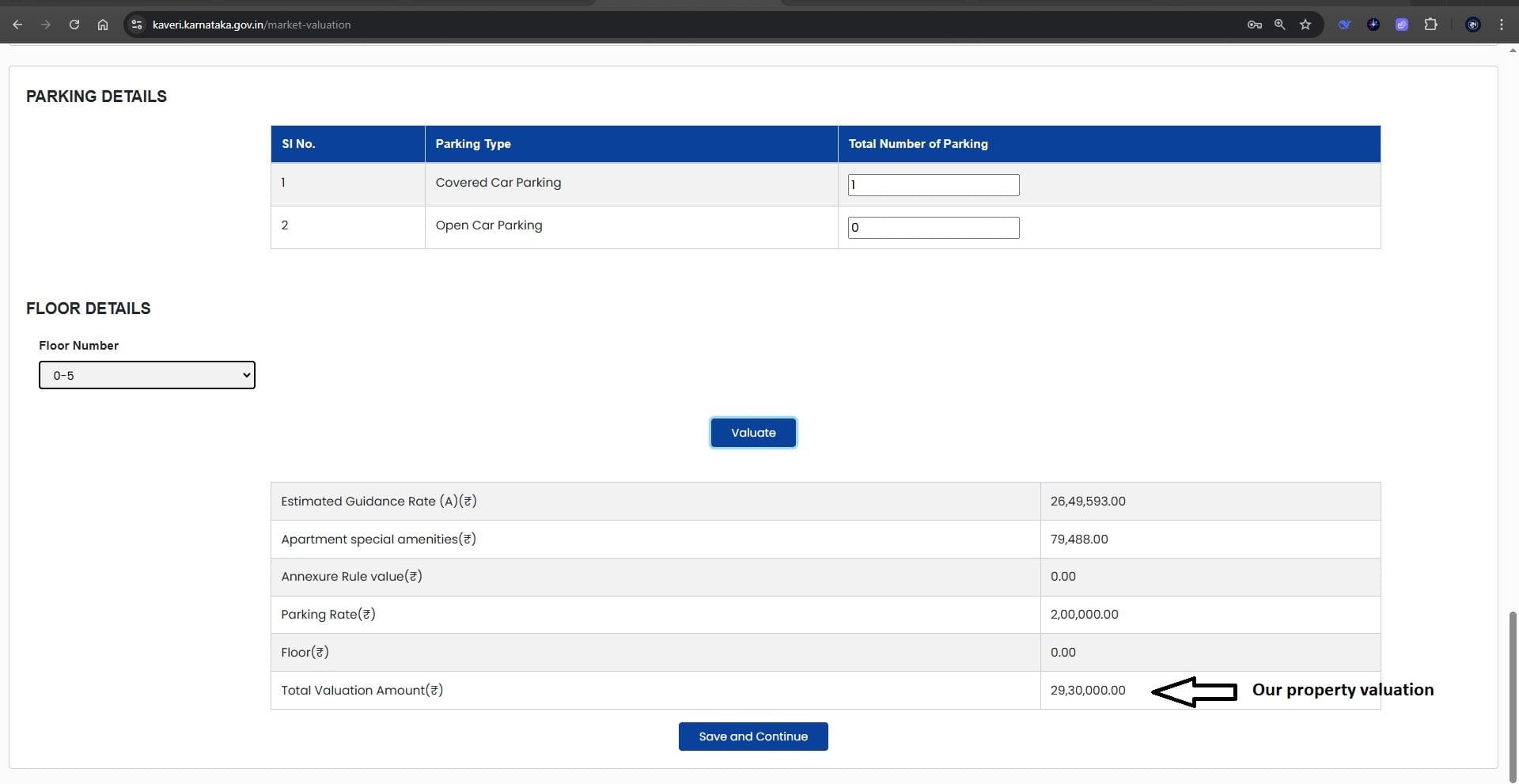
Click Save and Continue
Enter the consideration amount (Rs.29 lakhs in our case) (see reference image below).
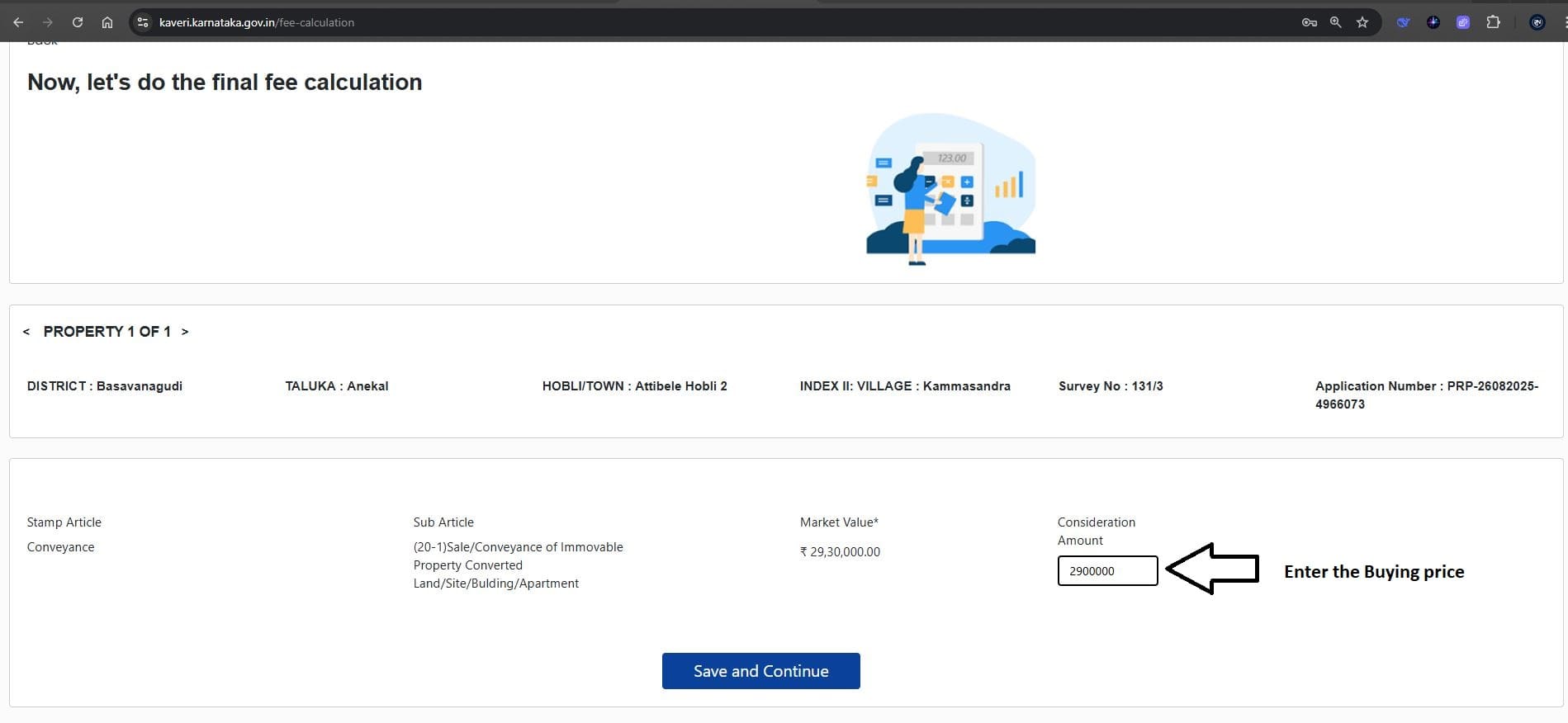
Click Save and Continue
15. Denotation of Stamp Duty
As per the Sale Agreement, we paid a stamp duty of Rs.14,500. Enter your e-stamp number and the value of stamp duty paid to denote this cost (offset in sale deed stamp duty). See reference image below
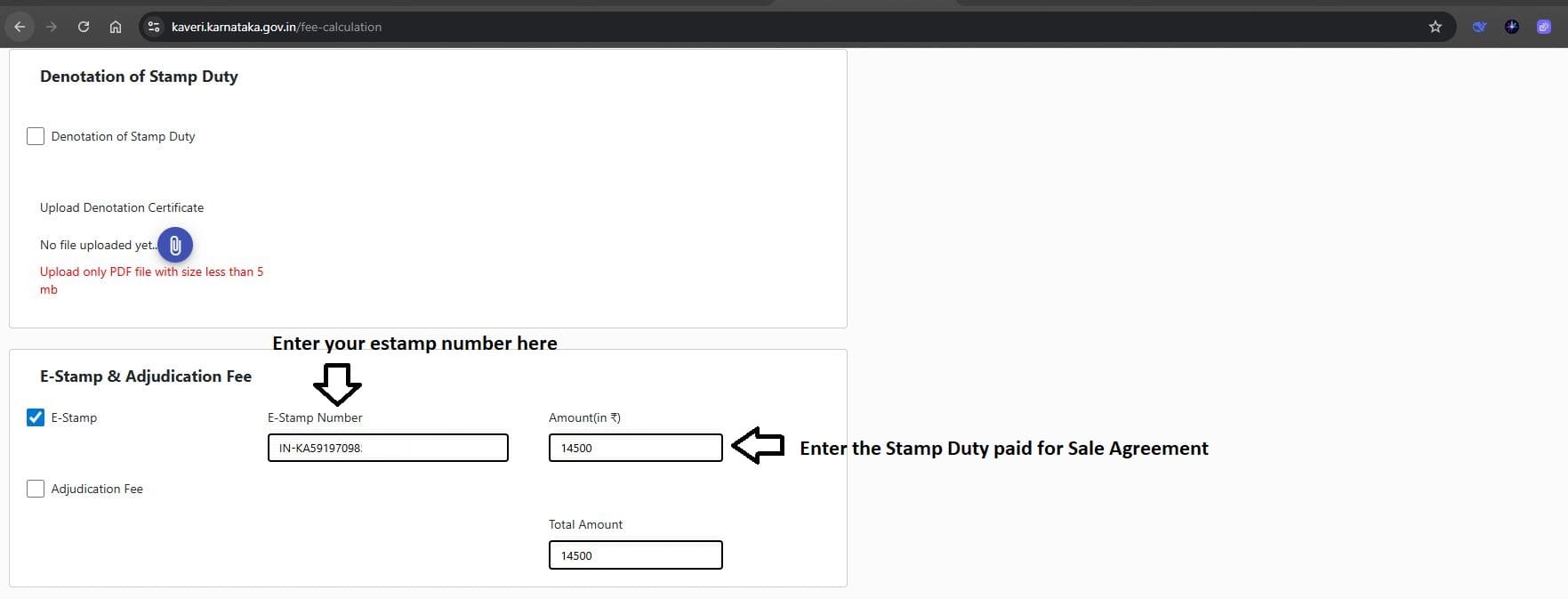
16. Stamp Duty & Registration Fee
Enter the total number of pages in your Sale Deed draft. In this case, the draft consists of 9 pages. Refer to the image below
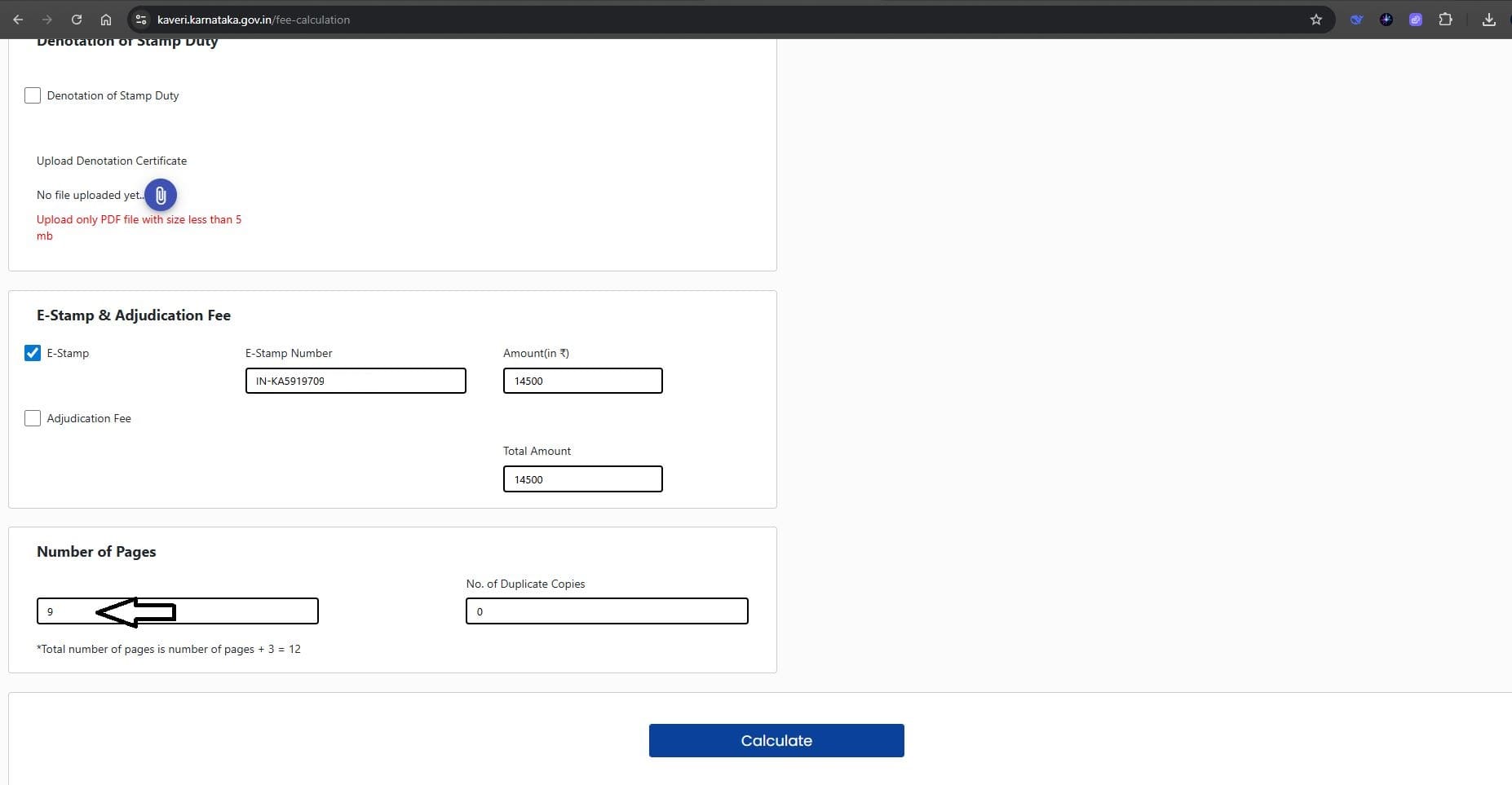
Click “Calculate” to display the applicable government fees, including Stamp Duty and Registration Fee (see reference image below).
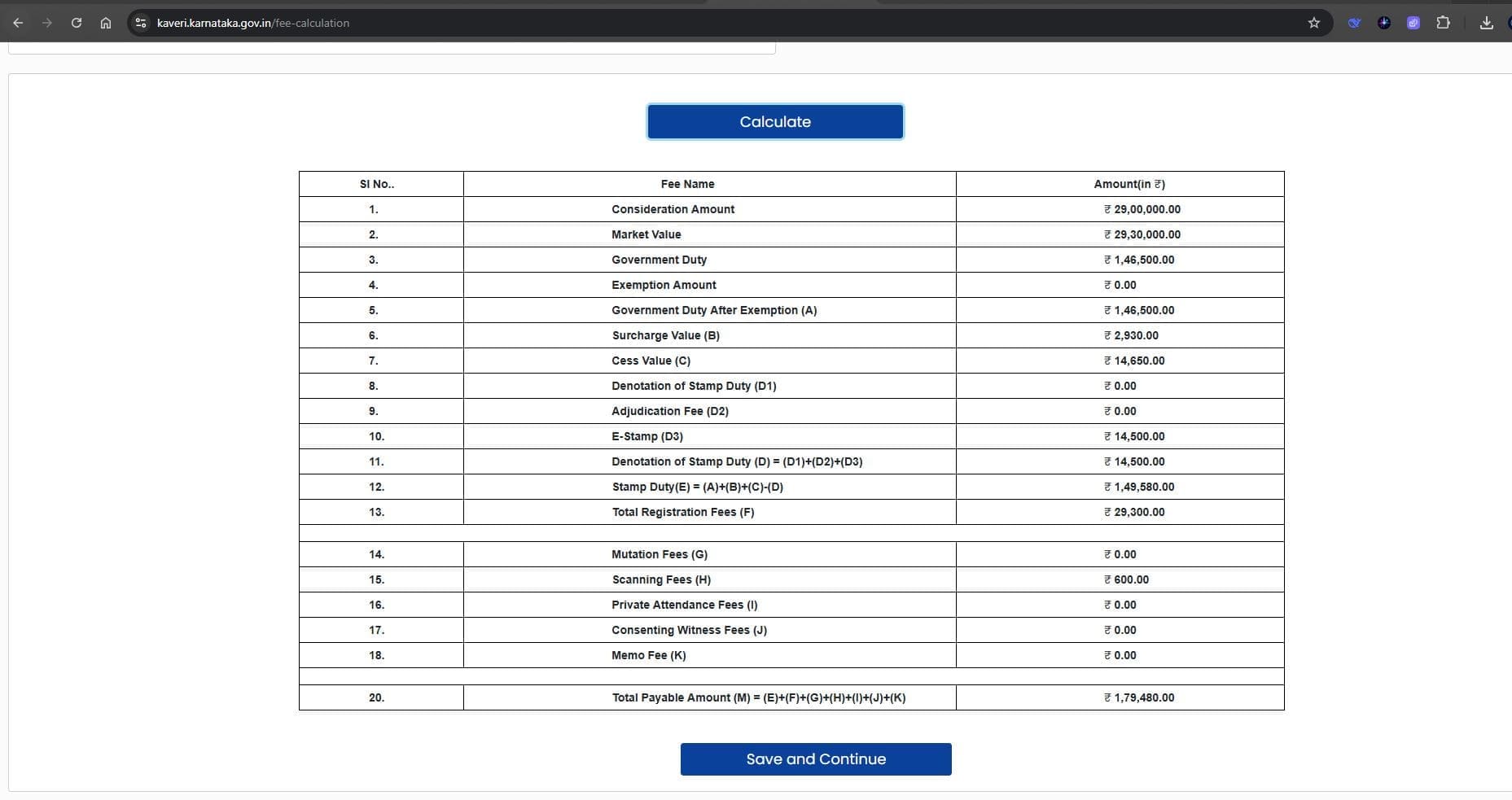
Click Save and Continue
17. Upload Documents
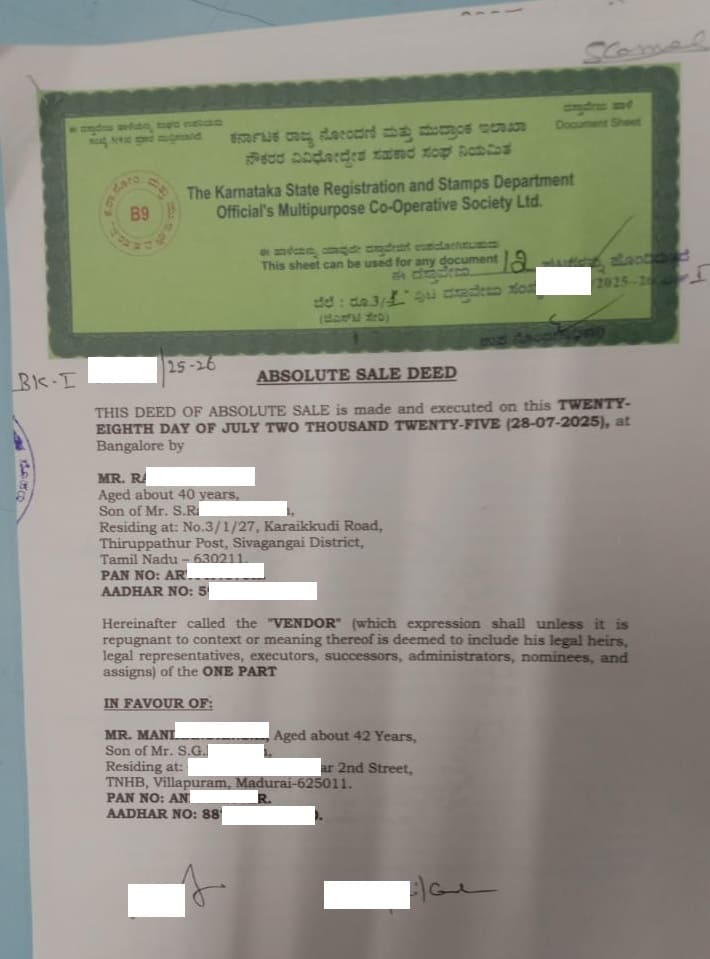
Upload Deed Document: Upload the executed Sale Deed, signed by the seller, buyer, and two witnesses, as a scanned PDF.
Upload Annexures: Merge and upload the following supporting documents as a single PDF:
- e-Khata
- Property Tax Receipt
- ID proofs of Seller, Buyer, and Two Witnesses
- Seller’s Registered Deed
- TDS Challan (if applicable)
Date of Execution: Select the date of your Sale Deed execution.
Select Sub-Registrar Office: Choose the Sub-Registrar Office from the list where you wish to register the Sale Deed.
Declaration: Check the relevant declarations to confirm the information provided (see reference image below).
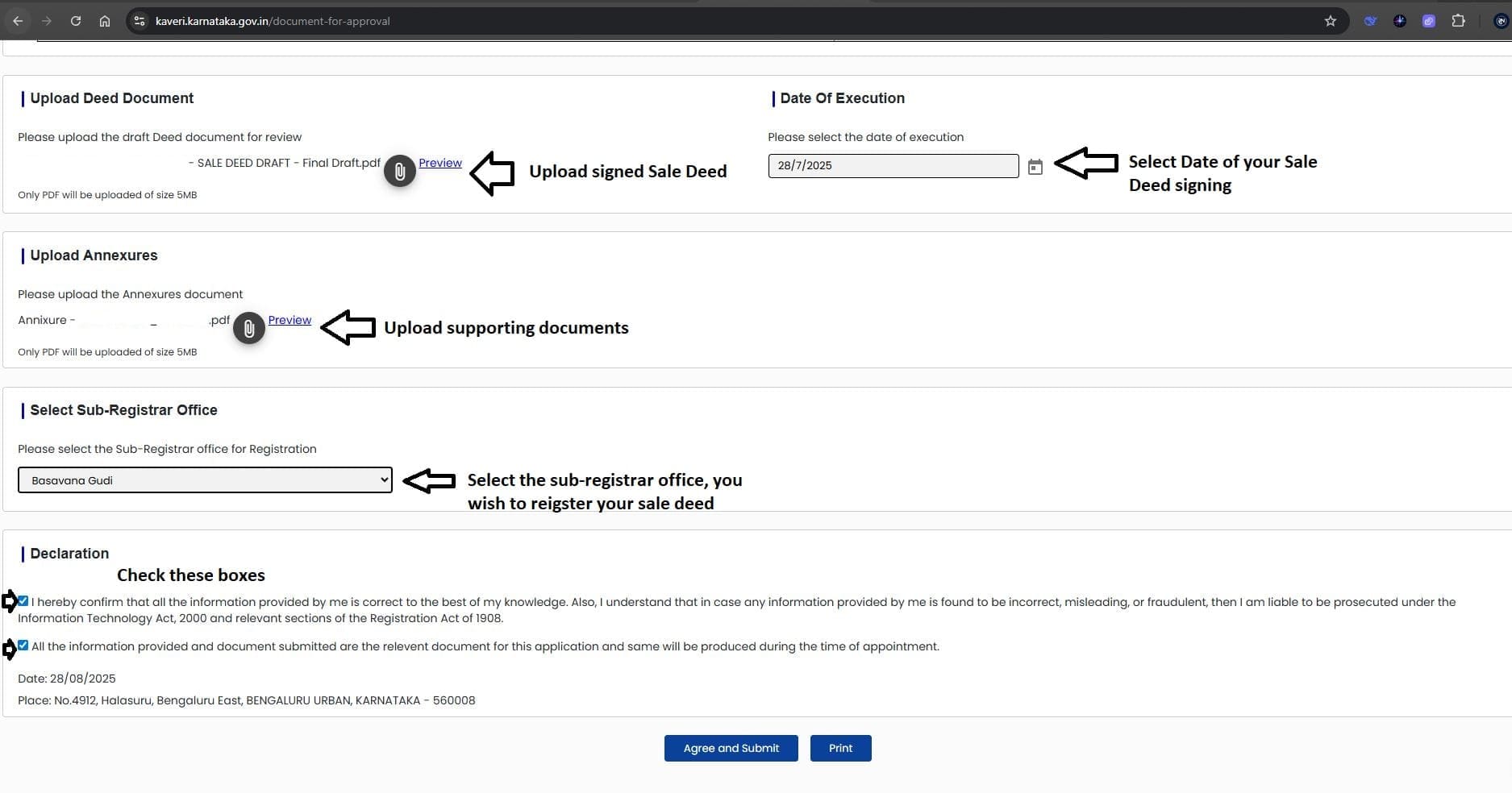
Click Agree and Submit
18 . Pay stamp duty and registration charges online.
Our application was approved on the same day of submission, and we received the “Make Payment” (see reference image below).

We completed the payment via net banking and successfully booked our registration slot.
19. Final Registration at Sub-Registrar’s Office
On the scheduled date, carry the following:
- Summary Report from Kaveri Online Services
- Copy of e-Khata
- ID proofs of seller, buyer, and witnesses
- Original Sale Deed draft
At the Sub-Registrar’s Office
- The seller and buyer provide thumb impressions, photo, and OTP authentication.
- The Registrar seals, and signs the registered Sale Deed.
- The Sale Deed is scanned for digital records.
- The registered hard copy of the Sale Deed is handed over to the buyer.
20. Final Payment to Seller
Since my client had availed a home loan:
- The bank representative collected the previous Sale Deed, the present Sale Deed, e-Khata, and Encumbrance Certificate (EC) after registration.
- Once the title documents were collected, the bank issued the final settlement cheque to the seller.
CONCLUSION
Registering a Sale Deed in Bangalore involves multiple steps, but with Kaveri Online Services, the process has become more structured and transparent.
By preparing documents in advance and carefully following the step-by-step procedure, you can ensure a smooth registration experience.
NEED ASSISTANCE WITH SALE DEED REGISTRATION?
Write to us at pgnproperties@gmail.com or connect with us on call / WhatsApp: +91-9742479020.
FREQUENTLY ASKED QUESTIONS (FAQ) – SALE DEED REGISTRATION IN BANGALORE
1. What is a Sale Deed and why is it important?
A Sale Deed is a legal document that officially records the transfer of ownership of a property from the seller to the buyer. Once registered at the Sub-Registrar’s Office, it serves as conclusive proof of ownership and is essential for any future property transactions.
2. Is registration of a Sale Deed mandatory in Bangalore?
Yes. Registration of a Sale Deed is legally mandatory for all immovable property transactions in Bangalore. Without registration at the Sub-Registrar’s Office, the buyer cannot establish legal ownership, and the transaction is not considered valid
3. What documents are required to register a Sale Deed in Bangalore?
The documents typically required include:
- Draft of the Sale Deed to be registered
- Seller’s registered deed (title deed / previous ownership document)
- e-Khata and latest property tax receipt
- Identity proofs of the buyer, seller, and at least two witnesses (Aadhaar / PAN)
- TDS challan (if applicable)
4. How much stamp duty and registration fee do I need to pay?
In Bangalore, stamp duty is generally 5% of the property value or the guidance value, whichever is higher. Currently, there are no concessions for women buyers, first-time buyers, or specific property types. The registration fee is typically 1% of the property value or the guidance value, whichever is higher. Additional nominal charges may apply for e-stamping, scanning, and other administrative processes.
5. Can a Sale Deed be registered online in Bangalore?
Yes. Most steps, including application submission, property valuation, and fee payment, can be done online through Kaveri Online Services. However, the final registration requires the physical presence of the buyer, seller, and witnesses at the Sub-Registrar’s Office.
6. How long does the Sale Deed registration process take?
If all documents are in order, the online application can be completed in a day. The final registration at the Sub-Registrar’s Office usually takes only a few minutes, provided both the buyer and seller are present with all required documents.
7. Can a Sale Deed be registered without the seller being present?
No. The seller must be physically present at the Sub-Registrar’s Office. If the seller cannot attend, a Power of Attorney (PoA) may be used to authorize someone else to act on their behalf.
8. What happens if the Sale Deed is not registered?
An unregistered Sale Deed is not legally valid. The buyer cannot claim ownership, and the property may face disputes or complications during resale, mortgage, or inheritance.
9. How is a home loan linked to Sale Deed registration?
For properties financed through a home loan, the bank usually collects the registered Sale Deed, e-Khata, and Encumbrance Certificate (EC) before releasing the final settlement amount to the seller.
10. Can I get professional assistance for Sale Deed registration?
Professional assistance is not mandatory, as the registration process is largely streamlined online and can be completed independently. However, if you prefer support, legal experts and real estate professionals can assist with document preparation, slot booking, and ensuring a smooth completion of the registration process
11. Are there any common mistakes to avoid during Sale Deed registration?
Yes. Some common errors to watch out for include:
- Submitting incomplete or incorrect Article and Sub-Article details
- Not verifying property boundaries, measurements, or e-Khata details
- Incorrect entry of the consideration amount or property valuation
- Incorrect or missing witness or presenter details
- Failure to provide accurate Aadhaar or PAN authentication
12. How can I verify that my Sale Deed is registered successfully?
After registration, you will receive the hard copy of the Sale Deed from the Sub-Registrar’s Office, complete with the official seal and signature. You may also receive an SMS alert containing your registration number. Additionally, you can verify the registration status online through Kaveri Online Services by downloading the property’s Encumbrance Certificate (EC).