
A Sale Agreement is a legally binding document in which the seller promises to sell a property to the buyer on a future date. It sets out the terms and conditions of the transaction and ensures that the buyer has a rightful claim over the property once the final sale deed is executed.
DOCUMENTS REQUIRED FOR SALE AGREEMENT REGISTRATION
- Sale Agreement signed by Seller, Buyer, and two Witnesses (in PDF)
- Latest Property Tax Receipt & Khata Certificate
- ID Proofs of both Seller and Buyer
WHY REGISTER A SALE AGREEMENT?
Registering a Sale Agreement through Kaveri Online Services offers a transparent and efficient process. It enables:
- Easy online application submission
- Document verification by the Sub-Registrar
- Online payment of Stamp Duty and Fees
- Advance booking of registration slots
Most importantly, once registered, the buyer’s name reflects in the Encumbrance Certificate (EC), preventing the seller from engaging with other buyers until the final sale deed is executed or the agreement is canceled.
CASE STUDY: MY CLIENT’S EXPERIENCE
Recently, one of my clients purchased a resale plot in BBMP Jurisdiction, Bangalore for Rs.82 lakhs. The buyer paid Rs.1 lakh as advance to the seller and registered a Sale Agreement to apply for a home loan. The remaining Rs.81 lakhs would be paid through the bank at the time of sale deed registration, scheduled three months later.
Here’s the exact step-by-step process we followed on the Kaveri Online Services portal.
STEP-BY-STEP PROCESS TO REGISTER A SALE AGREEMENT
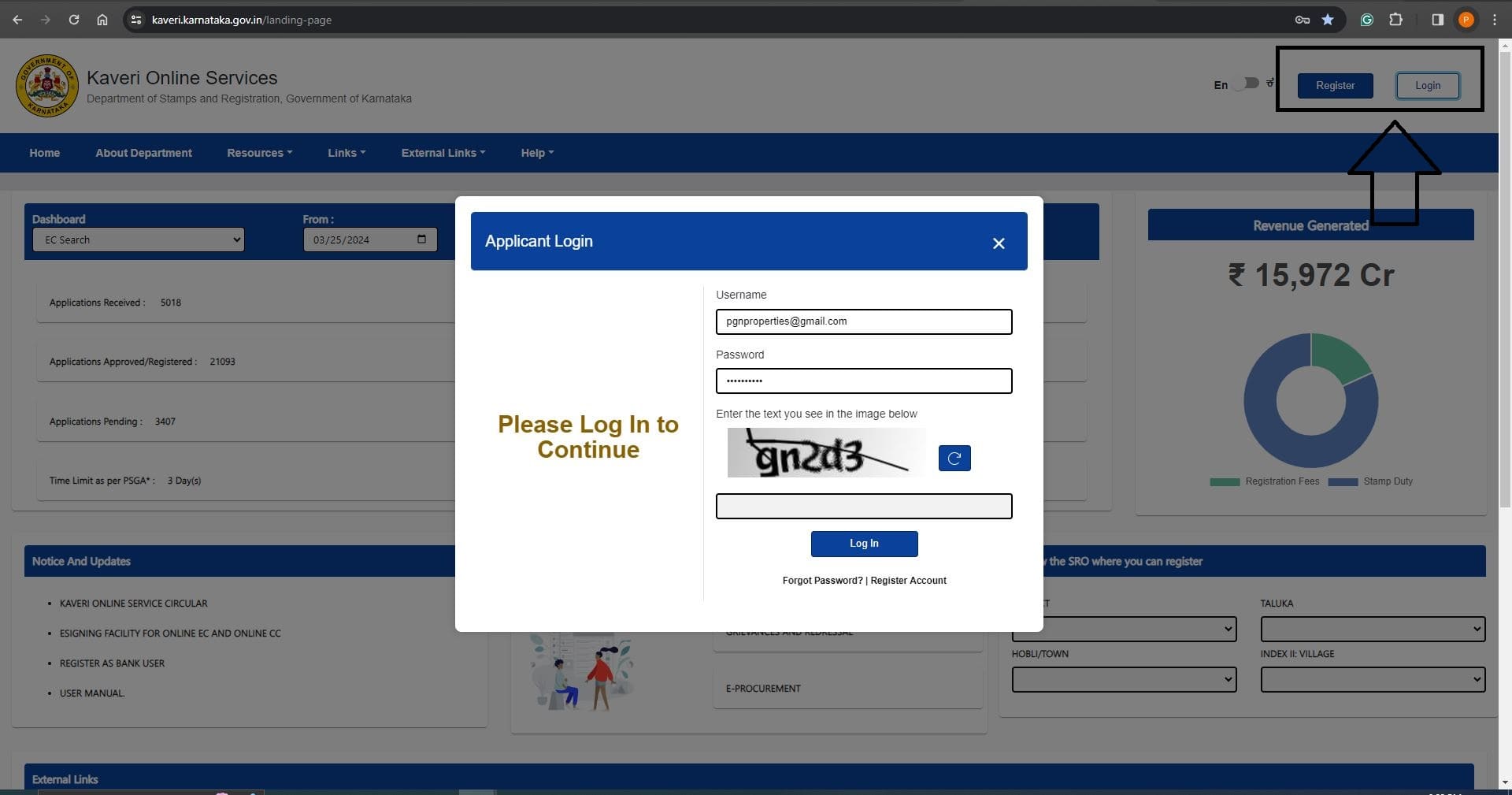
Visit the Kaveri Online Services portal. Here is the portal link https://kaveri.karnataka.gov.in/landing-page. We need name, email ID, and mobile number to create an account. Log in using the email ID and password.
Refer to the Register/Login options in image below, which we highlighted with an arrow mark
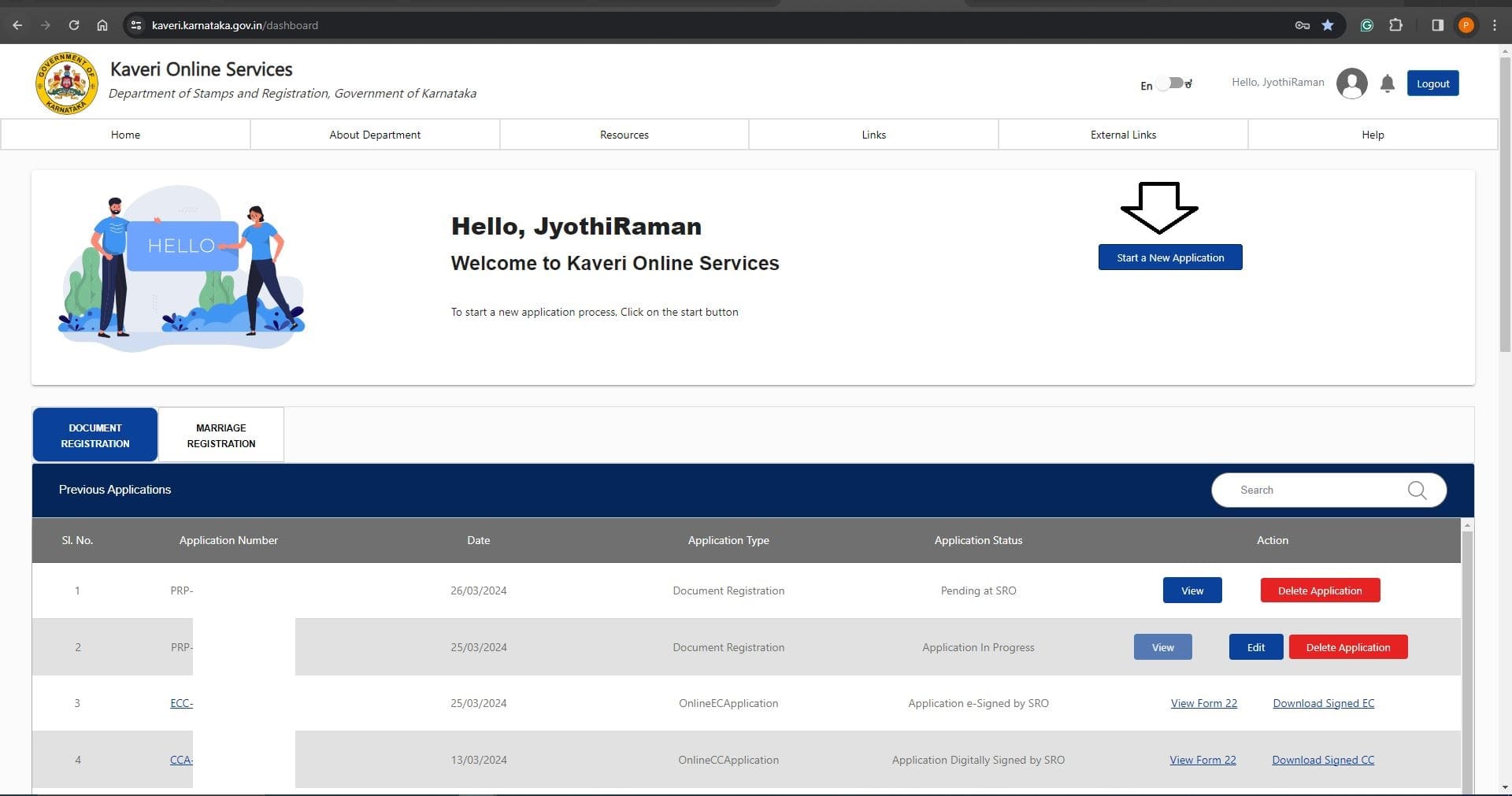
Click on Start a New Application. Refer to the image below
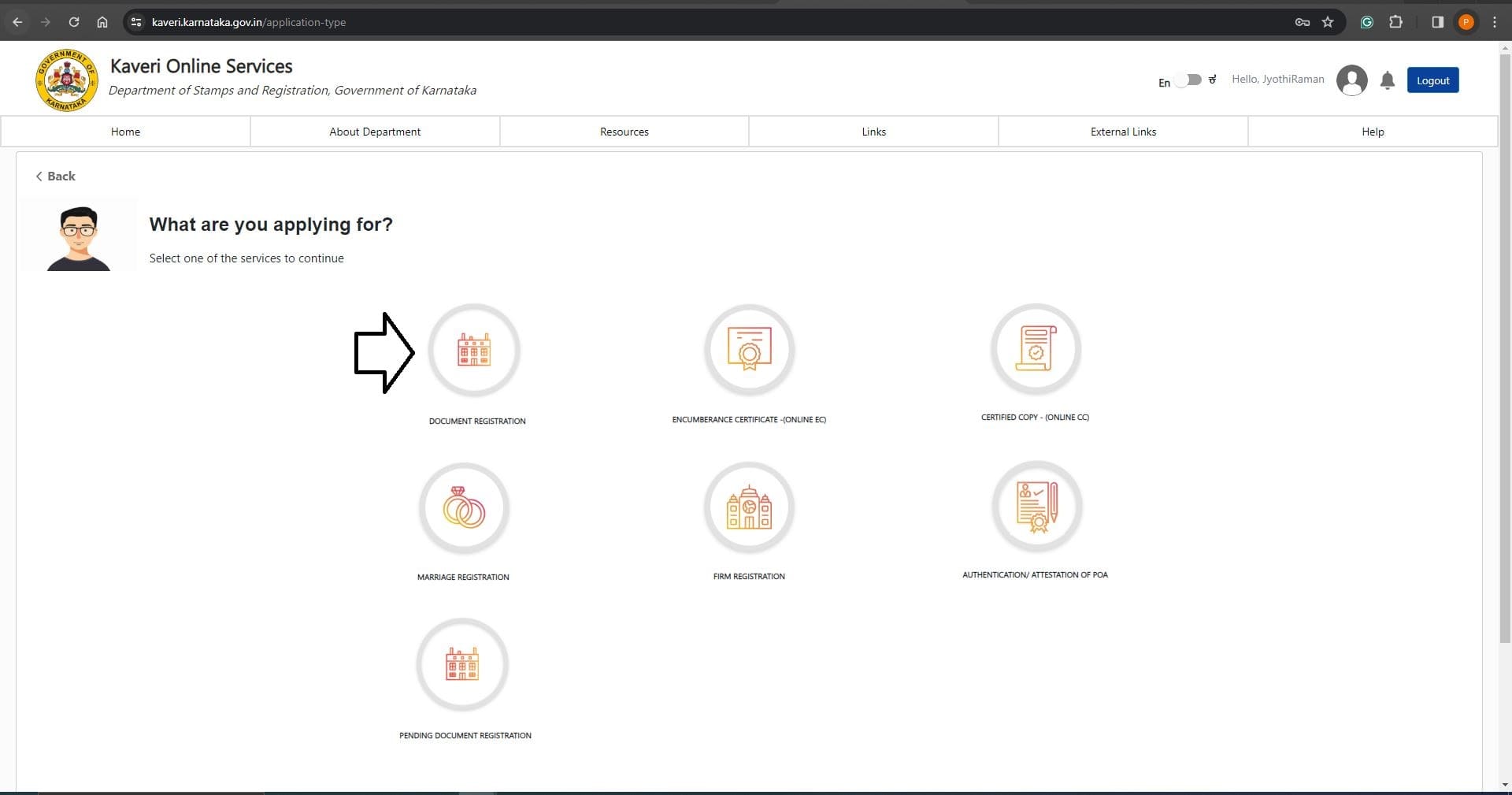
Click on DOCUMENT REGISTRATION. Refer to the below image
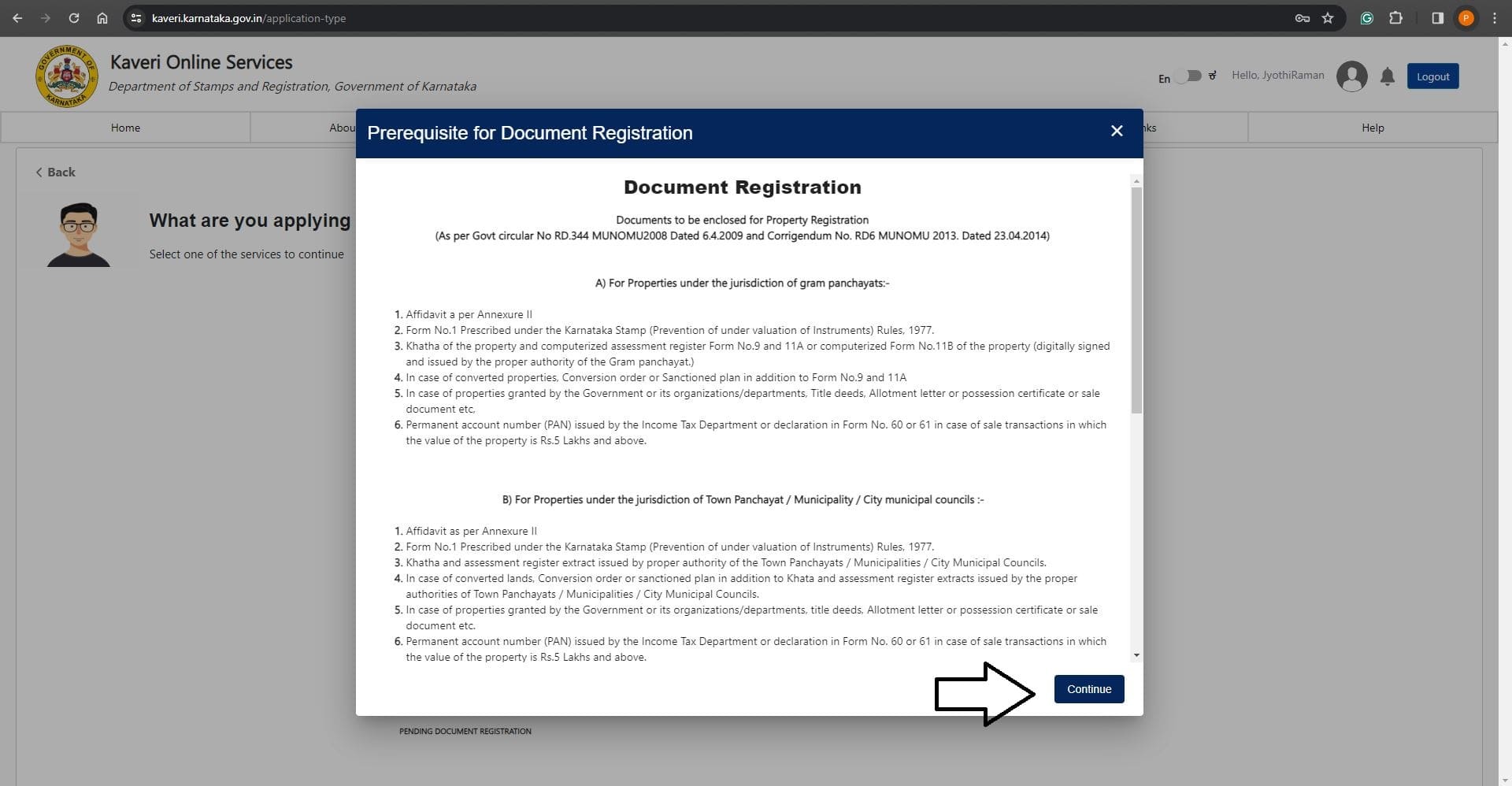
In Prerequisite for Document Registration, click on Continue. Refer to the below image
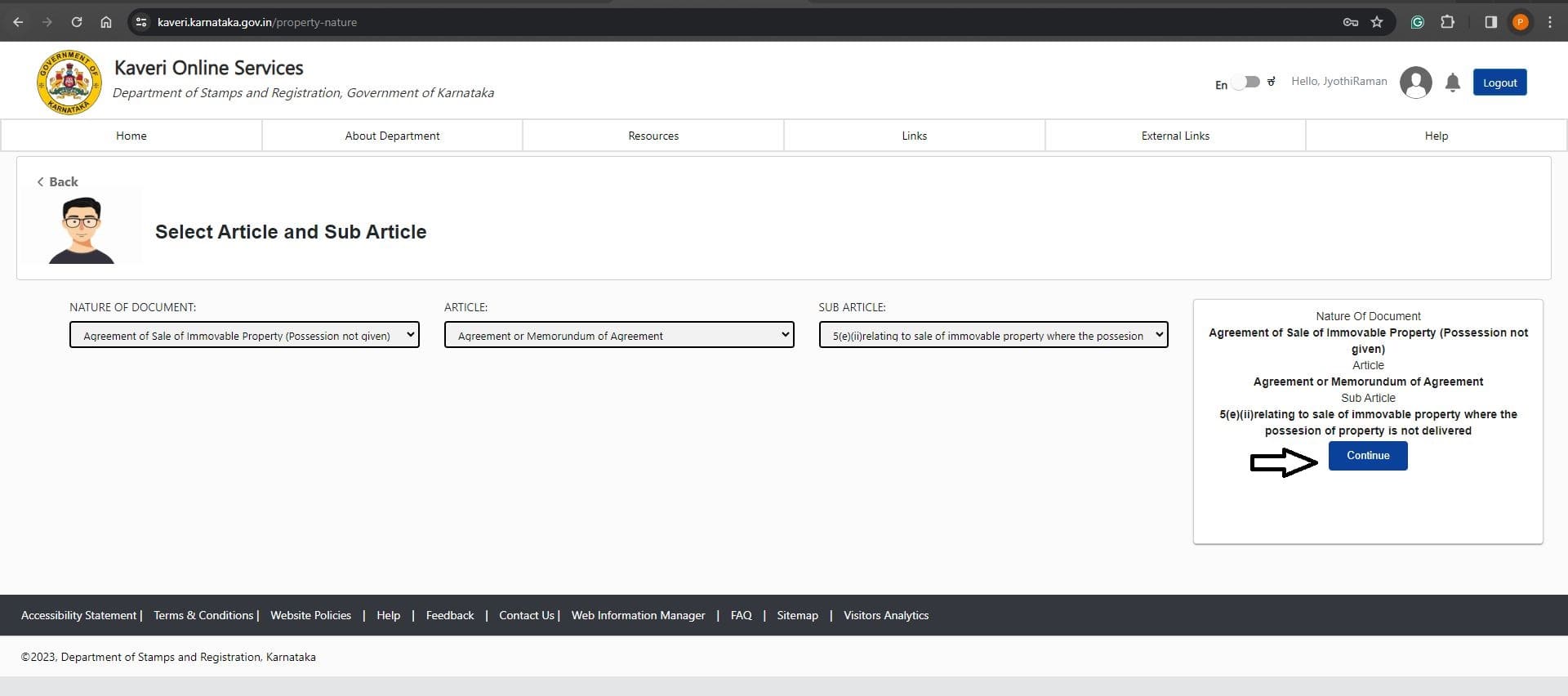
In Article and Sub-Article, select the following options from dropdown list
- NATURE OF DOCUMENTS: Agreement of Sale of Immovable Property (Possession not given)
- ARTICLE: Agreement or Memorundum of Agreement
- SUB ARTICLE: 5(e)(ii)relating to sale of immovable property where the possesion of property is not delivered
Click on Continue, Refer to the image below
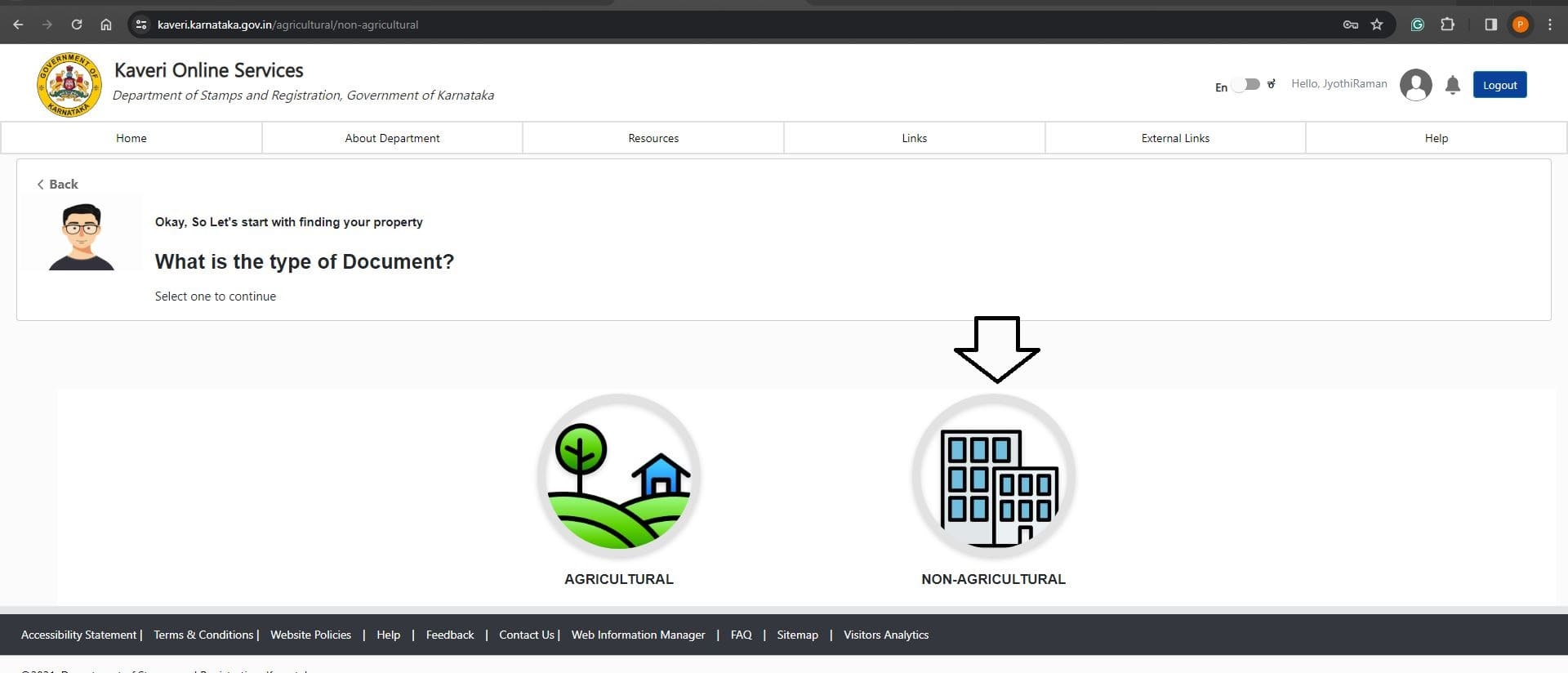
In the type of Document, my property is located in a residential area and converted for residential purposes. I selected NON-AGRICULTURAL. Refer to the below image
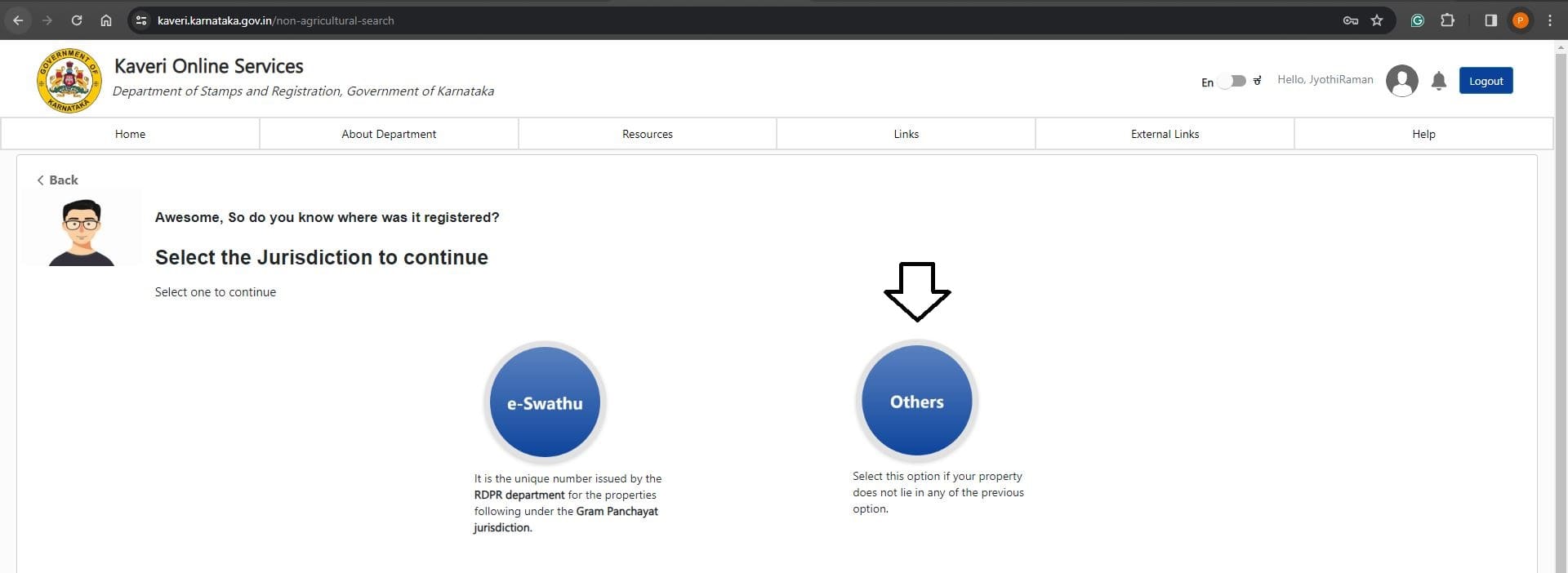
In the Jurisdiction, select e-Swathu if your property is located in Panchayat Jurisdiction.
My property is located in BBMP Jurisdiction. I selected Others, (Edit on 4th Sep 2025: Select e-Aasthi for BBMP property). Refer to the below image
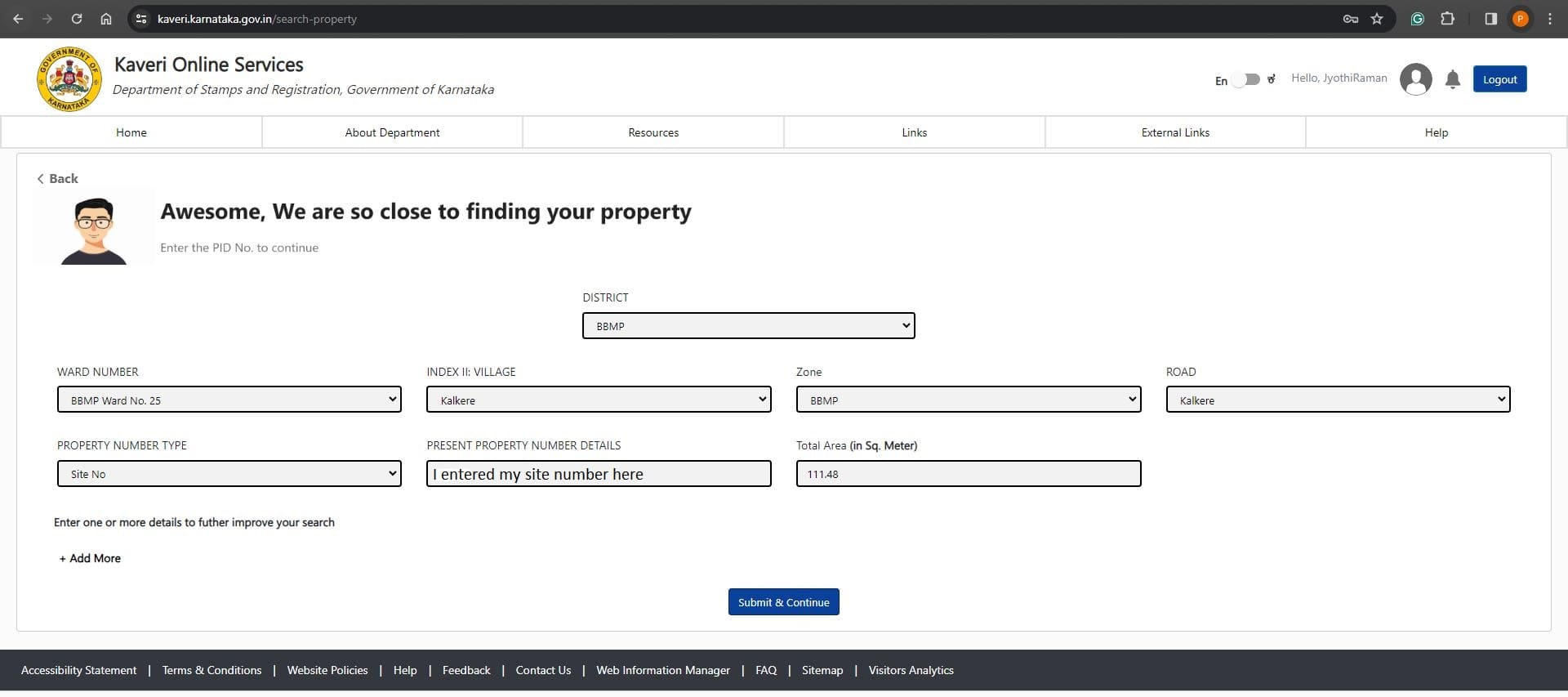
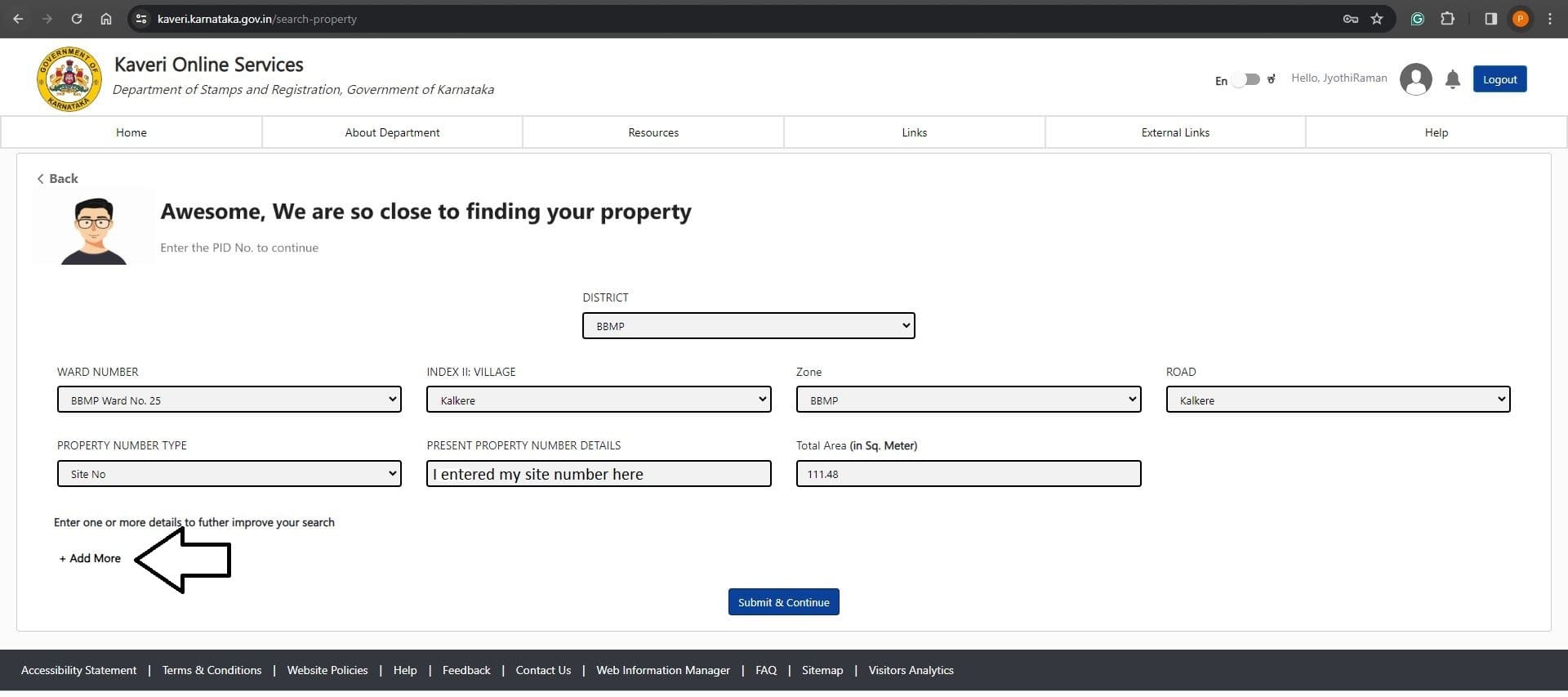
Enter property descriptions, Refer to below
- DISTRICT: My property is located in BBMP Jurisdiction. Selected BBMP from dropdown list
- WARD NUMBER: Select ward number from dropdown list, you can find your ward number in property tax receipt
- Village: Select the village name in dropdown list. You can find the village name in the Schedule of your Sale agreement draft
- Zone: My zone is BBMP, selected BBMP in dropdown list
- Road: I select my layout name in dropdown list
- PROPERTY NUMBER TYPE: I selected Site No. from dropdown list
- PRESENT PROPERTY NUMBER DETAILS: I entered my Site number
- Total Area (in sq. Meter): I entered total measurement of my site in Square meters
Refer to the below-filled image
Click on Add More. Refer to the below image
I added the survey number and Khata number of my plot. Similarly, you can add more of your property description by clicking “Add More” option. Refer to the below image
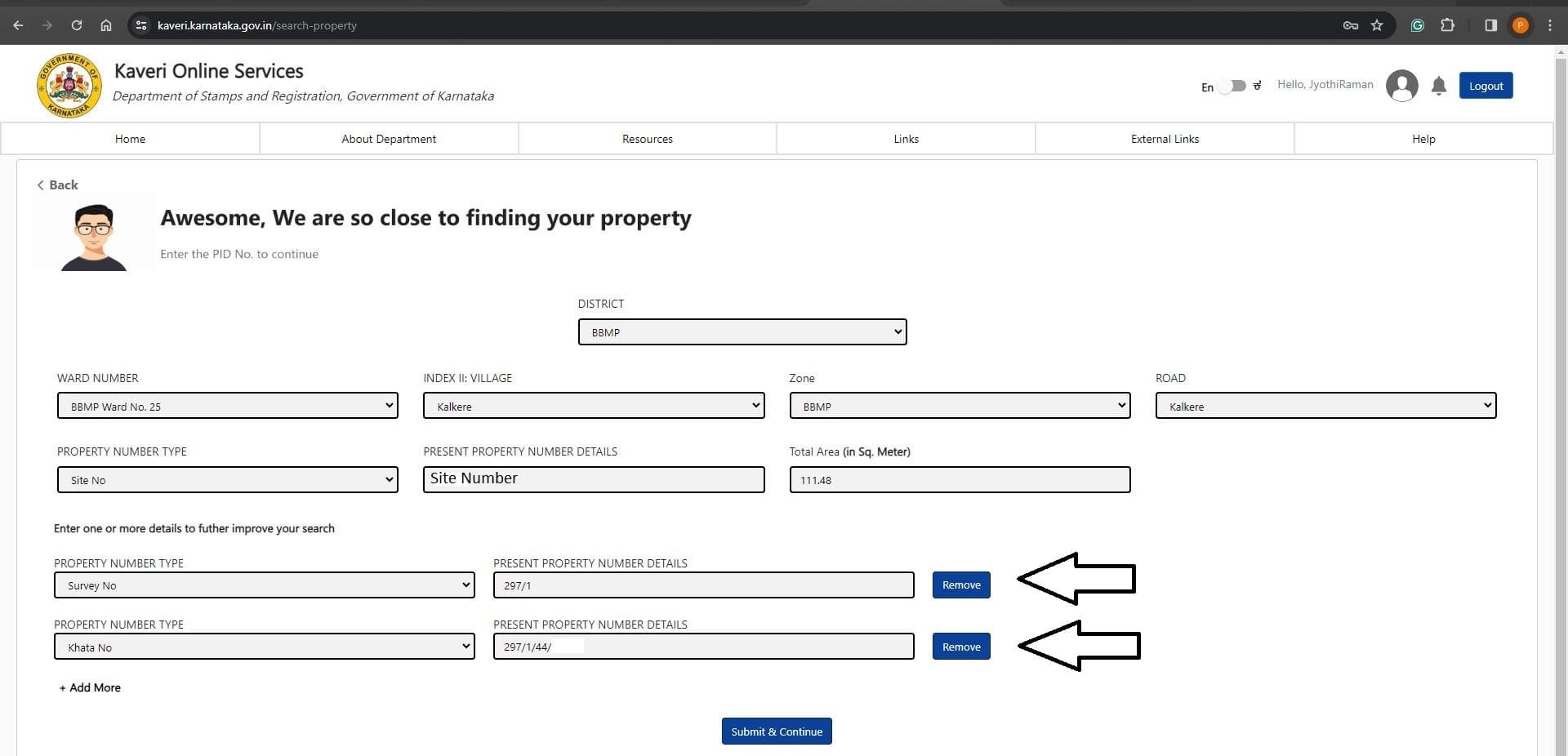
Click on Submit & Continue
Based on the property description we provided above, below is our property search. Refer to the image below
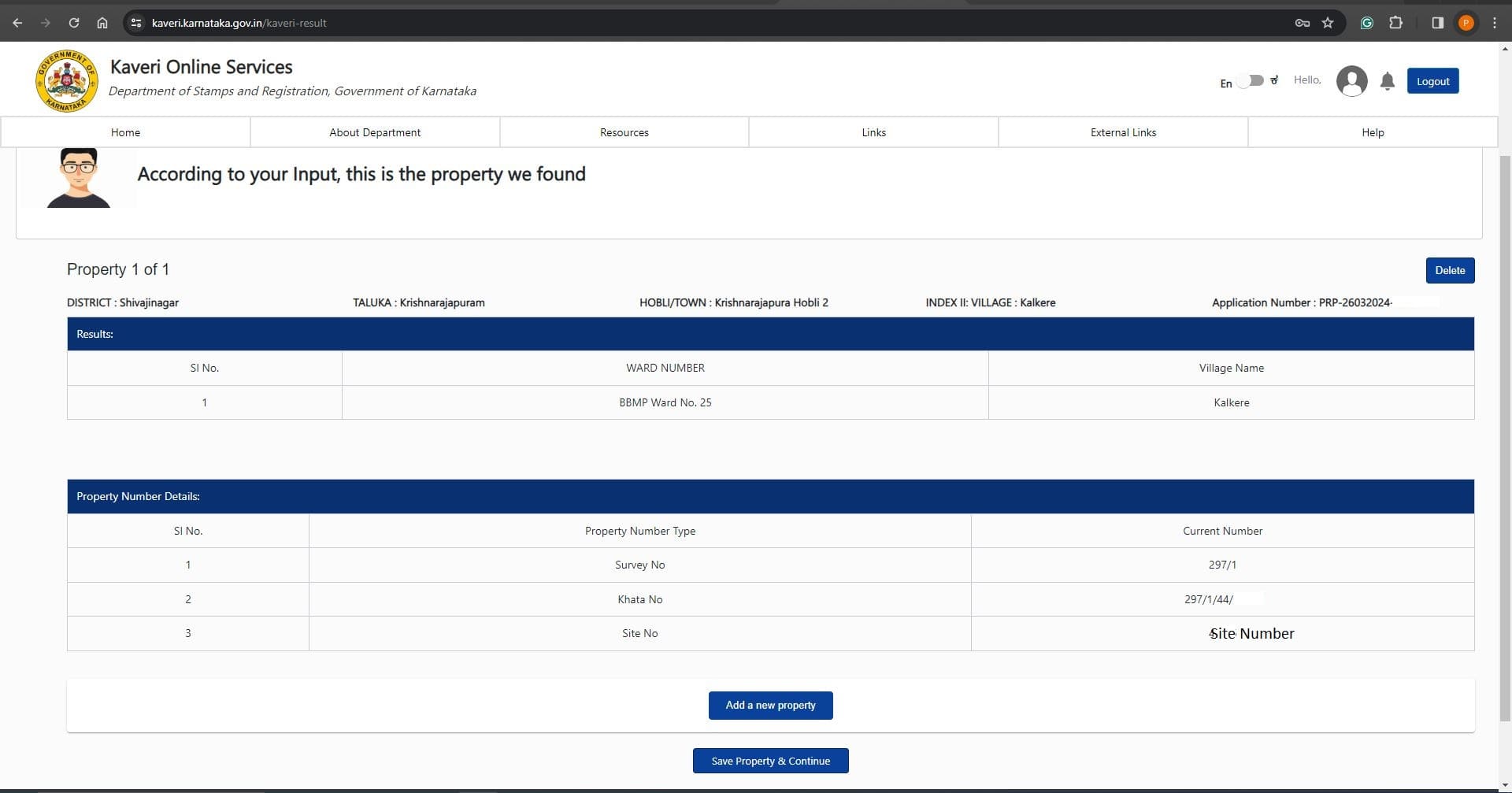
Click on Save Property & Continue
Enter the property schedule. The schedule includes measurement, boundaries and property description. (In the description, copy-paste Schedule from your sale agreement draft). Refer to below-filled image
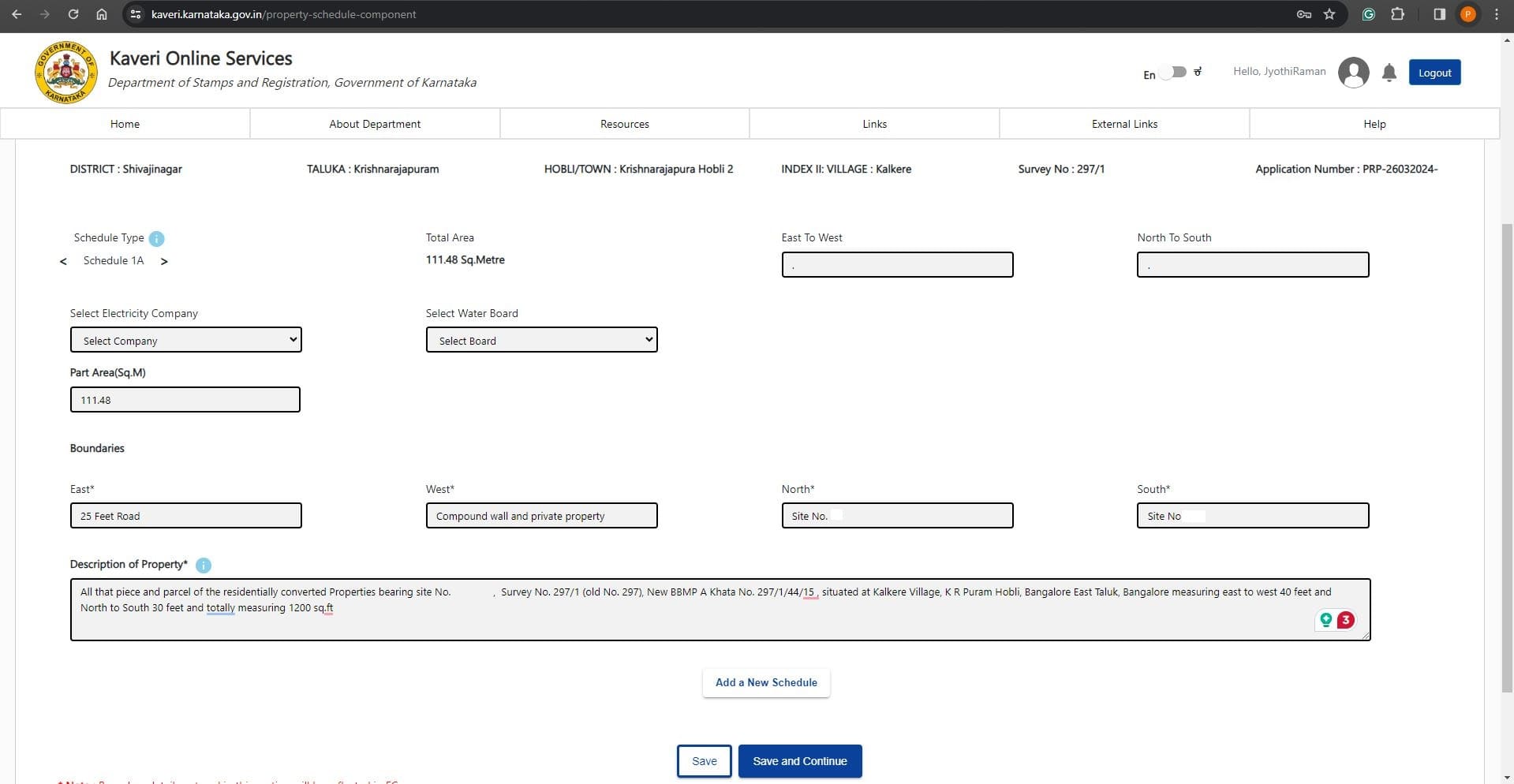
Click on Save and Continue
In my case: 2 sellers + 2 buyers = 4 executants. Selected 4 in Number of executants. Refer to the below image
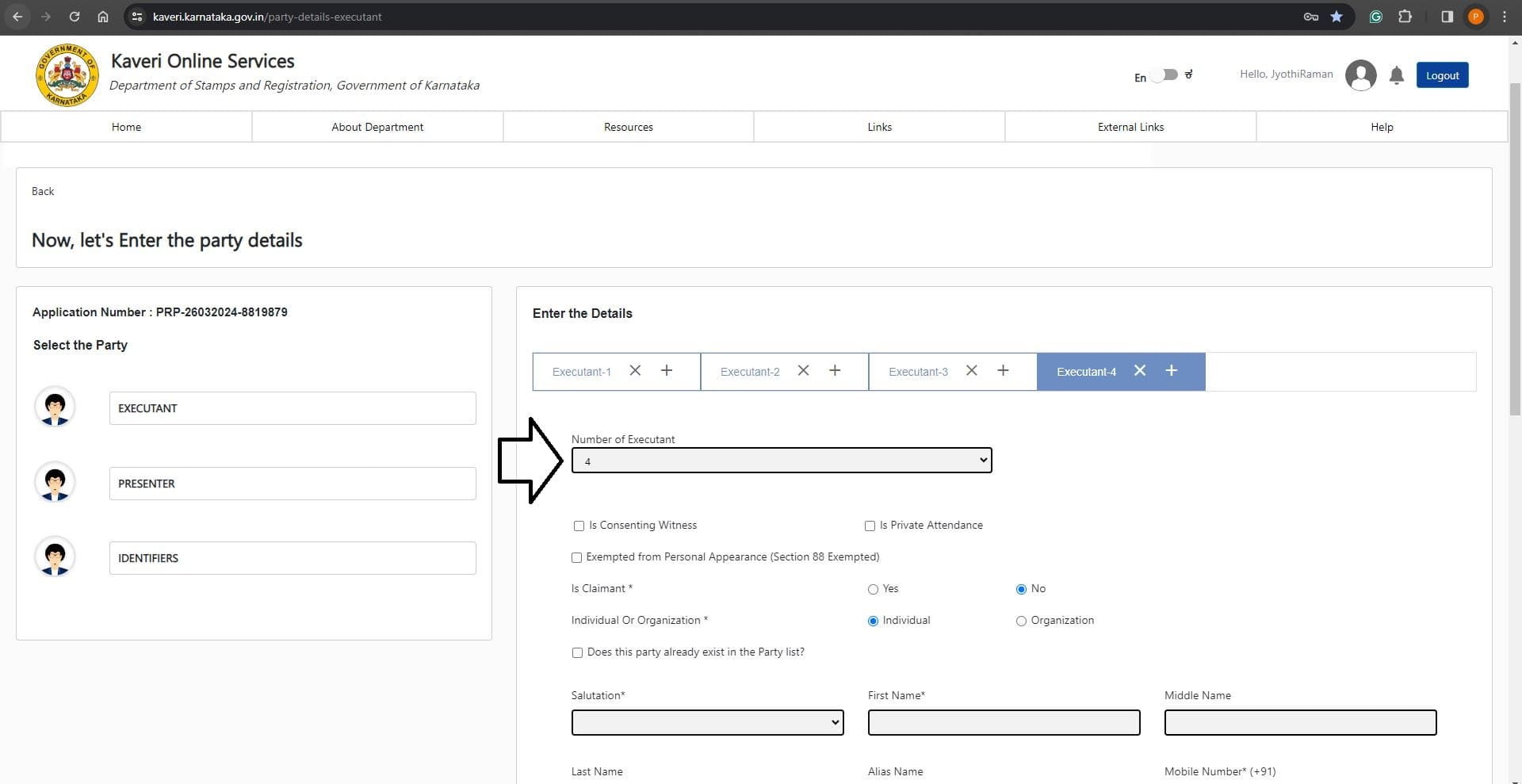
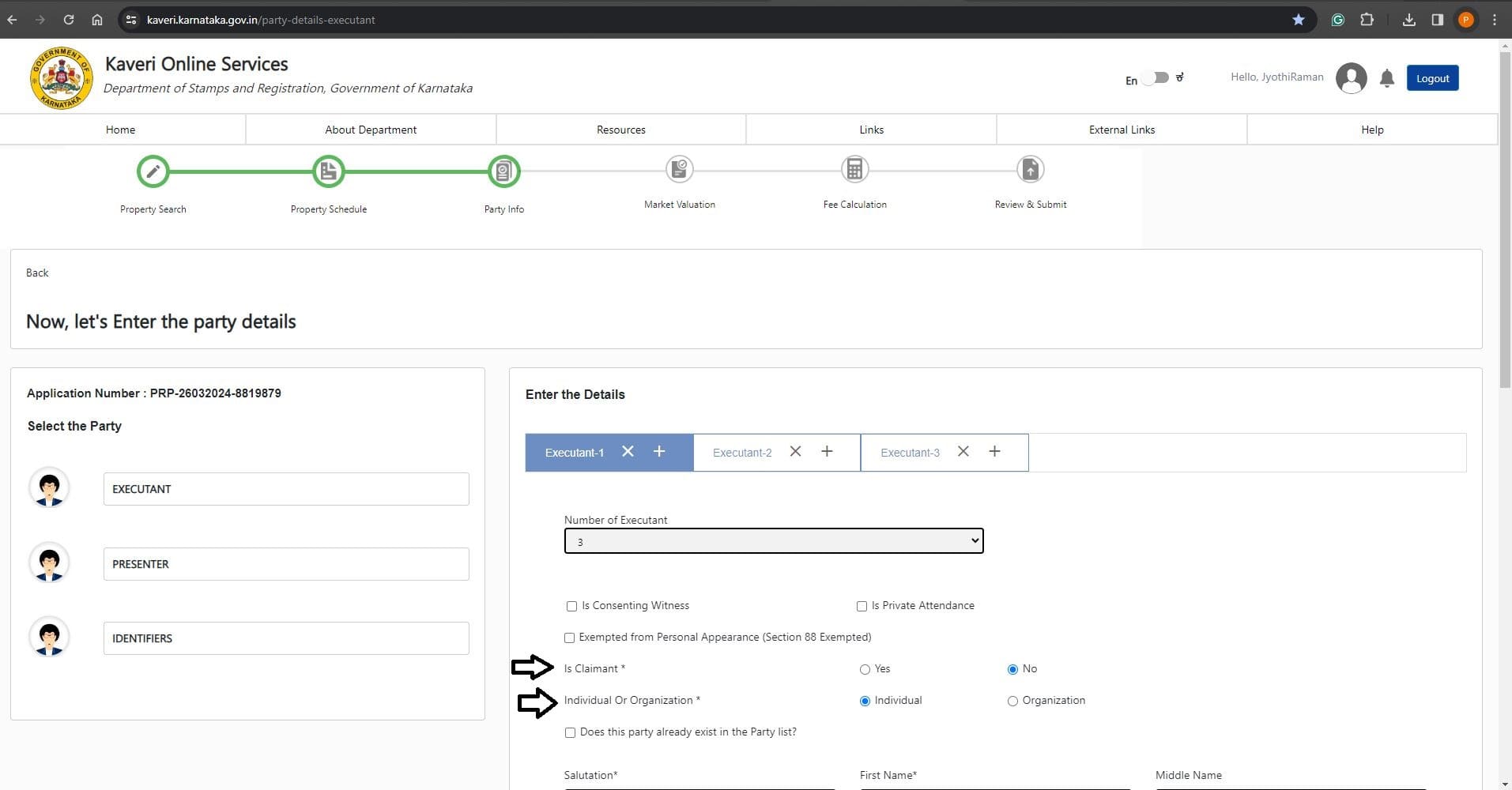
In Executant -1: I entered the details of the primary seller.
- Is Claimant: Selected “No”
- Individual Or Organization: Selected Individual as seller is not representing an organization
Refer to the below image
Followed by the details of seller's name, mobile number, Relative’s name, Age, Gender, ID Proof and address. Refer to the below-filled image
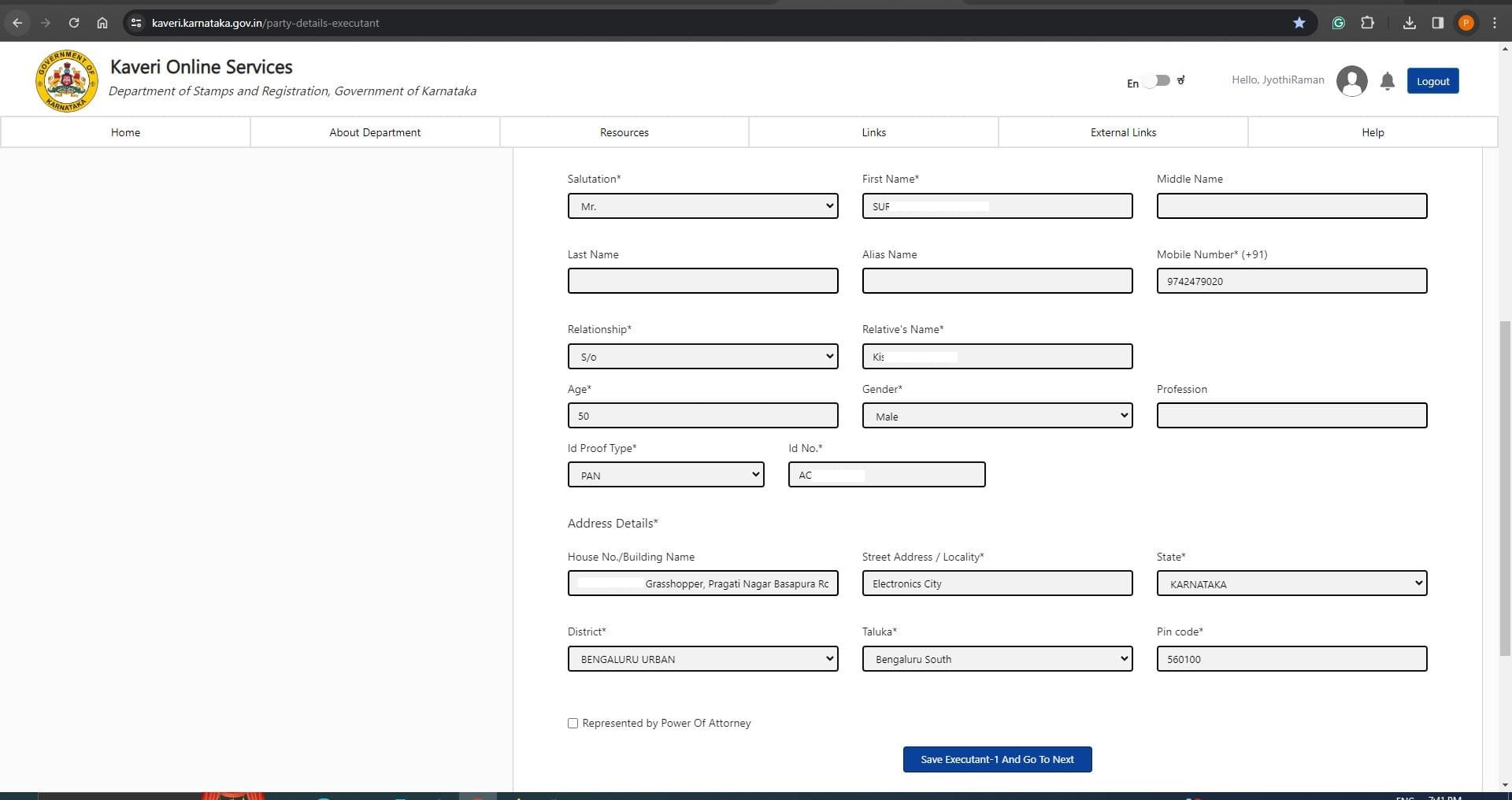
Click on Save Executant-1 And Go To Next
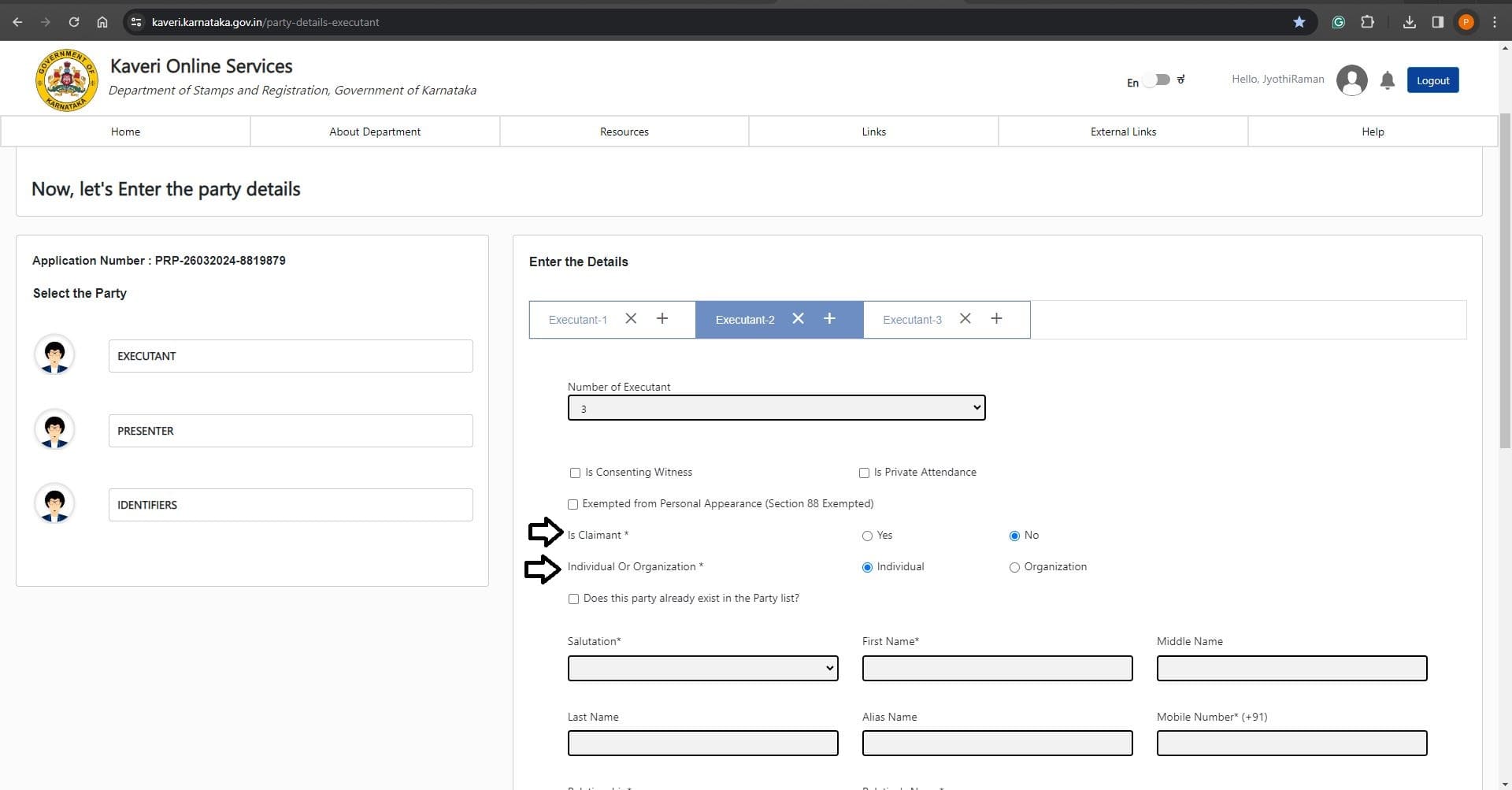
In Executant -2: I entered details of the Secondary seller (joint seller):
- Is Claimant: Selected “No”
- Individual Or Organization: Selected Individual as seller is not representing an organization
Refer to the below image
Followed by the details of seller's name, mobile number, Relative’s name, Age, Gender, ID Proof and address. Refer to the below-filled image
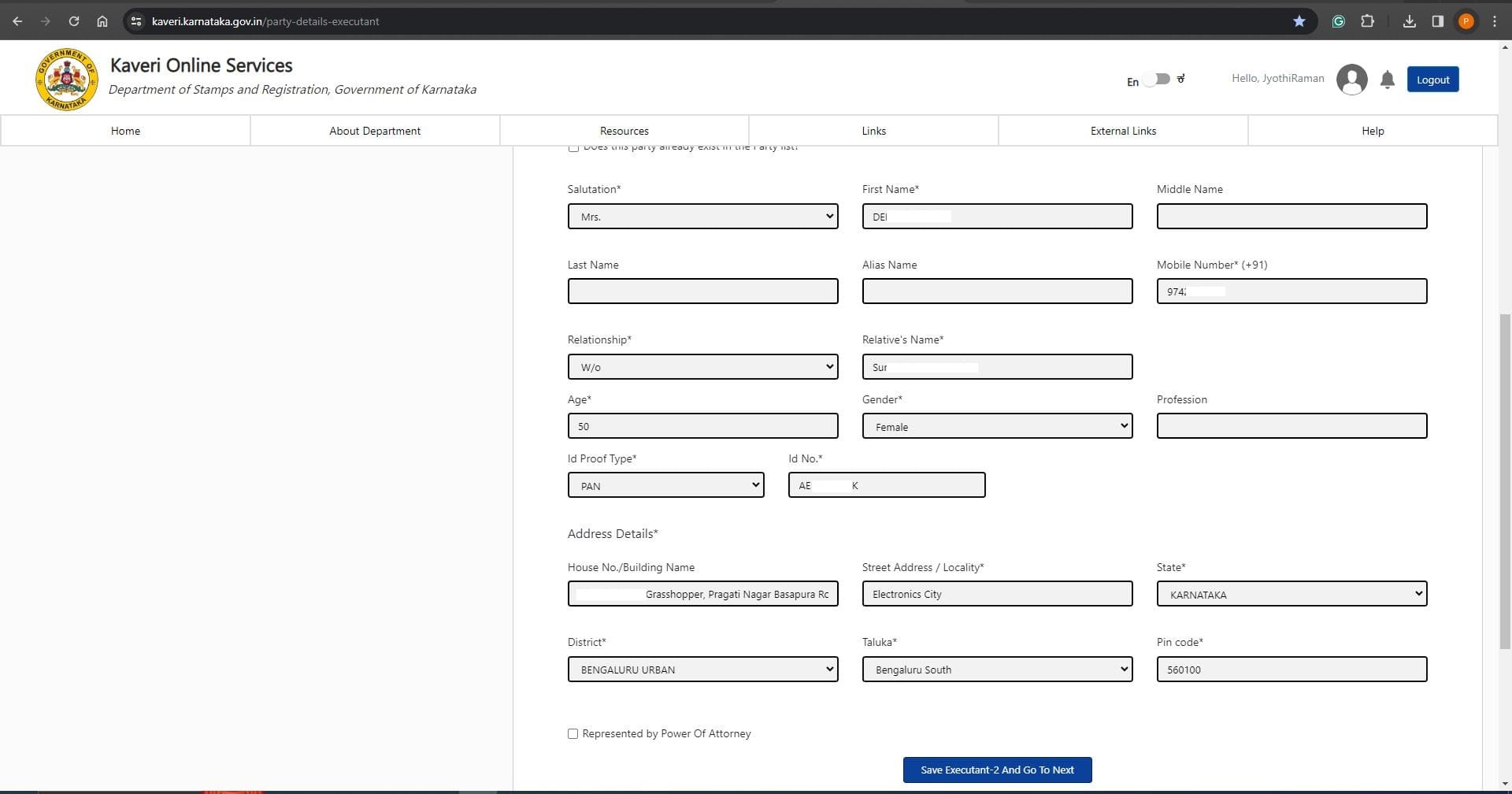
Click on Save Executant-2 And Go To Next
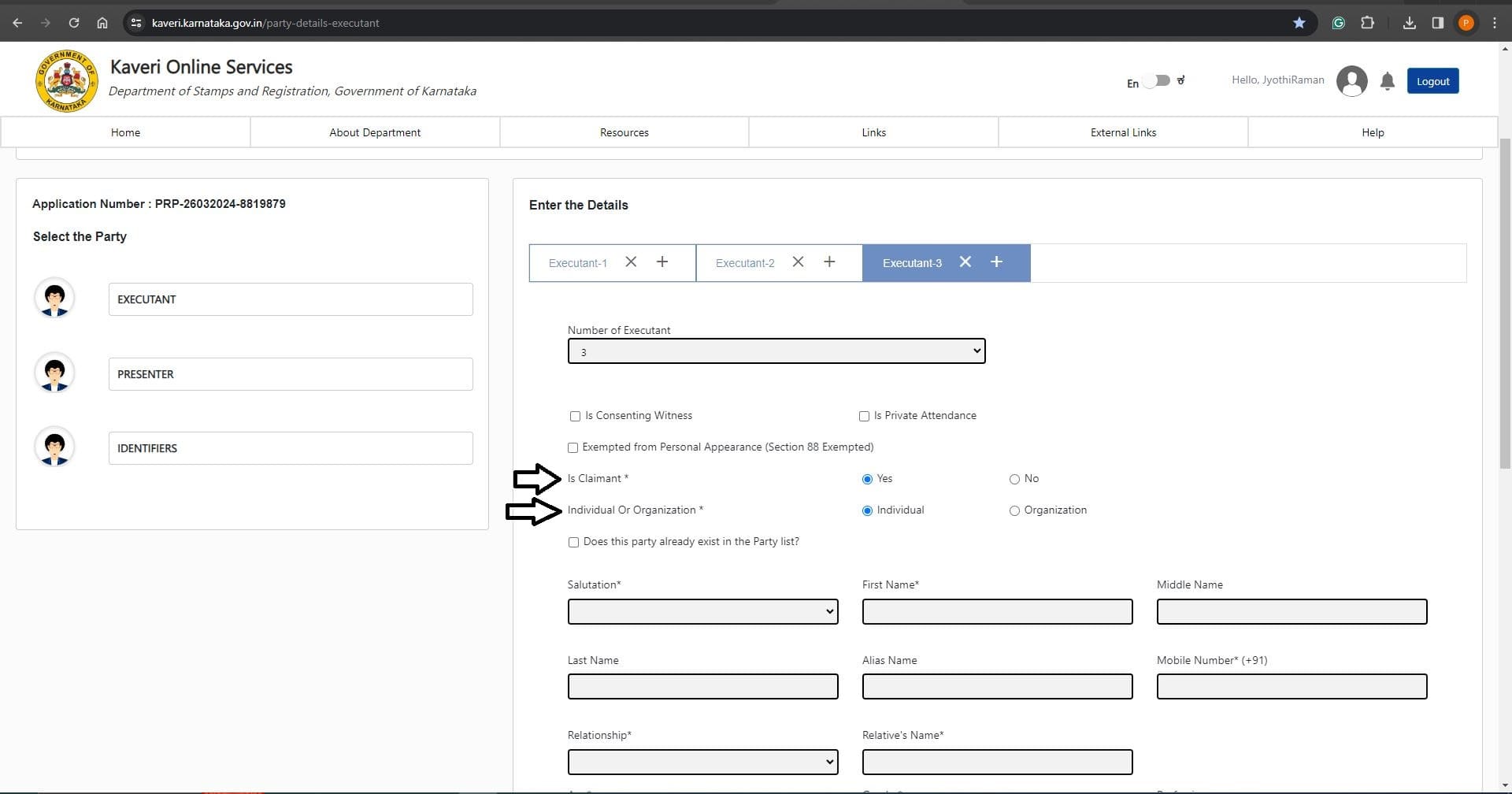
In Executant -3: I entered the details of the primary buyer:
- Is Claimant: Selected “Yes”
- Individual Or Organization: Selected Individual as buyer is not representing an organization
Refer to the image below
Followed by the details of buyer's name, mobile number, Relative’s name, Age, Gender, ID Proof and address. Refer to the below-filled image
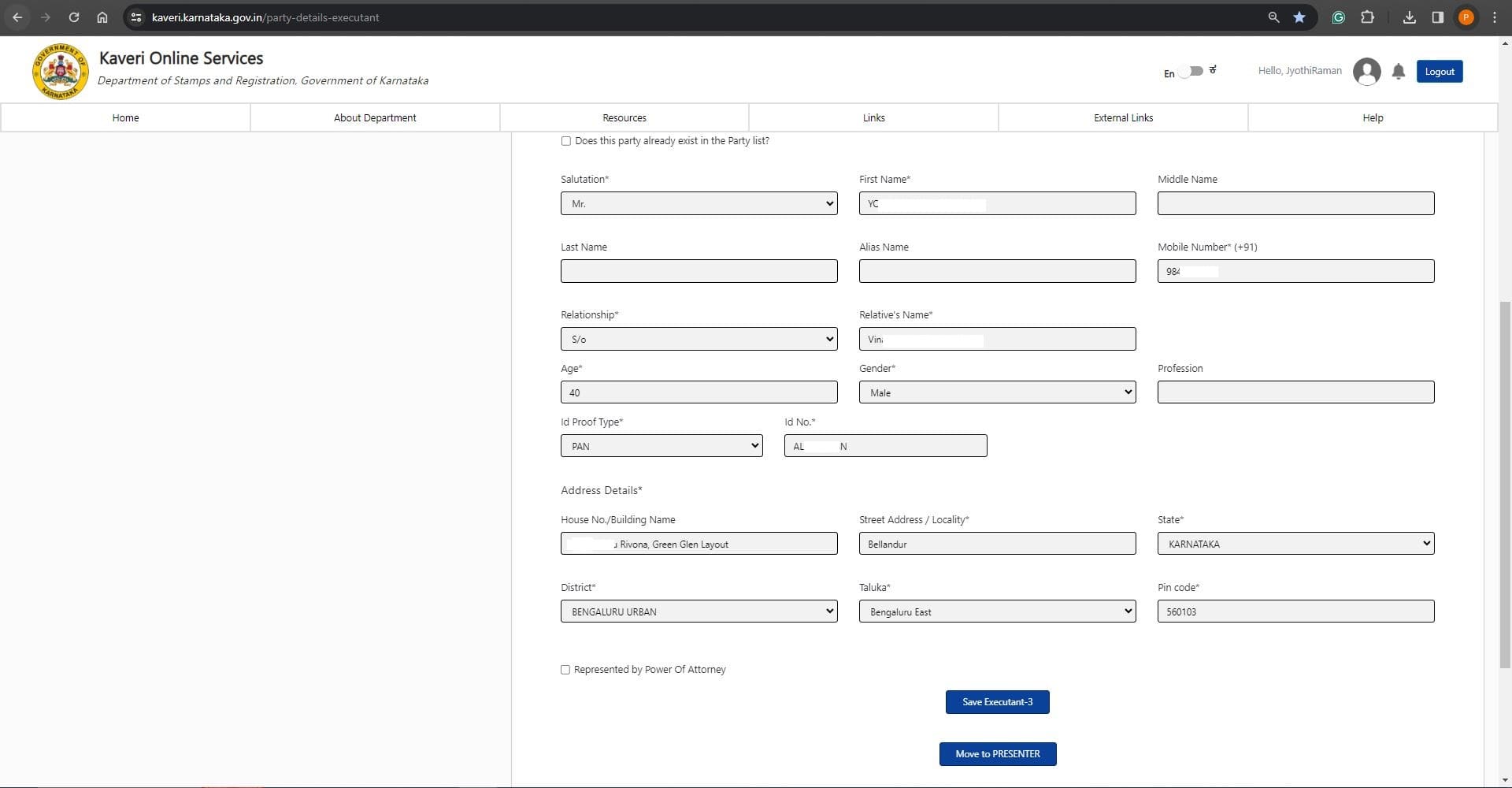
Click on Save Executant-3 And Go To Next
In Executant -4: I entered the details of secondary buyer (joint purchaser):
- Is Claimant: Selected “Yes”
- Individual Or Organization: Selected Individual as buyer is not representing an organization
Refer to the below image
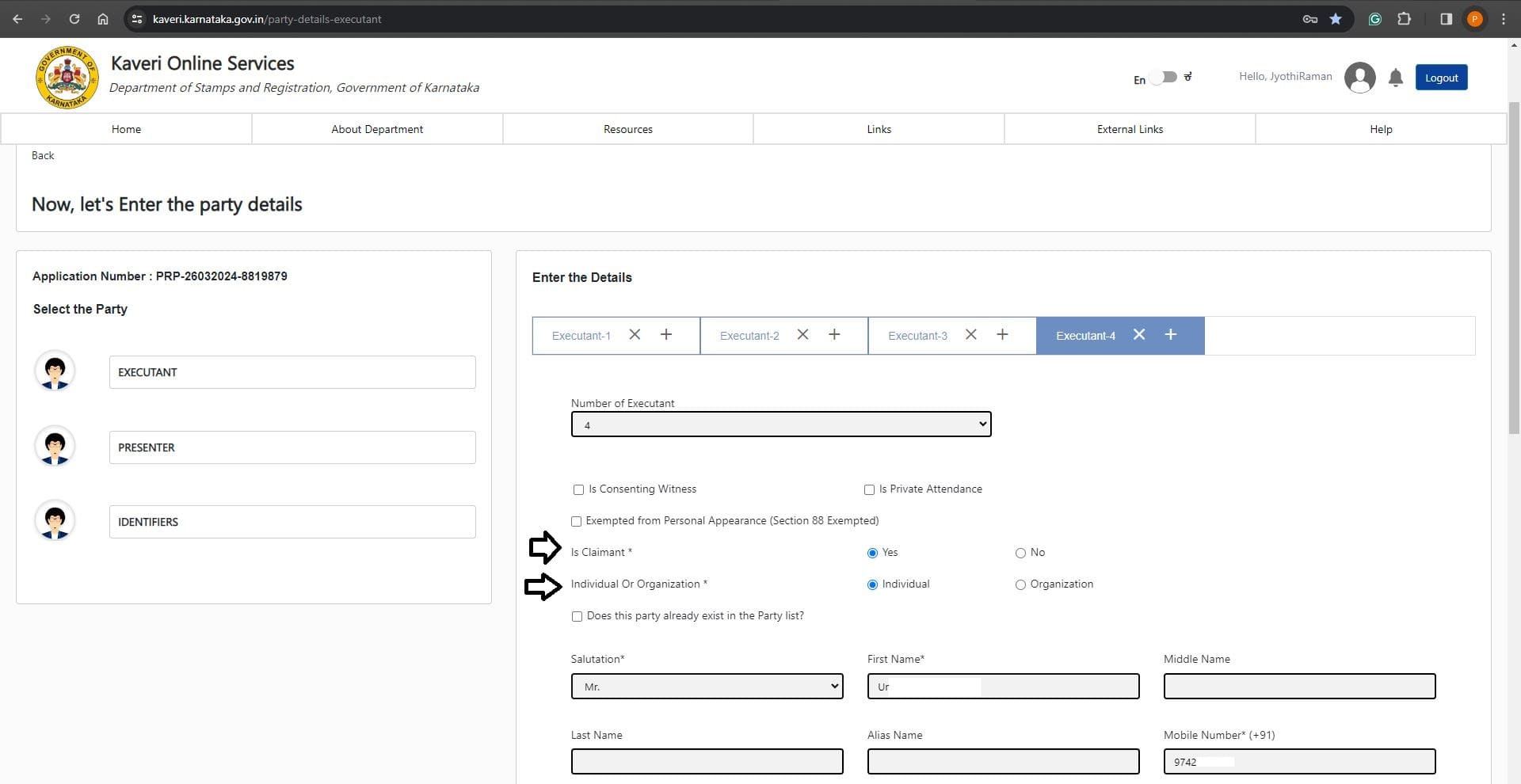
Followed by the details of buyer's name, mobile number, Relative’s name, Age, Gender, ID Proof and address. Refer to the below-filled image
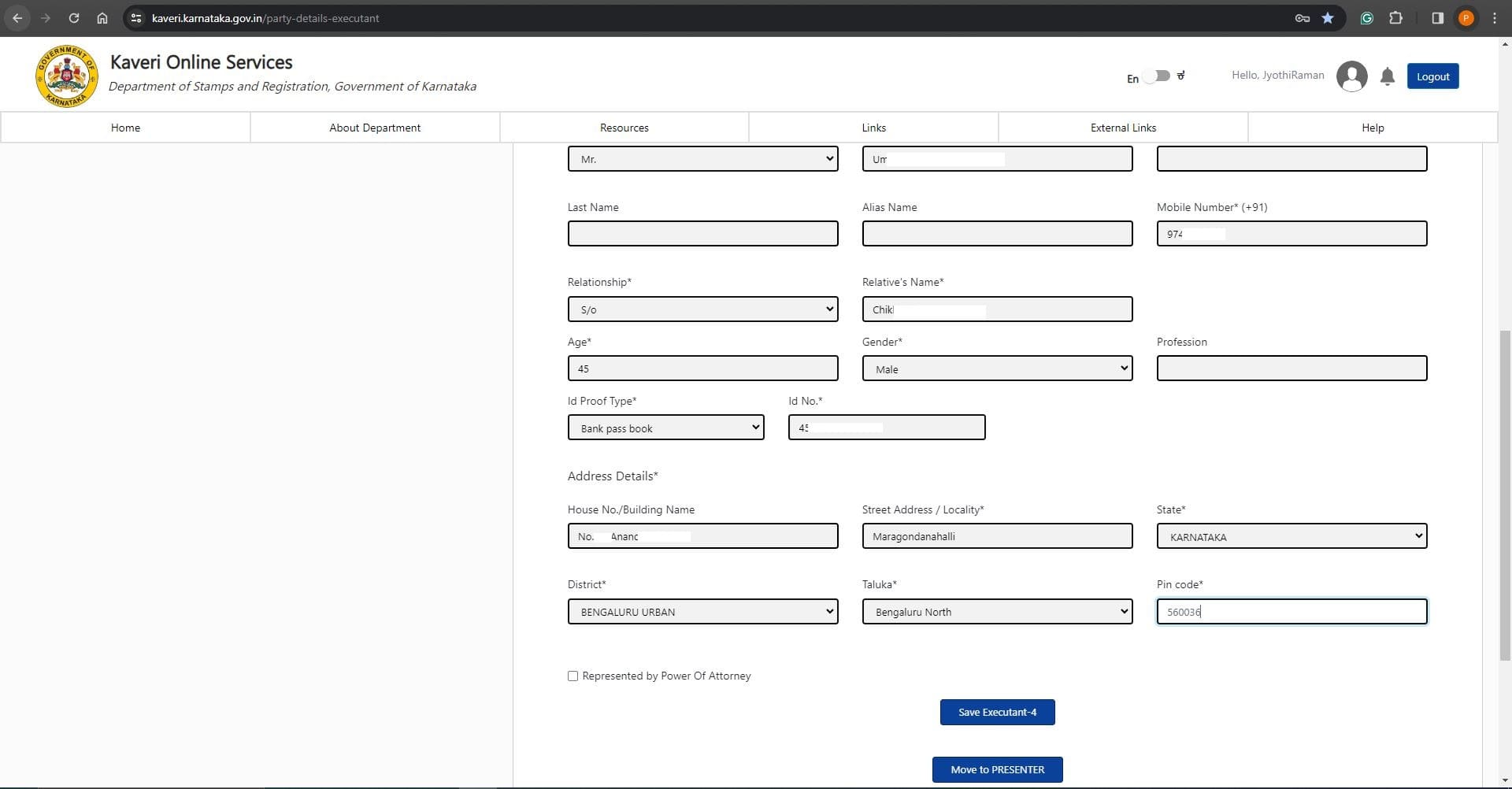
Click on Save Executant -4 and Click on Move to PRESENTER
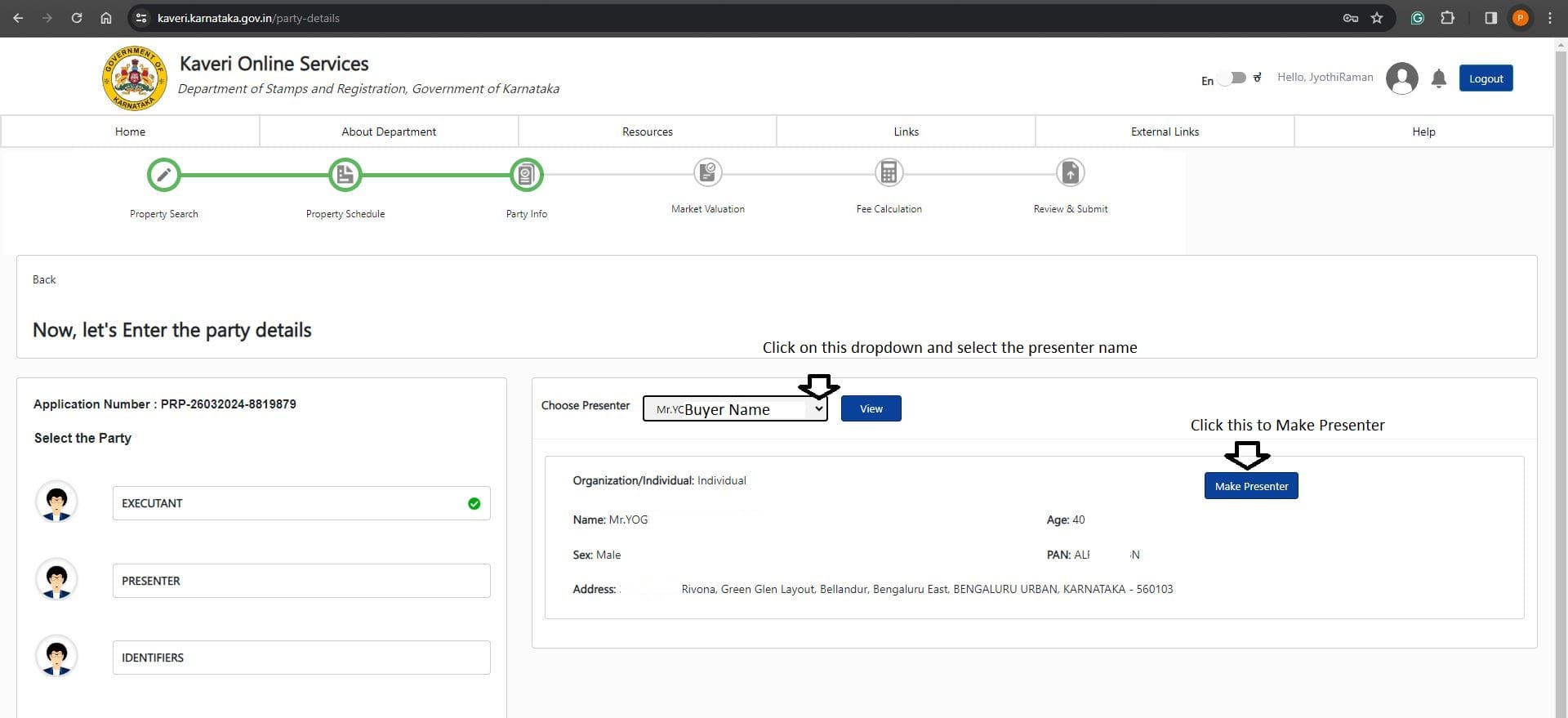
In Choose Presenter: I chose primary buyer's name from dropdown list because buyer will present the documents in sub-registrar office at the time of registration and click on Make Presenter
Refer to below image
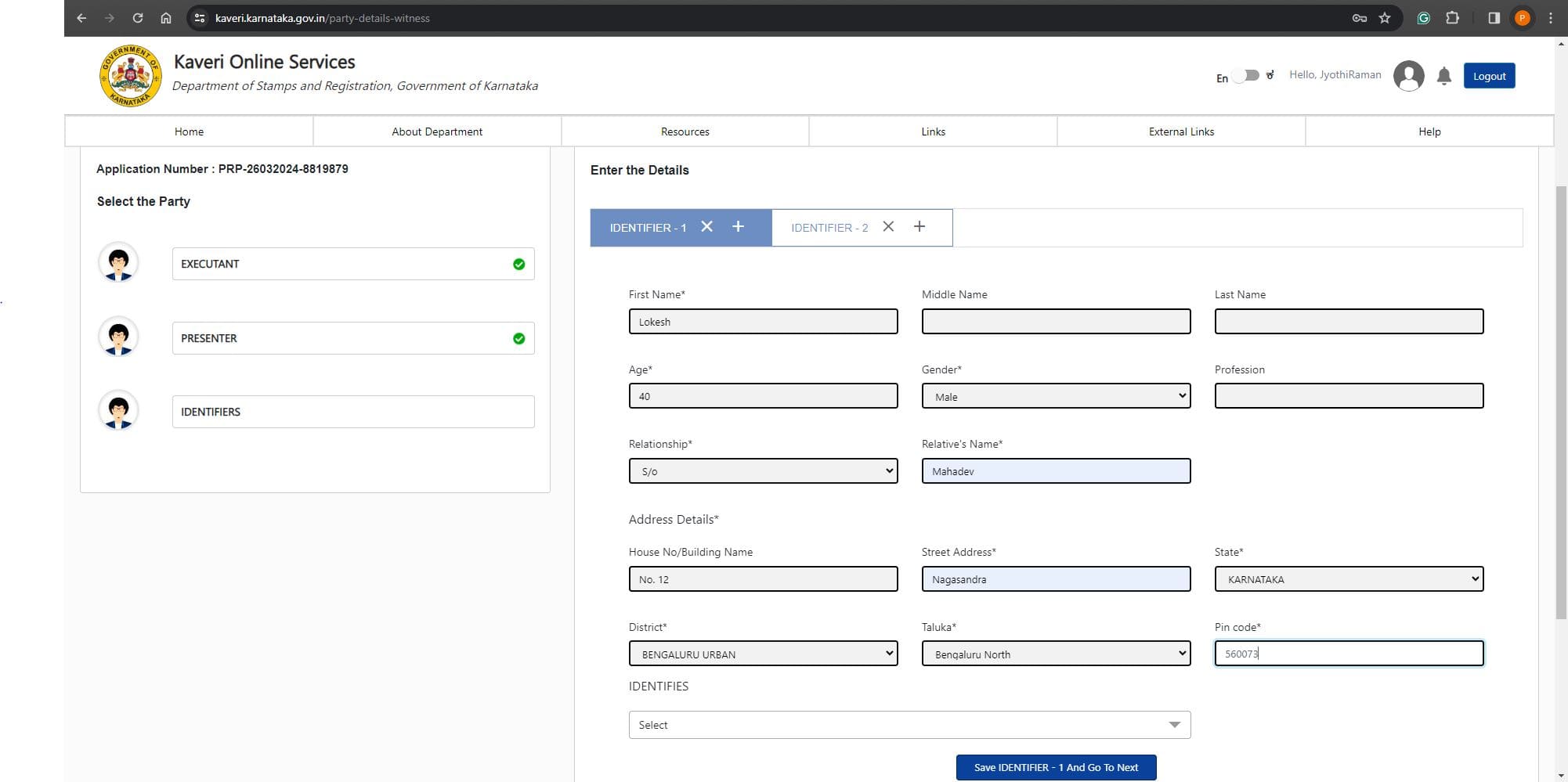
In IDENTIFIER -1: enter details of the witness. The details include names, age, gender, Relative’s name and address. Refer to the below-filled image
In IDENTIFIES: select name from the dropdown of whom the IDENTIFIER-1 is witnessing. I selected seller's name from dropdown list. Refer to below image
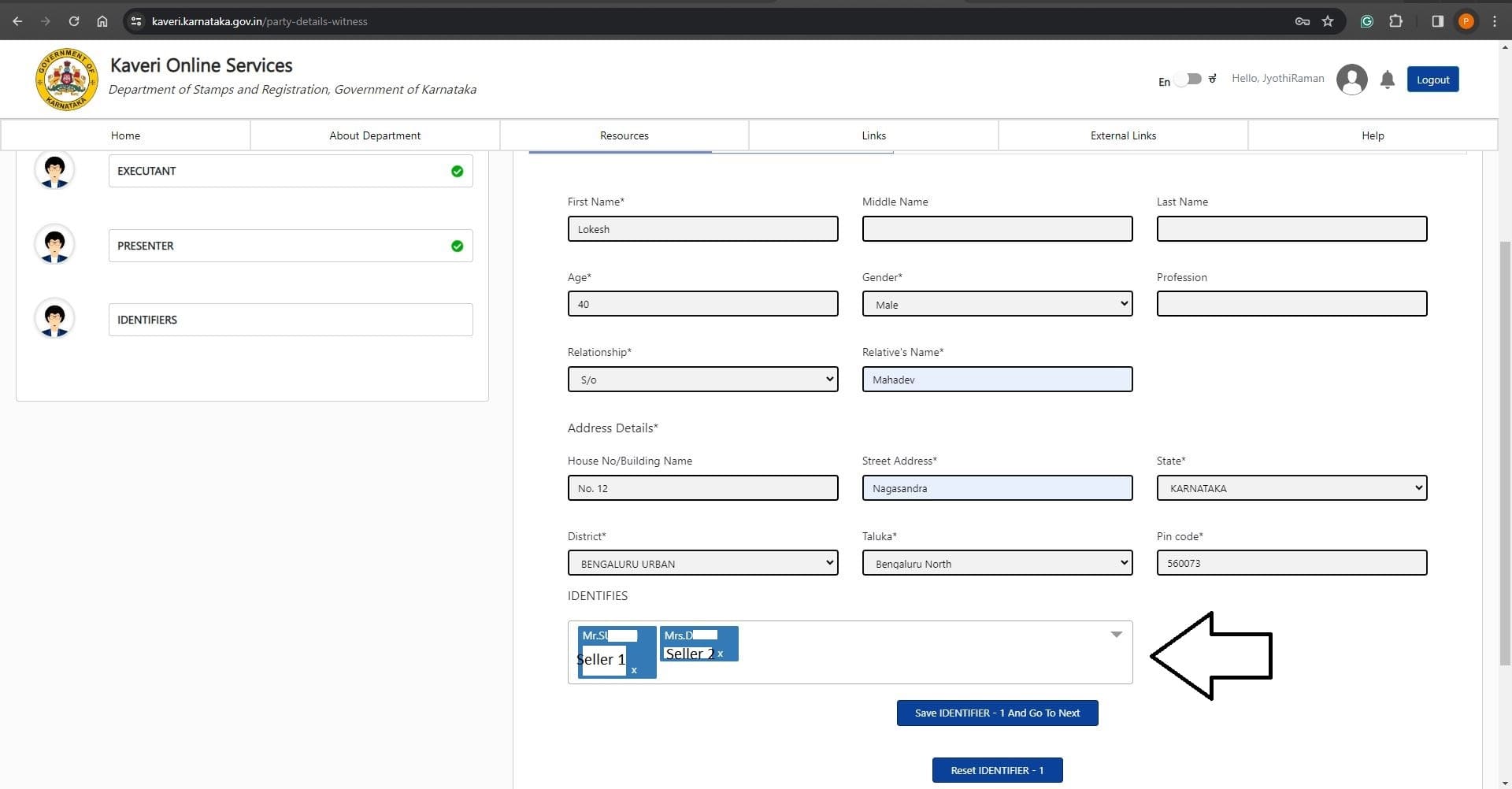
Click on Save IDENTIFIER -1 And Go To Next
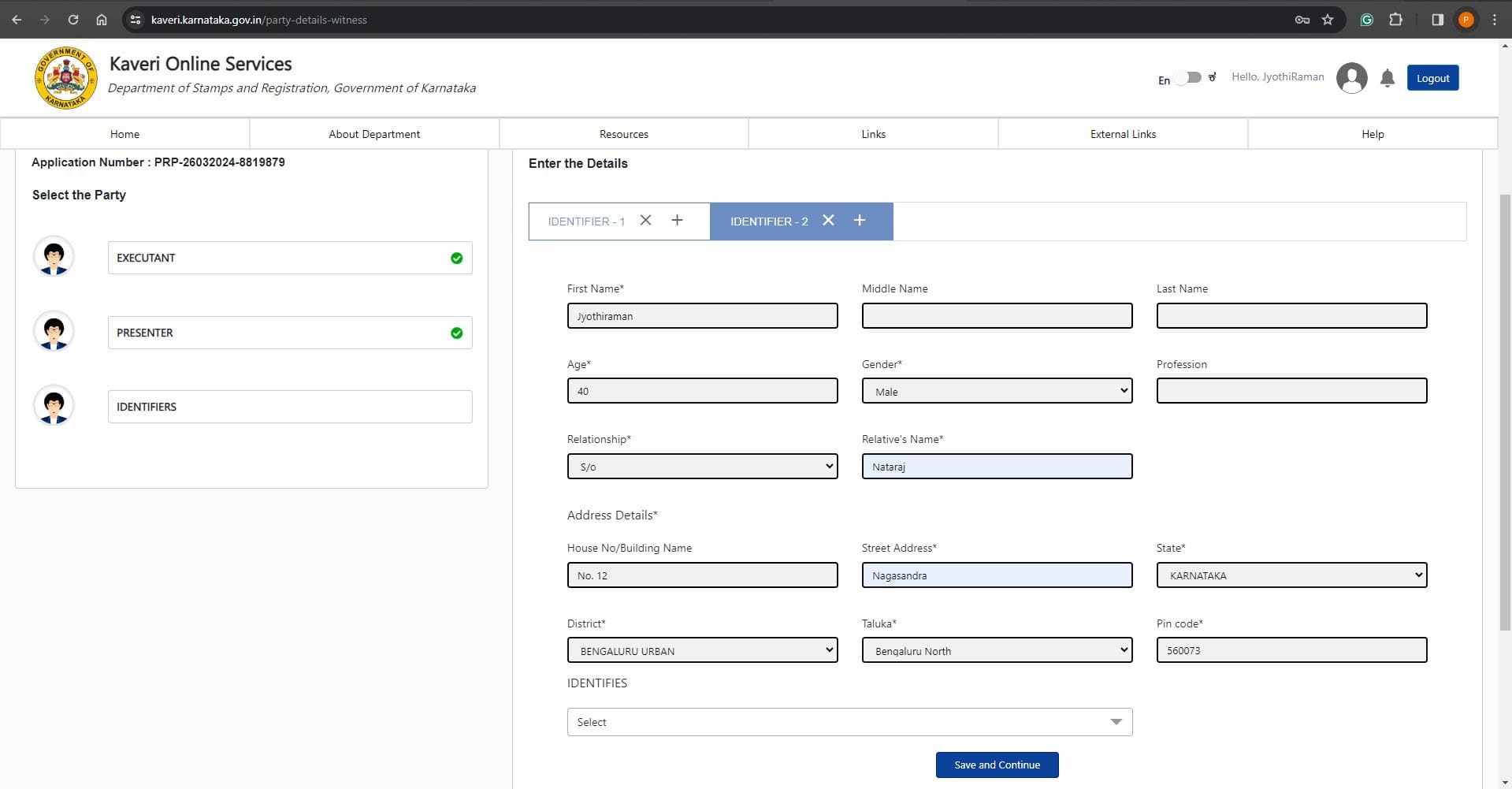
In IDENTIFIER -2: enter details of another witness. The details include names, age, gender, Relative’s name and address. Refer to the below-filled image
In IDENTIFIES: select name from the dropdown of whom the IDENTIFIER-2 is witnessing. I selected buyer's name from dropdown list. Refer to the image below
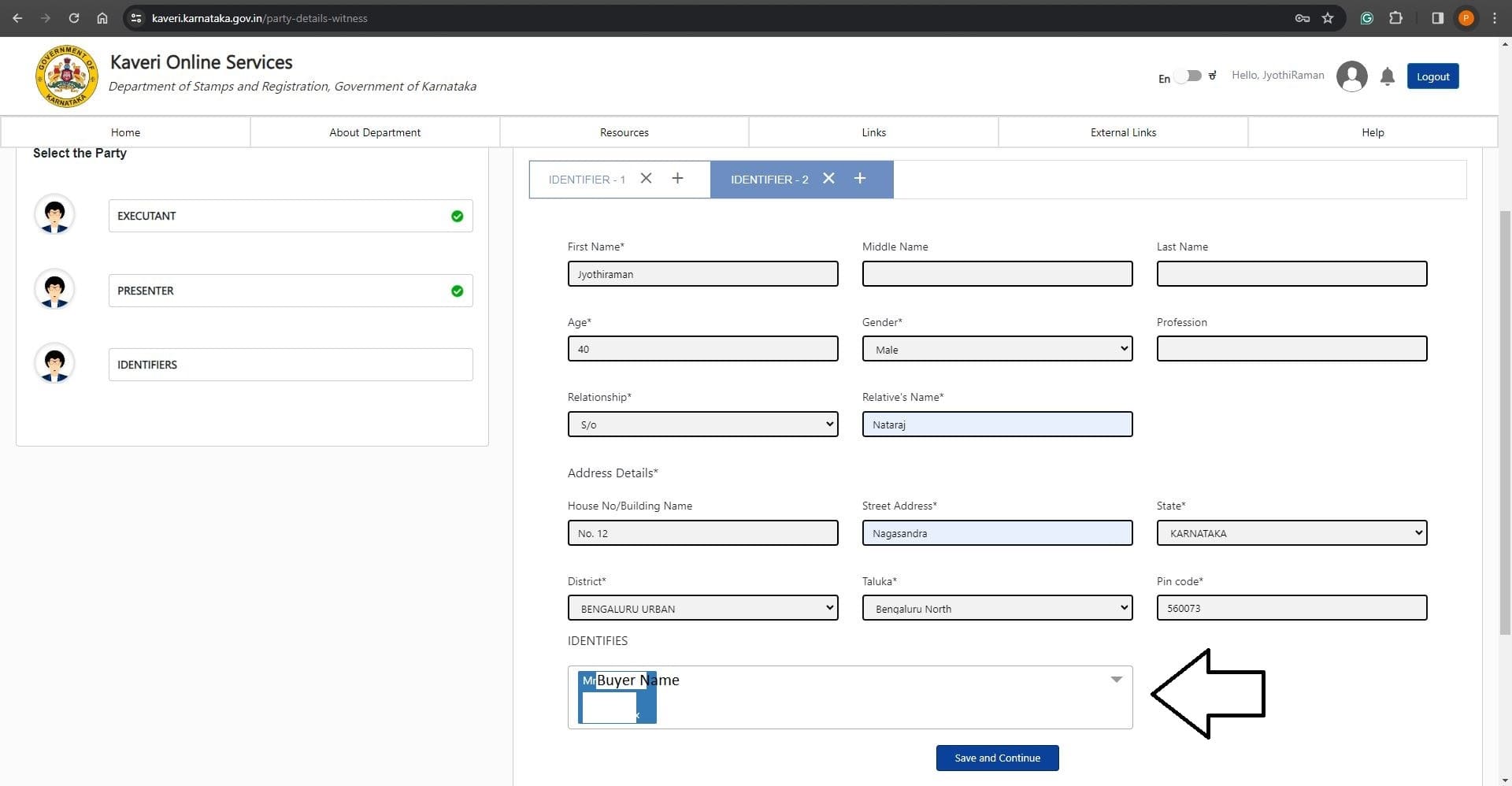
Click on Save and Continue
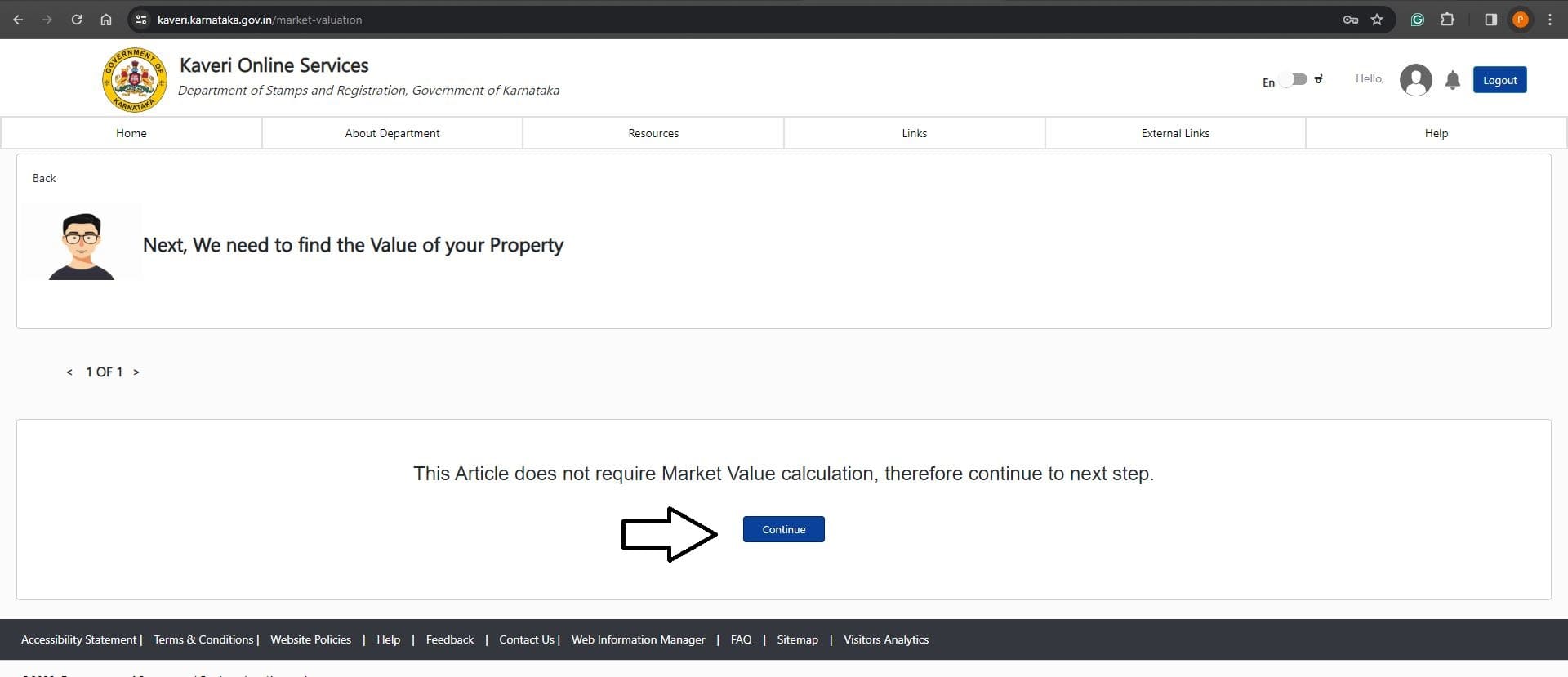
A sale Agreement without possession doesn’t require Market Value calculation, click on Continue. Refer to the image below
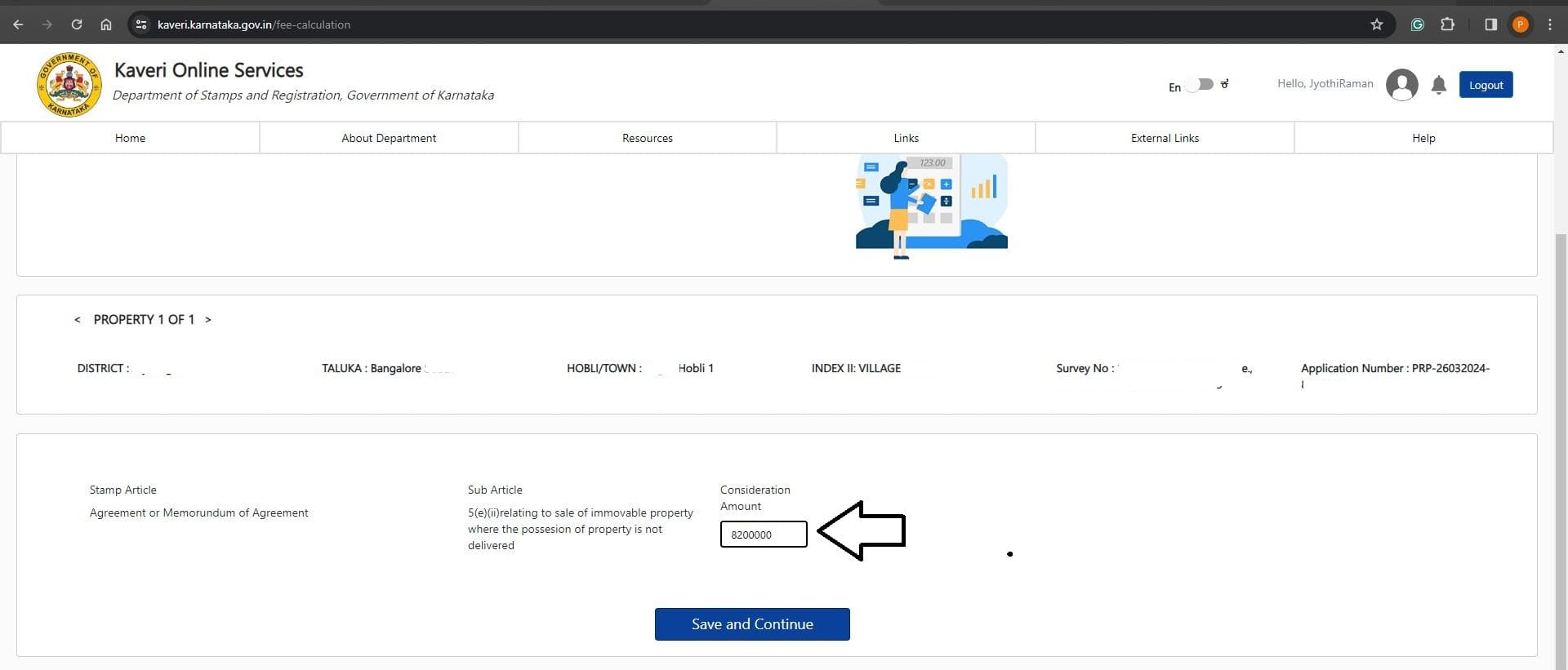
Our buying price is Rs. 82 Lakhs
In Consideration Amount: Entered Rs. 82 lakhs in numerical. Refer to the below image
Click on Save and Continue
My Sale Agreement draft consists of 7 pages. Entered 7 in Number of Pages. Refer to the below image
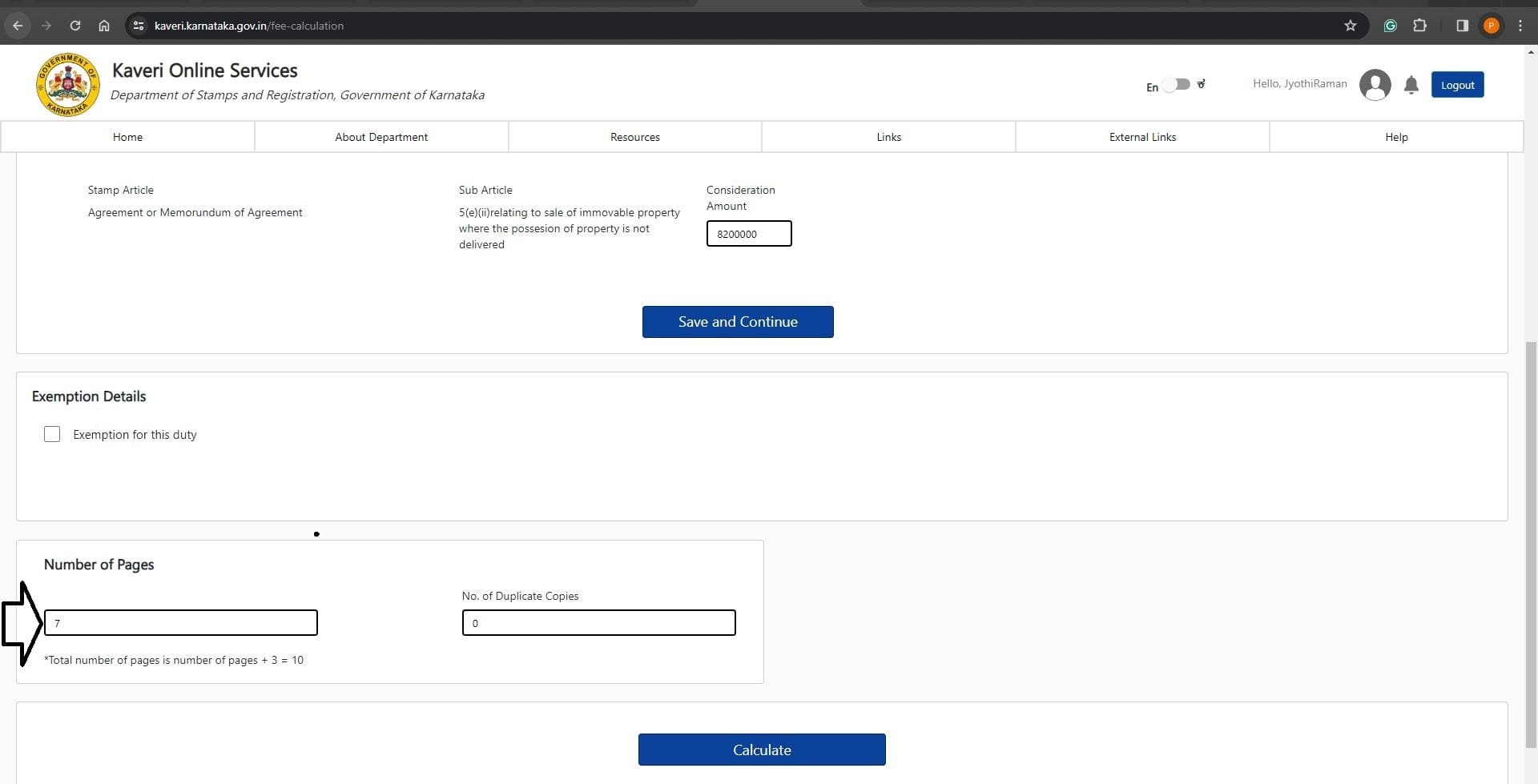
Click on Calculate
Below is my Government cost calculation. Refer to the below image
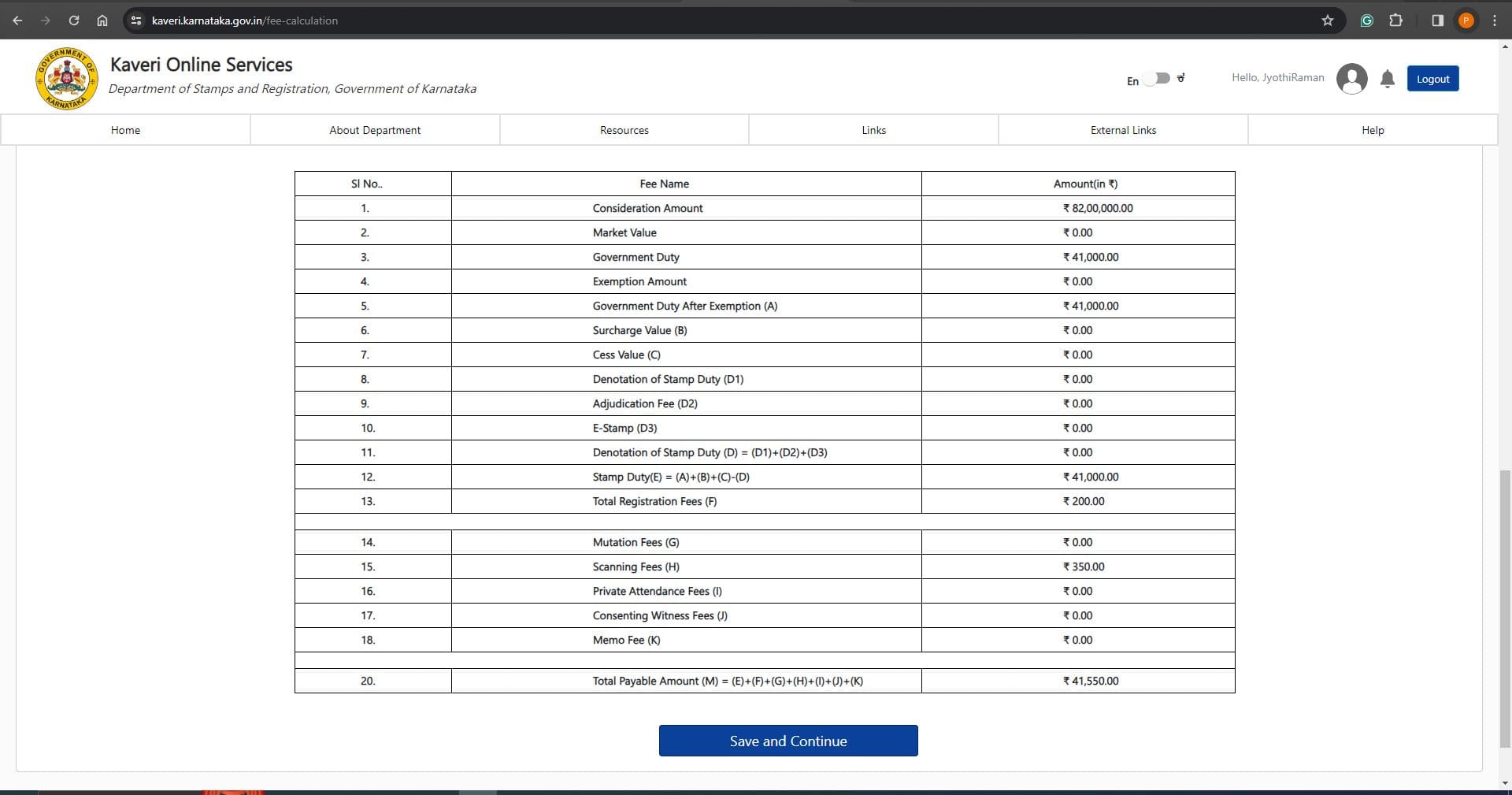
Below is the cost break-up for your easy reference
- Stamp Duty at 0.5% : Rs.82,00,000 X 0.5% = 41,000
- Registration Fee: Rs. 200
- Scanning fee for 7 + 3 Pages: Rs. 350
- Total Rs. 41,550
Click on Save and Continue
Scroll down page to the bottom:
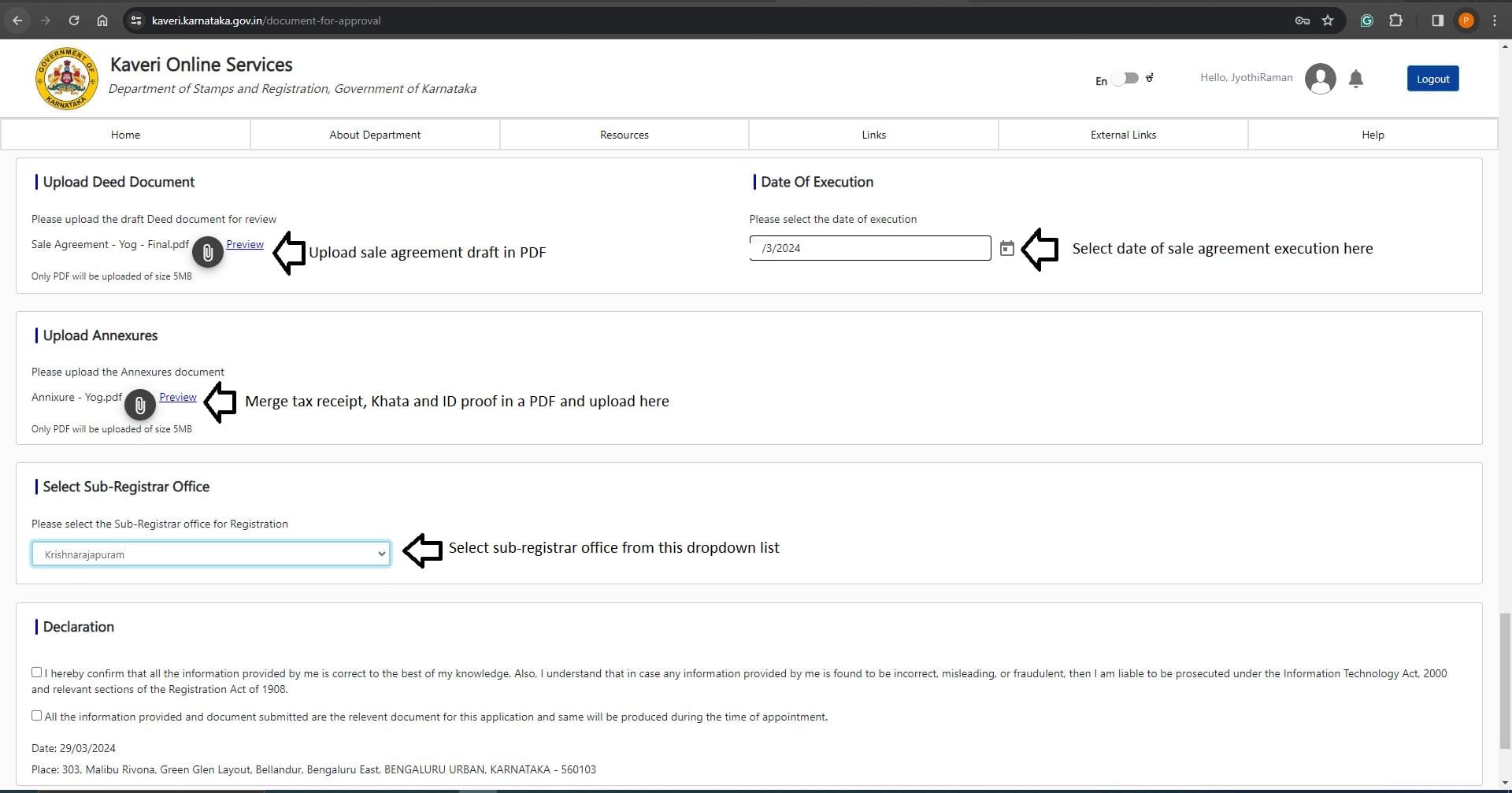
- Upload Deed Document: Upload the sale agreement draft in PDF
- Upload Annexures: Merge the tax receipt, Khata and ID proof in one PDF and upload it here
- Date Of Execution: I mentioned today’s date in my sale agreement draft hence selected today’s date in date of execution
- Select Sub-Registrar Office: I want to register my sale agreement in KR Puram sub-registrar office. Selected KR Puram in dropdown list
Refer to the uploaded image below
In Declaration: Select the Terms & Conditions. Refer to the below image

Click on Agree and Submit
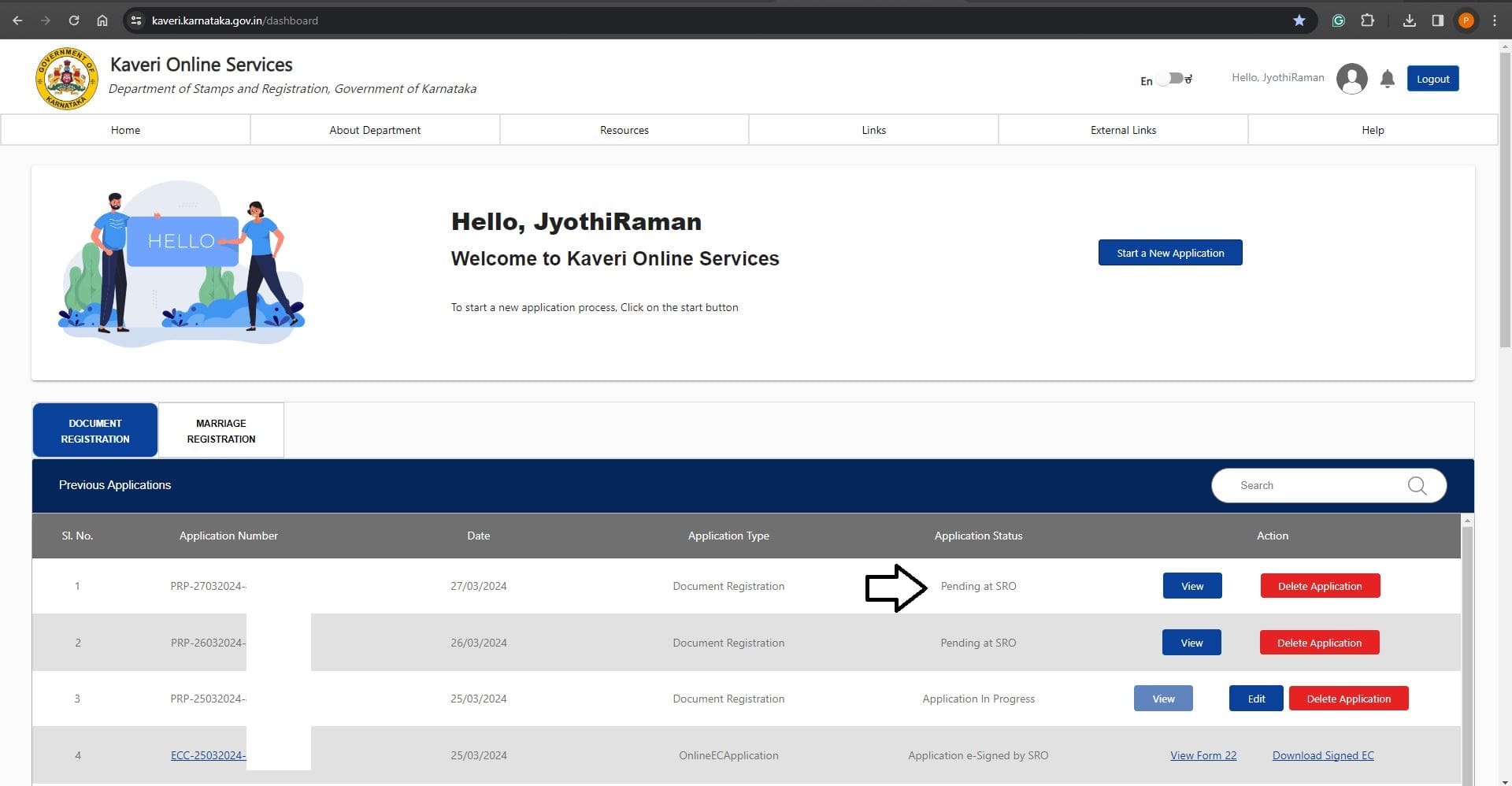
Immediately after the submission, the Status shows Pending at SRO. Refer to the below image
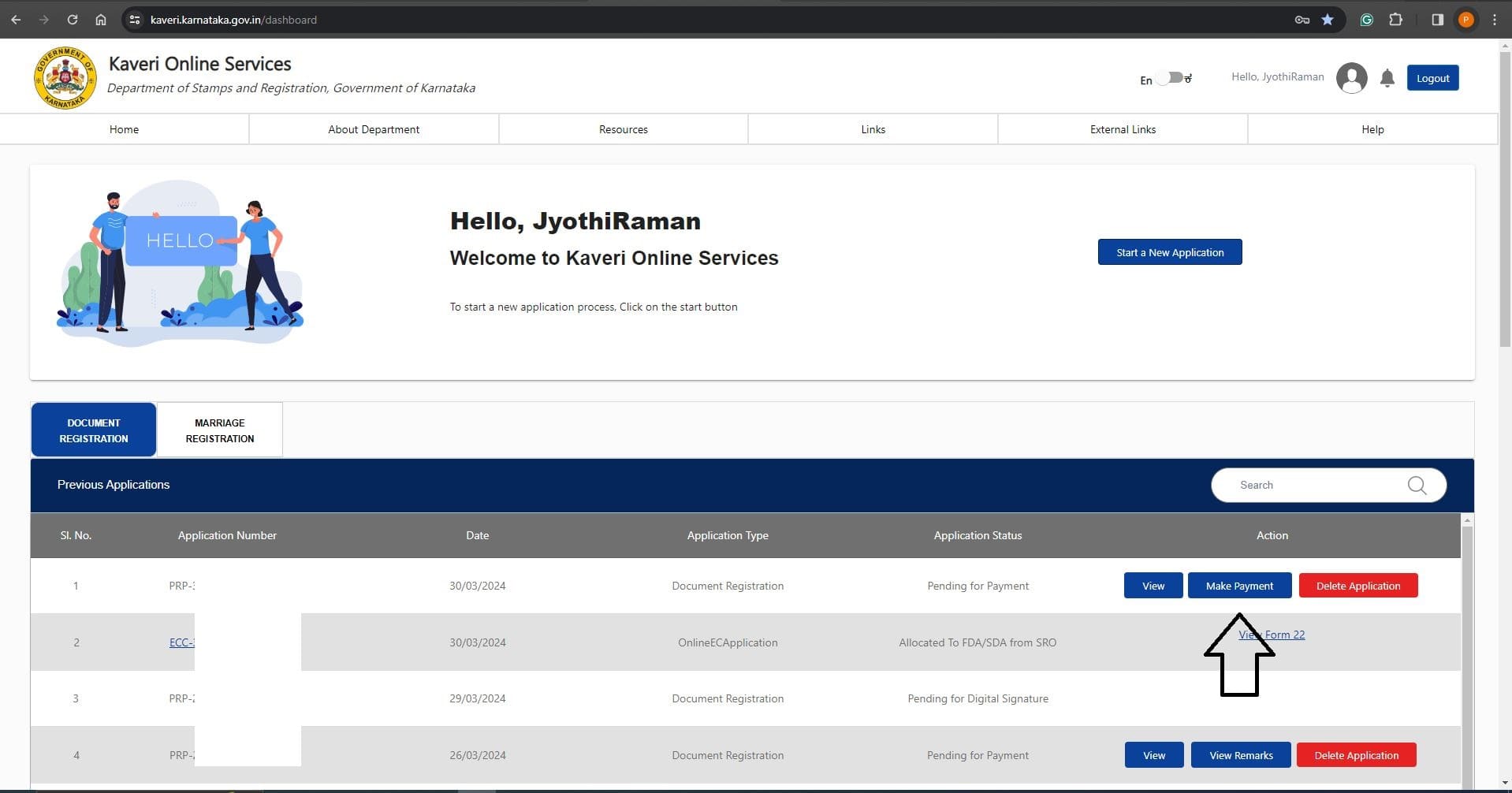
On the next day, the status shows Make Payment. We clicked on Make payment and paid government cost through UPI. Refer to the below image
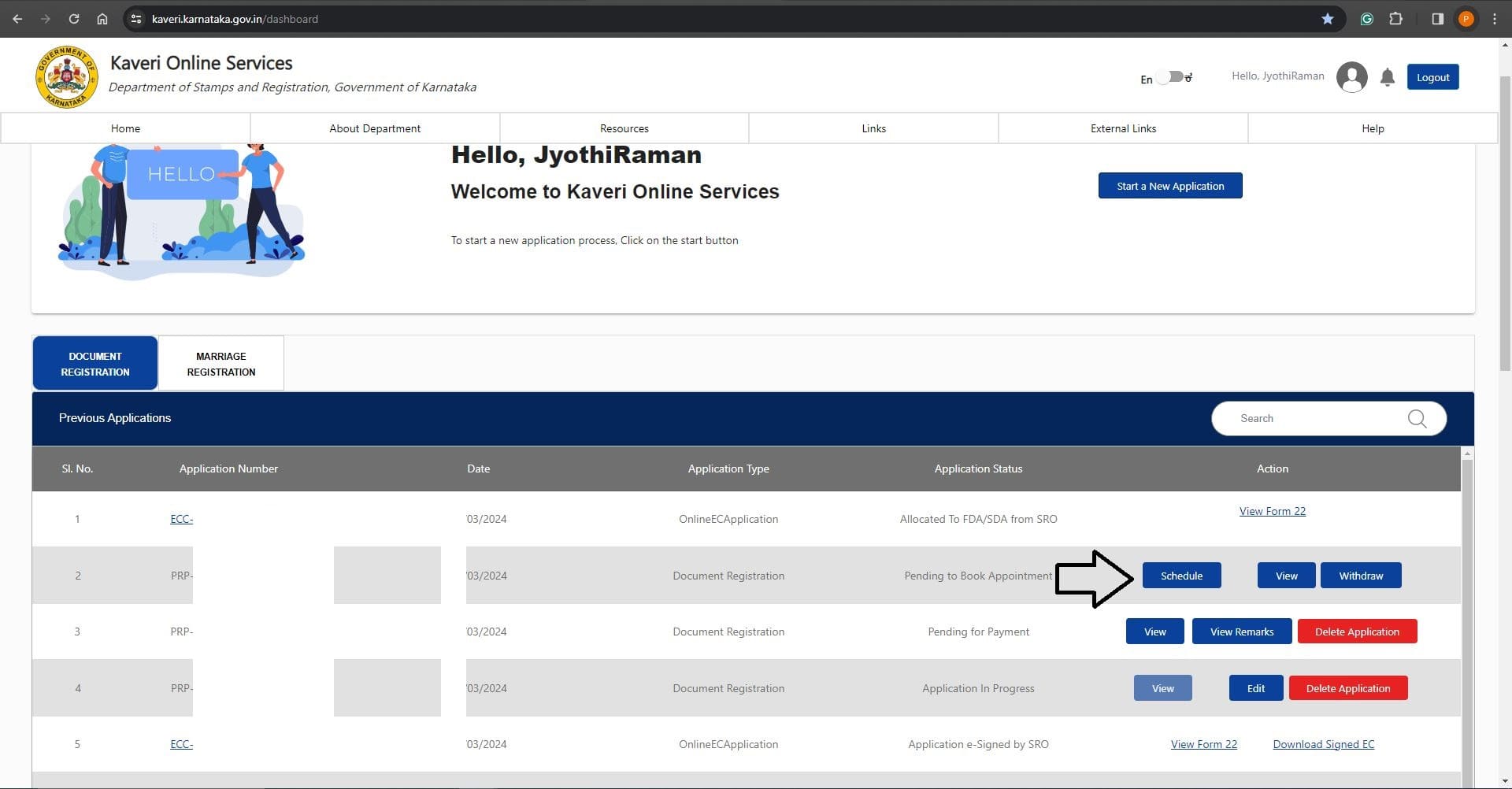
Immediately after payment, the status changed to Schedule. We clicked on the Schedule and booked the registration slot tomorrow at 10 am. Refer to the below image
As per our registration slot, we carried the below list of documents to KR Puram sub-registrar office
- Printout of summary report from Kaveri Online Services
- Printed Sale Agreement (to be registered)
- ID proof (of seller and buyer)
Apart from the above documents, two Witnesses and their ID proof are necessary in sub-registrar office at the time of registration
The buyer presented the above documents at registration counter and completed our registration in few minutes. Below is our registered sale agreement
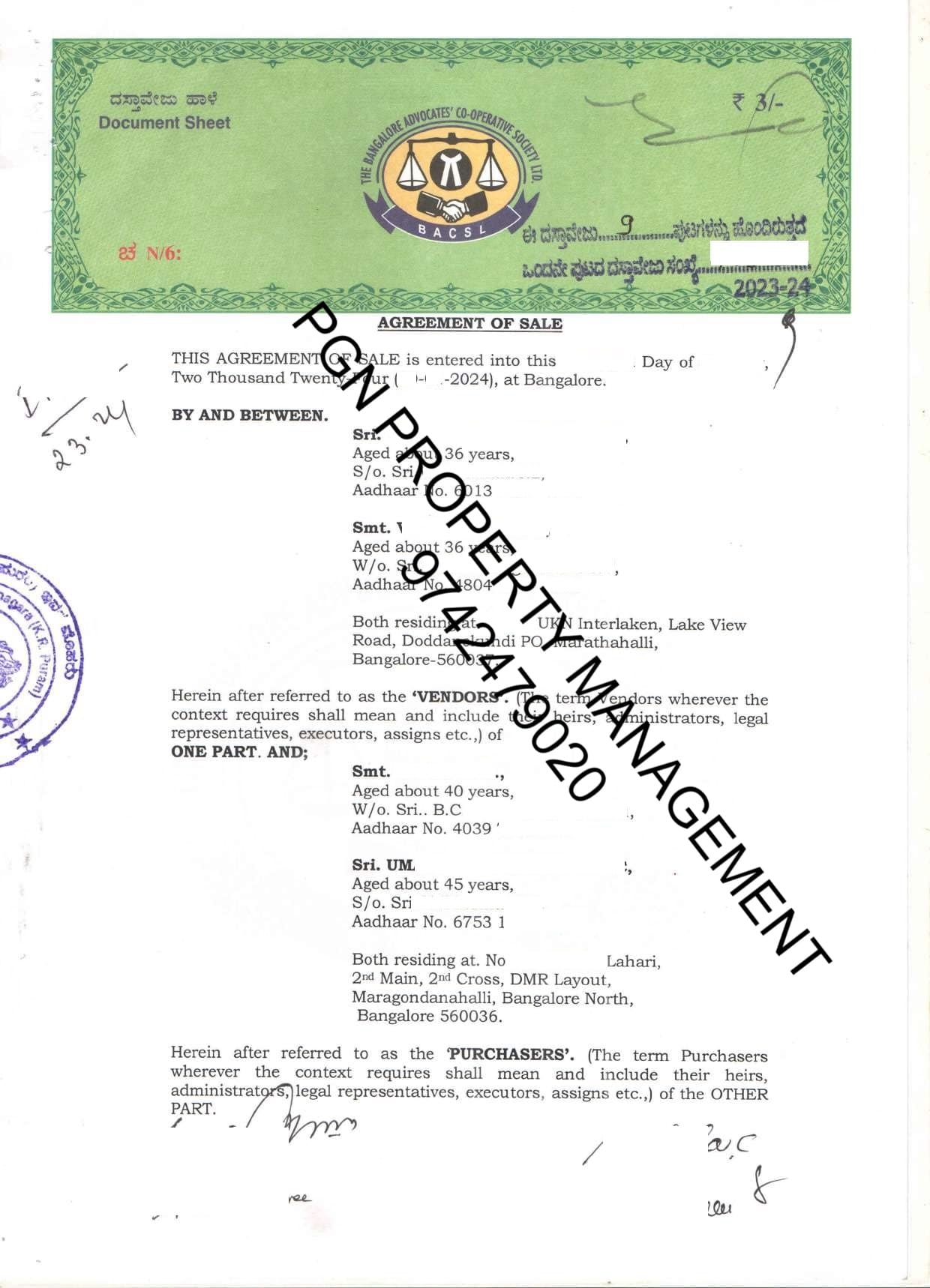
We submitted the photocopy of above sale agreement to a bank to process our home loan.
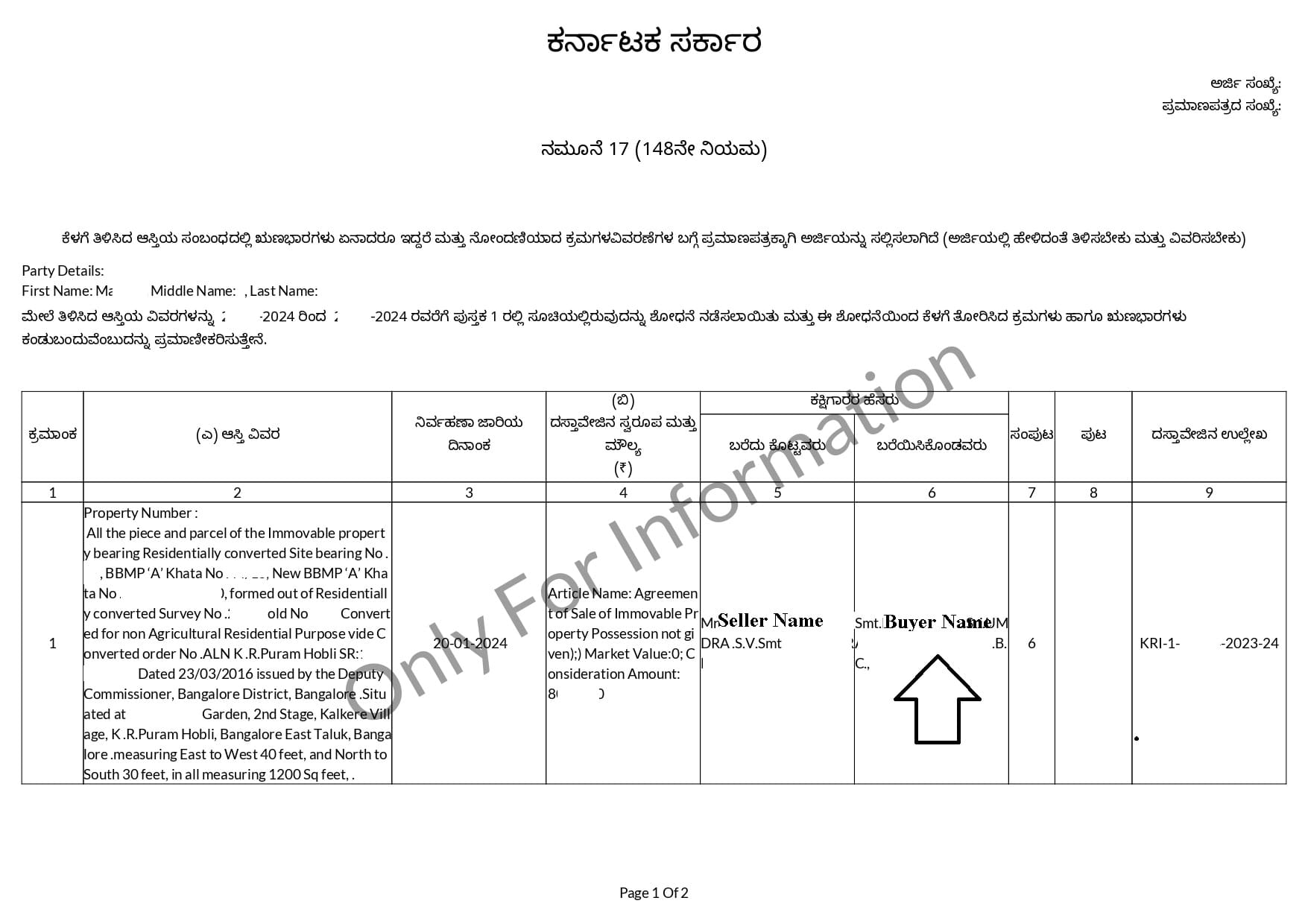
Meanwhile, the other main advantage of registering a sale agreement is that buyer's name is reflected in Encumbrance Certificate (EC). This gives confidence to buyer that seller will not double-sell or initiate fresh inquiry with another buyer for same property until the sale deed is registered or cancels the sale agreement.
Refer to the below EC, we highlighted the buyer's name.
For this sale agreement registration, we paid the Stamp Duty of Rs. 41,000. We will denote this cost when we pay the stamp duty for sale deed registration.
In simple language for your understanding, I will save Rs.41,000 when I pay stamp duty for sale deed registration later.
For assistance in sale agreement registration, please write to us pgnproperties@gmail.com or Whatsapp to +91-97424-79020