
No, a manual Khata is not required before applying for a BBMP e-Khata in Karnataka.
If your property does not have a manual Khata, you can directly apply for a new e-Khata through the BBMP portal: Apply for BBMP New e-Khata
Let me walk you through a real-life example to demonstrate how the process works.
REAL-EXAMPLE: APPLYING FOR E-KHATA WITHOUT MANUAL KHATA
In 2015, one of my clients purchased a 2BHK flat from a builder using an SBI home loan. A Memorandum of Deposit of Title Deed (MODT) was registered with SBI at the time of loan disbursal. However, since the purchase, neither the builder nor the buyer had obtained a manual Khata for the property.
In 2025, after fully repaying the loan, my client received the Reconveyance Deed from SBI. To register this Reconveyance Deed (or any Deed) at the sub-registrar’s office, e-Khata is mandatory. Since there was no manual Khata, we proceeded to apply for an e-Khata online.
STEP-BY-STEP PROCESS: E-KHATA APPLICATION WITHOUT MANUAL KHATA
CHECK FOR DRAFT E-KHATA ON E-AASTHI
We initially checked the eAasthi portal for an auto-generated draft e-Khata. As expected, no draft was available, since the property had no prior Khata record.
DOCUMENTS REQUIRED
To apply for a new e-Khata, we gathered the following:
- Property Tax Application Number (available on tax receipt)
- Geo-location of the Property
- Encumbrance Certificate (from sale deed registration in 2015 to date)
- Photograph of the Building (captured via mobile)
- BESCOM Customer ID Number (from electricity bill)
- BWSSB Customer ID Number (if applicable)
FILLING THE E-KHATA APPLICATION ONLINE
The application process is self-explanatory and can be filled within 15–20 minutes. Here’s how we completed ours:
Property Tax Status
Since we had already paid property tax, we selected: “I do not have BBMP Khata but have paid Property Taxes” and entered our 10-digit property tax application number. Refer to the highlight in image below
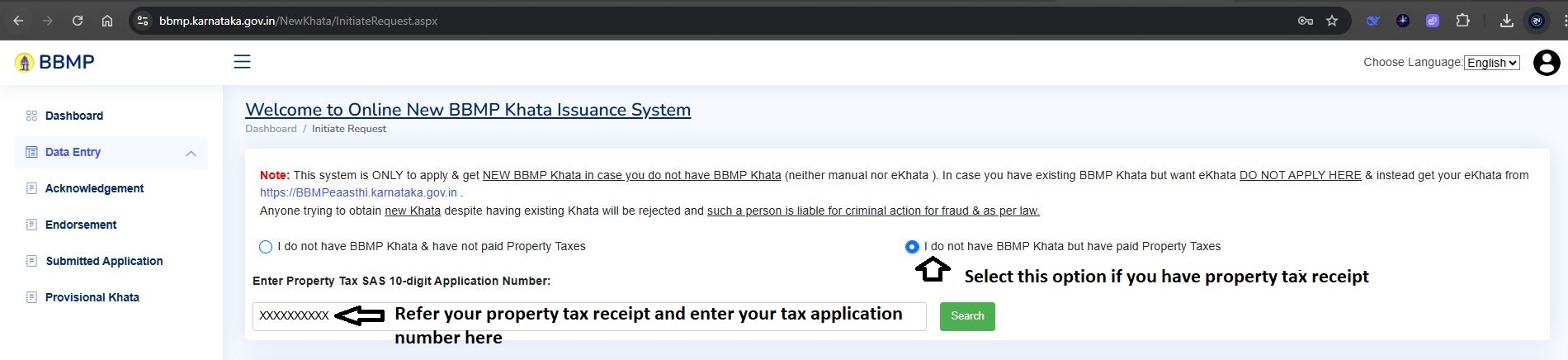
(If you haven't paid property tax yet, select: “I do not have BBMP Khata & have not paid Property Taxes”. BBMP will then generate a property ID for your property.)
Property Details
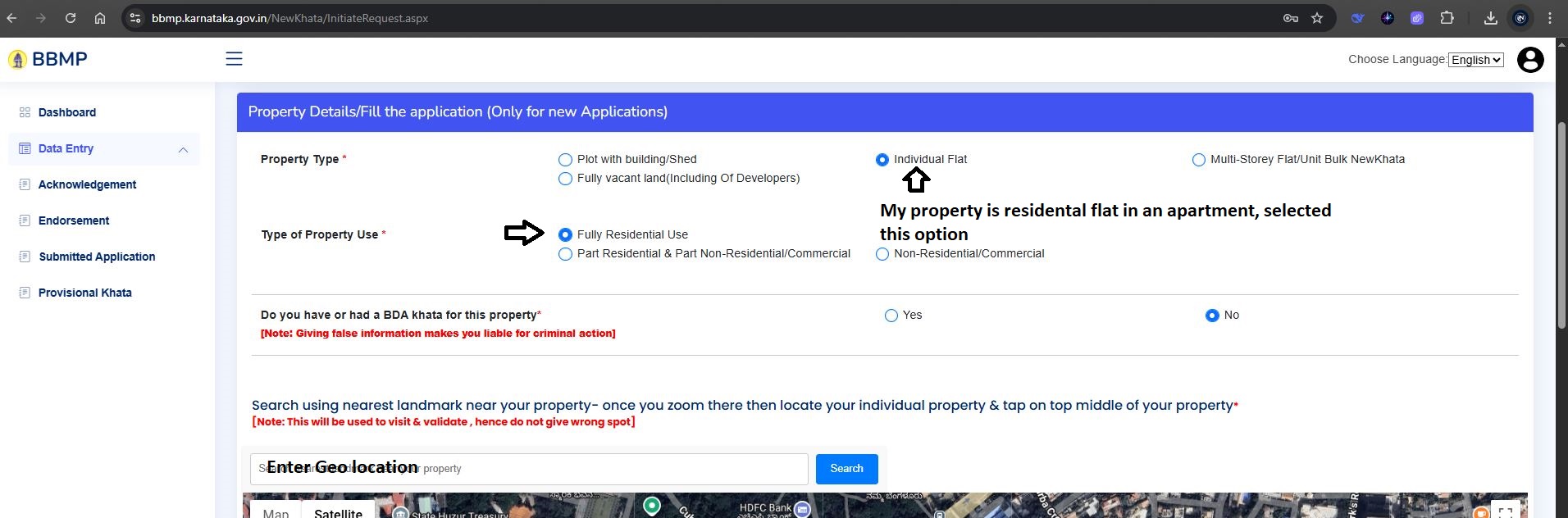
Since my client property is located in a residential apartment complex, we selected the following options:
- Type of Property: Individual Flat
- Usage: Fully Residential Use
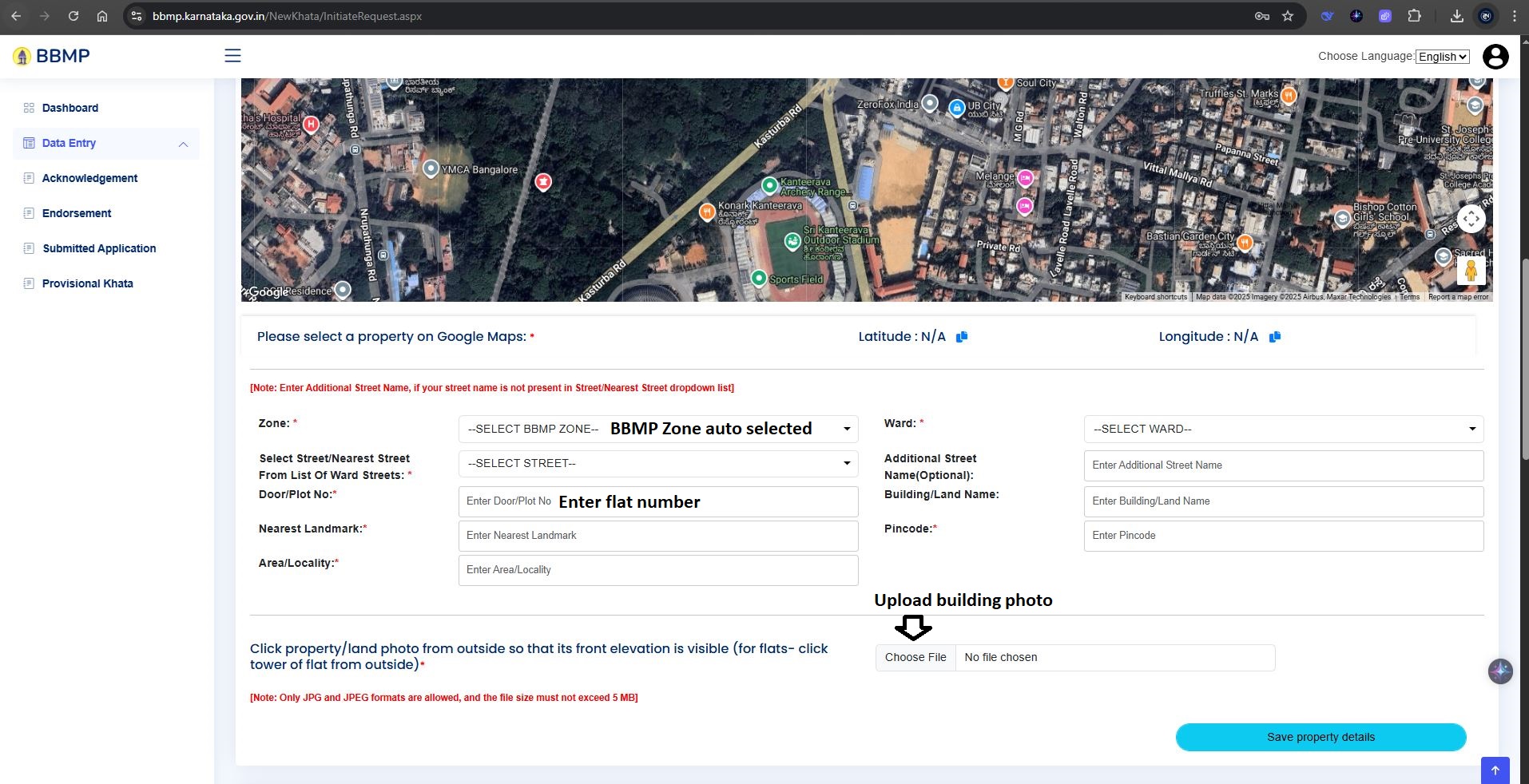
- Geo-location: Enter the apartment name to auto-detect the location
- Flat Number: XXXX
- Apartment Name: [Apartment name and address]
- Pincode: XXXXXX
Refer to the image below for the filled-in details.
Registered Deed Information
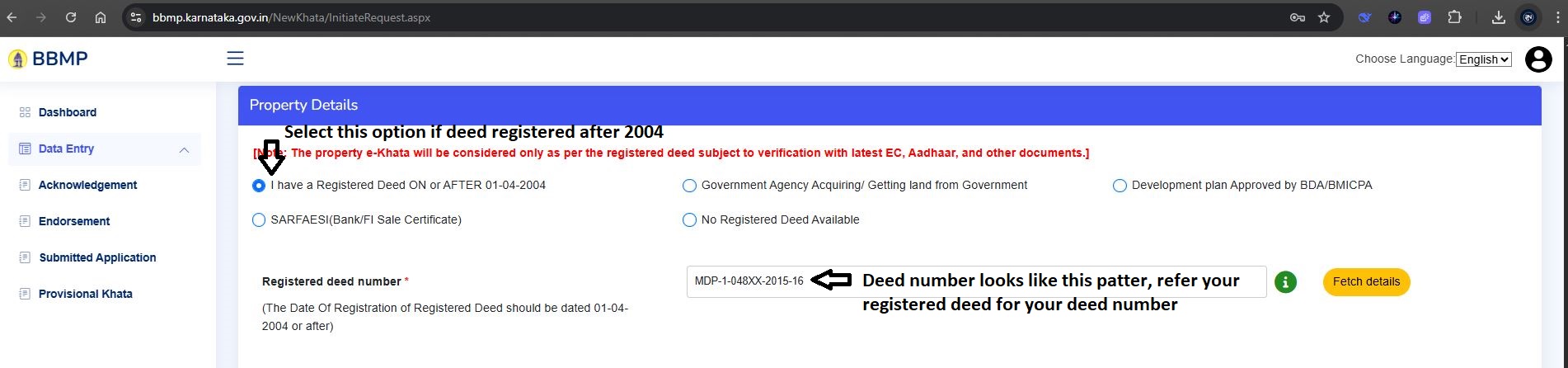
The sale deed was registered after 01-Apr-2004, we selected: “I have a Registered Deed On or AFTER 01–04–2004” and entered the registered deed number (found in the sale deed).
Refer to the image below for the format of the registered deed number, which can be found in your sale deed document.
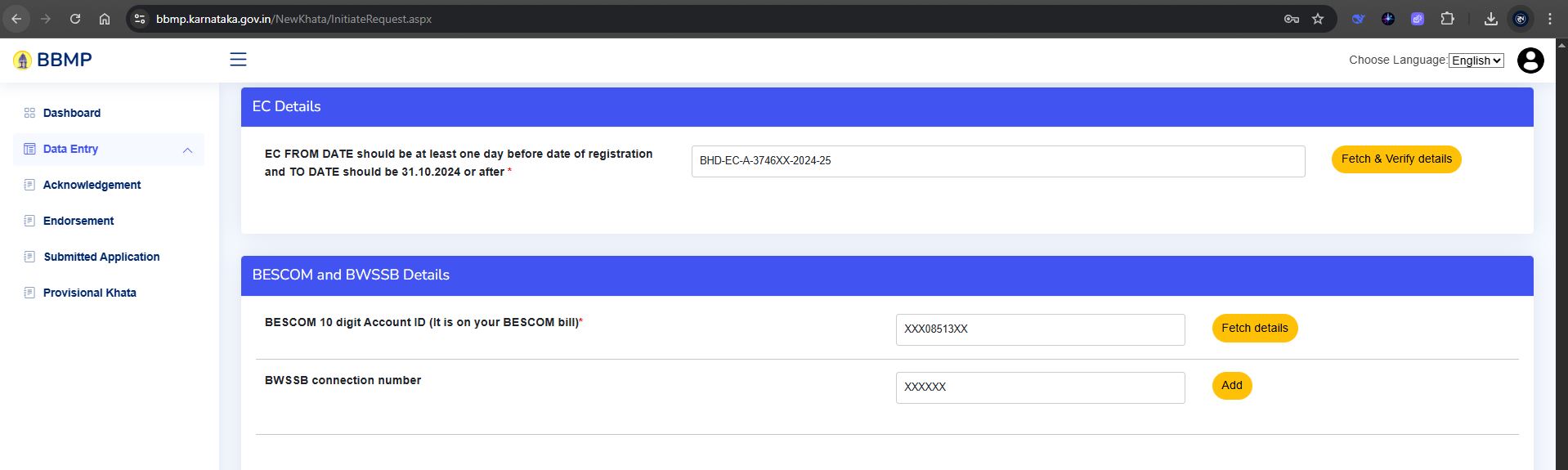
ENCUMBRANCE CERTIFICATE (EC), BESCOM, and BWSSB Details
We applied for the Encumbrance Certificate (EC) Kaveri Online Services and received the digitally signed copy within 3 working days.
You can locate the EC number at the top-right corner in the EC, and it typically follows the format highlighted in the image below.
Enter the BESCOM and BWSSB Customer ID numbers, which can be found on your respective electricity and water bills.
FINAL SUBMISSION
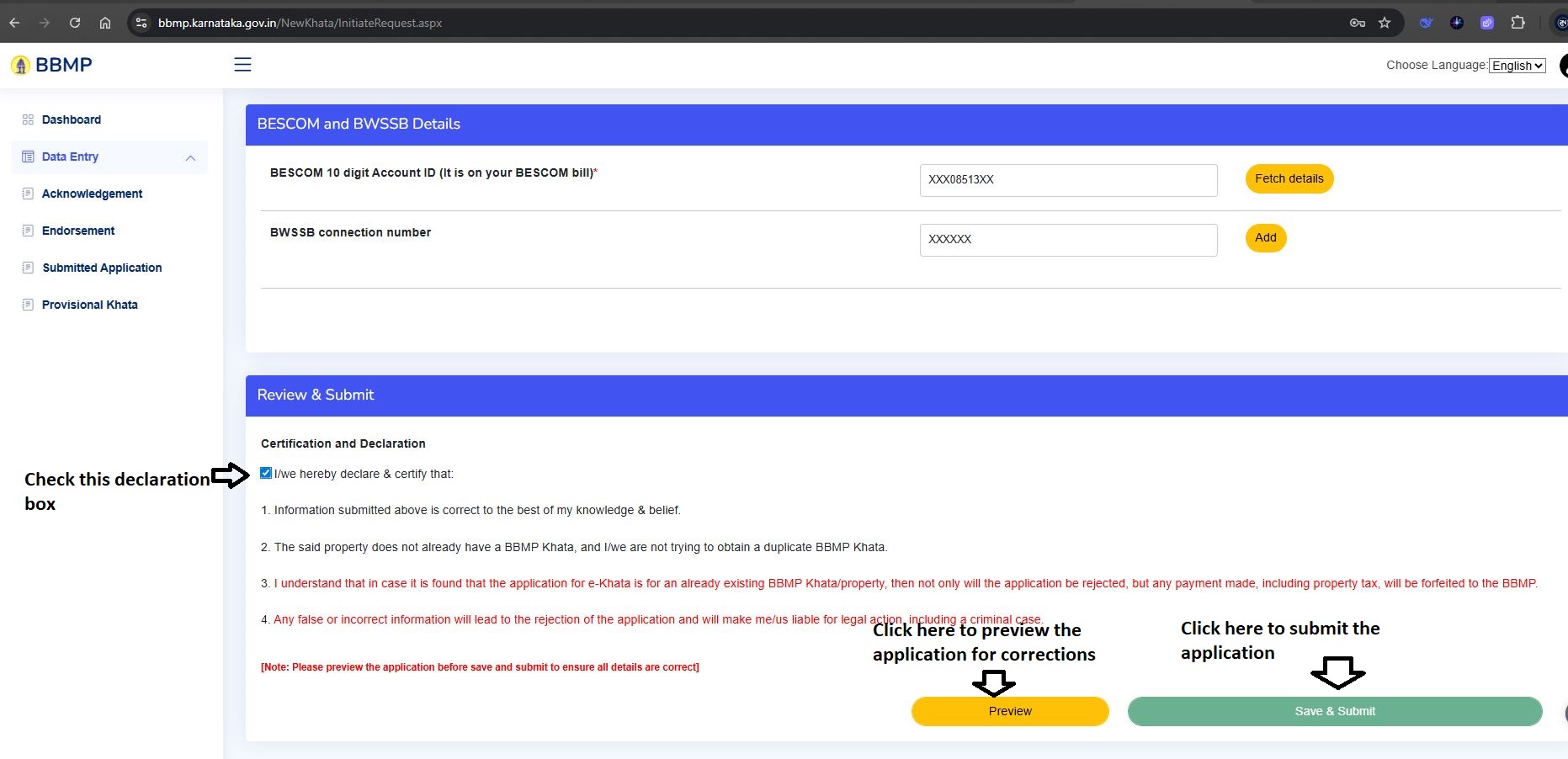
We reviewed the entire application, corrected minor errors, and submitted it. Refer to the submit option in below image
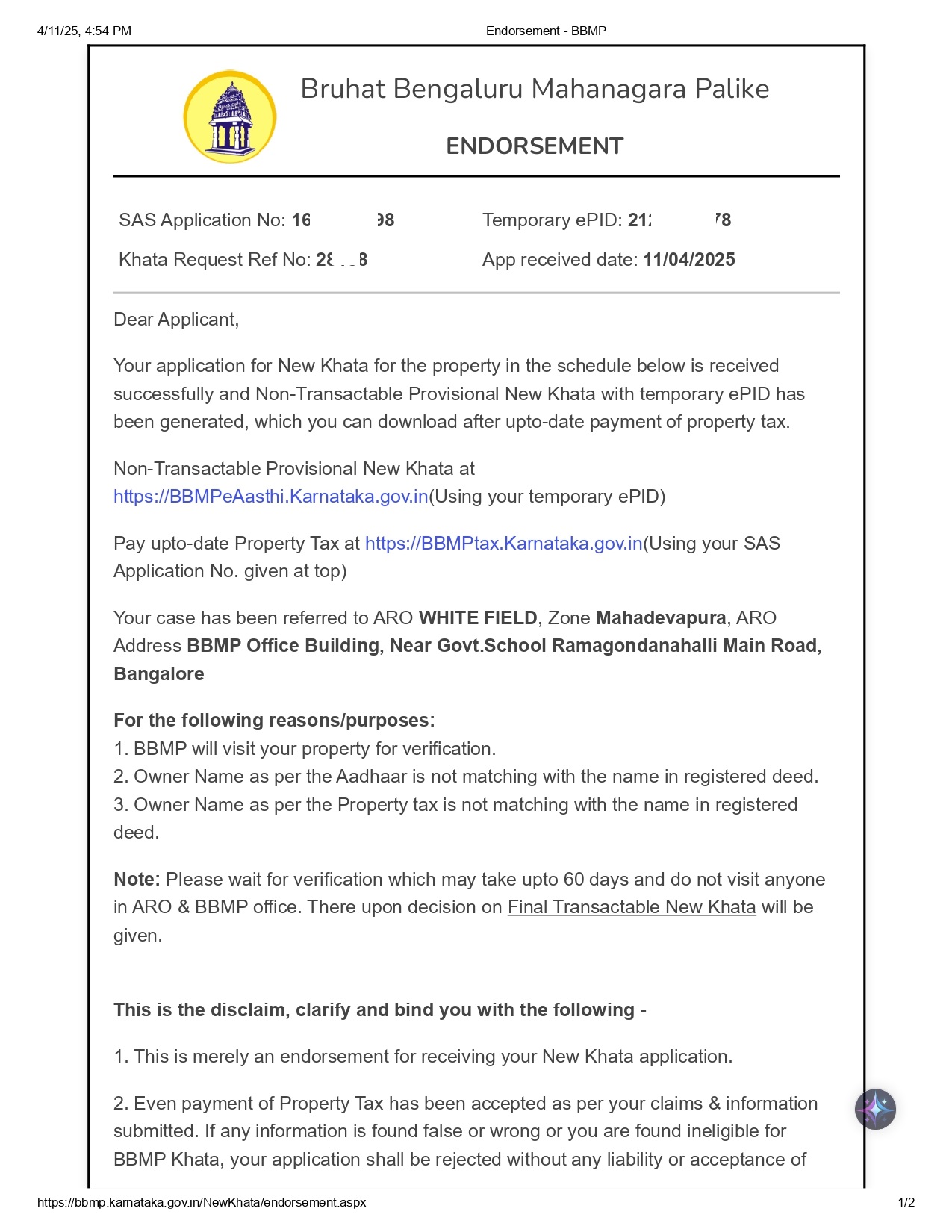
Application acknowledgment was received immediately. Refer to below image
PROVISIONAL E-KHATA GENERATION
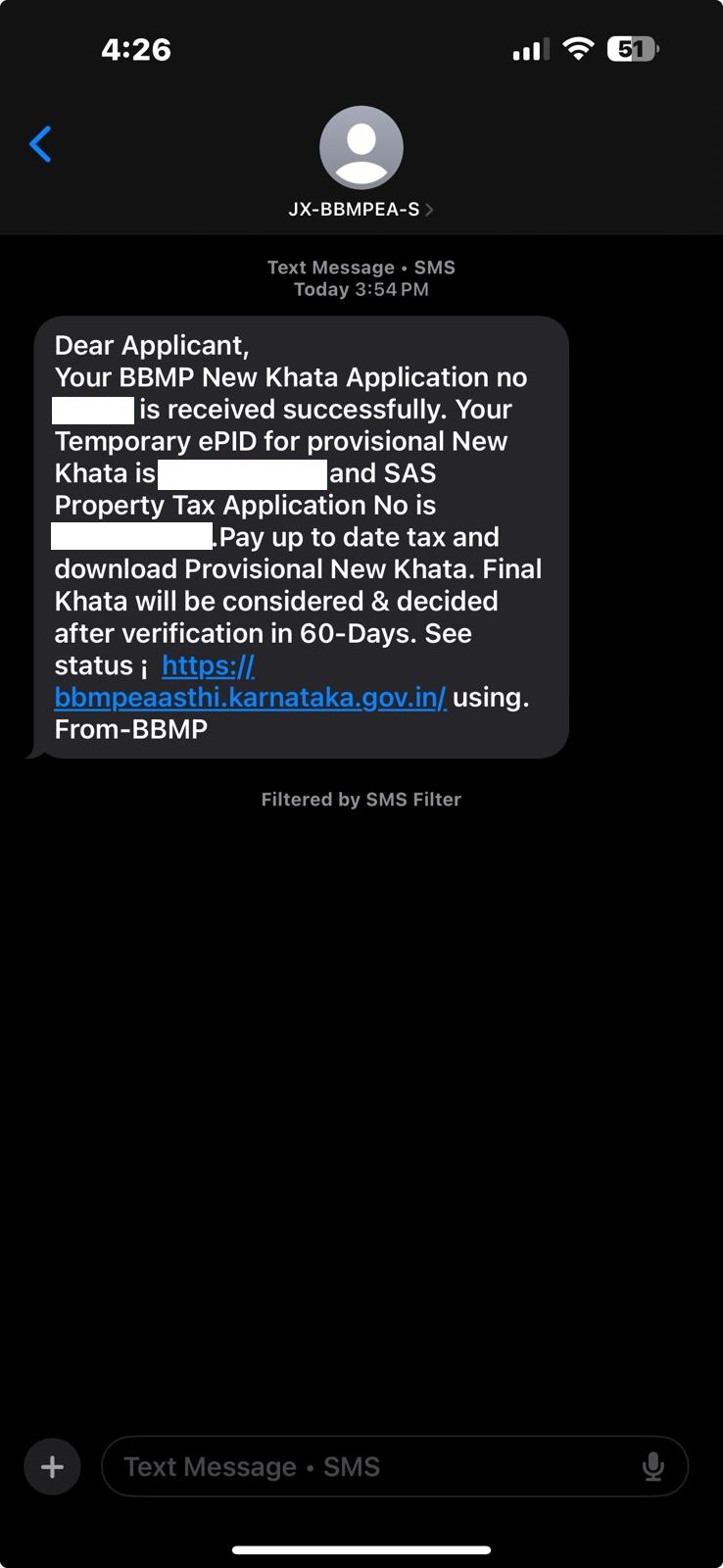
Within a week, we received an SMS from BBMP that our provisional e-Khata was ready. Refer to the below SMS screenshot
(If you selected the option indicating unpaid property tax at the beginning, this SMS will contain your new Property Tax Application Number, which you can use to make the property tax payment on the BBMP property tax portal)
Property tax must be paid till the current financial year to download the provisional e-Khata.
After paying the due tax, we logged into the BBMP eAasthi portal, located the provisional e-Khata, and downloaded it. Refer to the screenshot below.
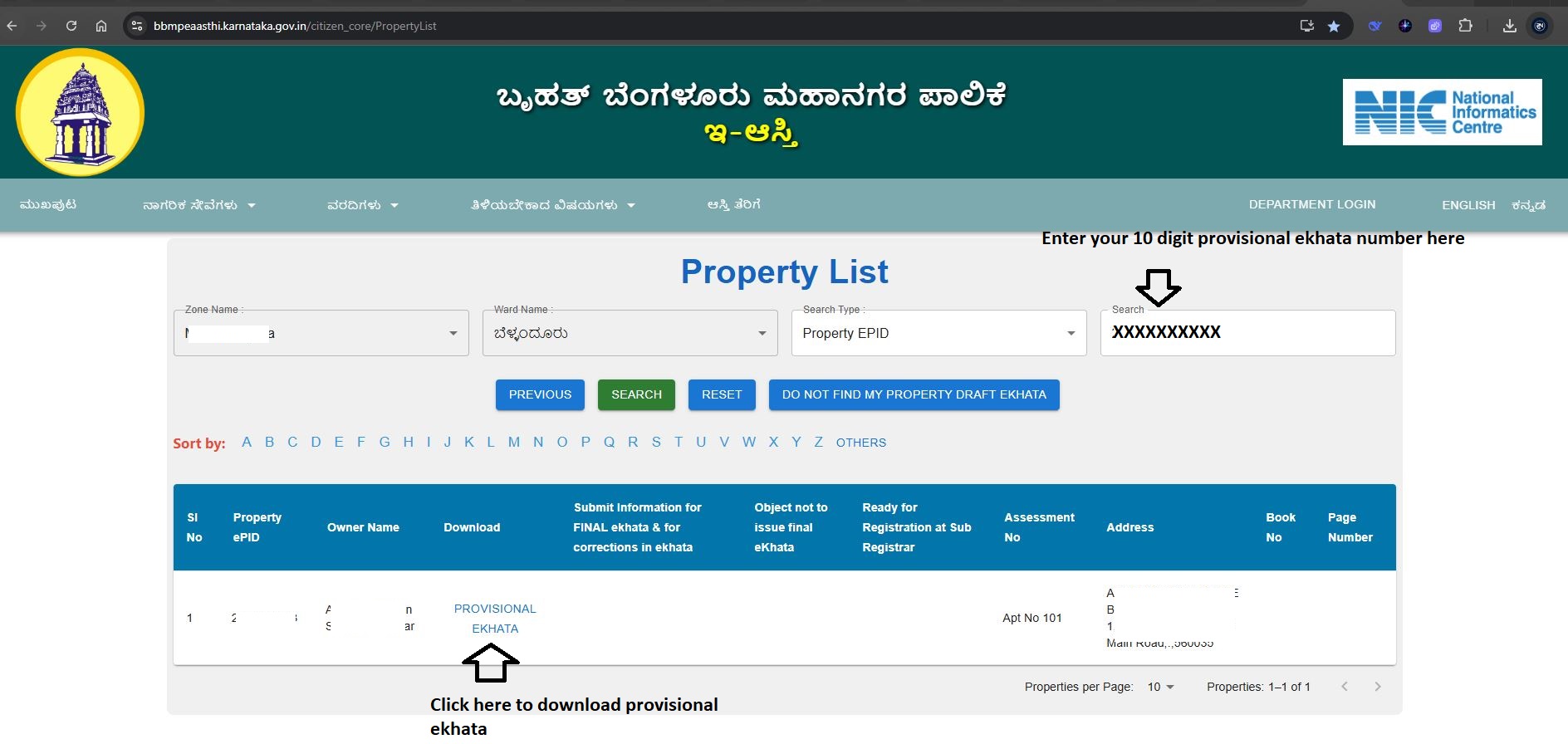
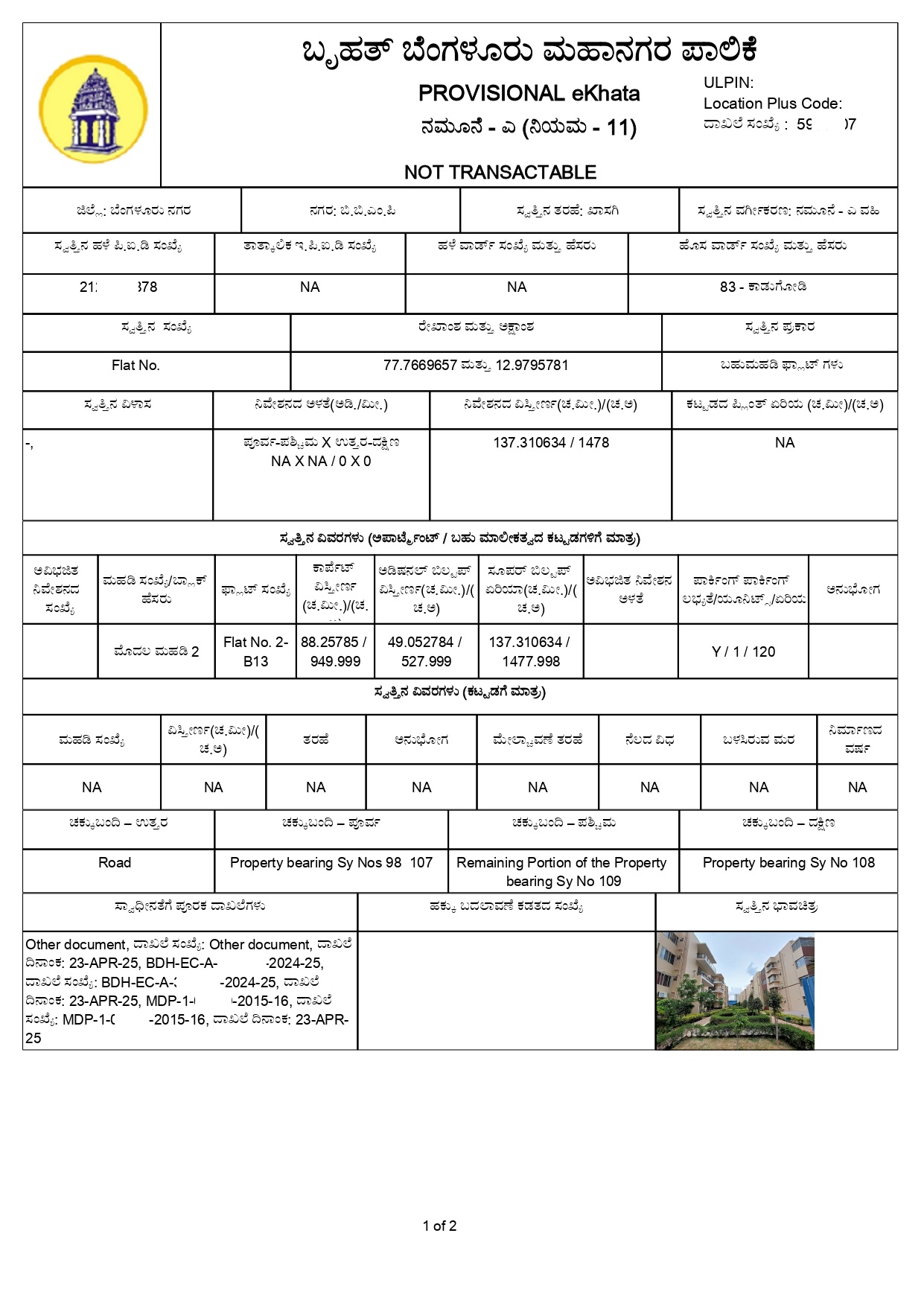
Below is the provisional e-Khata. There is no fee charged for downloading the provisional e-Khata.
Final e-Khata Approval
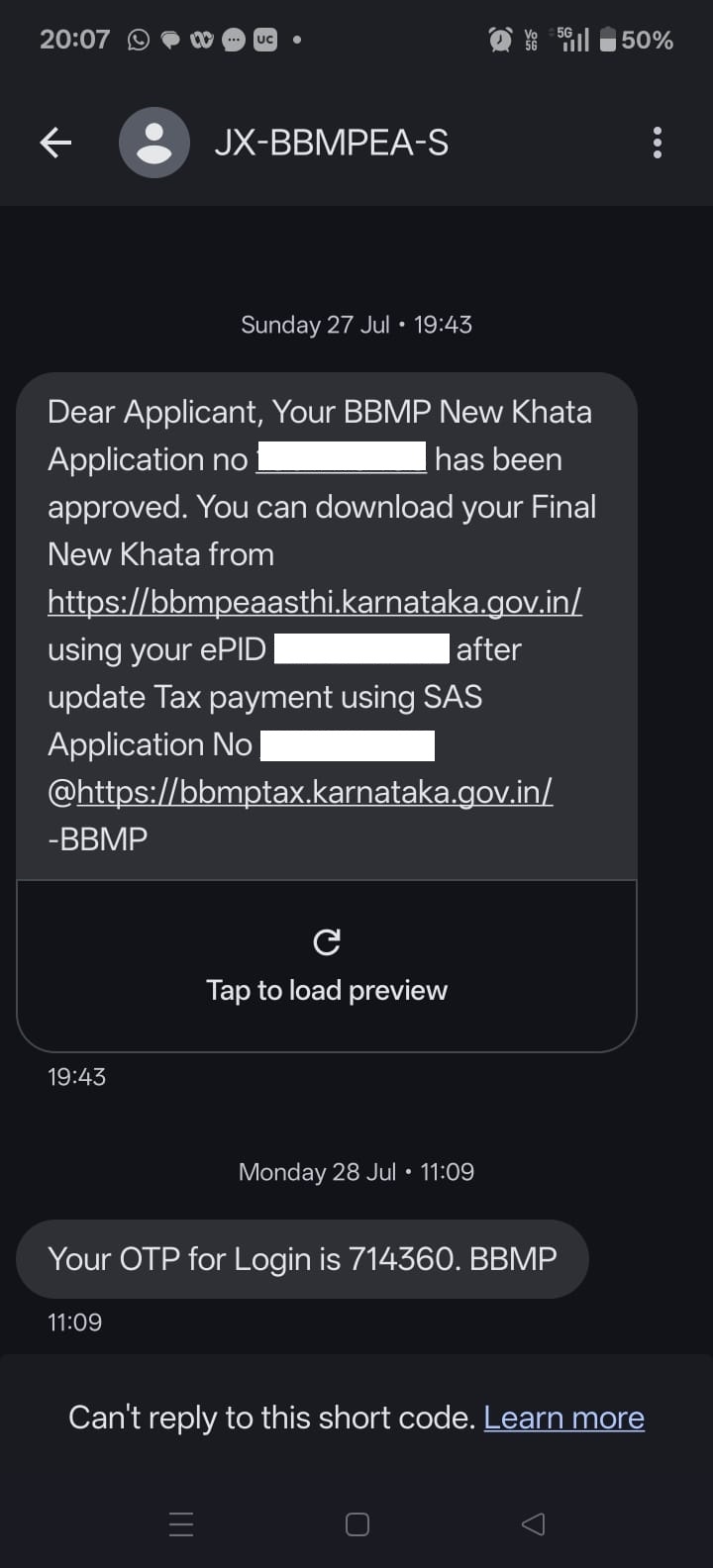
Within 60 days, BBMP sent an SMS confirming that our e-Khata was approved. Refer to sms screenshot below
We logged in again to the BBMP eAasthi portal, navigated to the application, refer to the download option in image below
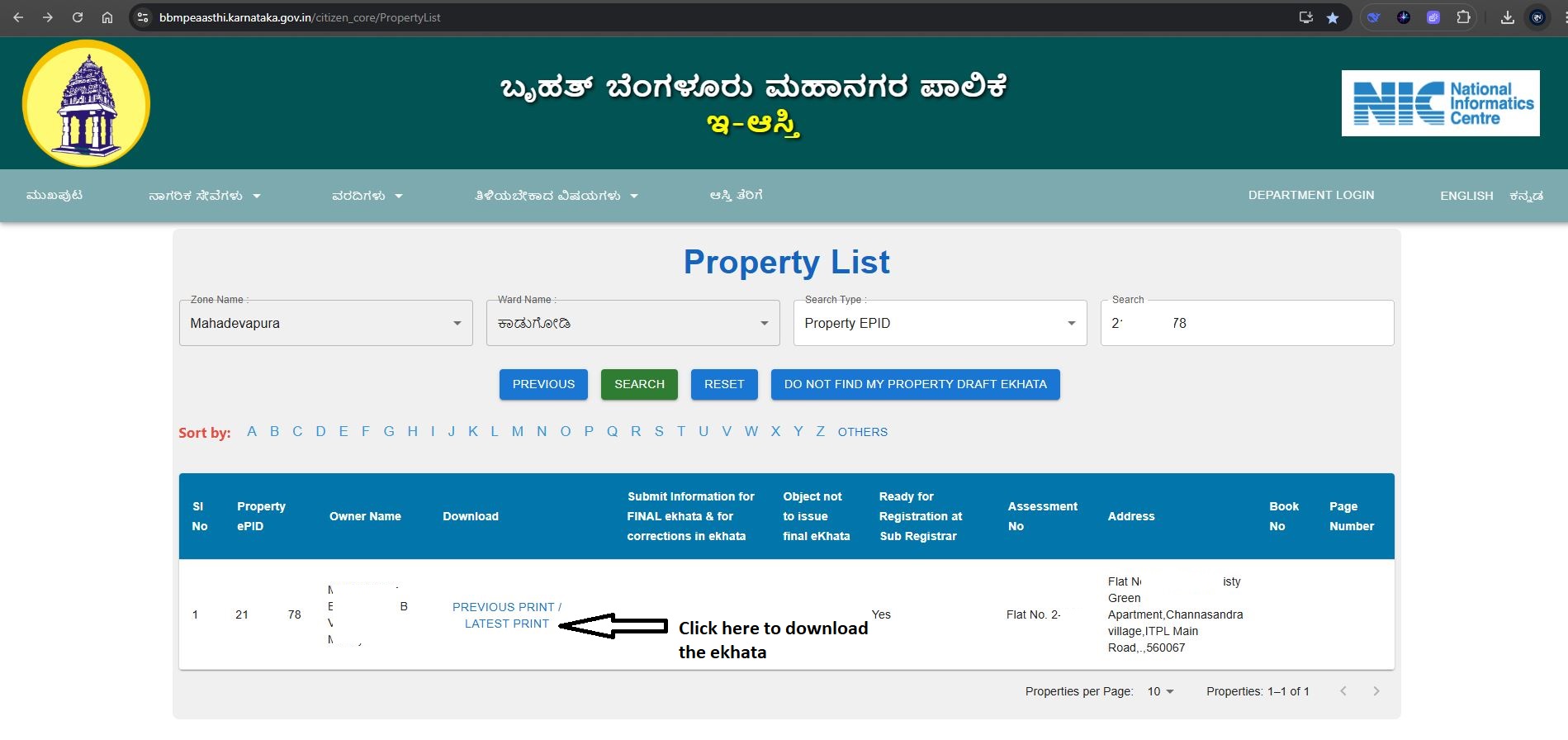
Once we clicked on the download option, the portal redirected us to the payment page. We paid the applicable government fees displayed on the screen via UPI/net banking. We were charged Rs.3,150 for mutation and Rs.125 as the download fee. After successful payment, we were able to download the final e-Khata, shown below.
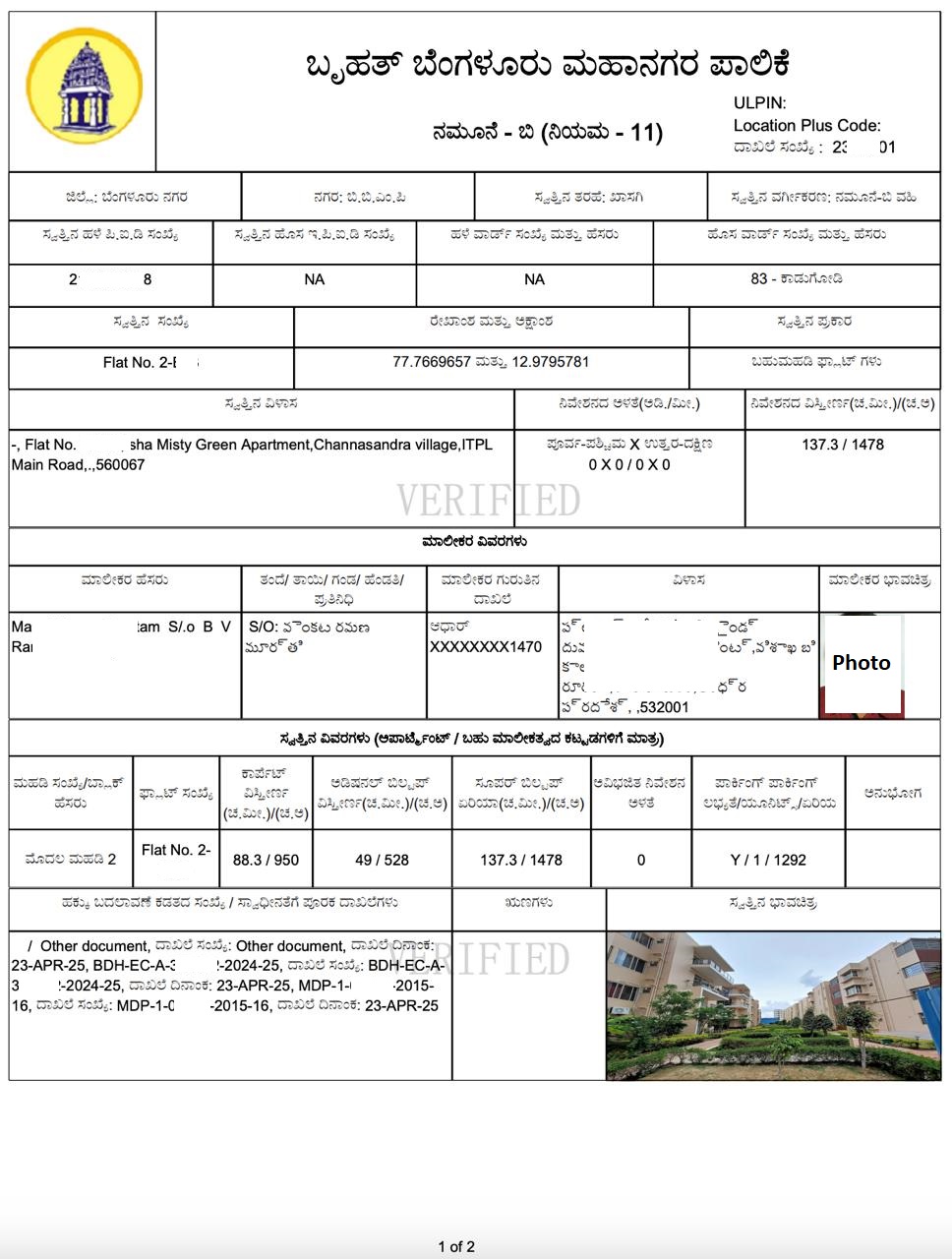
Reconveyance Deed Registration
With the final e-Khata in hand, we proceeded to the sub-registrar’s office to register the Reconveyance Deed. See the image below for reference.
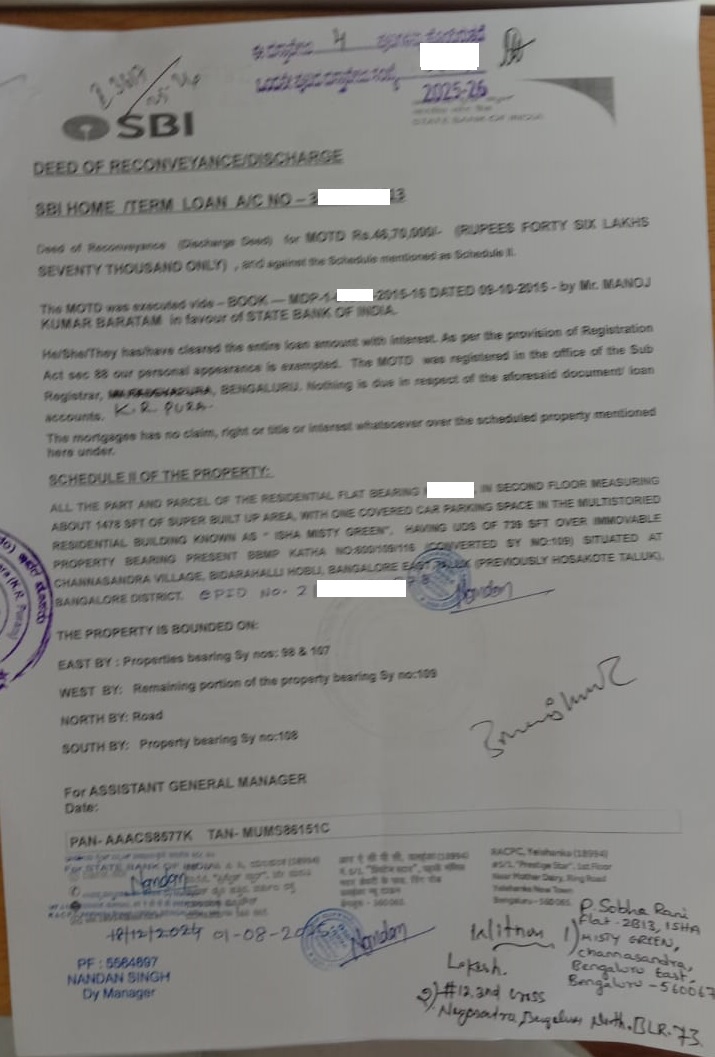
CONCLUSION
- If your property does not have a manual Khata, you can still apply directly for an e-Khata through BBMP’s online portal.
- With proper documentation and timely tax payments, the entire process from application to approval can be completed smoothly in a few weeks.
NEED ASSISTANCE WITH YOUR E-KHATA OR EC APPLICATION?
Applying for an e-Khata, obtaining an Encumbrance Certificate, or completing related property documentation in Karnataka can be straightforward and hassle-free. However, if you are looking for professional agent support, we are here to help you every step of the way!
- Applying for e-Khata (with or without manual Khata)
- Checking e-Khata status on the BBMP eAasthi portal
- Obtaining EC
- Registering Reconveyance Deeds and other property documents
Contact us today for end-to-end assistance.
- Email: pgnproperties@gmail.com
- Whatsapp or call: +91-97424 79020