
Once the full and final settlement of loan is repaid. Collect the following documents from bank
- Loan Closure letter on Bank's letterhead
- Discharge Deed / Reconveyance Deed
- Title documents include your Registered Sale Deed
VIDEO GUIDE: HOW TO REGISTER A DISCHARGE / RECONVEYANCE DEED IN KARNATAKA
To help you understand the process clearly, we have created a detailed step-by-step YouTube video explaining how to register a Discharge (Reconveyance) Deed through Kaveri Online Services in Karnataka.
Watch the complete video here
THIS VIDEO COVERS:
- Required documents
- Online property entry on Kaveri Online Services
- Payment of registration fee
- Booking an appointment
- Steps at the Sub-Registrar Office
- How to verify EC after registration
- Answers to the most common FAQs
Before we register the discharge deed in sub-registrar's office, we need to submit the property information on Kaveri Online Services and obtain an appointment for registration. Follow the procedure below to fill property information on Kaveri Online Services:
Open the Kaveri Online Services website, here is the link https://kaveri.karnataka.gov.in/landing-page
The home page looks like below
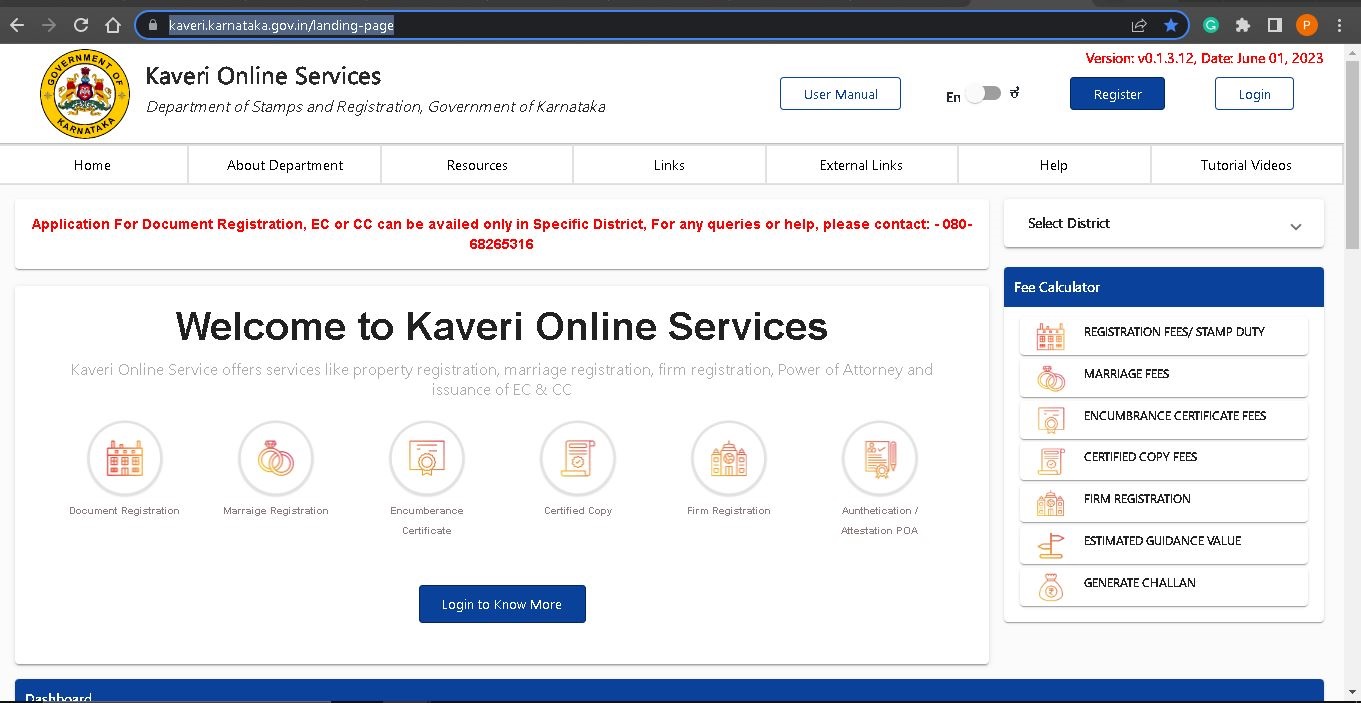
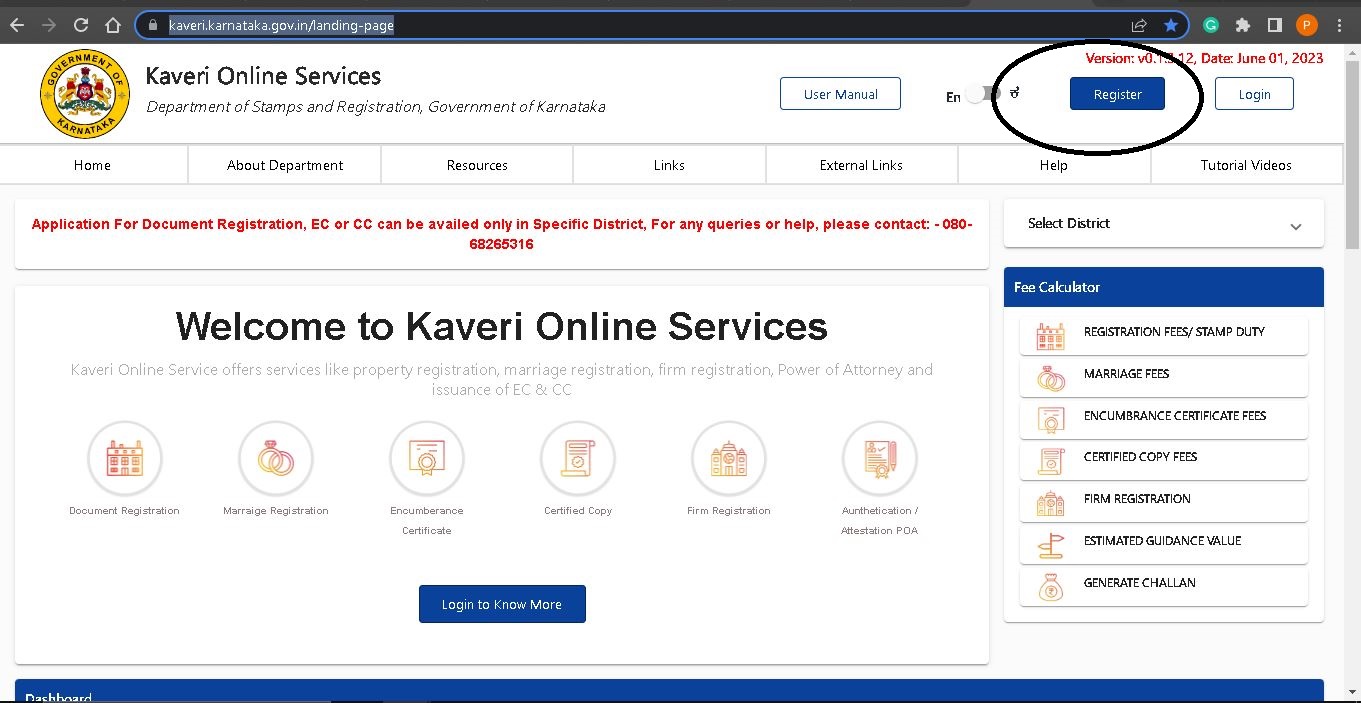
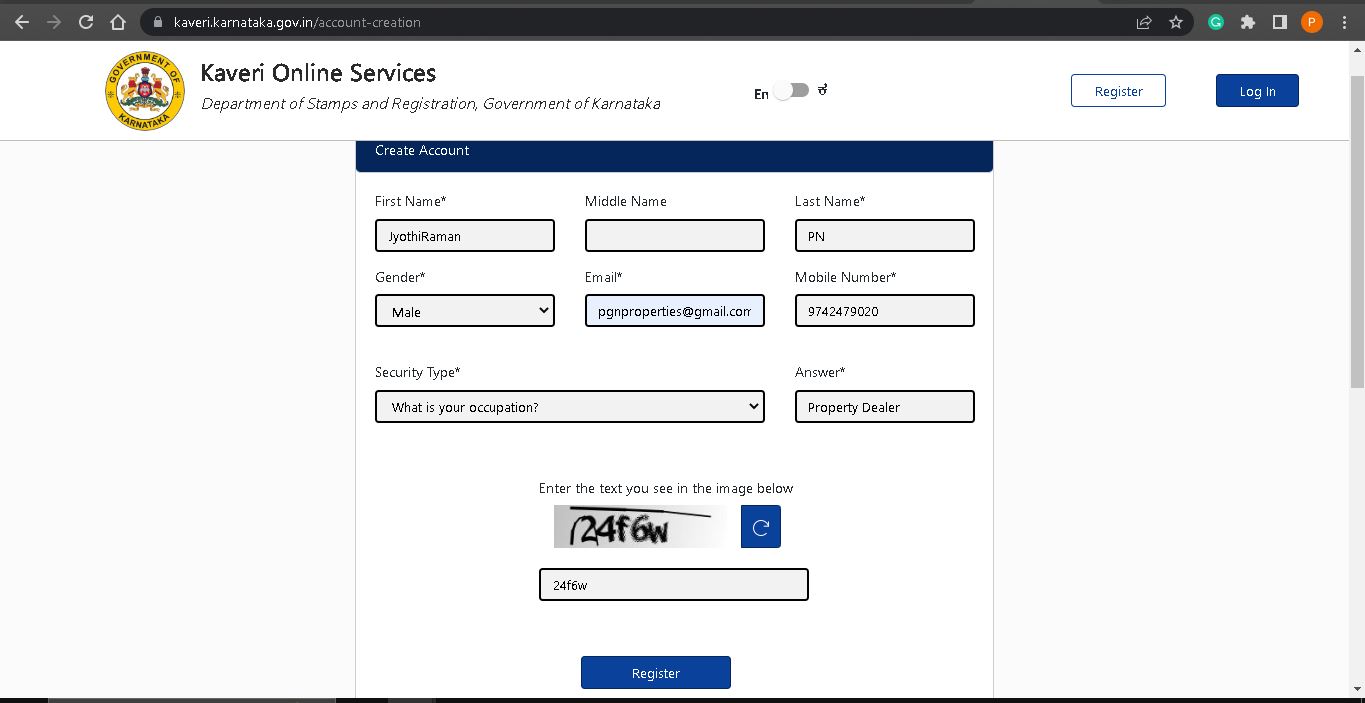
We must register on Kaveri Online Services, click on the “Register” and provide your name, address, mobile number and email id to register
Refer below image to locate registration menu
Below is the registration page
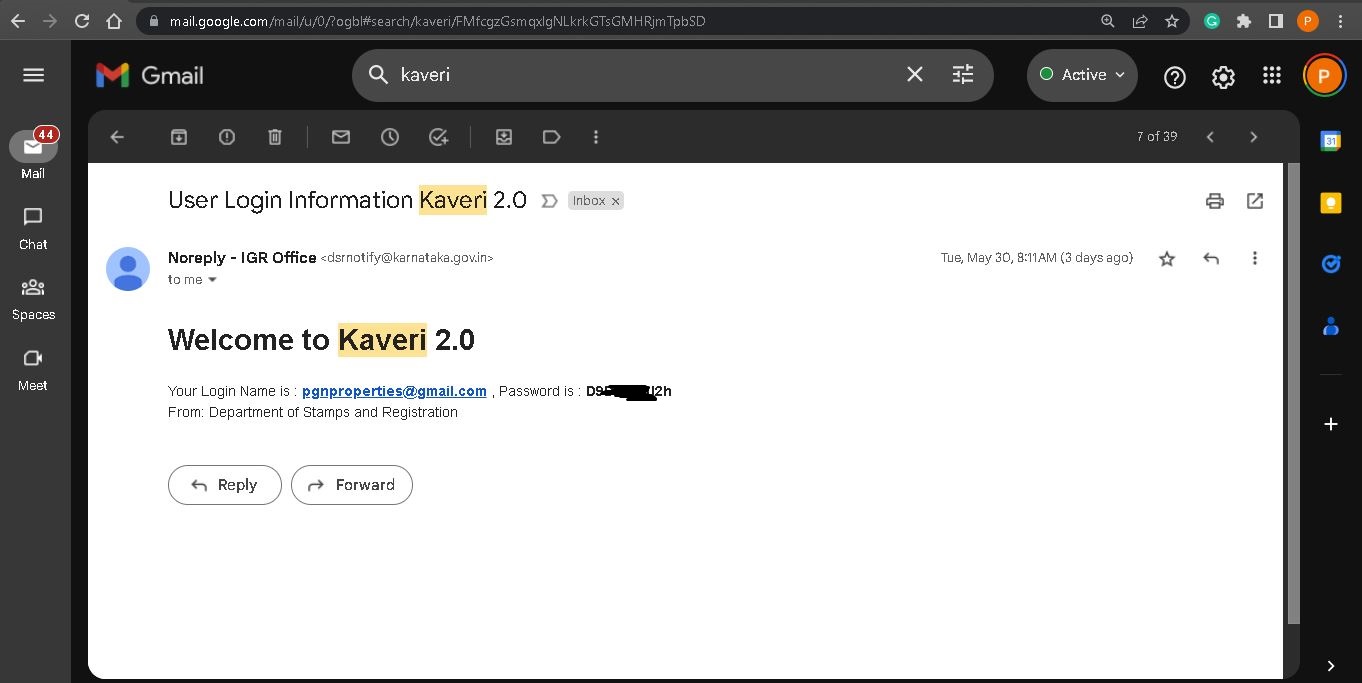
Your email ID is your username, the password comes to your email, below is the image my password that I receive to my email
Login using password and OTP. the login page looks like below image
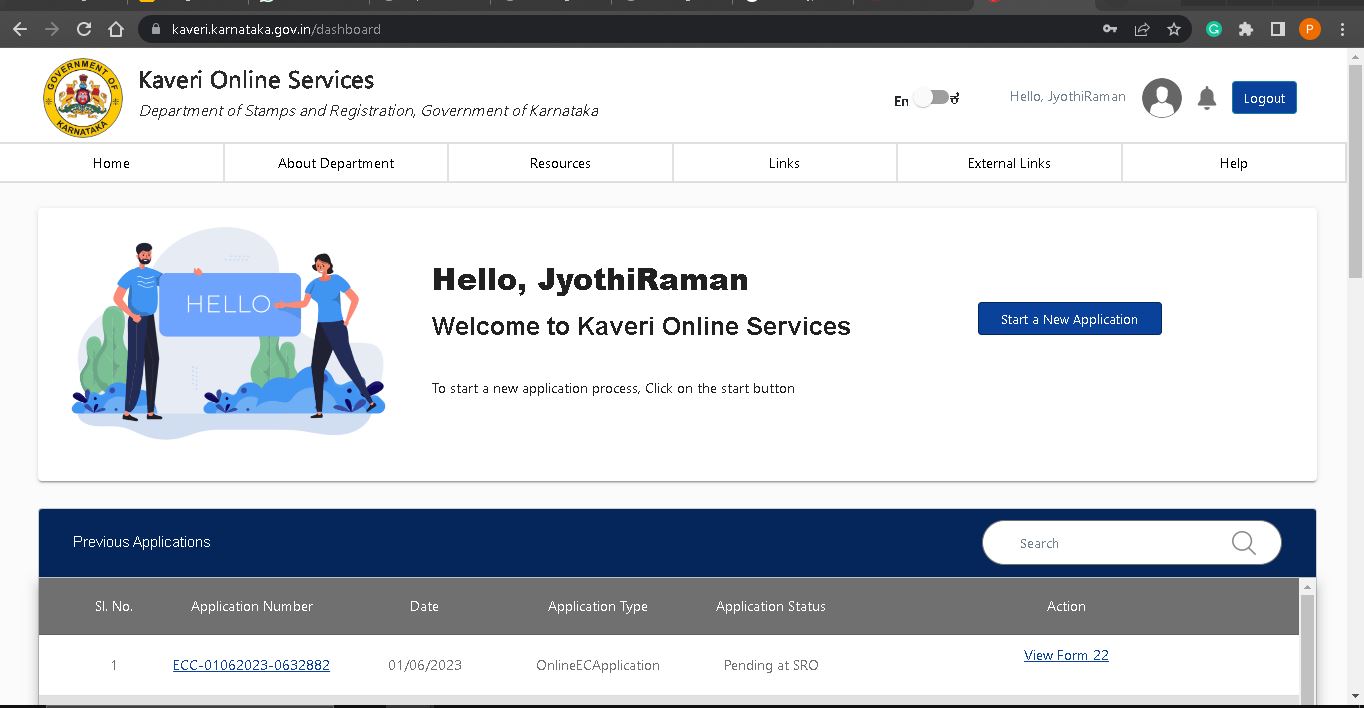
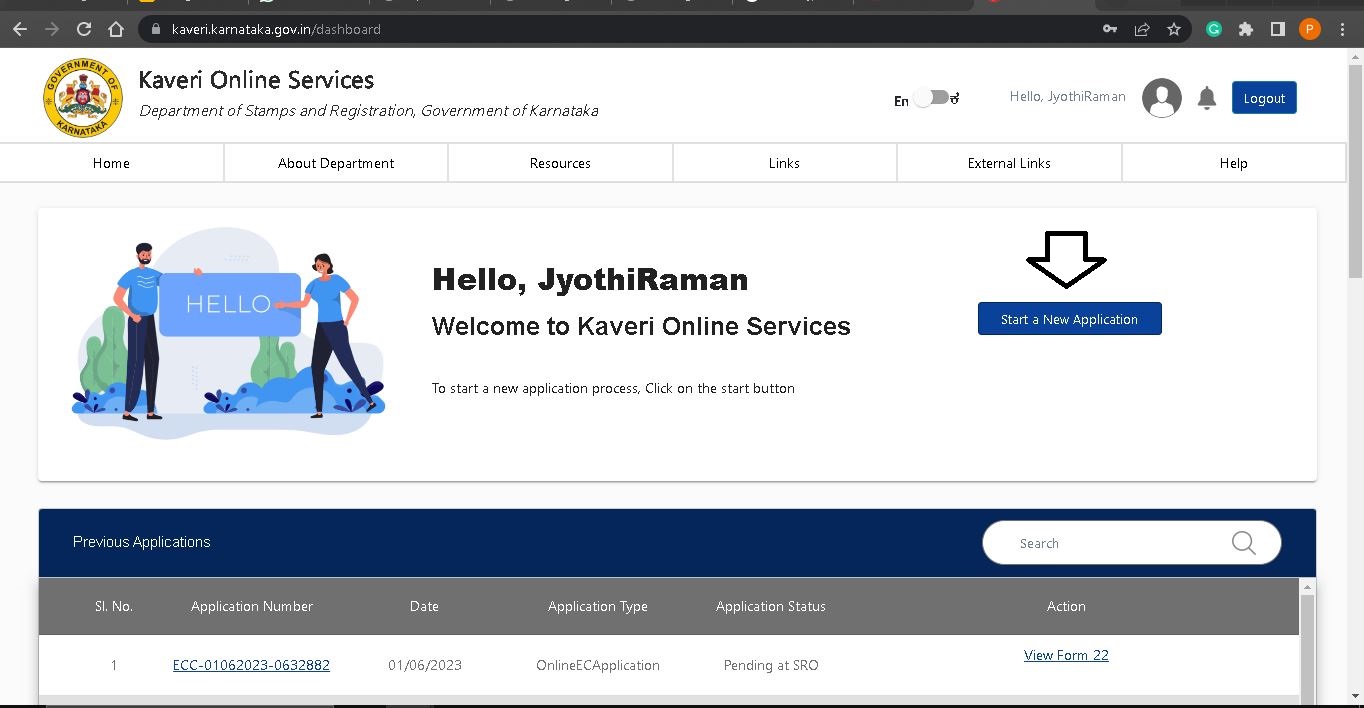
Click on “Start a New Application”. Refer to arrow mark in below image
Click on DOCUMENT REGISTRATION. Refer to the circle in below image

Read the Prerequisite for Document Registration and click on “Continue”. Refer to below image

In Article and Sub Article: Select the following options in dropdown
- NATURE OF DOCUMENT: Reconveyance of mortgaged Property
- ARTICLE: Reconveyance of mortgaged Property
- SUB ARTICLE: (44) Reconveyance of mortgaged Property
Refer to below image

Click on Continue. Refer to circle in below image

What is the type of Document? We have option to select Agricultural and Non-Agricultural
In my case, I want to discharge mortgage on my 2BHK residential flat in Bangalore, the residential flat comes under non-agricultural category, so i selected non-agricultural. Refer to arrow mark in below image

----------------------------------------------------
In Select the Jurisdiction to continue: If your property comes under Gram Panchayat jurisdiction, select e-Swathu or Select Others
In my case, my property located in CMC limit so I selected Others. Refer to below image

In Enter the PID No:
In my case, my 2BHK flat located in Prestige Sunrise park apartment, Gollahalli village, Attibele Hobli, Anekal Taluk, Bangalore Urban, Property comes under CMC limit (City Municipal Council)
Based on my above property information, I selected the below options from dropdrown
- DISTRICT: Bangalore Urban
- ULB CODE: Hebbagodi (my cmc office located in Hebbagodi so I selected Hebbagodi from dropdown list)
- INDEX II: VILLAGE : Gollahalli (my property located in Gollahalli village so selected Gollahalli from dropdown list)
- Zone: CMC (my property located in CMC limit so selected CMC from dropdown list)
- ROAD: Gollahalli (Converted Land) (My apartment name Prestige Sunrise Park is not listed in drop down so I selected available option Gollahalli (Converted Land) from dropdown list
- PROPERTY NUMBER TYPE: XXXX (we have multiple options to choose like flat number, Khata number, PID Number, Door number, House number, ward number etc.. We should enter atIeast 3–4 options, i selected Flat Number and typed my four digit flat number
Click on the “Add More” and i provided my Khata Number and again clicked on Add More and provided my survey number (more you provide your property information, more the chance that your application will approve in first submission itself)
- Total Area (in Sq. Meter): 128 (As per my sale deed, my flat measurement is 1374 Square feet so I converted to square meter and typed 128)
Refer to below filled image (encircled the Add More for your information)

Click on Submit & Continue.
The application Number is auto generated and refer to the circle in below image. Followed by property information (that is my flat number, khata number and survey number)

Click on Save Property & Continue
Property Schedule: Enter the details of boundaries and Property description (we can find this details in Schedule section of Discharge deed or sale deed, we can copy the required info from deed
In my case, typed the boundaries and Property description as mentioned in Discharge deed. Refer to below images


(The term Part Area may not mentioned in most of the sale deed or Discharge deed. Part Area means, area considered for market valuation. In my case. I typed my super build-up area of my flat, that is 128 Square meter)
Click on Save And Continue
Party Details: is the details of bank and borrower
Under the Executant -1: Fill the details of bank
Check the box, Exempted from Personal Appearance (Section 88 Exempted)
In Covering Letter Number, enter your loan account number and upload the covering letter in PDF format, the file size should not exceed more than 5MB. The section 88 exemption should be mentioned in covering letter, we highlighted the same in below image

Individual Or Organization: Select the option Organization. Refer to below image

Enter the bank name, address, Authorized signatory name, contact number and ID proof number like pan or aadhaar
(If the Authorized signatory name mentioned in discharge deed, mention the name. If the designation is mentioned without name, mention the Designation.
In my case, my discharge deed was signed by Chief Manage of Bank of Baroda, just designation was mention without name so I typed Chief Manage in name). Refer to the below image in circle


Click on Save the Executant 1 And Go To Next, refer to below image
Scroll-up and click on the Executant 2. refer to below image

In Executant -2, Enter the borrower details. In my case, two joint borrowers, that are Mr.Saurabh and Mrs.Richa so in Executant -2 , lets enter the details of Mr.Saurabh
Is Claimant: Select the option yes
Individual Or Organization : Select option Individual
Entered Mr.Saurabh’s name, address, mobile number and Id proof number. Refer to below image


Click on Save Executant 2, refer to above image
Scroll up and click on + button to add Executant 3, Refer to below image

In Executant -3, Entered the joint borrower details. In my case, Mrs.Richa is the joint borrower so we entered the details of Mrs. Richa
Is Claimant: Select the option yes
Individual Or Organization : Select option Individual
Entered Mrs.Richa’s name, address, mobile number and Id proof number. Refer to below image


Click on Save Executant 3, refer to below image

Click on Move to PRESENTER, Refer to below image

Among the joint borrowers, I choose Mr. Saurab as presenter from drop down, refer to below image (the presenter mean, the person who present the documents in sub-registrar office)

Click on Make Presenter, Refer to below image

INDENTIFIER mean Witnesses, we need to enter the details of at least two identifiers. Refer to below image


In IDENTIFIES: select the borrower name that whom the IDENTIFIER 1 is witnessing to, I chose Mr. Saurab from drop-down list, (it mean INENTIFIER 1 is witnessing to Mr. Saurab. Refer to below image

Click on Save IDENTIFIER 1 And Go to Next. Refer to below image

Scroll-up and click on IDENTIFIER 2, similarly as explained above for INDENTIFIER 1, enter the details of IDENTIFIER 2 for Mrs. Richa
Click on Save & Continue.
Discharge Deed doesn’t require marker value calculation so we can click on Continue, refer to below image

Consideration amount is your loan amount. Click on Save and Continue.

Scroll down and click on the Number of pages,
Enter the number of pages of Discharge Deed

The government fee displays which includes stamp Duty + Registration fee + Scanning fee. In my case, the government fee is Rs.580.
Click on Save and Continue. Refer is below image

Summary report displayed for review, refer to below image (in below I just shared part of pages, its a long scroll of around 8–9 pages)

At the bottom page,
- Upload Deed Document: Upload scan copy of Discharge Deed in PDF Format
- Upload Annexures: Merge your Aadhaar, Khata and property tax receipt in one PDF file and upload the PDF
- Date of Execution: Enter the date in Discharge Deed
Refer to below image

Scroll-down and select the sub-registrar office, I selected Chamarajpete sub-registrar office (we can register the discharge deed in any of the sub-registrar office listed in drop down). Refer to below image

Check the declaration and click on Agree and Submit. Refer to below image

The application status shows Pending at SRO. Refer to below image

On very next day, my application status changed to Make Payment. Refer to below image
I made the payment, below is the payment challan

Immediately after the payment, the status changed to Schedule. Clicked on the schedule and booked my registration slot, refer to below image

As per my schedule, carried the following documents to Chamrajpete sub-registrar office
- Covering Letter on Bank’s letter head
- Discharge Deed / Reconveyance Deed
- Photocopy of Khata and property tax receipt
- Aadhaar of Borrowers
Mr. Saurab and Mrs.Richa visited the Chamrajpete sub-registrar office and presented the above listed documents and mentioned the Kaveri Online Service application number PRP-03062023-XXXXXXX to registering officer
Mr. Saurab and Mrs. Richa presented for webcam photo and thumb impression.
Below is the image of registered discharge deed.


Received the registration number via SMS, refer to below image

On Kaveri Online Service, the status changed to Registration Completed. Refer to image below

Extracted the Encumbrance Certificate (EC) on Kaveri online services to cross-verify the registration. image below is my EC index

As per the above EC, the Bank’s name is in column 5, and Mr. Saurab & Mrs. Richa (borrowers )' names are in column 6. It means that the Discharge Deed registration is successfully completed and EC is updated.
We provide assistance to register Discharge/Reconveyance deed. To opt for our service, please write to us pgnproperties@gmail.com or WhatsApp to +91-97424 79020.
Thank you for reading…