
A Special Power of Attorney (SPA) is a legal document that enables a person (known as the Principal or Executant) to authorize another person (called the Attorney or Agent) to act on their behalf for a specific and limited purpose. Unlike a General Power of Attorney (GPA), which grants broad authority, an SPA is typically executed for a single transaction, such as the sale of a specific property.
REAL-LIFE CASE STUDY: COST-EFFECTIVE SPA FOR A NON-FAMILY MEMBER
One of our clients, Mr. Thomas, an Indian citizen residing in London, recently visited Bangalore on a two-week vacation. He intended to sell his 30x40 site located under Panchayat jurisdiction in Bangalore. However, the sale couldn't proceed due to the delay in obtaining the e-Khata, which Panchayat officials estimated would take another 2–3 months.
Since Mr. Thomas would not be available in India at the time of sale deed registration, he opted to grant a Special Power of Attorney to his friend, Mr. Kushal, a Bangalore resident. As Mr. Kushal is not a family member, we explored the most cost-effective method of registering this SPA.
WHY SPECIAL POWER OF ATTORNEY (SPA)?
In Karnataka, granting Power of Attorney to family members often qualifies for concessional stamp duty, but when granting it to non-family members, costs can increase. We chose an SPA over GPA for its legal sufficiency and lower execution cost, including stamp duty and registration fee
Cost to Register an SPA in Karnataka (for Non-Family Member)
| Component | Amount (Rs.) |
| Stamp Duty | 500 |
| Registration Fee | 200 |
| Scanning Charges | ~300 (Rs.50 per page × 6 pages) |
| Total Cost | Rs.1,000 |
DOCUMENTS REQUIRED
- Aadhaar or PAN of Principal
- Aadhaar or PAN of Attorney
- Aadhaar of Two Witnesses
- SPA Draft (Word/PDF format)
STEP-BY-STEP: HOW TO REGISTER A SPECIAL POWER OF ATTORNEY ONLINE (KARNATAKA)
Step 1: Draft the SPA
Prepare the Special Power of Attorney in a Word document. Clearly mention the scope (e.g., to sell a specific property) and include schedule/property details.
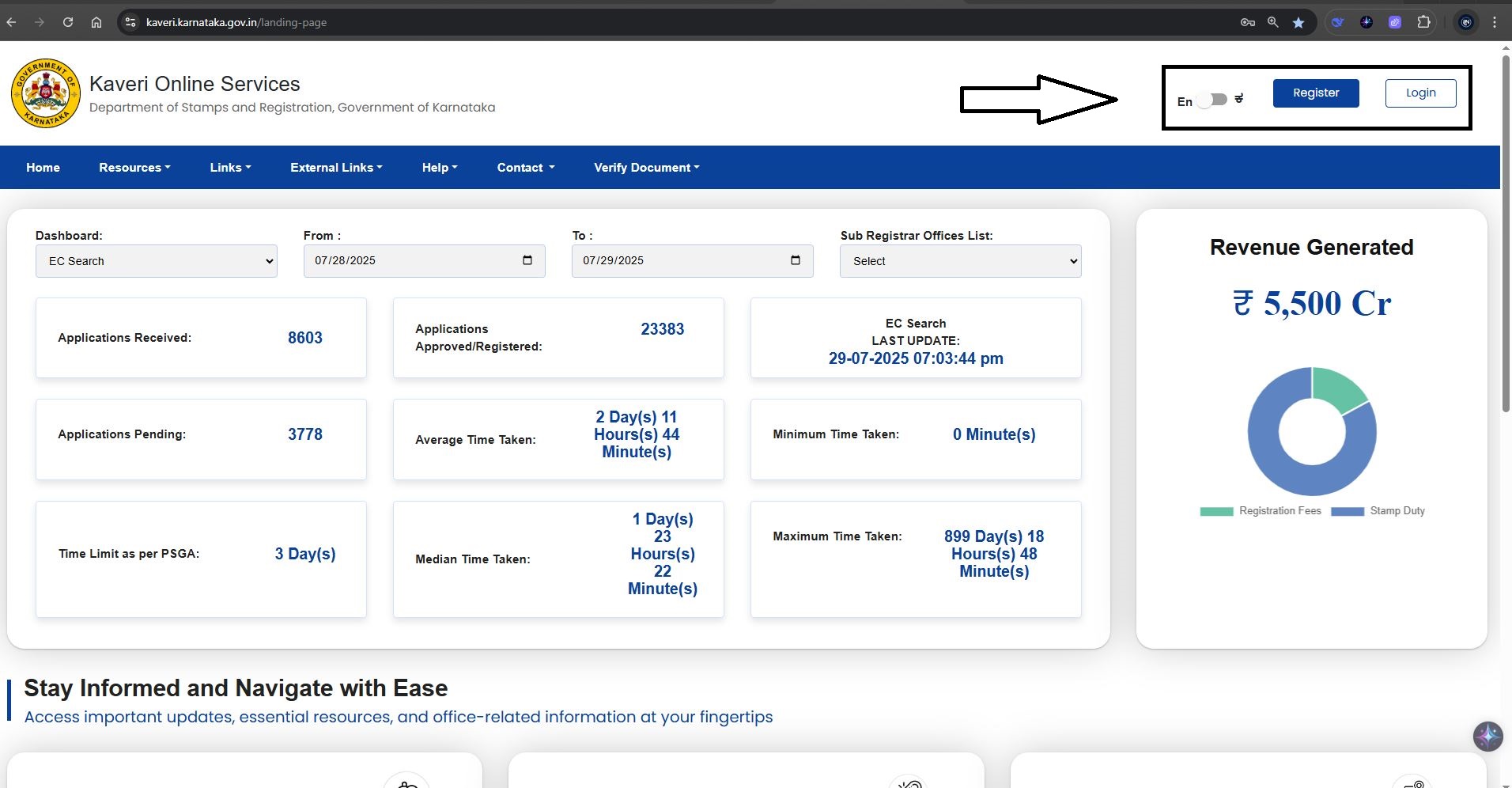
Step 2: Access Kaveri Online Services
Visit https://kaveri.karnataka.gov.in/landing-page. Register and log in using your username and password. We highlighted the login and register options below
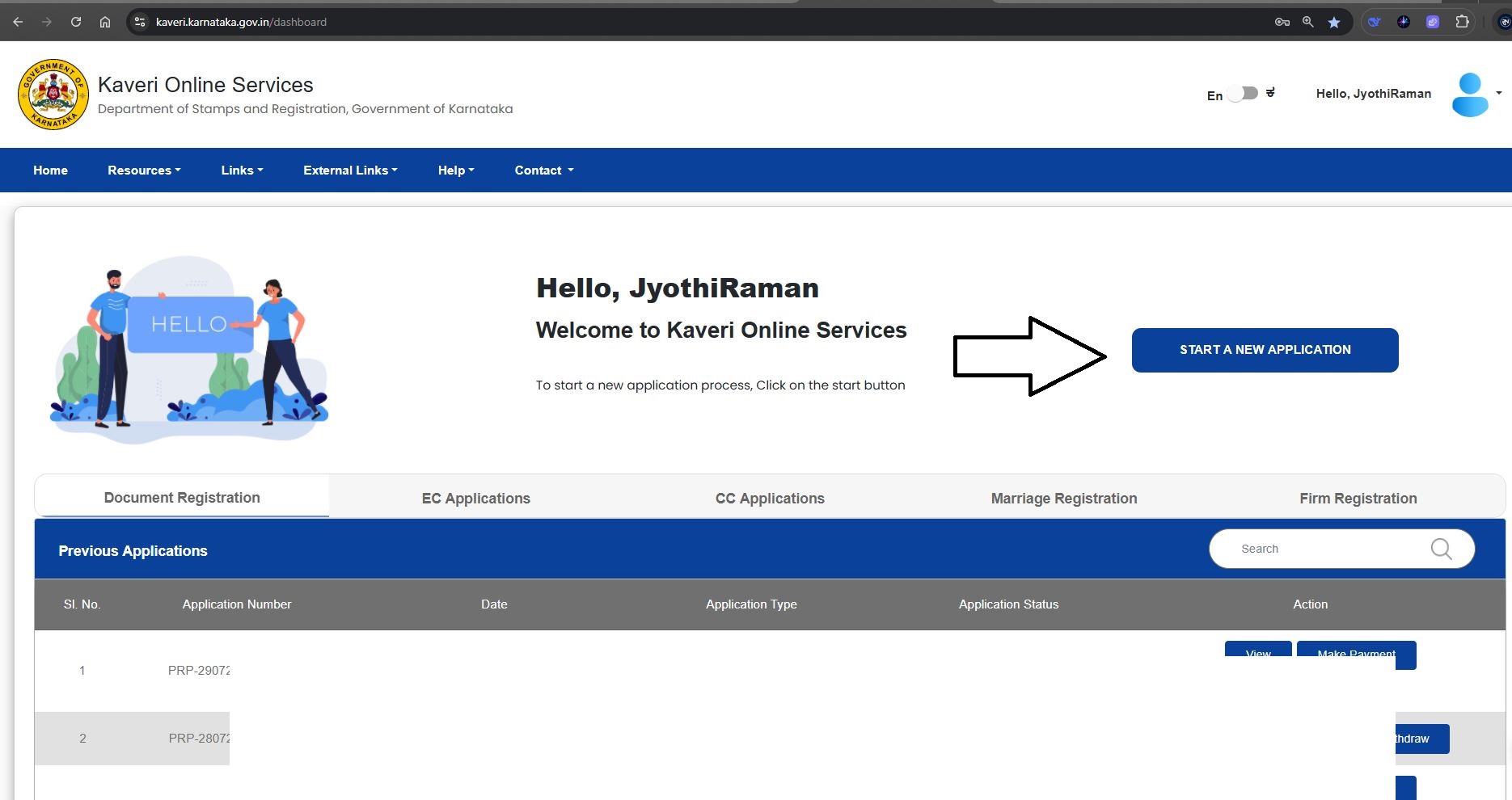
Step 3: Start a New Application
Click on ‘Start a New Application’ from the dashboard. Please refer to the highlighted section in the image below for guidance
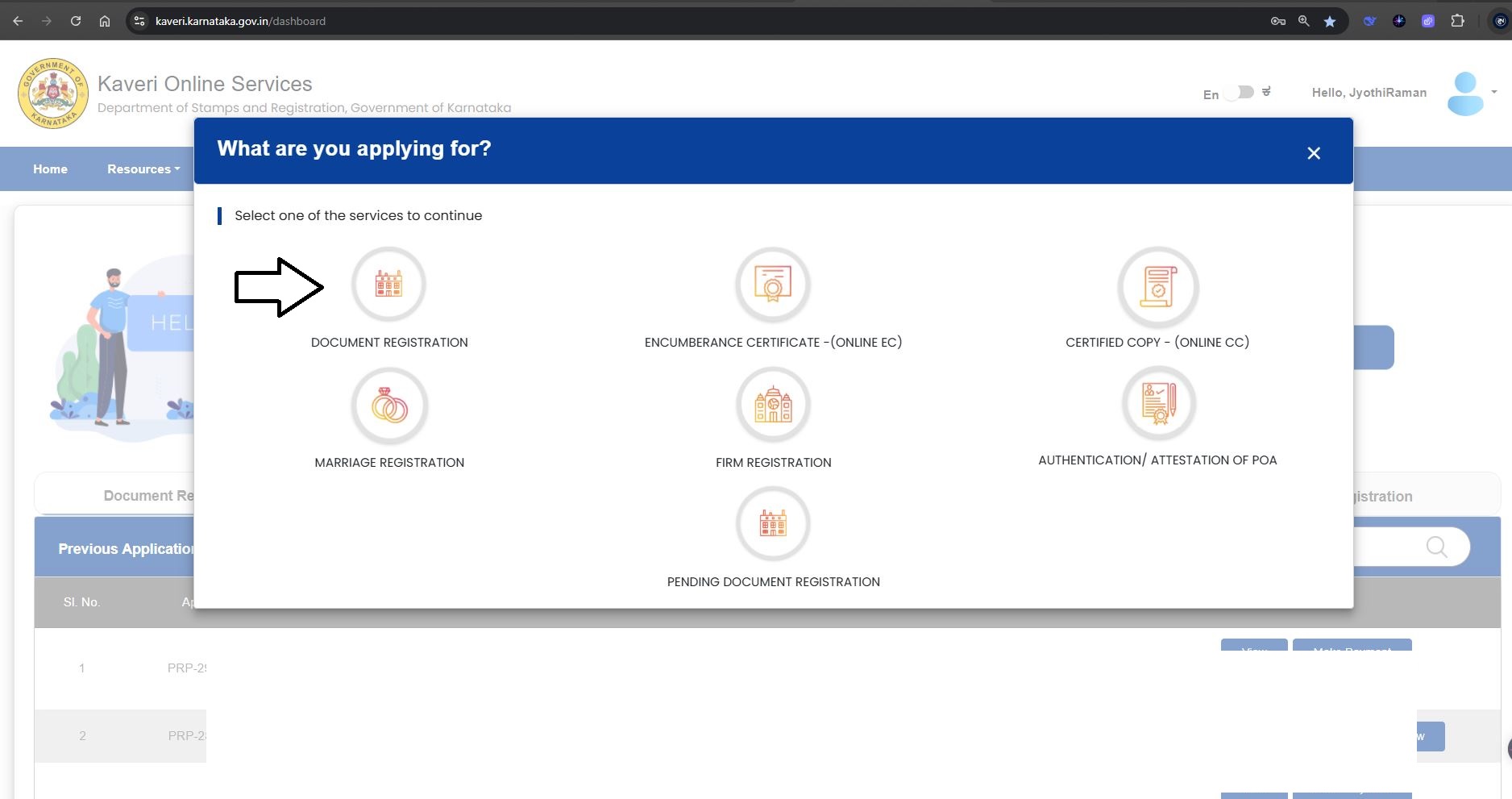
Step 4: Document Registration Module
Click on “Document Registration”. Refer to below image
Select the following options:
- Nature of Document: Special Power of Attorney (Authentication/Attestation)
- Article: Power of Attorney
- Sub Article: 41(h)
Click “Continue”
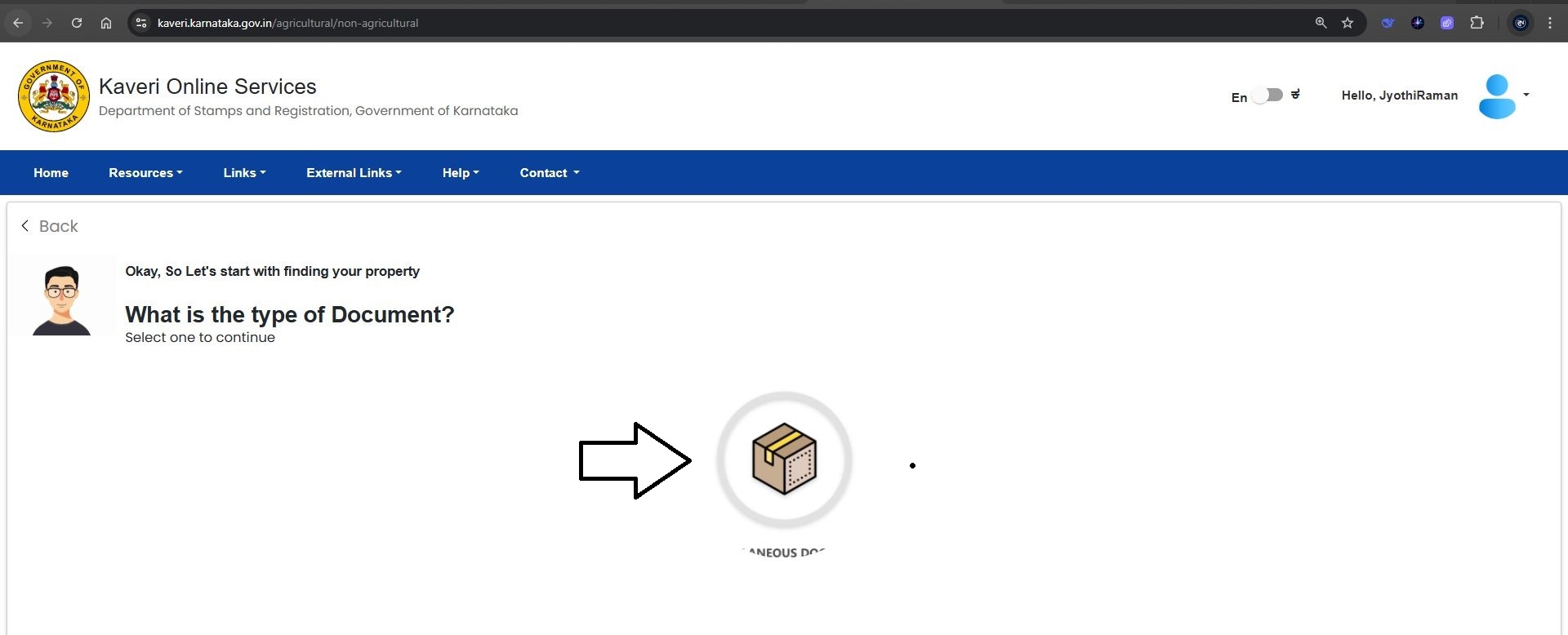
Step 5: Type of Document
Select the only available option, as shown in the image below
Step 6: Property Description
Copy and paste the schedule of property from your SPA draft. Refer to my property description in image below
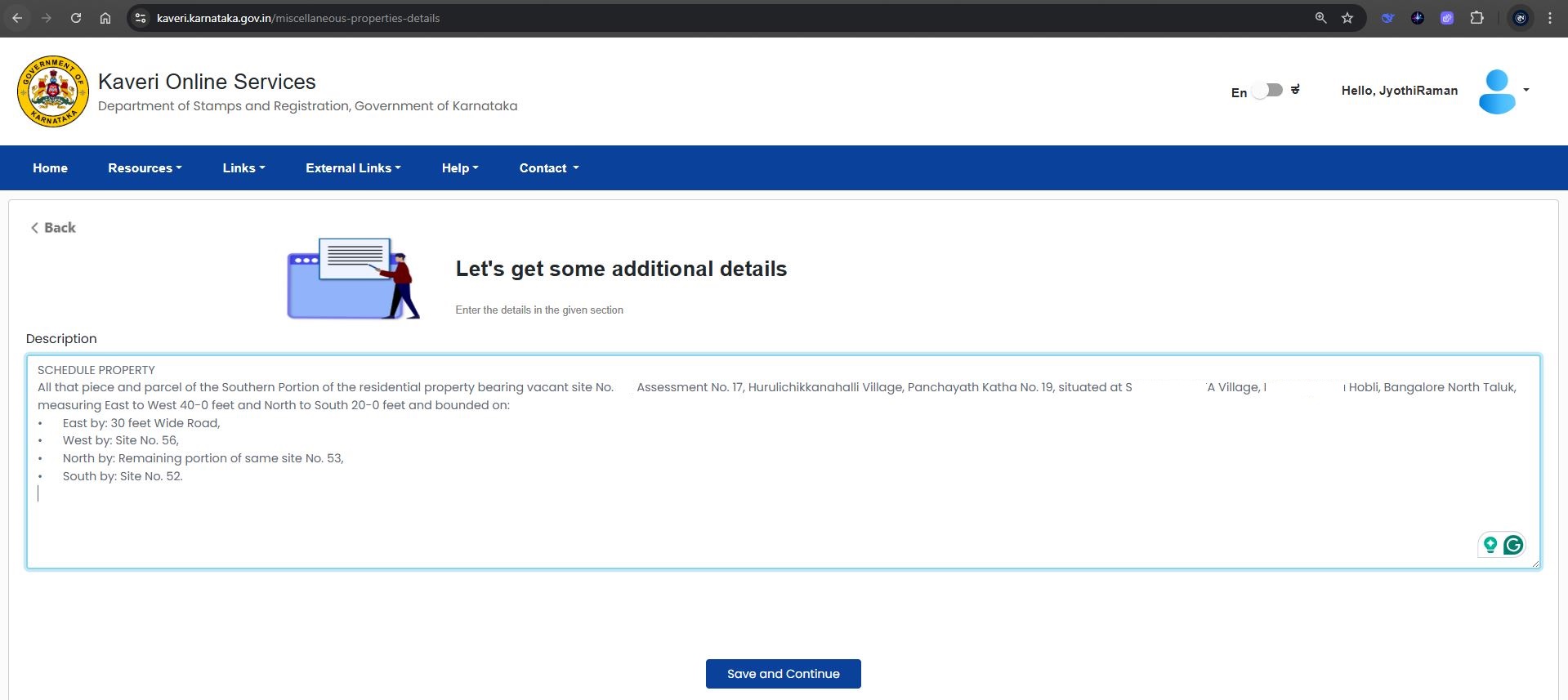
Click on ‘Save and Continue’ to generate the output based on your property description. Refer to the image below for reference
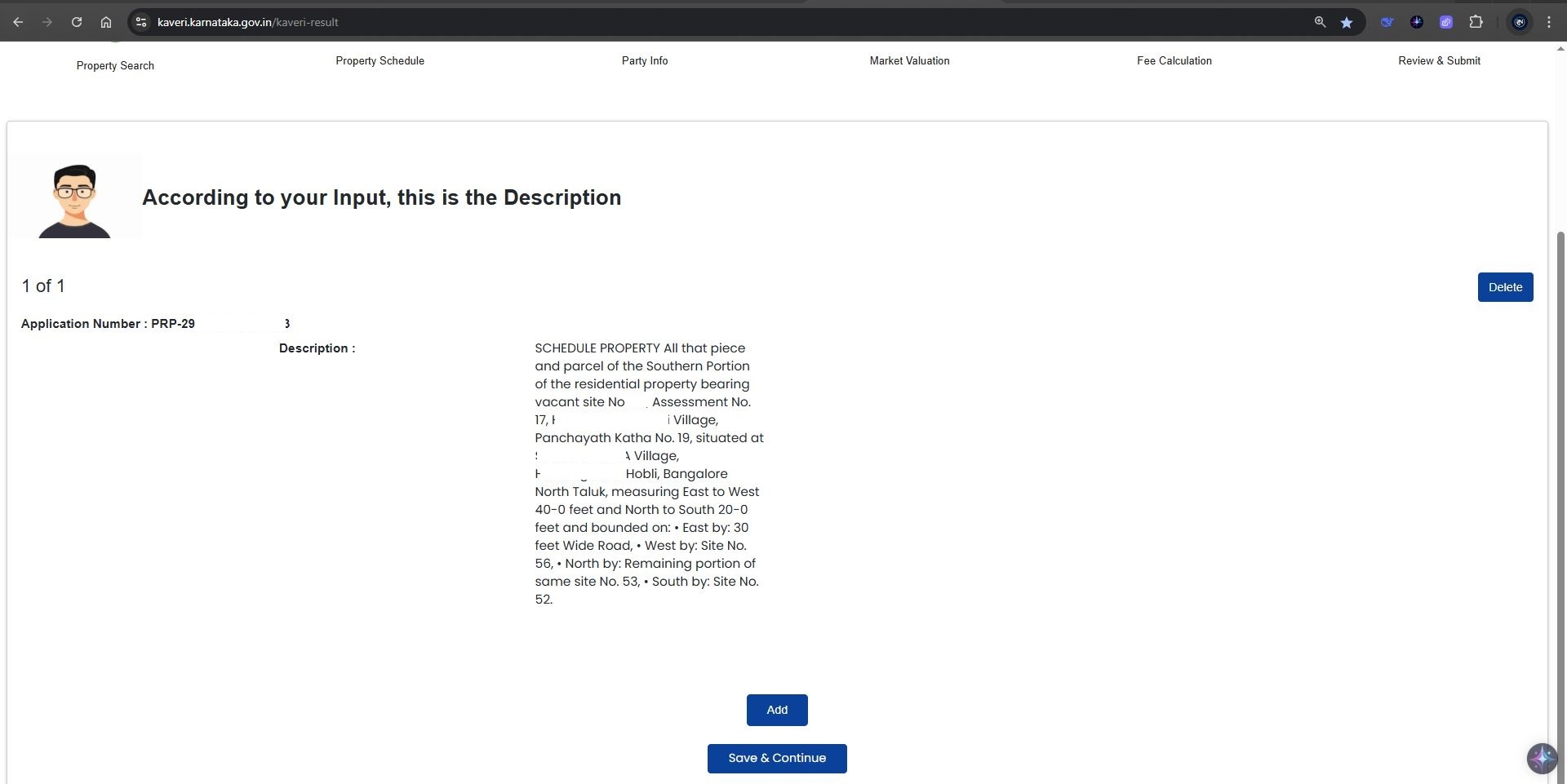
Step 7: Fill in Principal’s Details (Executant-1)
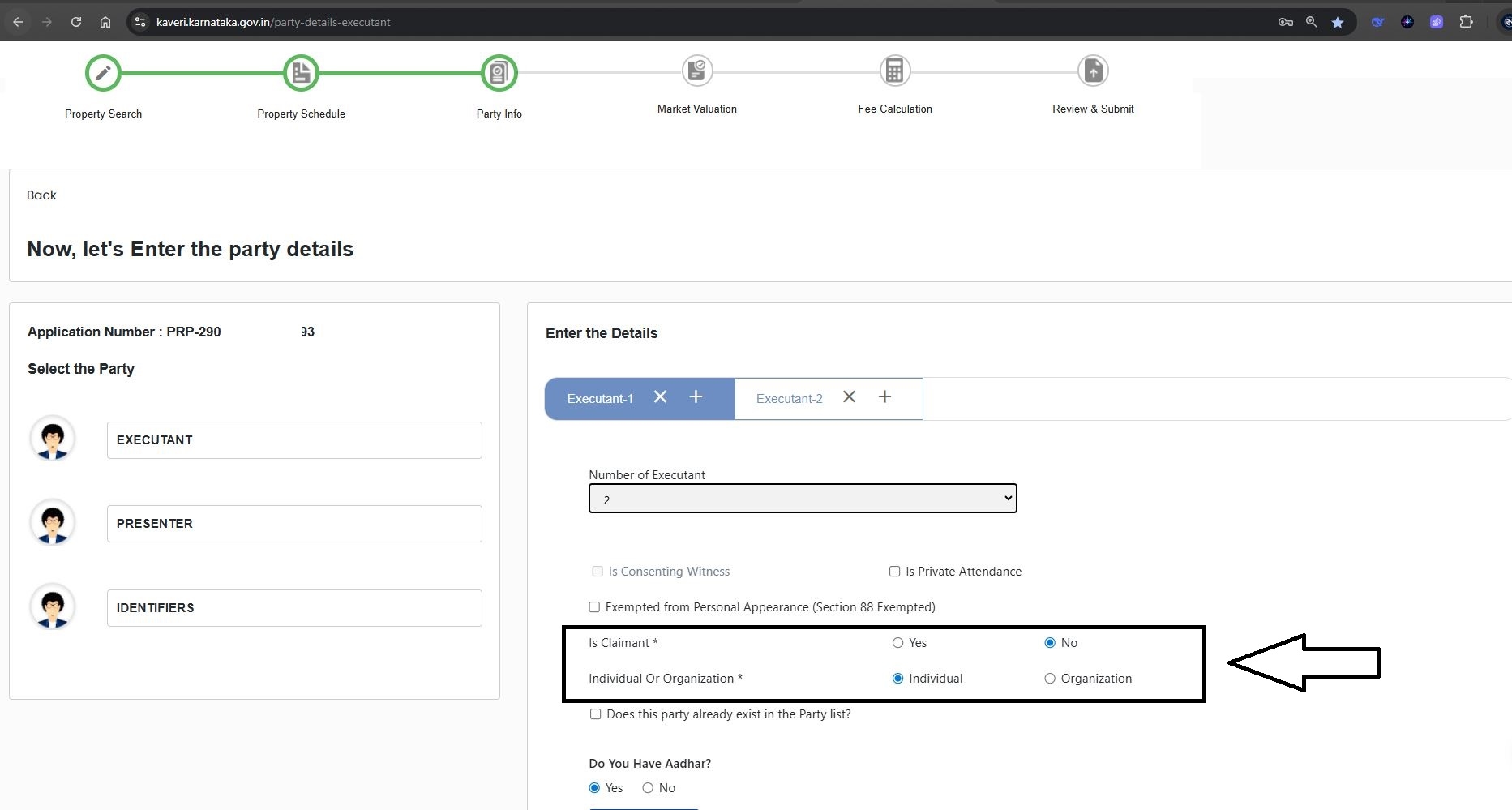
In the Executant-1 section, enter the details of the Principal (the person granting the Special Power of Attorney).
- Is Claimant: Select "No", since the Principal is not claiming any right but authorizing another to act.
- Individual or Organization: Select "Individual", as the Principal is acting in a personal capacity and not representing an organization.
Refer to the highlighted section in the image below for visual guidance.
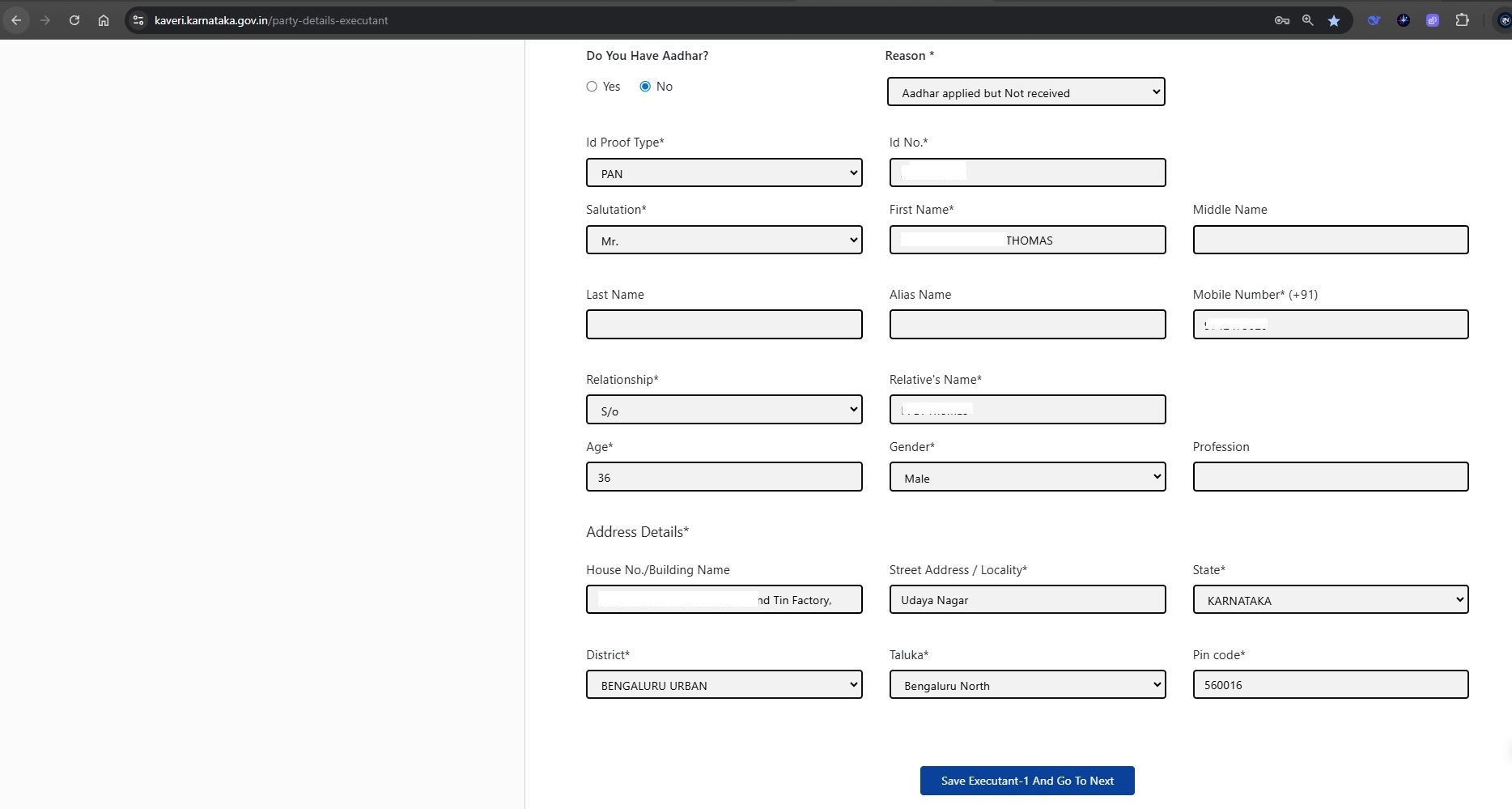
Next, provide the following personal details of the Principal:
- Aadhaar Authentication or PAN Number
- Full Name
- Age and Gender
- Mobile Number
- Residential Address
Refer to the filled-in sample in the image below for reference.
Once all fields are completed, click “Save Executant-1 and Go to Next.”
Note: If there is more than one Principal (for example, if the property is jointly owned and both granting SPA), click on “Add Executant sheet (+ symbol)” to enter the details of Principal-2 or additional owners.
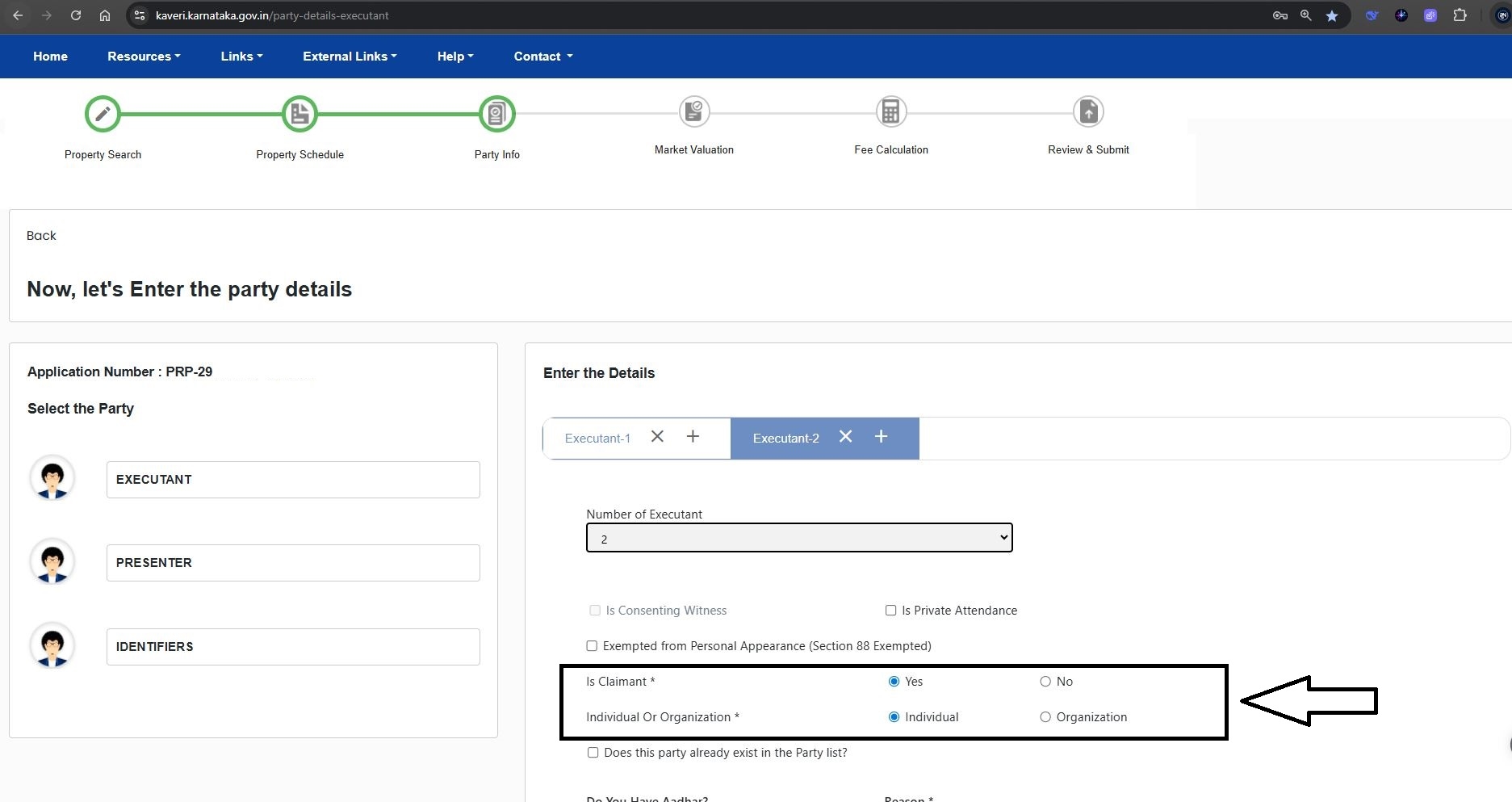
Step 8: Fill in Attorney’s Details (Executant-2)
In the Executant-2 section, enter the details of the Attorney (the person receiving the authority through SPA).
- Is Claimant: Select "Yes", since the Attorney is being authorized to act on behalf of the Principal.
- Individual or Organization: Choose "Individual", as the Attorney is not representing an organization.
Refer to the highlighted section in the image below.
Then, enter the Attorney’s details:
- Aadhaar Authentication or PAN Number
- Full Name
- Age and Gender
- Mobile Number
- Residential Address
Please refer to the completed example shown in the image below.
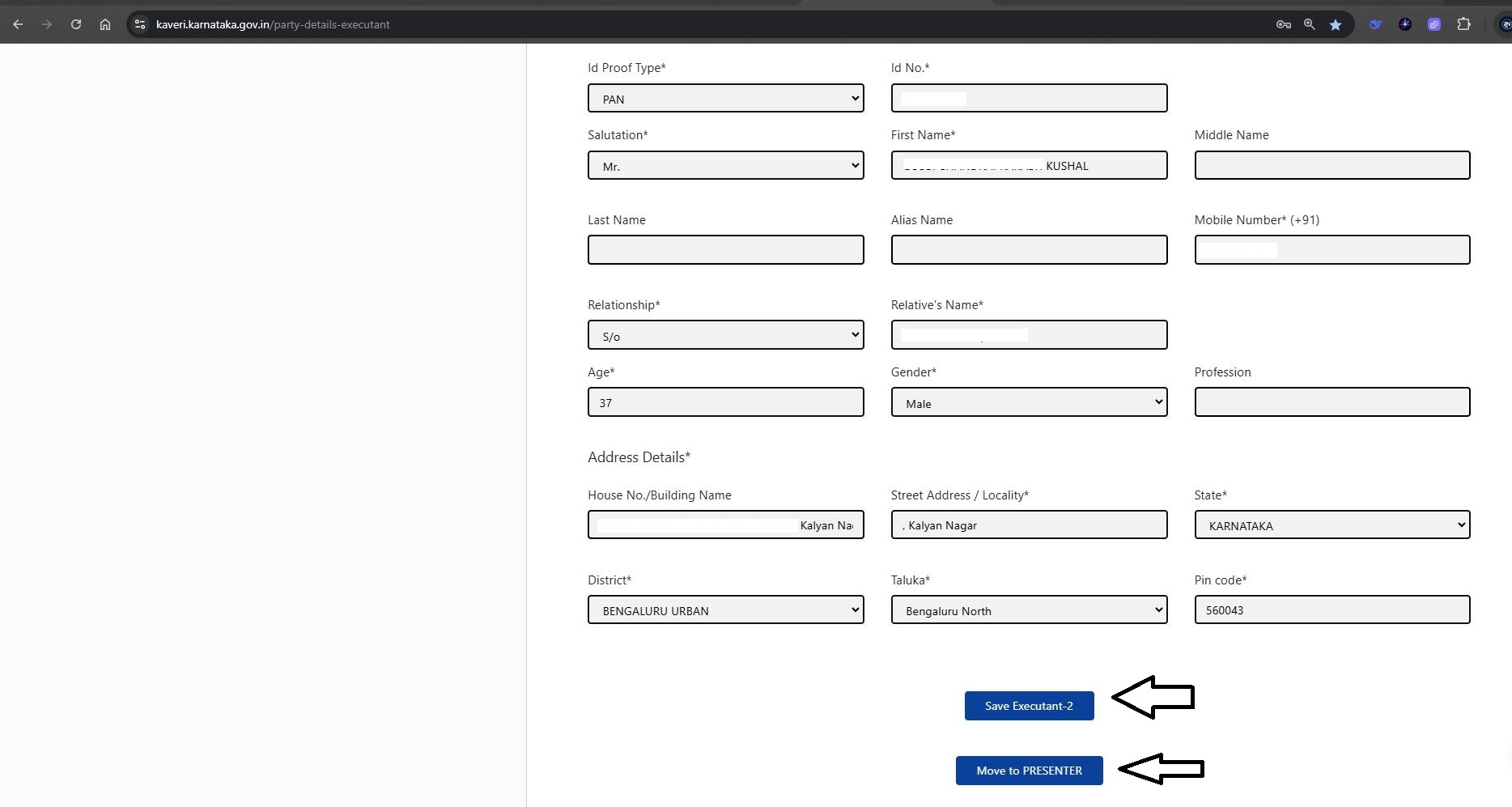
After entering all required details, click “Save Executant-2” and proceed by selecting “Move to Presenter.”
Step 9: Presenter Selection
Select who will present the document at the Sub-Registrar Office. In our case, the Principal. Refer to the highlight in the image below
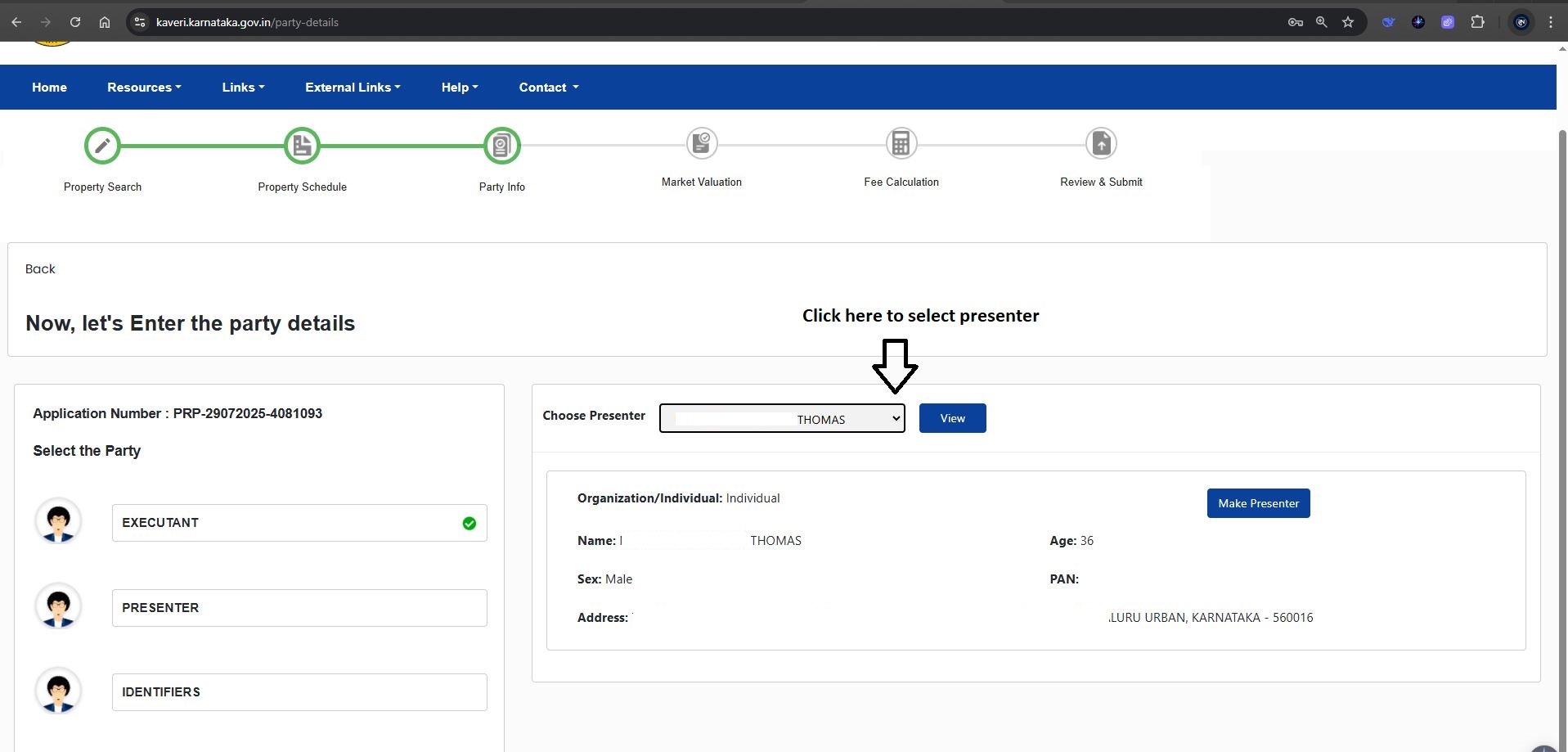
After making the selection, click on “Make Presenter.”
Step 10: Enter Witness Details
You are required to provide the details of two witnesses, and both must be physically present at the time of SPA registration at the Sub-Registrar’s Office.
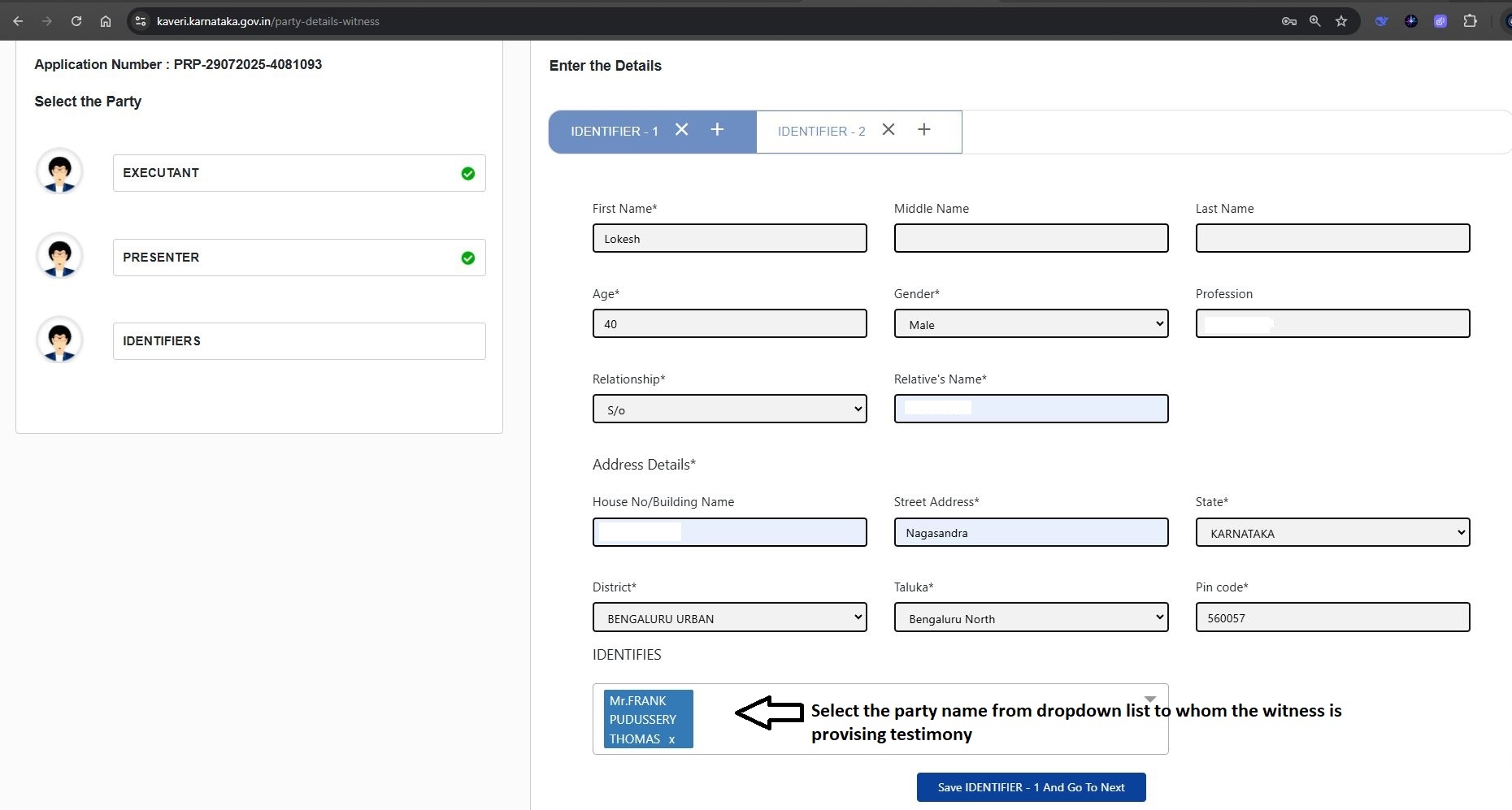
IDENTIFIER-1 (Witness 1):
Enter the following details of the first witness:
- Full Name
- Age
- Gender
- Relative’s Name (e.g., S/O, D/O, W/O)
- Residential Address
In the "Identities" section, select the name(s) of the party to whom the witness is providing testimony (i.e., Principal, Attorney, or both).
Refer to the filled-in example in the image below for clarity.
IDENTIFIER-2 (Witness 2):
Similarly, enter the details of the second witness by filling out the IDENTIFIER-2 section.
Note:
If a listed witness is unable to appear at the Sub-Registrar's Office during the scheduled registration, you may change the witness at the time of registration at the office itself.
Step 11: Skip Market Value Entry
Since a Special Power of Attorney (SPA) does not require market value calculation, you can proceed without entering any valuation details.
Refer to the image below for clarification.
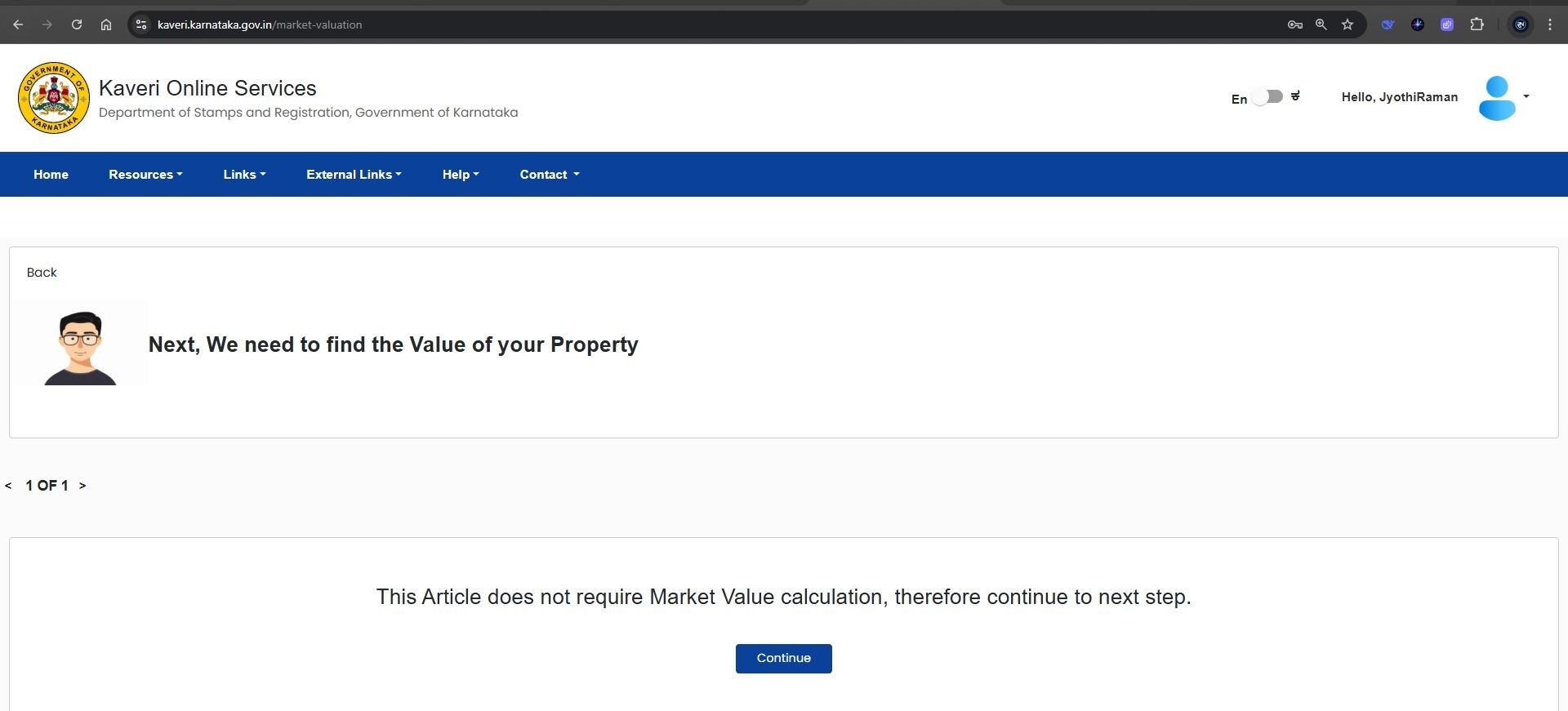
Click on “Continue” to move to the next step.
Step 12: Enter Number of Pages and Calculate Fees
In the "Number of Pages" field, enter the total number of pages in your Special Power of Attorney document.
For example, in our case, the SPA consists of 3 pages, so we entered ‘3’.
Refer to the image below for reference.
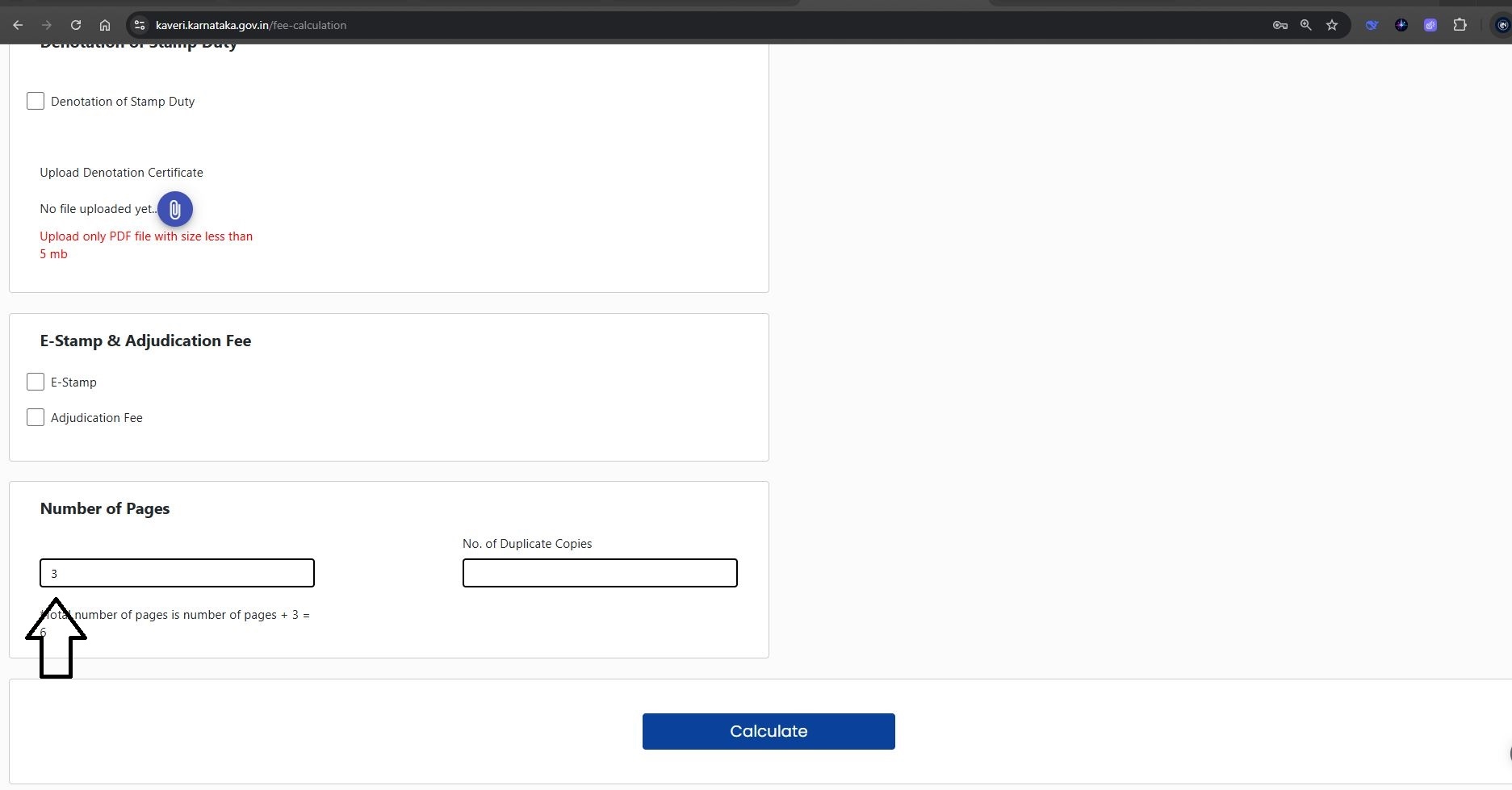
Once entered, click on “Calculate” to generate the applicable registration charges.
Step 13: Review Cost Calculation
Below is the screenshot showing the automated cost calculation based on the entered details.
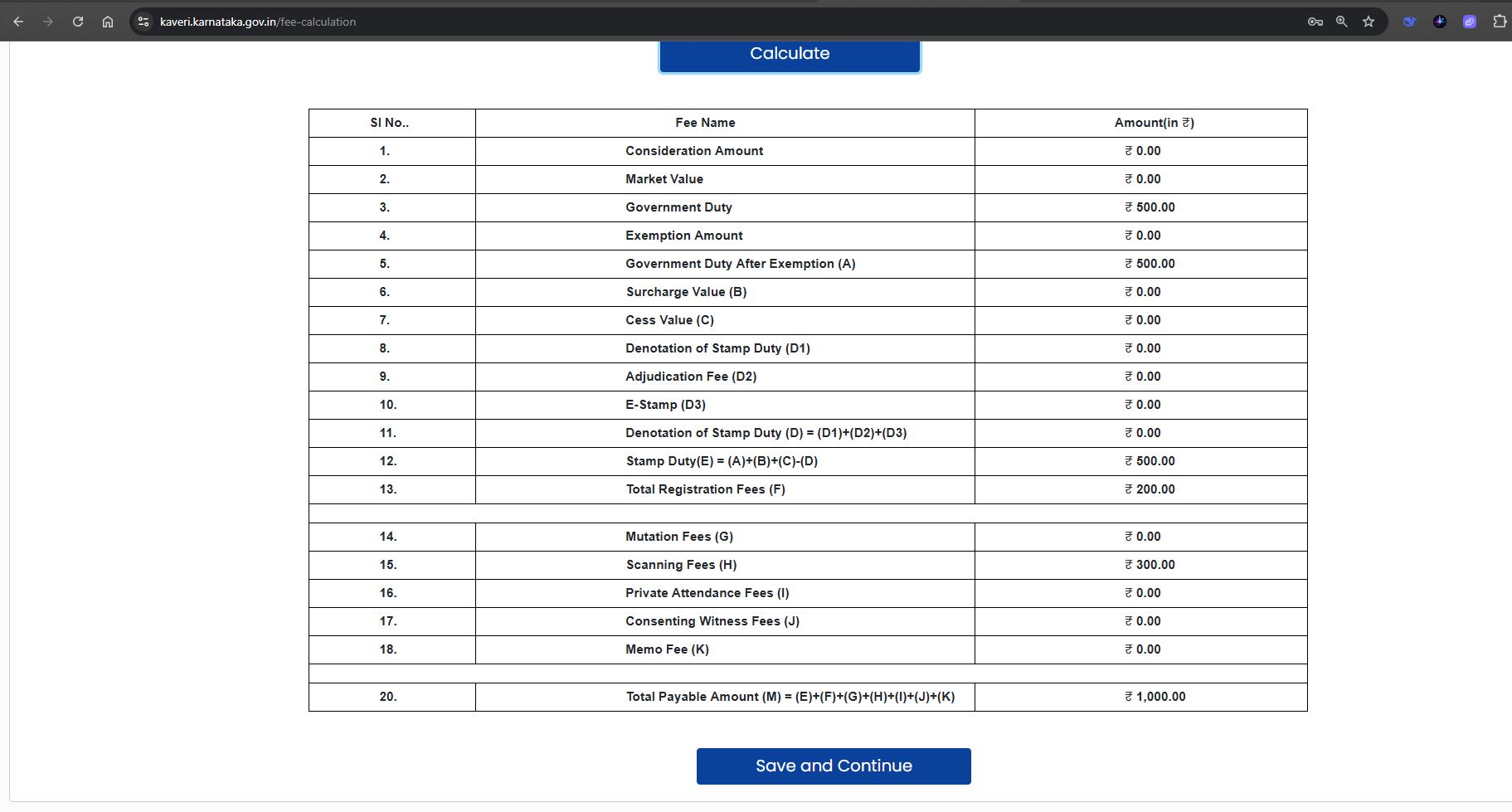
Based on this calculation, the total cost to register the Special Power of Attorney is as follows:
| Component | Amount (Rs.) |
| Stamp Duty | 500 |
| Registration Fee | 200 |
| Scanning Charges (Approx. ₹50 × 6 pages) | 300 |
| Total Estimated Cost | Rs.1,000 |
This represents the lowest possible cost to register an SPA granted to a non-family member
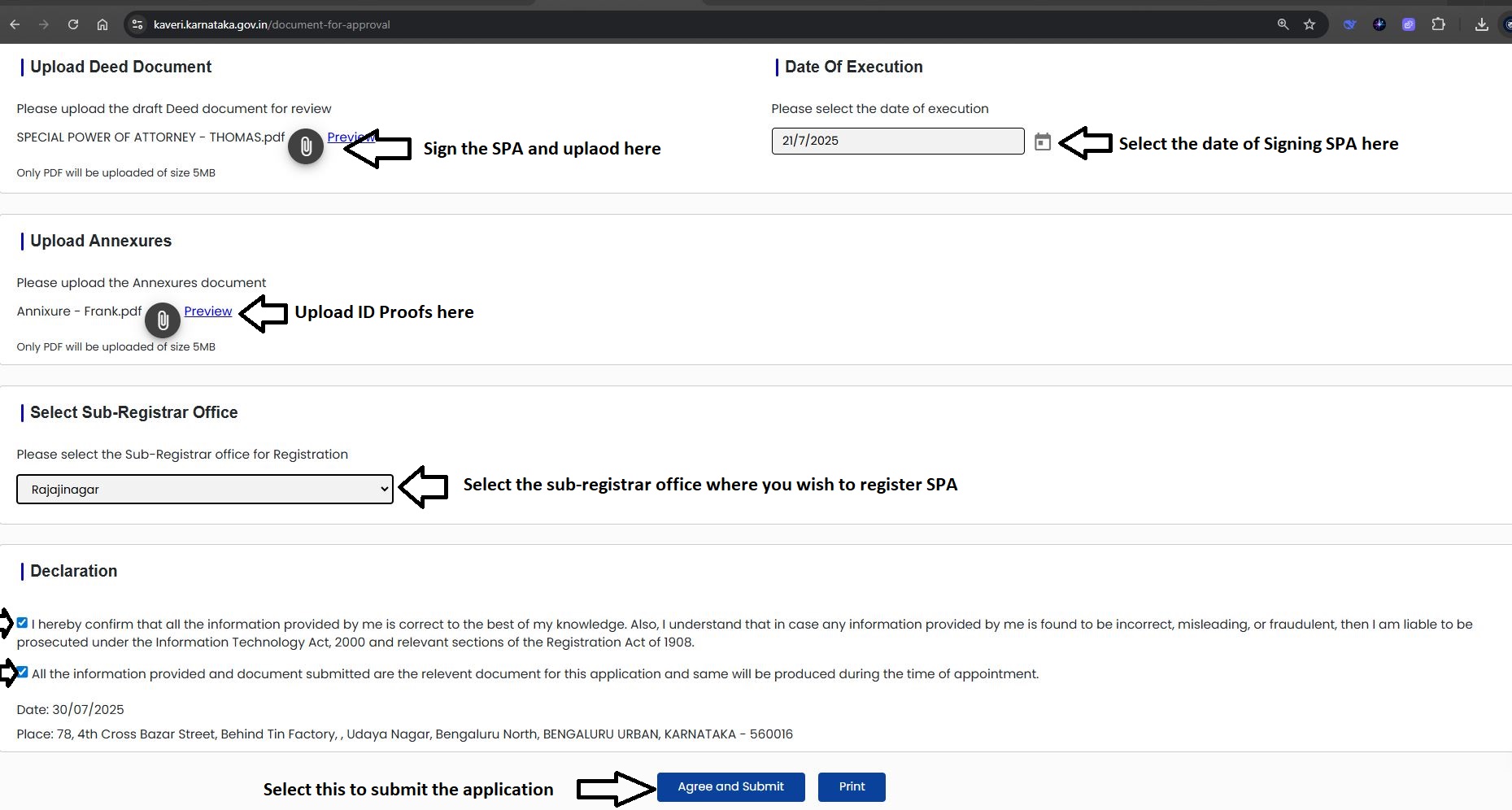
Step 14: Upload Deed and Supporting Documents
Upload Deed Document
- Take a printout of the SPA draft.
- Ensure that the Principal, Attorney, and both Witnesses sign the document on all relevant pages.
- Scan the signed document and upload the executed SPA in PDF format.
Date of Execution
Enter the date on which the SPA was signed by all parties.
In our case, the SPA was executed on 21–07–2025, so we selected this date.
Upload Annexures
Merge all supporting documents into a single PDF file, including:
- Aadhaar or PAN of the Principal
- Aadhaar or PAN of the Attorney
- Aadhaar of both Witnesses
Upload the merged PDF as annexures.
Select Sub-Registrar Office
From the dropdown list, select the Sub-Registrar Office (SRO) where the SPA will be registered.
(For this registration, we selected the Rajajinagar Sub-Registrar Office in Bangalore.)
Final Declaration
- Review all entered information.
- Check the declaration/regulation checkboxes to confirm compliance with registration requirements.
- Click on “Agree and Submit.”
Refer to the highlighted section in the image below for visual reference.
STEP 15: APPLICATION STATUS AND SLOT BOOKING
Once submitted, the application status will show as "Pending at SRO" (Sub-Registrar Office).
Refer to the highlighted section in the image below for reference.
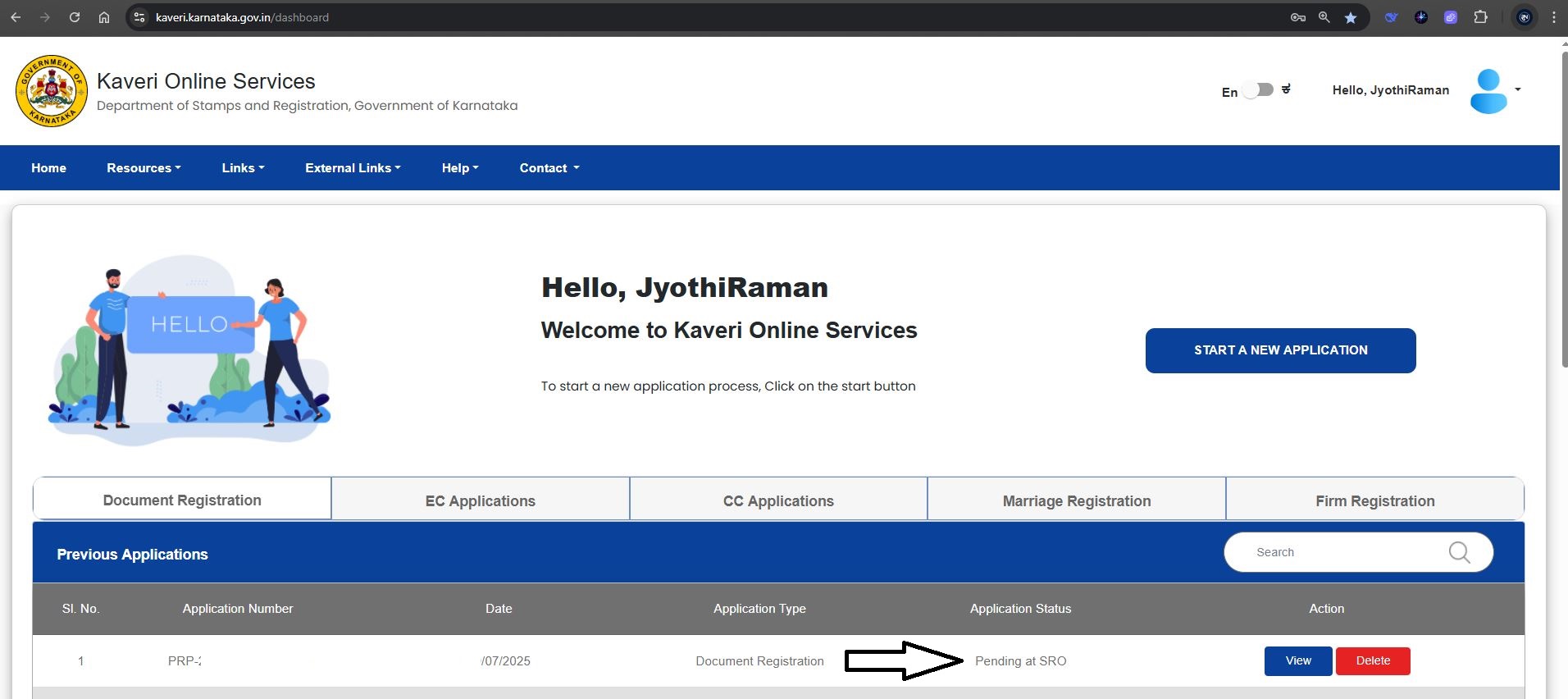
Our application was approved within 1 working day.
After receiving the approval, we proceeded to pay the total government fee of Rs.1,000 and successfully booked the registration slot through the Kaveri Online Services portal.
STEP 16: VISIT TO SUB-REGISTRAR OFFICE AND COMPLETION OF REGISTRATION
On the day of the appointment, as per the scheduled registration slot, we visited the Sub-Registrar Office with the following documents:
- Summary Report (generated from the Kaveri Online Services portal)
- Original Special Power of Attorney (SPA) document to be registered
- Aadhaar cards of the Principal, Attorney, and both Witnesses
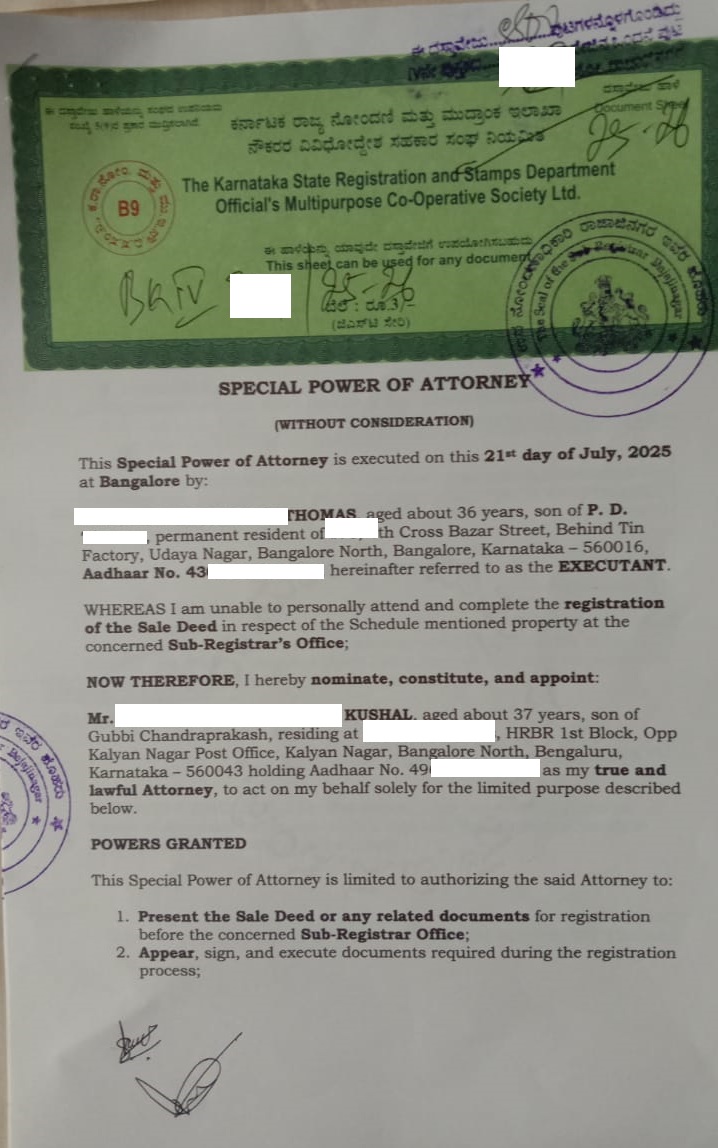
All parties were physically present at the registration counter. We presented the documents, and the registration process was completed without any issues.
Refer to the image below to view the registered SPA.
FINAL THOUGHTS
If you are authorizing a non-family member to represent you in the sale of property in Karnataka, executing a Special Power of Attorney (SPA) is both valid and cost-effective. With a government fee of just Rs.1,000 and a streamlined registration process through the Kaveri Online portal, it serves as an ideal solution, especially for NRIs and individuals who are unable to be physically present at the Sub-Registrar’s Office during the property registration.
NEED ASSISTANCE WITH SPA DRAFTING, EXECUTION, AND REGISTRATION?
If you require expert support in drafting, executing, or registering a Special Power of Attorney (SPA) in Bangalore, whether for a family or non-family member, we’re here to help.
- Email us: pgnproperties@gmail.com
- Call or WhatsApp: +91-97424 79020
we will guide you through every step of the process, ensuring compliance, accuracy, and timely execution.