
WATCH THE STEP-BY-STEP VIDEO TUTORIAL To make this process even easier, we’ve created a complete walkthrough video on how to get a Digital E-Stamp Paper online in Karnataka using the Kaveri Online Services portal. Watch the video below for a detailed visual explanation
STEP 1: LOG IN TO KAVERI ONLINE SERVICES Visit https://kaverionline.karnataka.gov.in and log in with your registered credentials. If you do not have an account, you can register easily using your mobile number and email ID. Refer to the login option below for your reference.
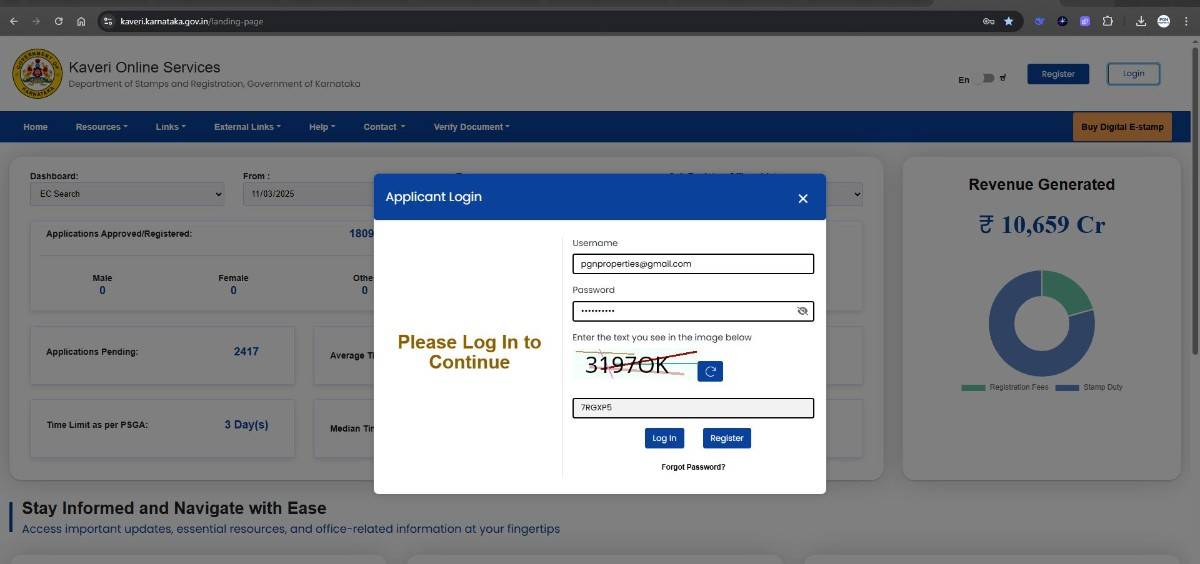 Once logged in, click on “START A NEW APPLICATION.” (Refer to the highlight for visual guidance.)
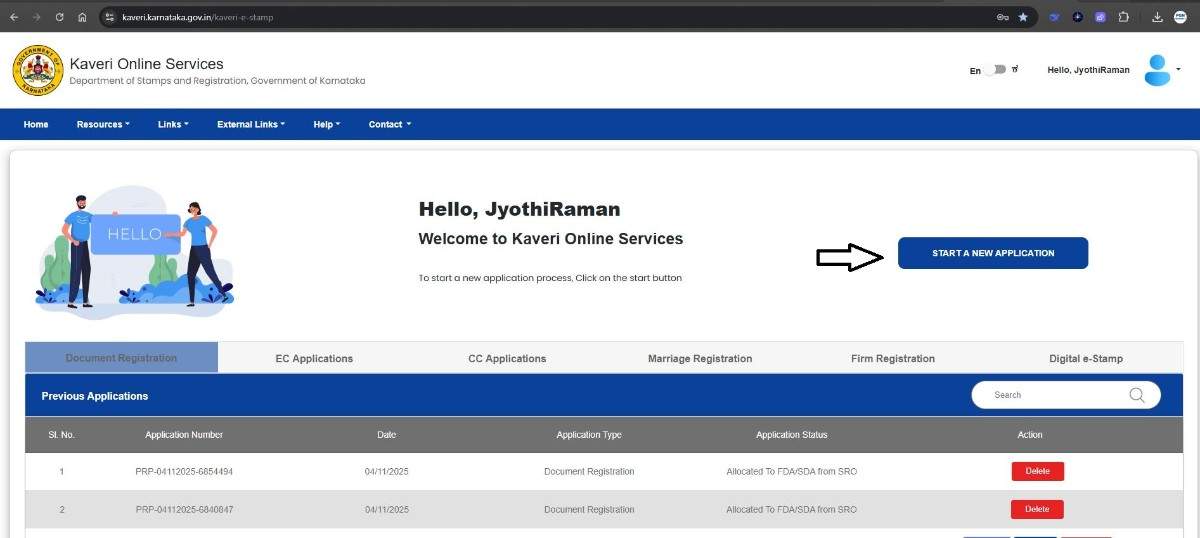
STEP 2: SELECT “DIGITAL E-STAMP” Next, choose the “DIGITAL E-STAMP” option from the available services. This section allows you to generate an e-stamp paper and prepare your complete document online. Refer to the image below
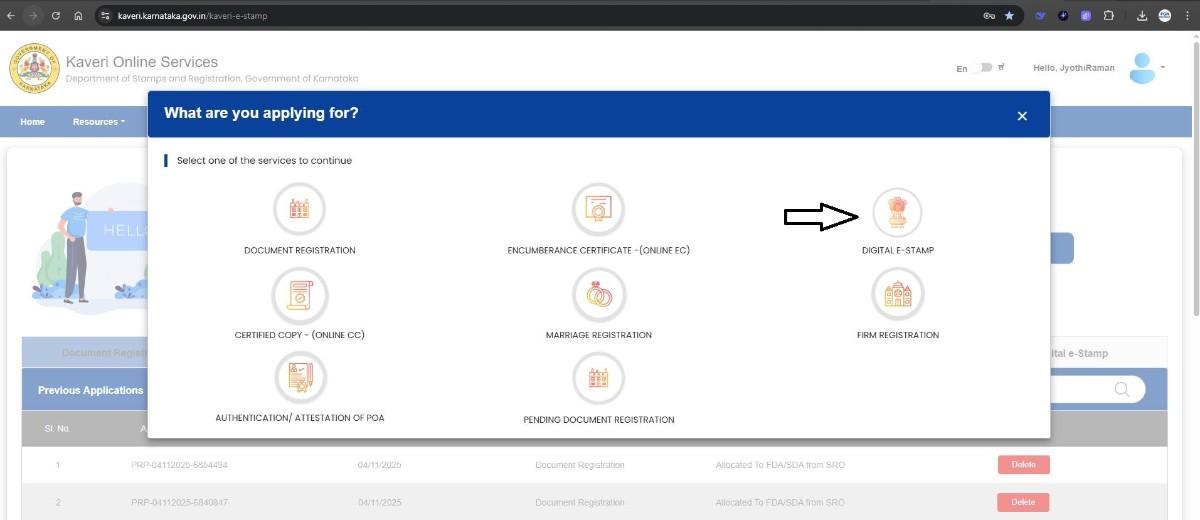 STEP 3: SELECT THE ARTICLE AND SUB-ARTICLE
Kaveri Online Services enables users to create a variety of legal documents, including:
STEP 3: SELECT THE ARTICLE AND SUB-ARTICLE
Kaveri Online Services enables users to create a variety of legal documents, including:
- Sale Agreement
- Rent Agreement
- Lease Agreement
- Affidavit / Declaration
- Power of Attorney
- Deposit of Title Deed
- Bond
- And many more
- Nature of Document: Affidavit / Declaration
- Sub-Article: Affidavit / Declaration
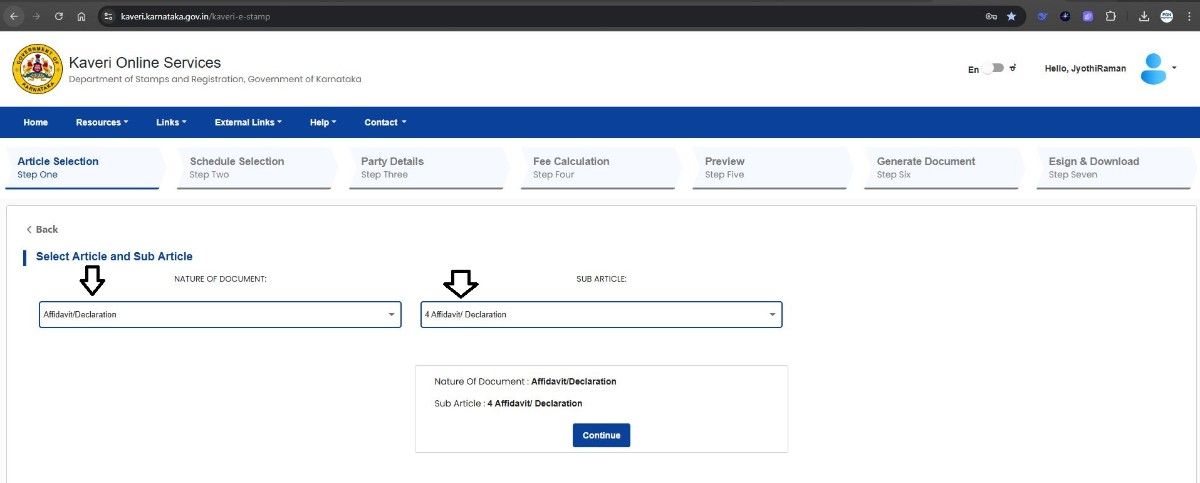 After selecting the appropriate options, click Continue.
STEP 4: ENTER PARTY DETAILS In this section, provide the details of the applicant or party involved in the document.
- Individual or Organization: Select Individual
- Claimant or Executant: Select Executant
- Complete Aadhaar verification through OTP authentication.
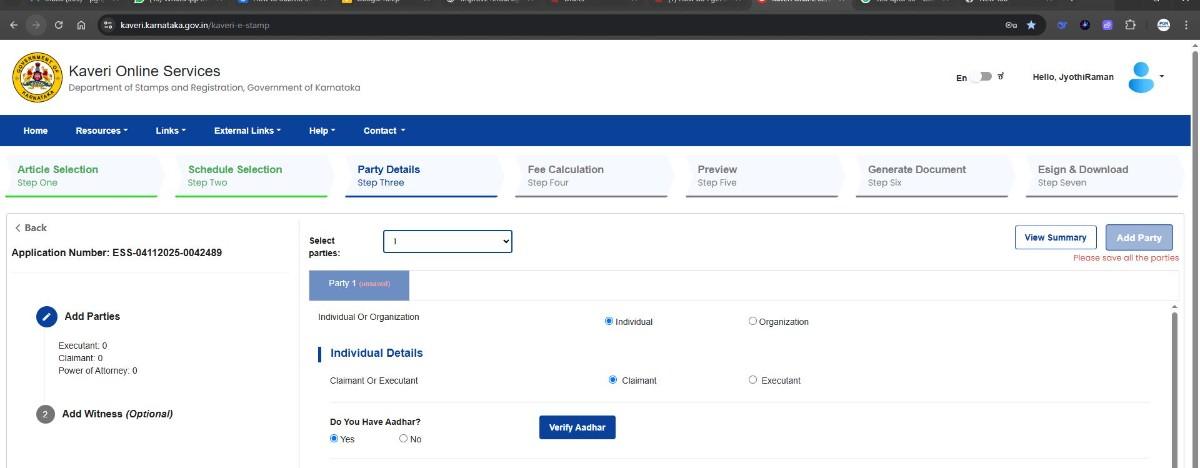 Then, fill in the applicant's details such as name, age, gender, and address. (Refer to the image below showing the filled form.)
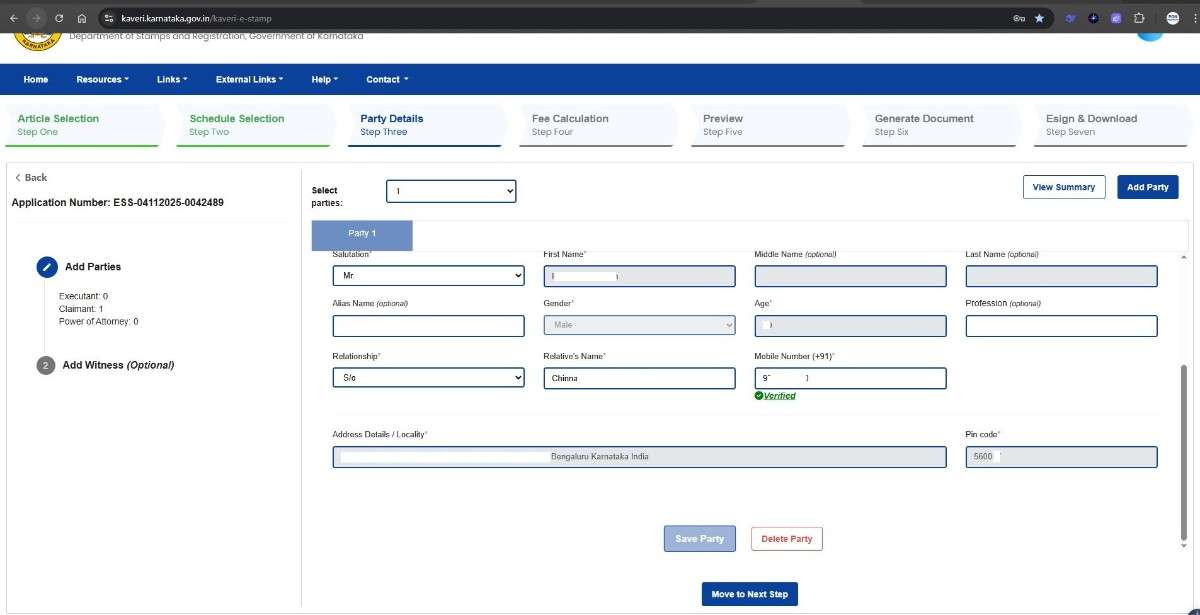 Click “Save Party and Move to Next Step.”
Note: In my case, I did not require witnesses for the affidavit, so I skipped this step.
However, for documents like sale, rent, or lease agreements, providing details of at least two witnesses is mandatory. Refer to the image below
Click “Save Party and Move to Next Step.”
Note: In my case, I did not require witnesses for the affidavit, so I skipped this step.
However, for documents like sale, rent, or lease agreements, providing details of at least two witnesses is mandatory. Refer to the image below
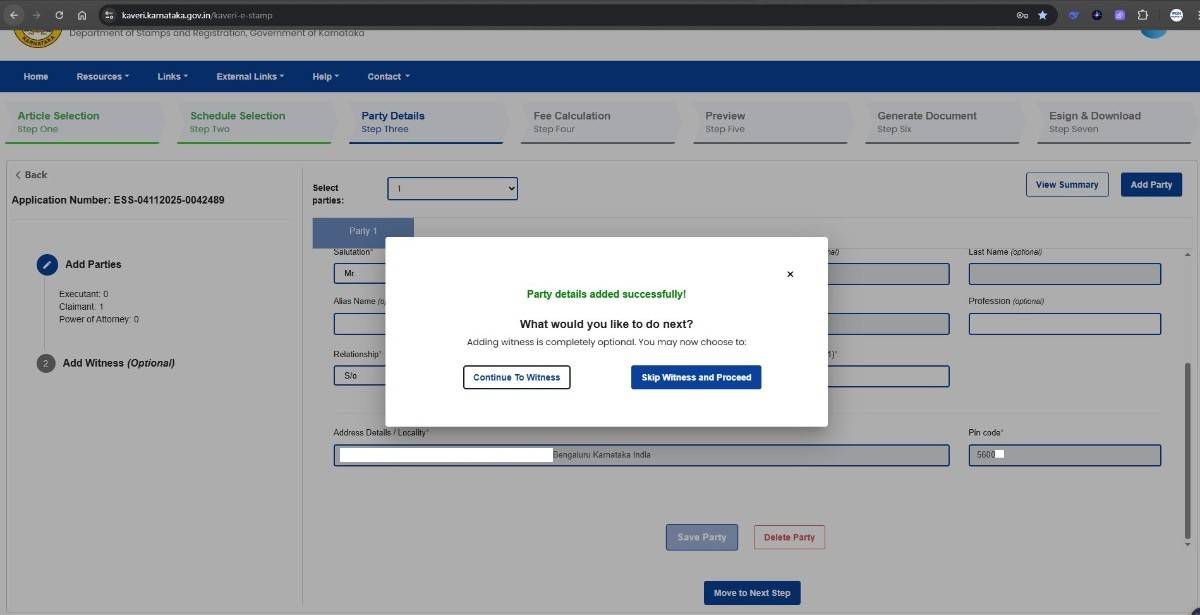
STEP 5: FEE CALCULATION The portal automatically calculates the applicable stamp duty based on the selected document type. For my affidavit, the fee was Rs.100. Refer image below
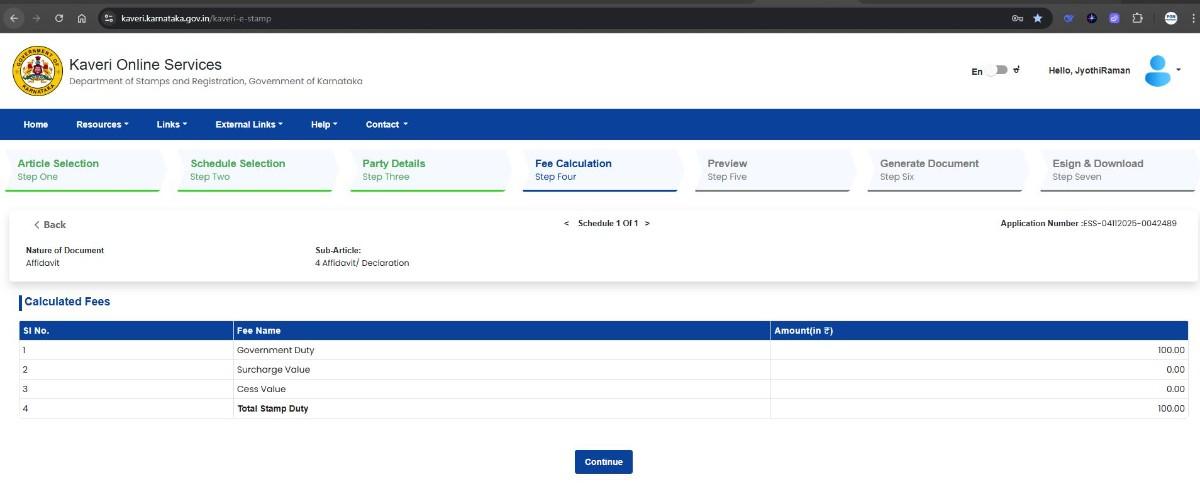 Once verified, click Continue to proceed
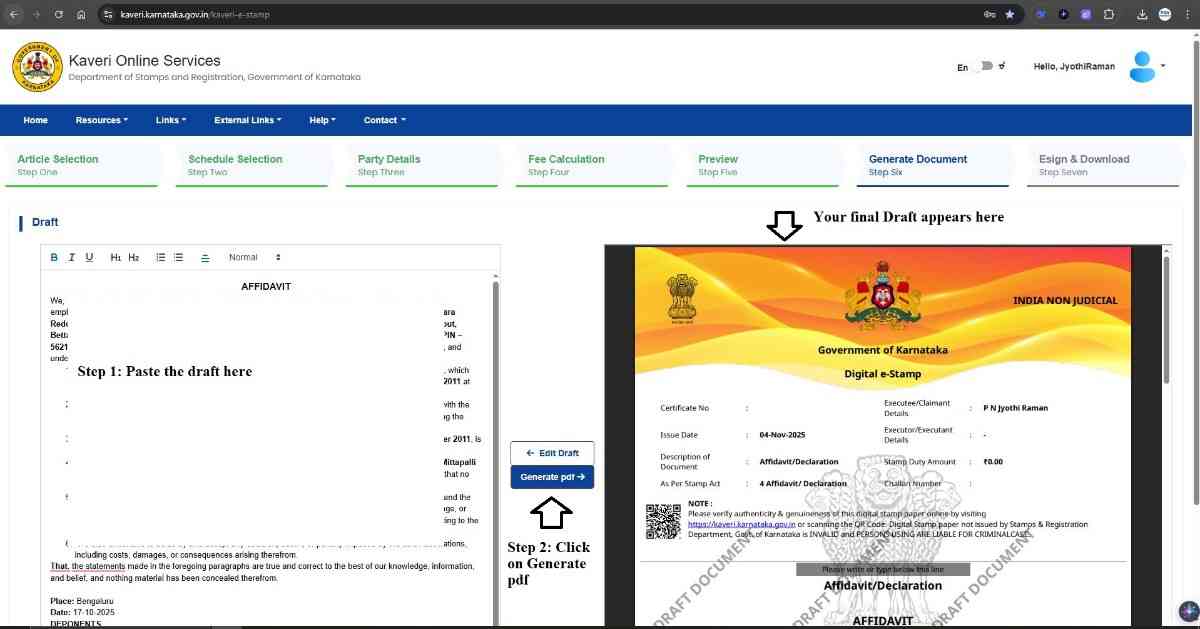
STEP 6: DRAFT PREPARATION You can create and format your document draft directly within the Kaveri portal. The platform allows you to review the content and convert the draft into a PDF on e-stamp paper. (Refer to the highlighted steps in the image below.)
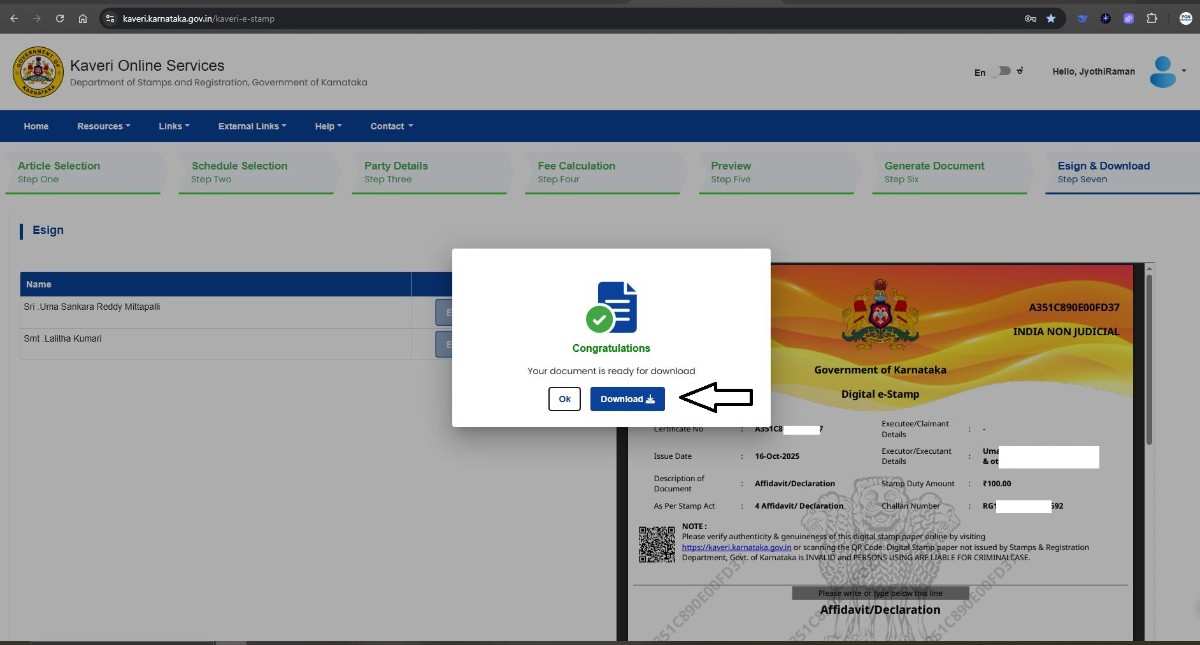
STEP 7: MAKE THE PAYMENT Proceed to make the payment for the e-stamp. I paid Rs.100 using UPI, and the transaction was processed instantly. STEP 8: E-SIGN AND DOWNLOAD THE DOCUMENT Digitally sign your document using Aadhaar-based OTP authentication. After successful e-signing, you can download your final document directly from the portal. We have highlighted the download option in the image below for your reference.
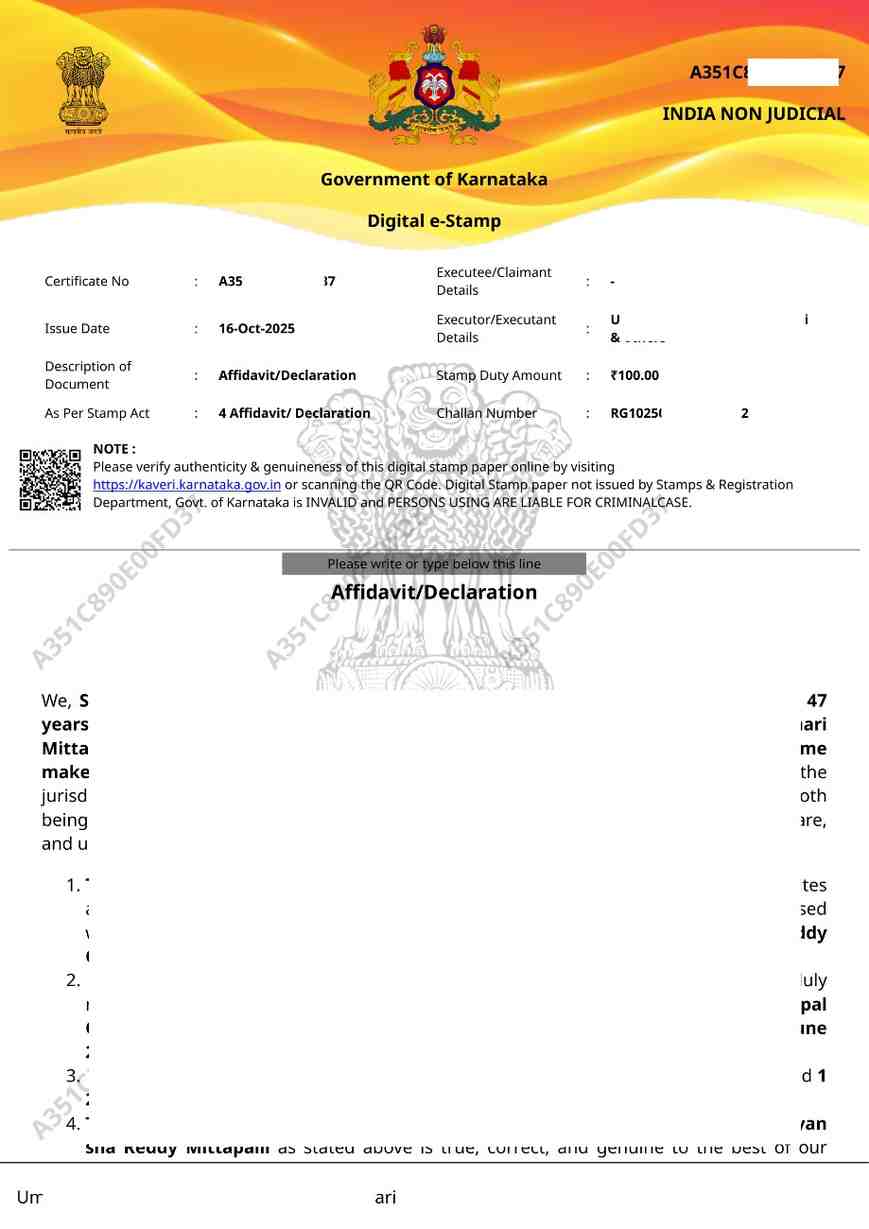
 Below is the first page of the affidavit (E-Stamp Paper)
 Below is the last page, showing the e-signature section
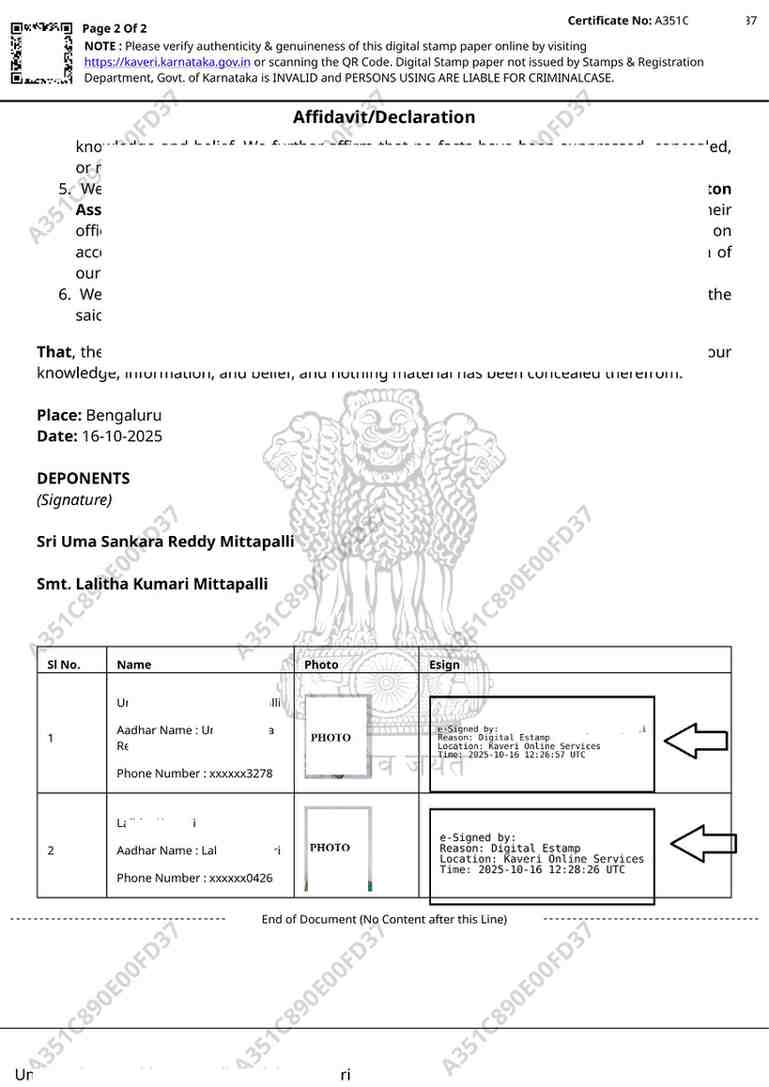 Your affidavit is now digitally executed and valid.
STEP 9: READY-TO-USE DOCUMENT With Kaveri Online Services, the entire process is paperless and completed in one sitting. In contrast, the traditional method required coordination between multiple points such as:
- Drafting with an Advocate
- Purchasing physical Stamp Paper
- Printing the document
- Signing manually
- Drafting directly on the portal
- Automatic e-stamp generation
- Aadhaar-based e-signing (especially convenient for NRIs executing legal documents in India)
CONCLUSION The Digital E-Stamp Service on Kaveri Online Services is a significant step towards simplifying legal documentation in Karnataka. Whether you’re preparing an affidavit, rent agreement, or power of attorney, the portal enables you to complete everything online — quickly, securely, and efficiently. In just one sitting, you can have your draft, e-stamp, e-sign, and final PDF - ready to use
If you need to create legal documents in Karnataka, try Kaveri Online Services today and experience the convenience of digital documentation. For more step-by-step guides on property and document registration:
- Visit: https://pgnpropertymanagement.in
- Email: pgnproperties@gmail.com
- Call / WhatsApp: +91-9742479020