
Finding your GBA eKhata can sometimes be challenging when searching using the Assessment Number, Flat Number, or Property Owner's Name. In many cases, these search methods may return multiple results or inaccurate records, making it difficult to locate the correct eKhata.
A much faster and more accurate method is to search using the Property Tax Number (SAS ID). Since the SAS ID is unique to each property, it helps you find the correct eKhata record in a single search.
Watch Our Step-by-Step Video Guide
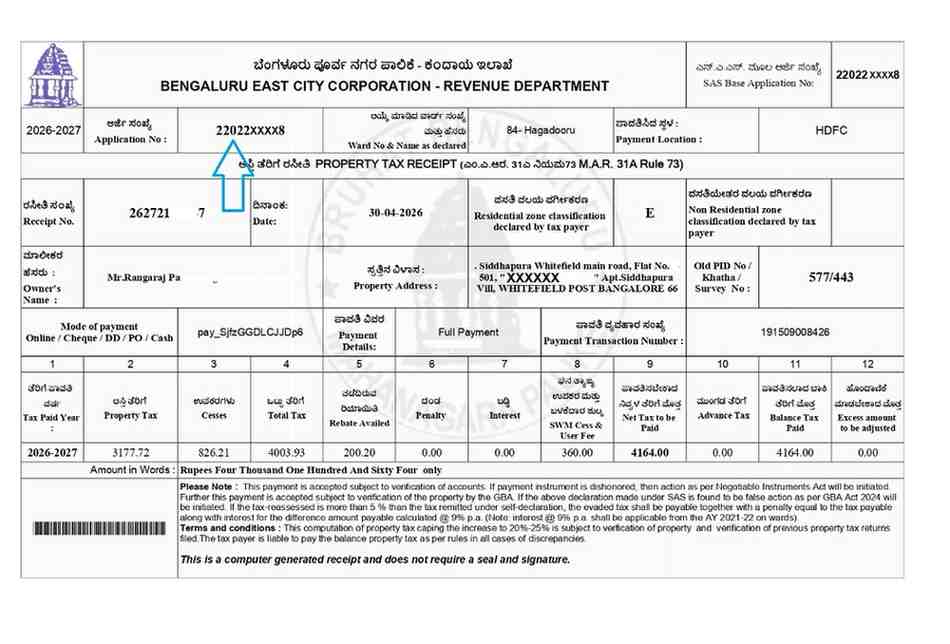
STEP 1: LOCATE THE PROPERTY TAX NUMBER (SAS ID)
First, keep a copy of your property tax receipt ready. The 10-digit Property Tax Number (SAS ID) can be found on the receipt, as highlighted in the image below.
STEP 2: SEARCH USING THE SAS PROPERTY TAX ID
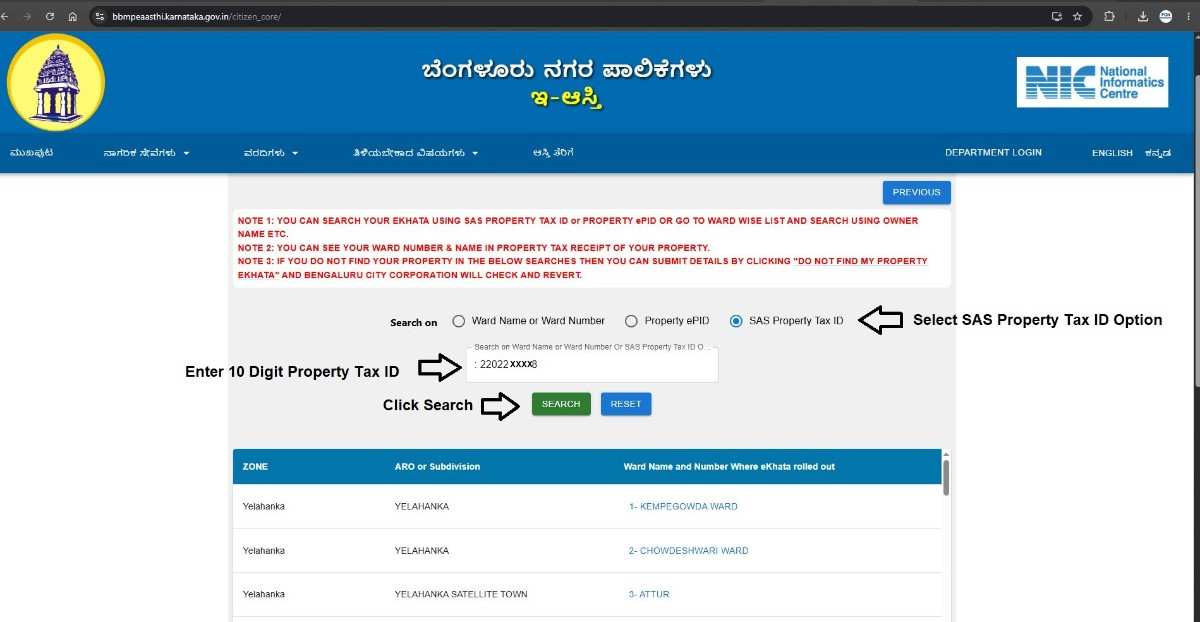
- Visit the eAasthi portal. Here is the link https://bbmpeaasthi.karnataka.gov.in/citizen_core/
- Select the "SAS Property Tax ID" search option.
- Enter your 10-digit Property Tax Number (SAS ID) and click "Search".
Refer to the image below for guidance.
STEP 3: VIEW AND DOWNLOAD YOUR EKHATA
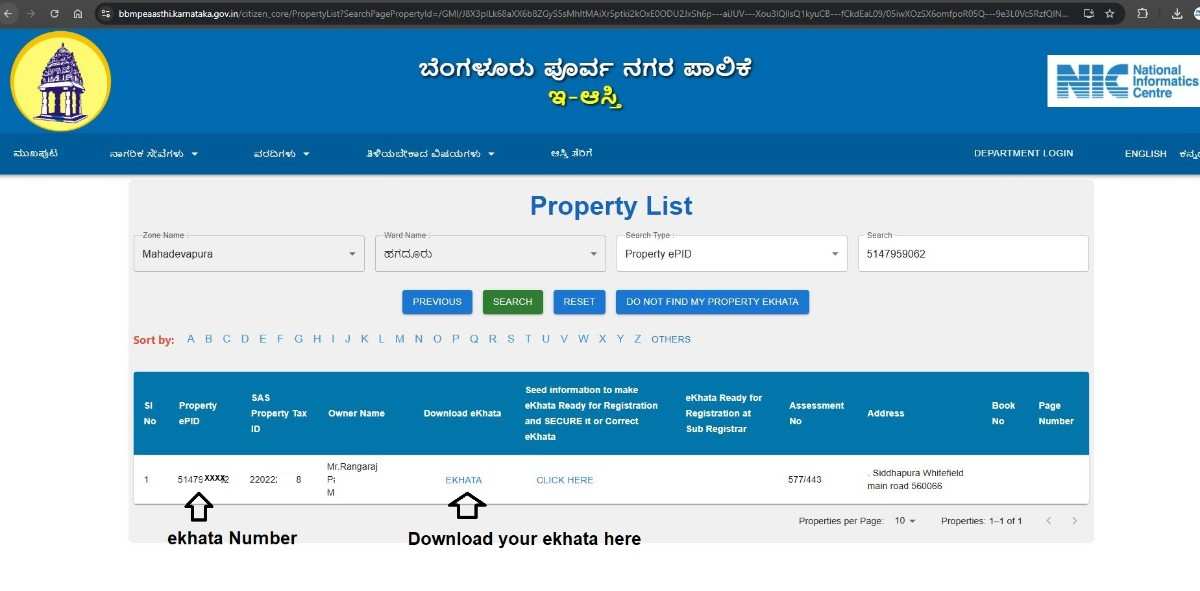
- Once the search is completed, the system will display the corresponding property details.
- You can view the eKhata Number and use the Download option to obtain the eKhata document.
- In the example below, we have highlighted both the eKhata Number and the Download option.
Conclusion
Searching for a Greater Bengaluru Authority (GBA) eKhata using the Property Tax Number (SAS ID) is one of the quickest and most reliable methods available. Instead of trying multiple searches using the owner's name, assessment number, or flat number, a single search with the unique SAS ID can help you locate and download your eKhata within minutes.
Need assistance with property documentation? Write to us:
- Email: pgnproperties@gmail.com
- Contact: +91 97424 79020