
Before buying a property in Bangalore, verifying the ownership details is a crucial step. Many buyers rush into making advance payments without checking the authenticity of documents, which can later lead to disputes.
In this article, I will explain four reliable ways to check property ownership online in Bangalore, using a real case study from one of my clients.
CASE STUDY: WHY VERIFICATION IS IMPORTANT
One of my clients was interested in purchasing a resale property in Bangalore. The seller demanded a Rs.1 lakh token advance before sharing property documents. Instead of taking the risk, my client decided to verify the ownership independently using the seller’s name and property address.
The property belonged to Ms. Sharada, Property No. 34, Village XXXX (name withheld for privacy). With just this information, we were able to download and verify the following documents:
- Encumbrance Certificate (EC)
- Registered Deed (Certified Copy – CC)
- eKhata & Validation Report
- Property Tax Receipt
Let me explain each step in detail.
STEP 1: DOWNLOAD ENCUMBRANCE CERTIFICATE (EC)
The Encumbrance Certificate (EC) is the first document you should download. It contains critical information such as ownership details, registration numbers, and eKhata numbers.
Steps to download EC:
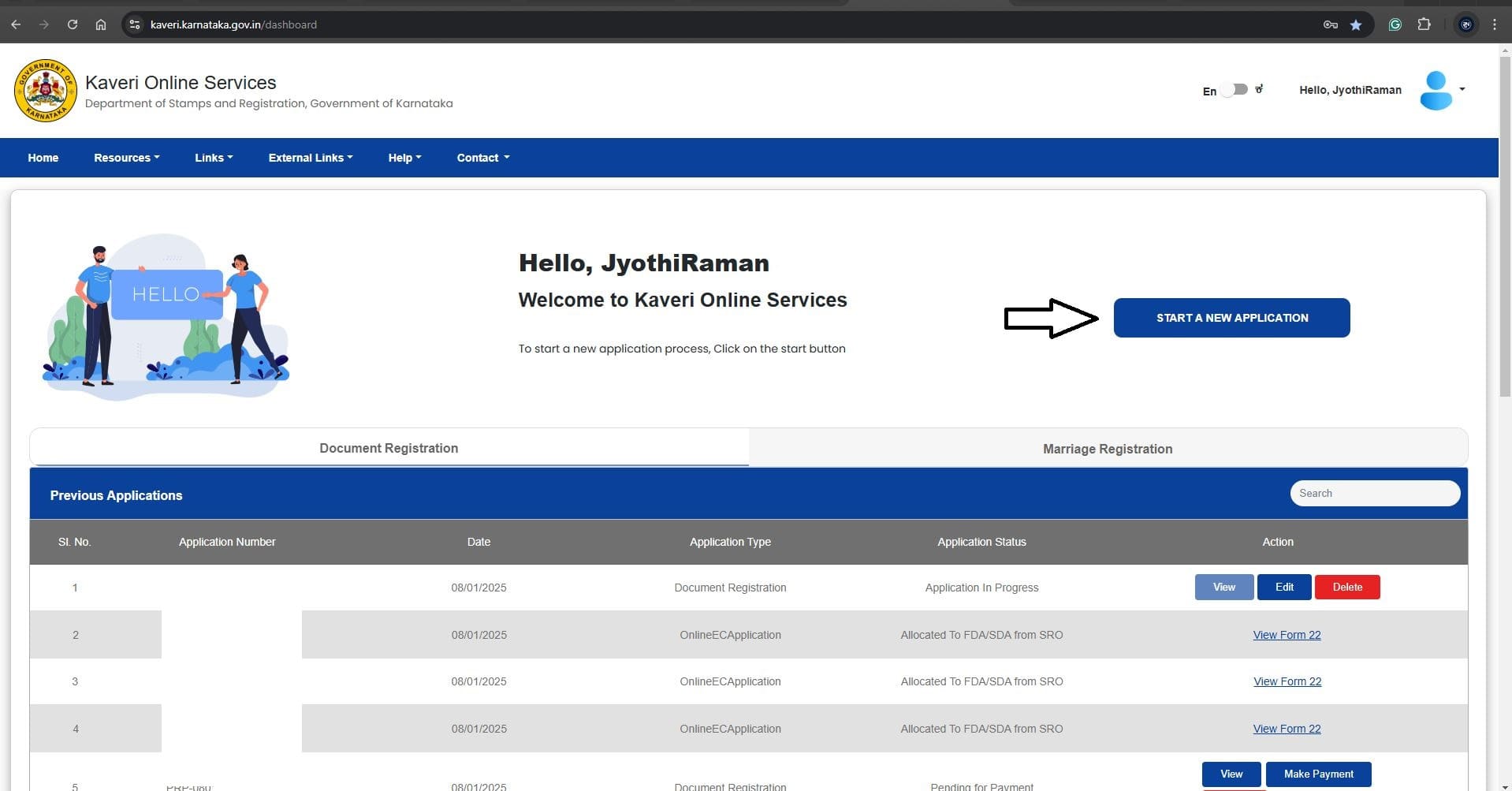
Log in to Kaveri Online Services.
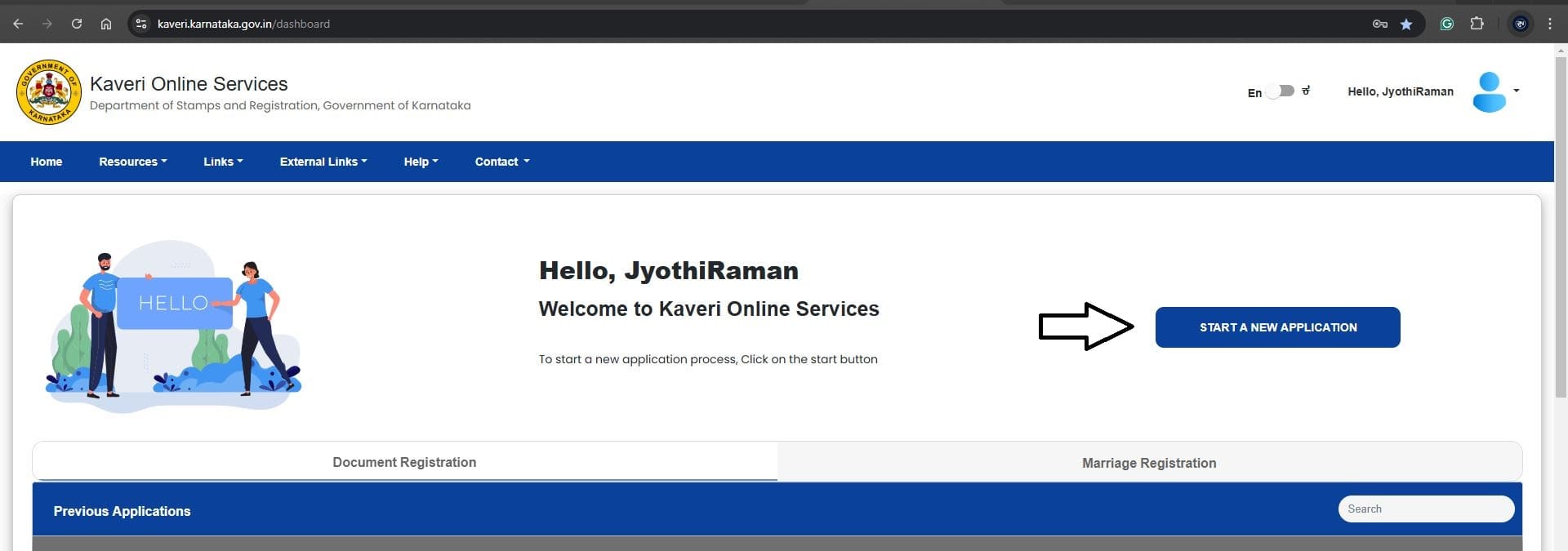
Click Start a New Application (see arrow in image).
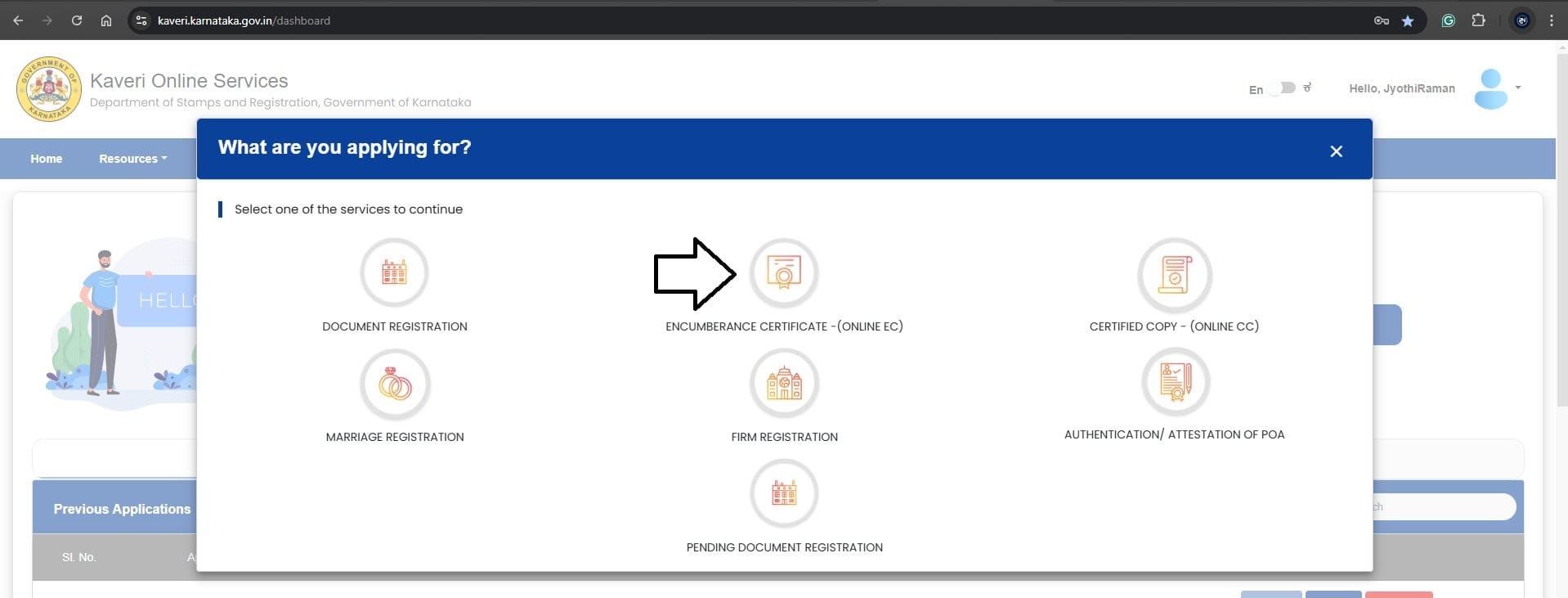
Select Encumbrance Certificate (Online EC).
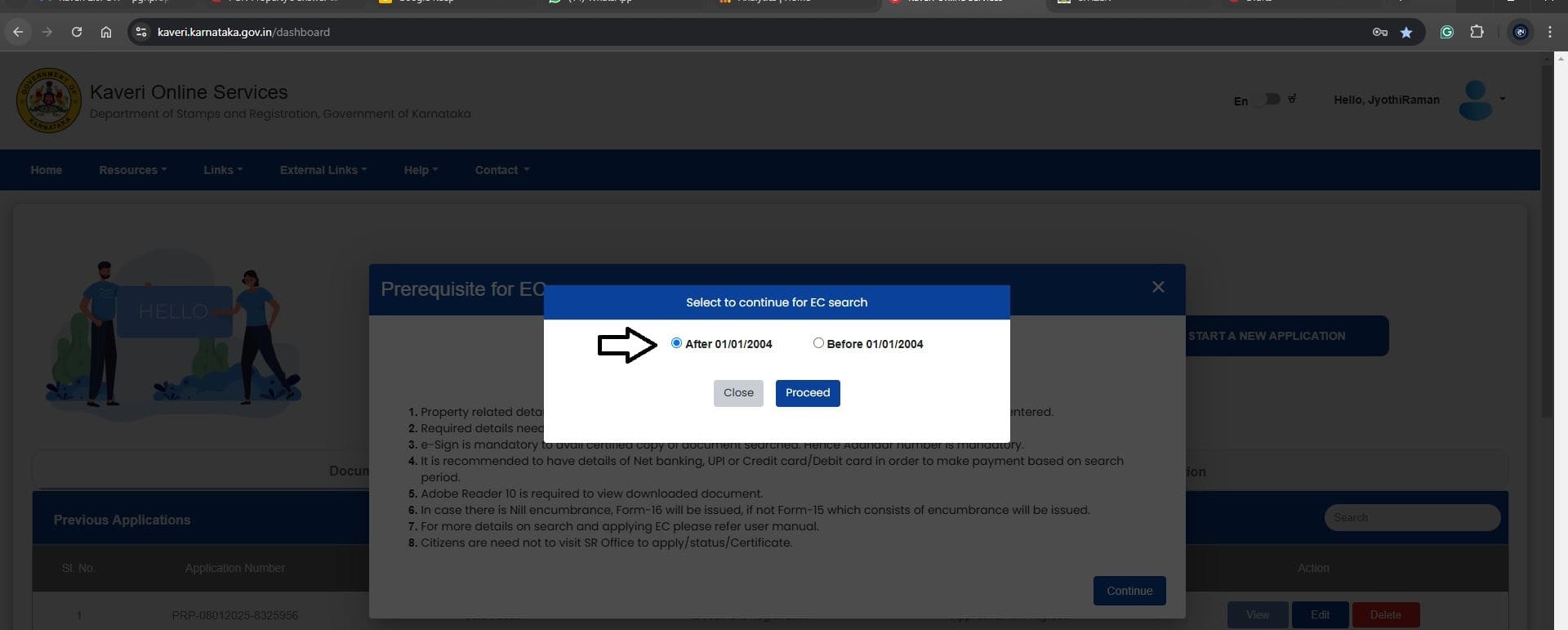
Since I wanted transaction details after 2004, I selected ‘After 01/01/2004’ (see highlighted section in the screenshot below)
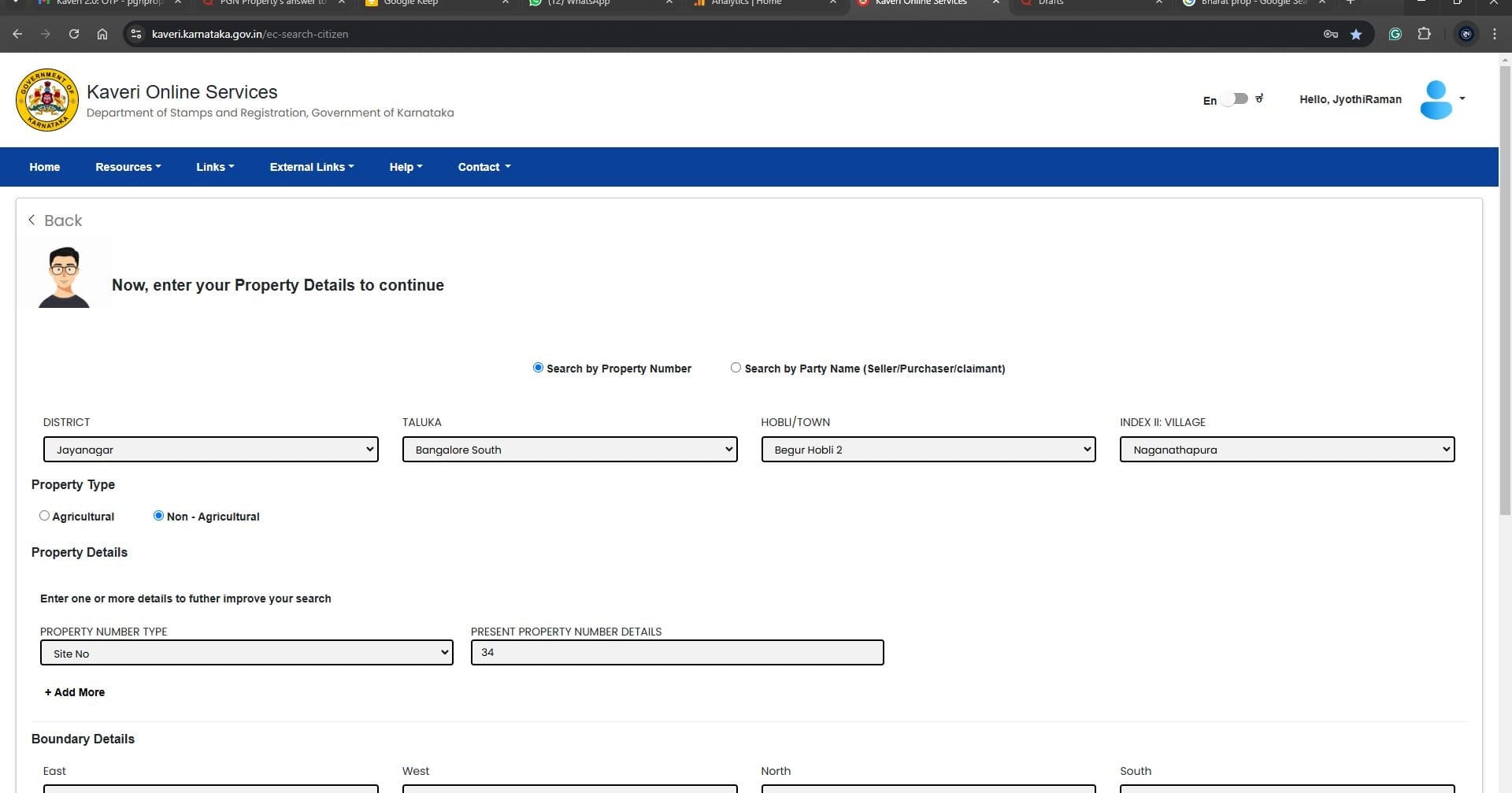
Based on the village name, locate the District, Taluka, and Hobli, then select the following property details from the dropdown menus (see highlighted section in the screenshot below):
- District
- Taluka
- Hobli/Town
- Village
- Property Type
- Property Number Type
In the Period of EC Search, select the From Date and To Date (see highlighted section in the screenshot below):
- From Date: Choose the earliest possible date (e.g., 1st April 2004).
- To Date: Choose the latest date, typically the current date.
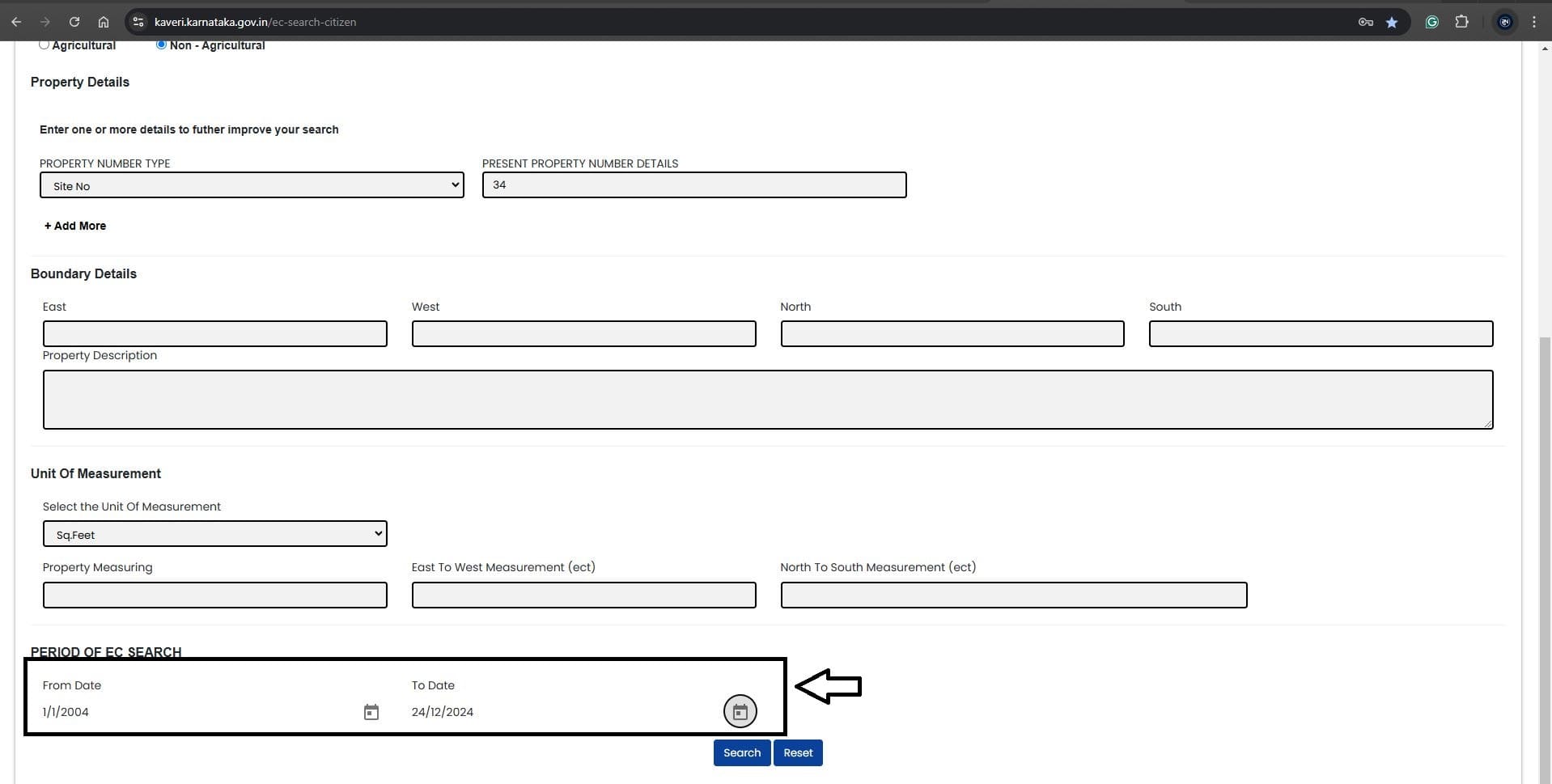
Click Search to display the results. We found approximately 81 entries for Site No. 34, of which two transactions matched the seller’s name SHARADA: the Sale Deed in 2015 and the Confirmation Deed in 2024.
The downloaded EC displays the ownership name, registration number, and ePID number (see highlighted section in the screenshot below)
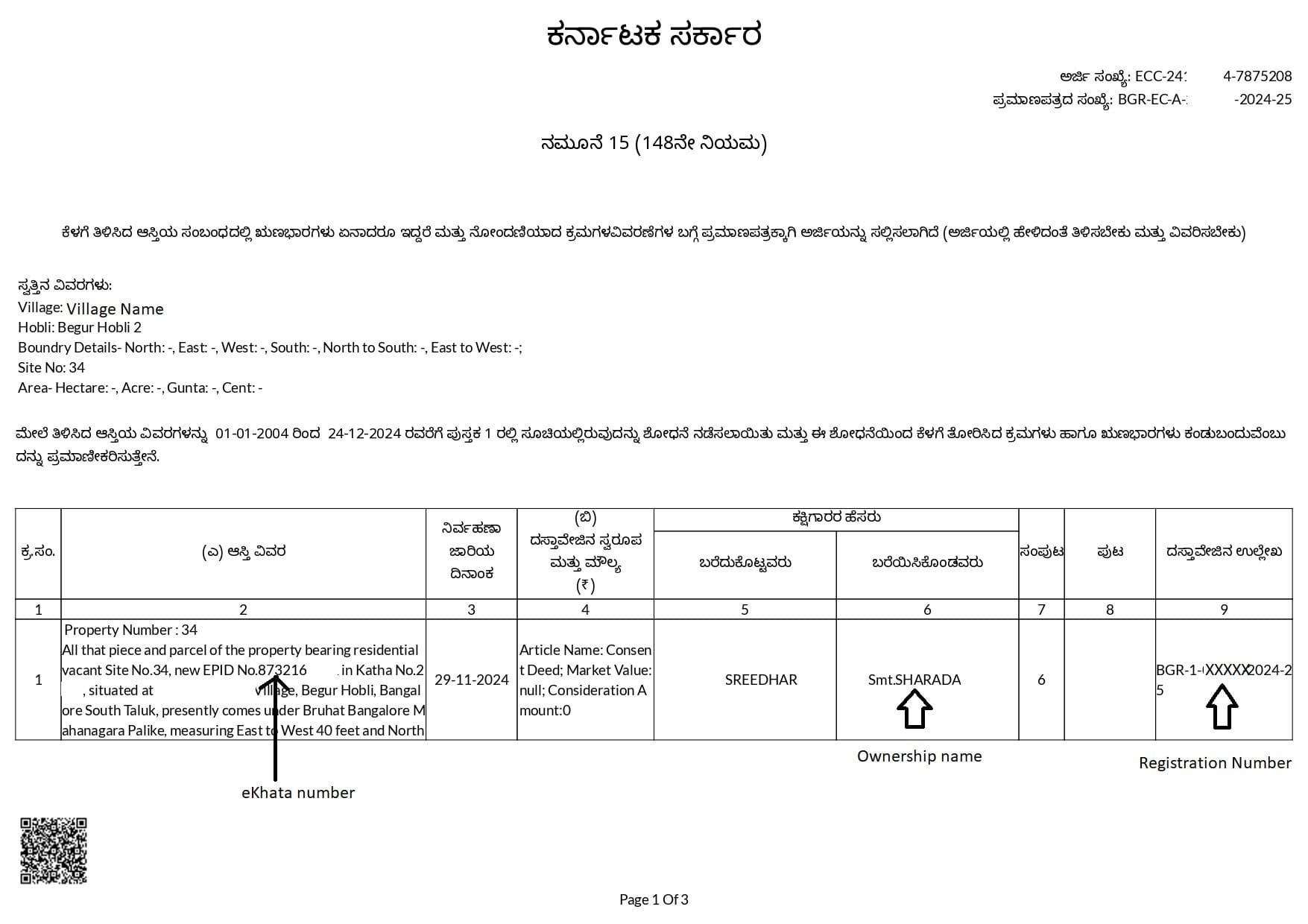
- The Ownership is SHARADA
- Registration Number BGR-1–06XXX-2024–25
- ePID No. 873216XXXX
STEP 2: DOWNLOAD THE REGISTERED DEED (CERTIFIED COPY – CC)
Next, we used the registration number from the EC to download the Certified Copy of the Deed.
Decoding the registration number (BGR-1–06XXX–2024–25):
- BGR: Begur Sub-Registrar Office
- 1: Book Number
- 06XXX: Document Number
- 2024–25: Year of Registration
Steps to download CC:
Log in to Kaveri Online Services and click Start a New Application (see highlighted section in the screenshot below)
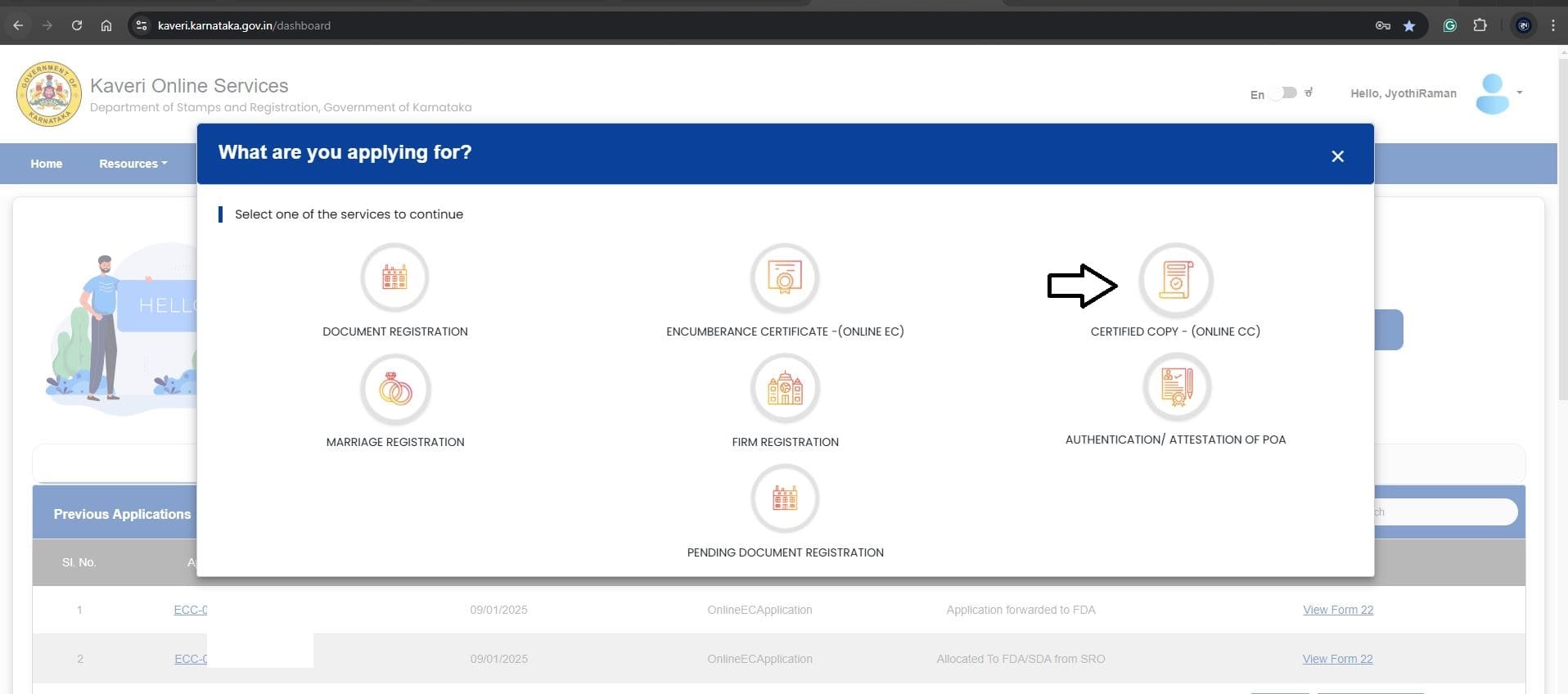
Select CERTIFIED COPY - (ONLINE CC)
Since the property was registered in 2024–25 (after 2004), we selected ‘After 01/01/2004’ (see highlighted section in the screenshot below)
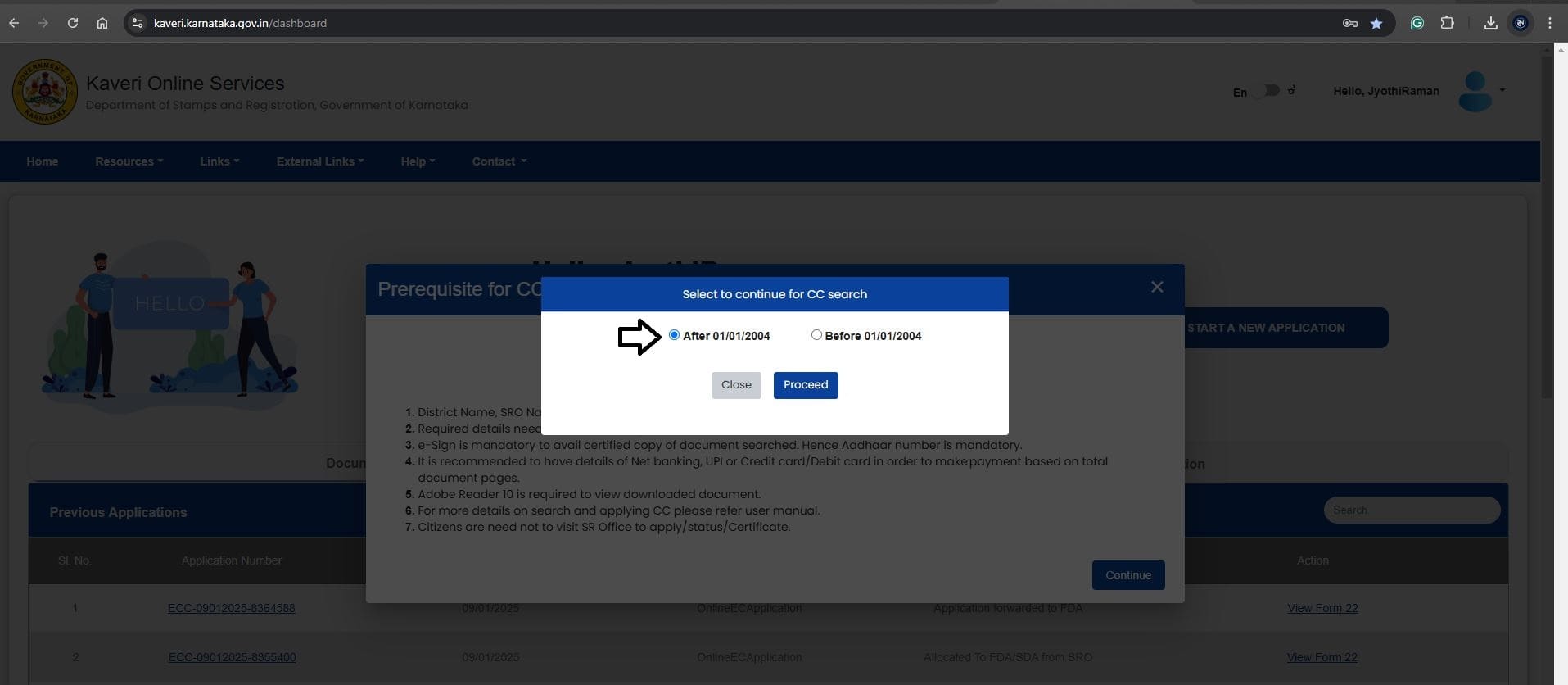
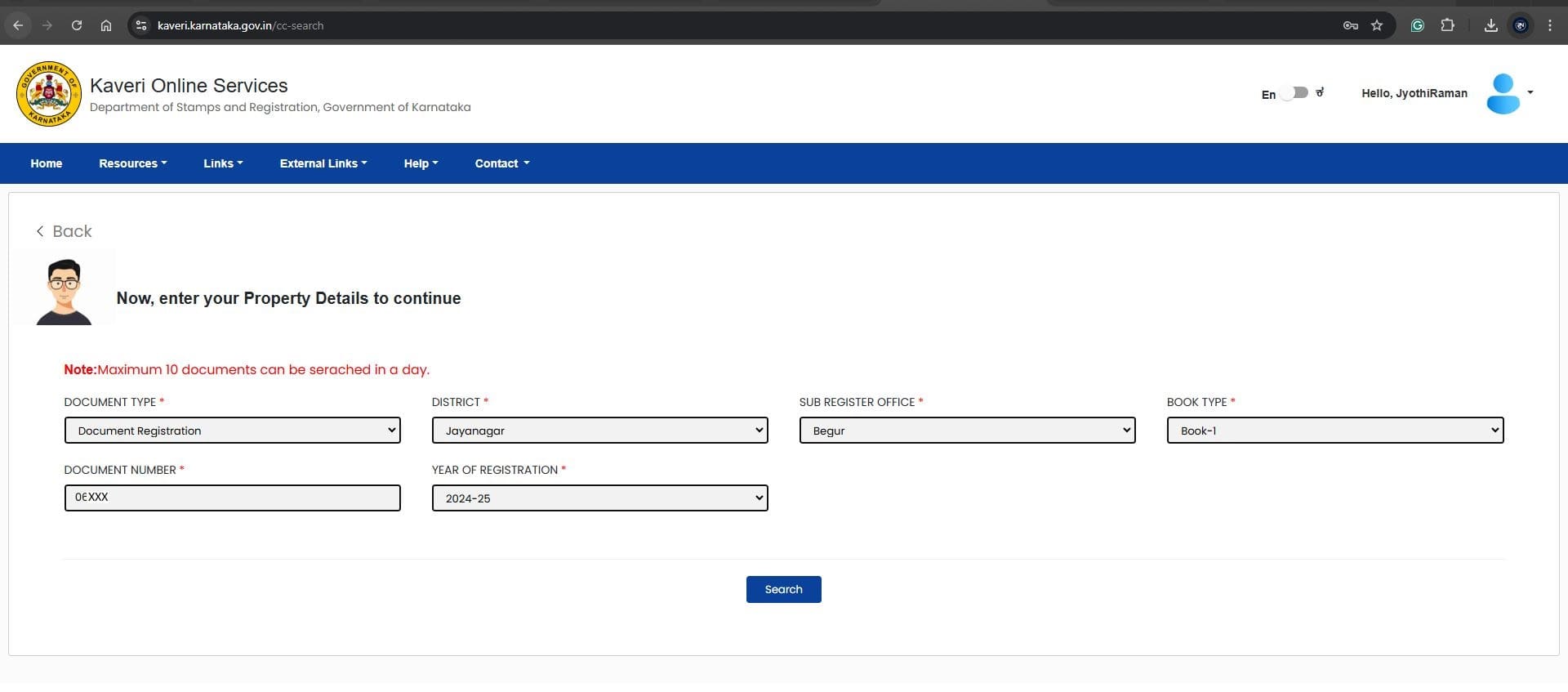
We fill out the application based on the registration number BGR-1–06XXX-2024–25.
- Document Type - Select “Document Registration” from dropdown
- District - The property comes under Jayanagar District Jurisdiction, we selected “Jayanagar” from the dropdown list
- Sub Registrar Office - BGR abbreviates Begur sub-registrar office (the place where this Deed was registered), we selected Begur from dropdown list
- Book Type - Select Book -1
- Document Number - Enter 5-digit document number 06XXX
- Year Of Registration - Select 2024–25
Refer to the below-filed image
Click Search to display the first page of the Deed, refer to the below image
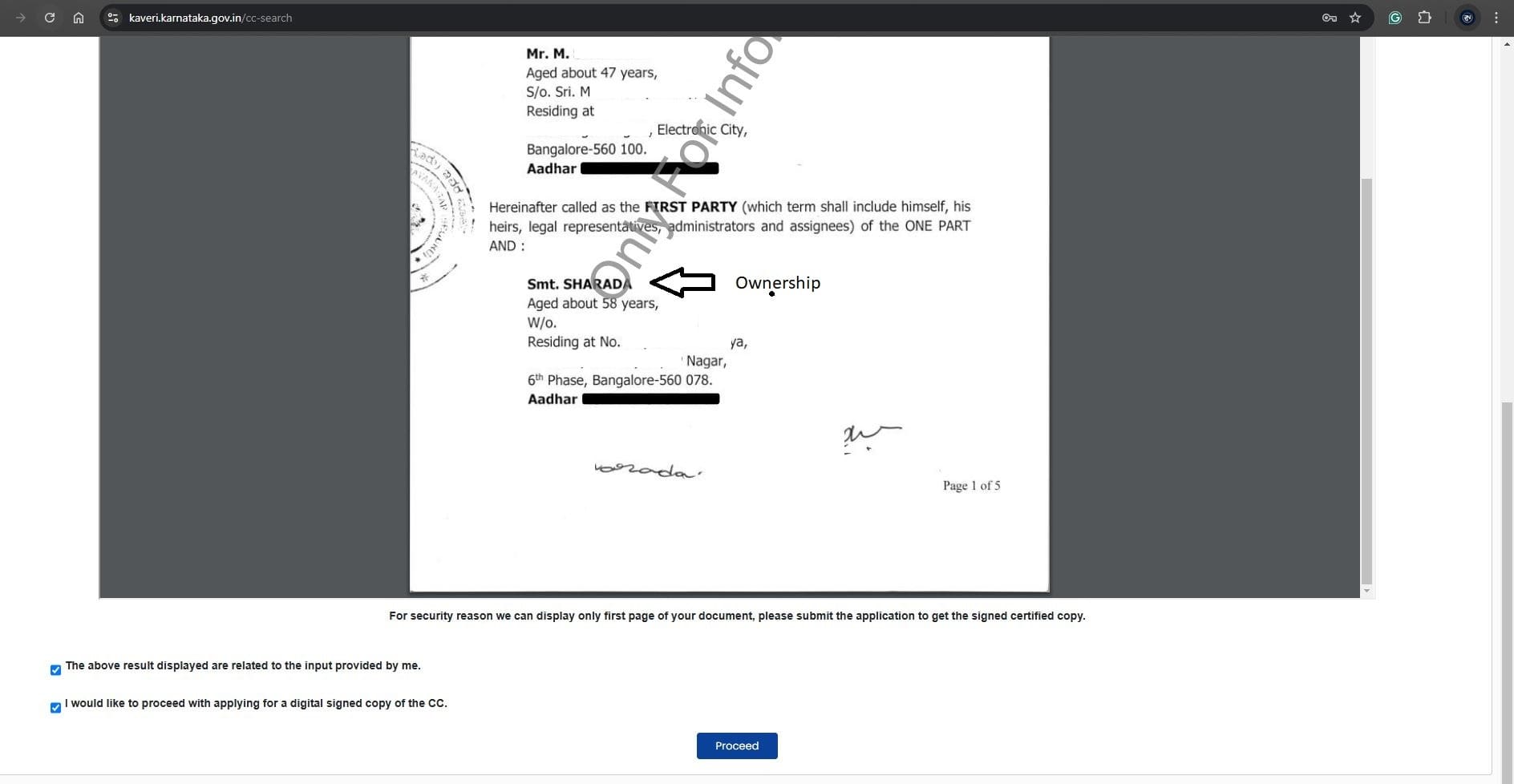
Click Proceed, make the payment (approximately Rs.250), and complete the eSign process
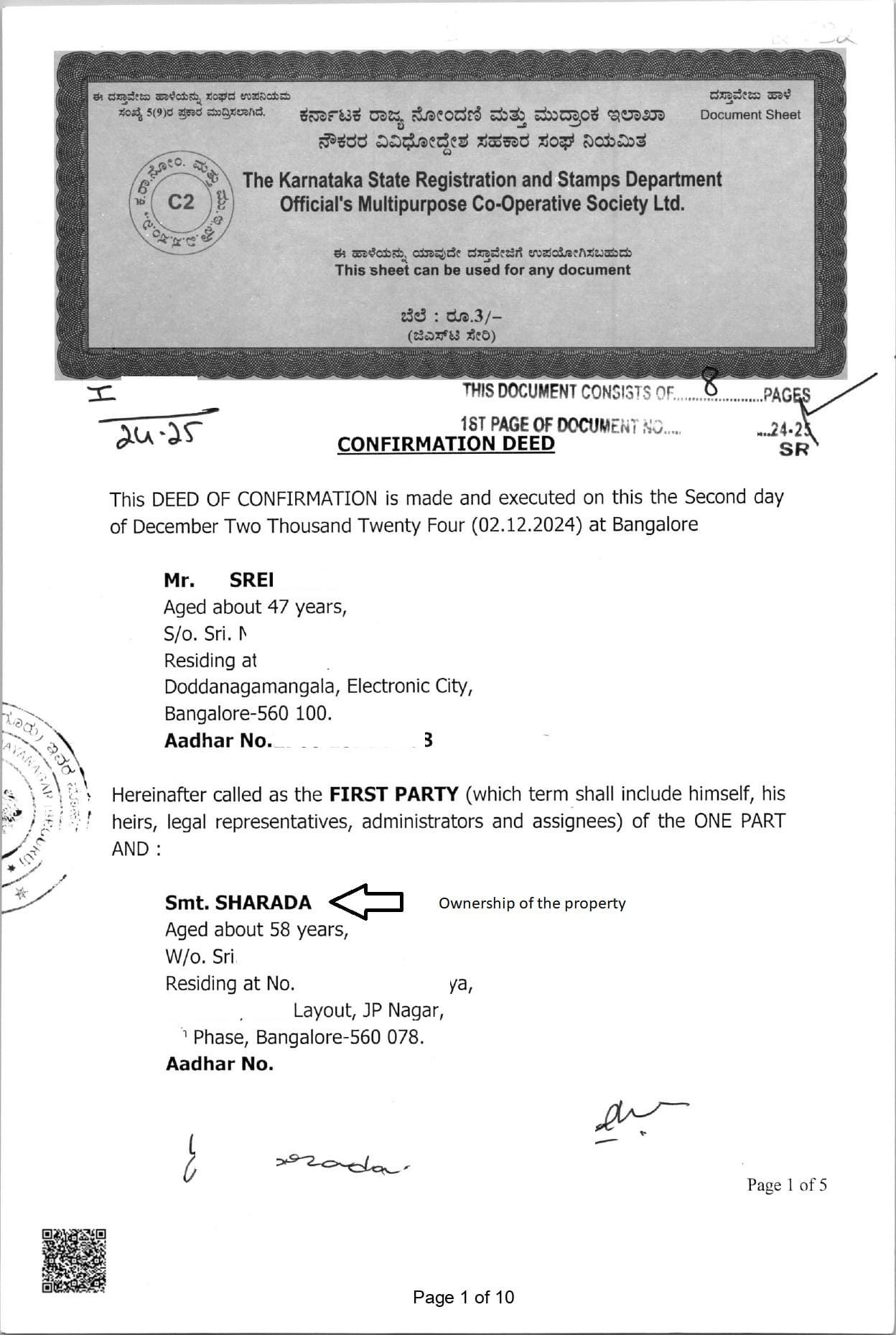
The signed, certified copy will be ready within 3–5 working days. It includes all pages of the deed, allowing you to review additional property details.
According to the EC, SHARADA registered the Sale Deed in 2015 and the Confirmation Deed in 2024. To understand the reason for executing the Confirmation Deed, we applied for a certified copy and received it within three working days.
The certified copy clearly shows the ownership name SHARADA (see highlighted section in the screenshot below).
STEP 3: DOWNLOAD AND VALIDATE EKHATA
According to the EC, the 10-digit ePID number is 873216XXXX. Using this ePID number, we can download the eKhata.
- Log in to the BBMP eAasthi portal.
- Enter the 10-digit ePID number (see highlighted section in the screenshot below)
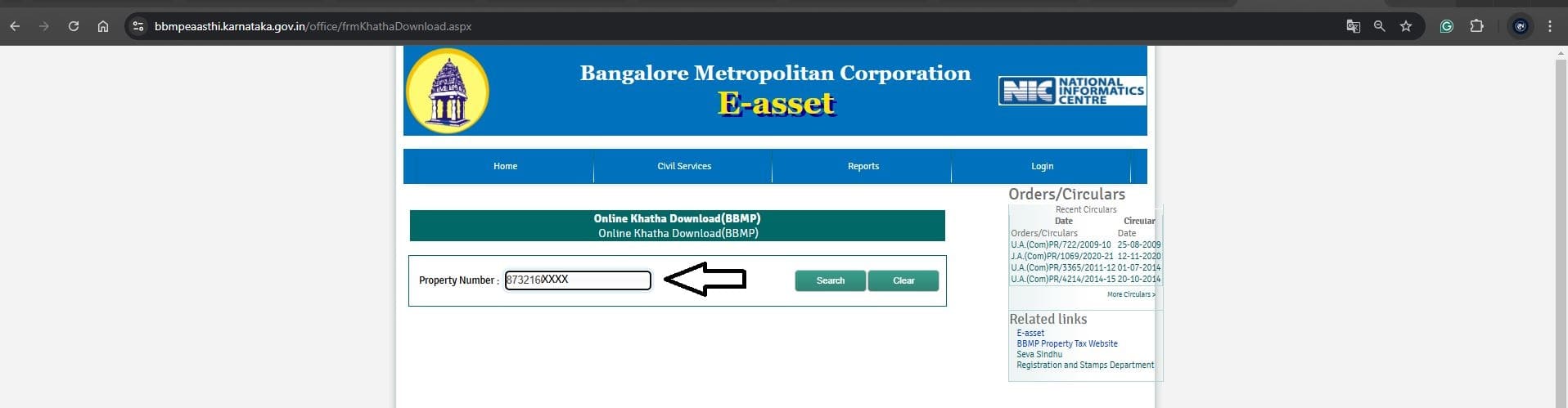
Click on Search and make the Payment of Rs. 125, Refer to image below
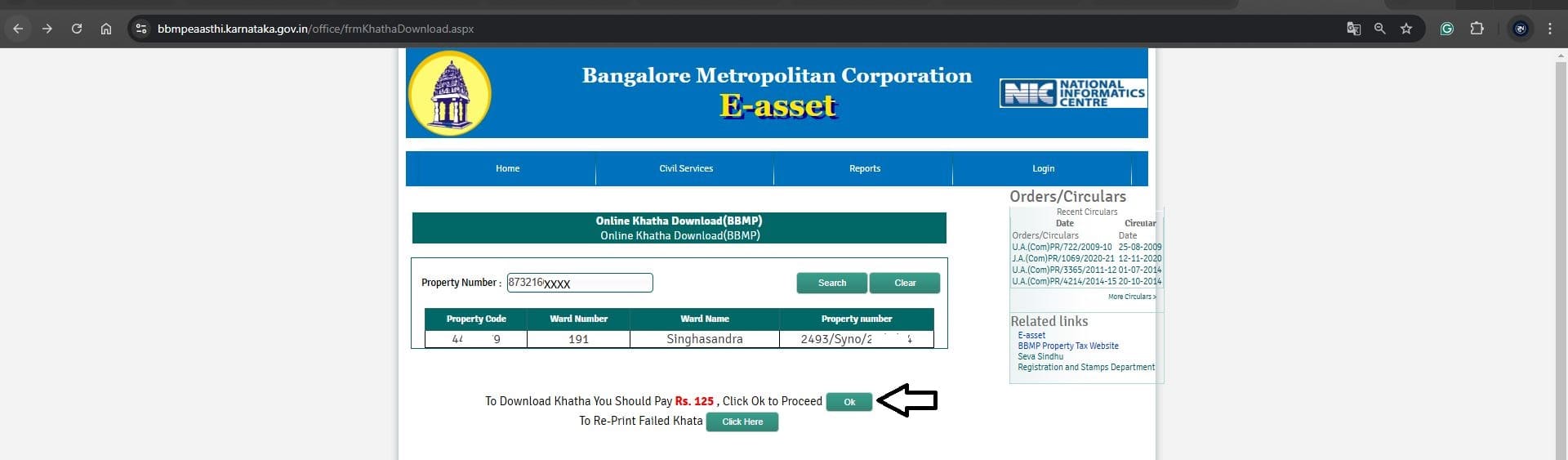
After the payment, the ekhata downloads, refer to the image below
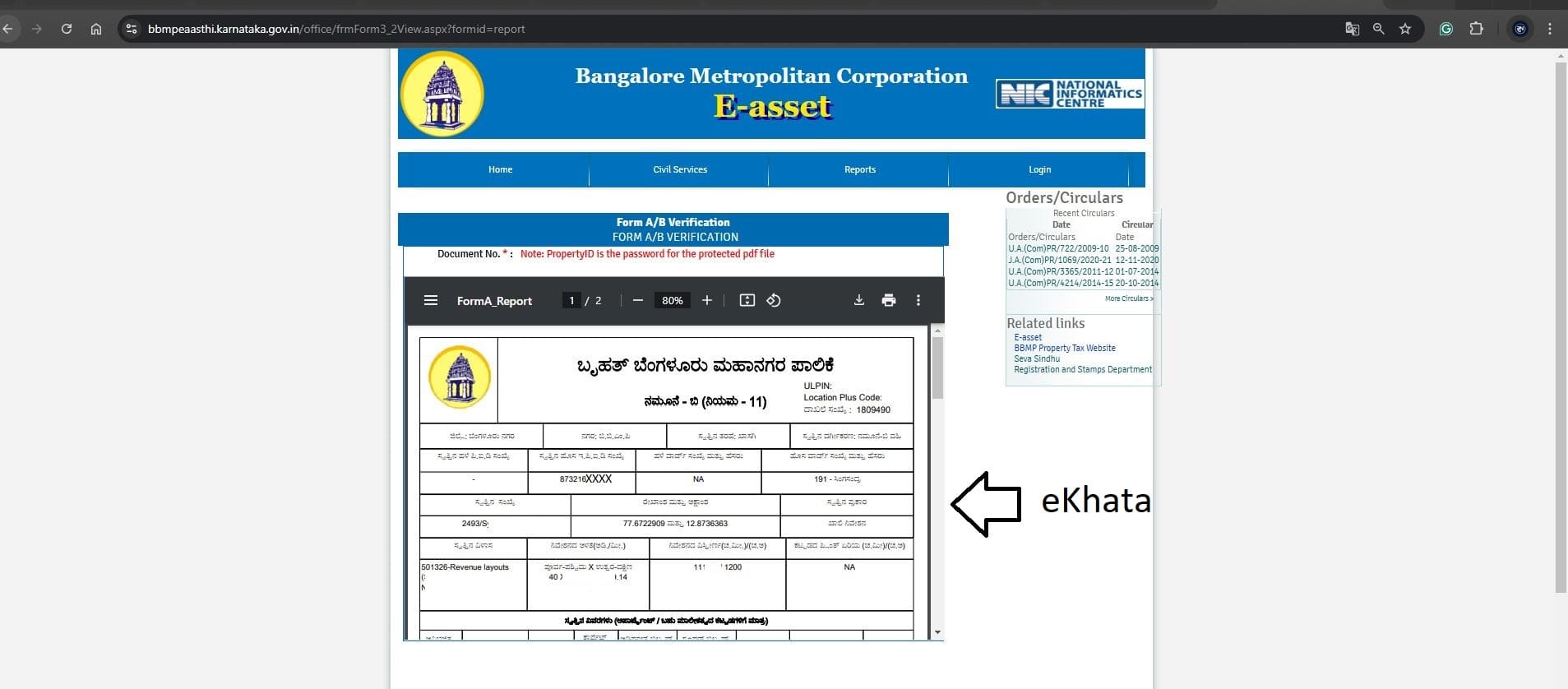
Refer to the Ownership name SHARADA in the below ekhata image
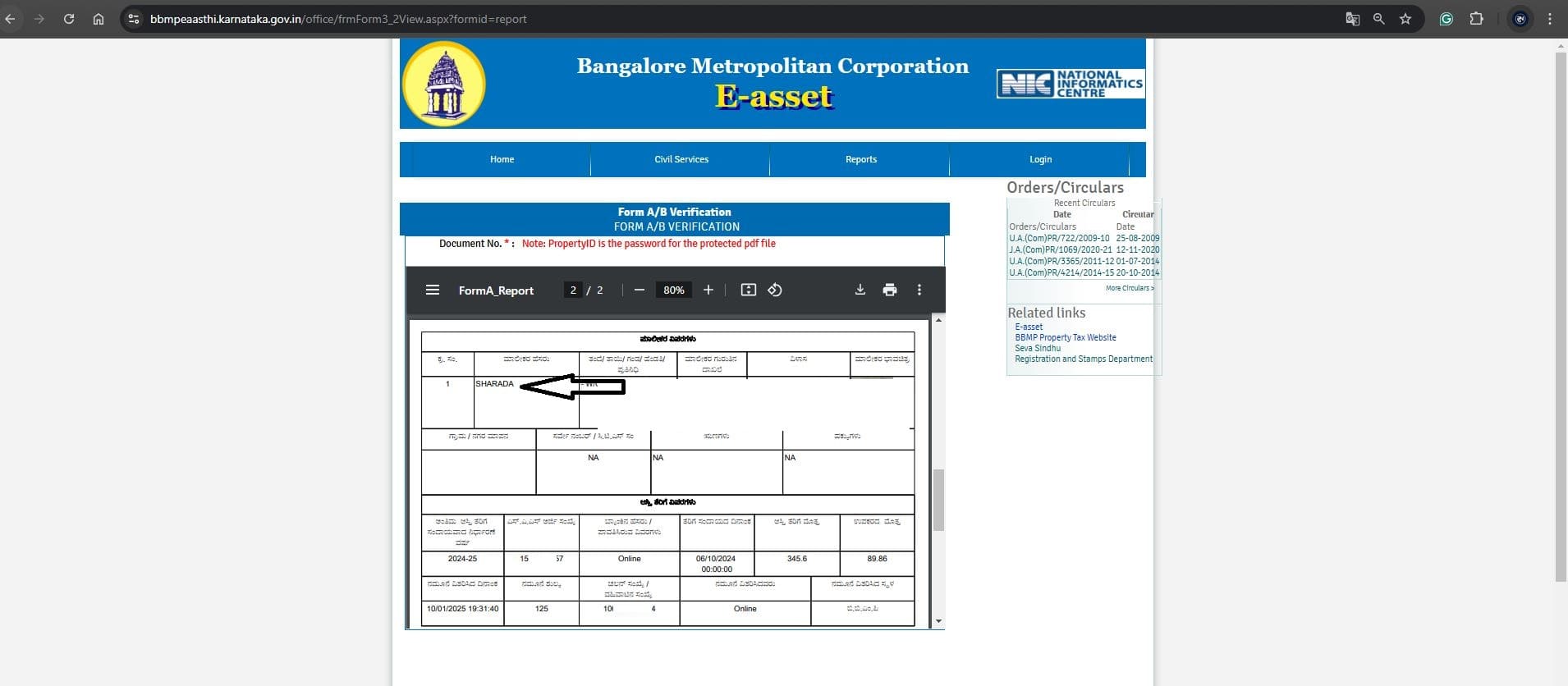
Validate ekhata:
The eKhata can be validated on Kaveri Online Services by following these steps
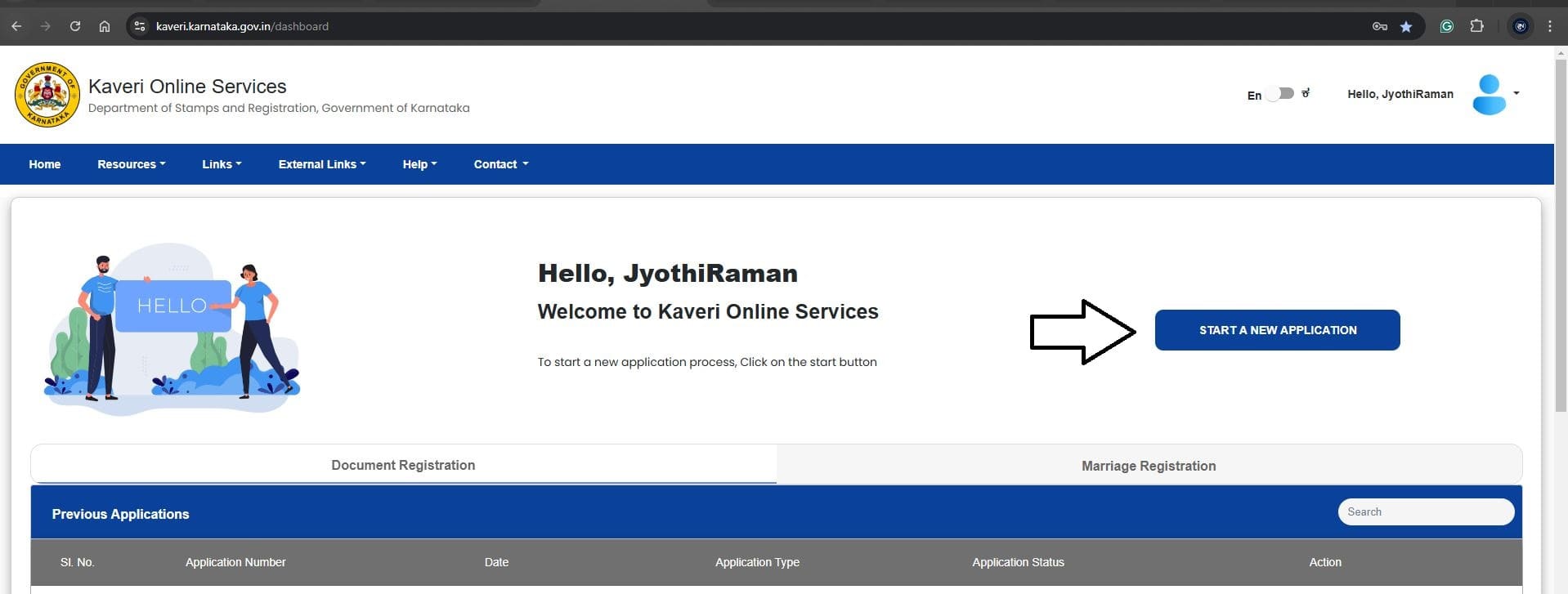
Log in to Kaveri Online Services and select START A NEW APPLICATION. Refer to the image below
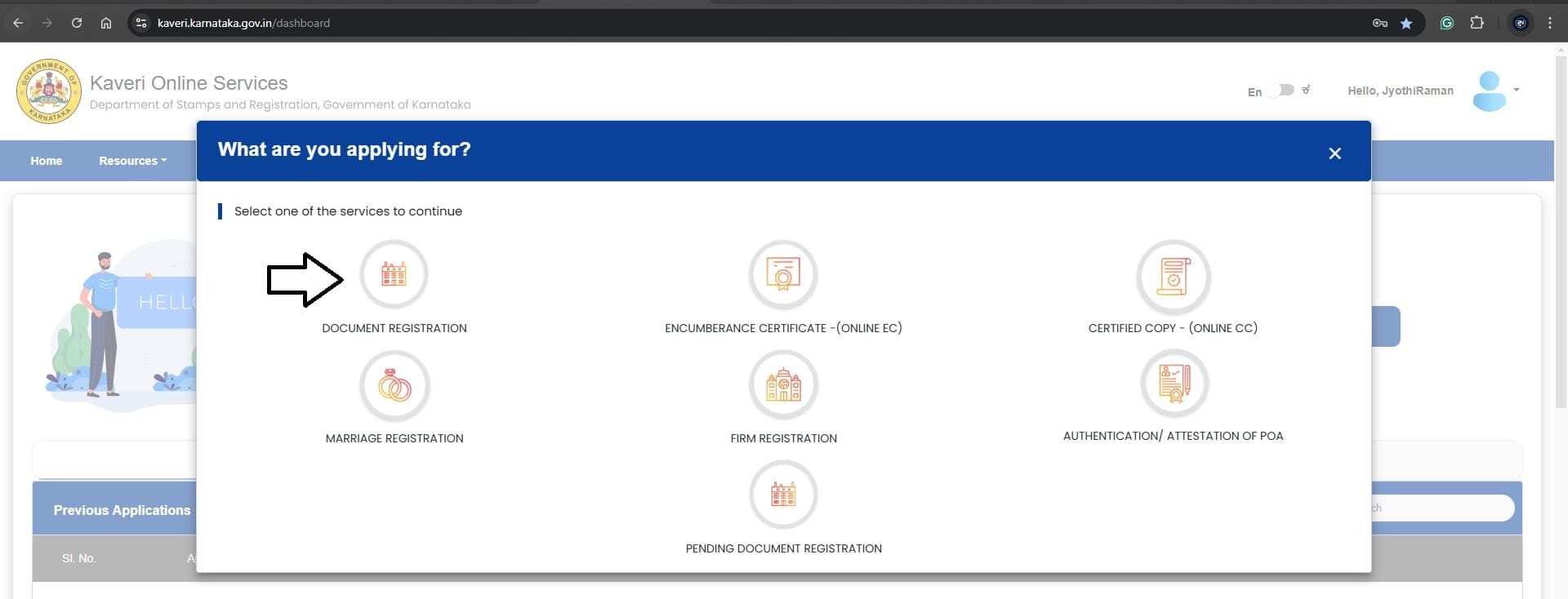
Select DOCUMENT REGISTRATION
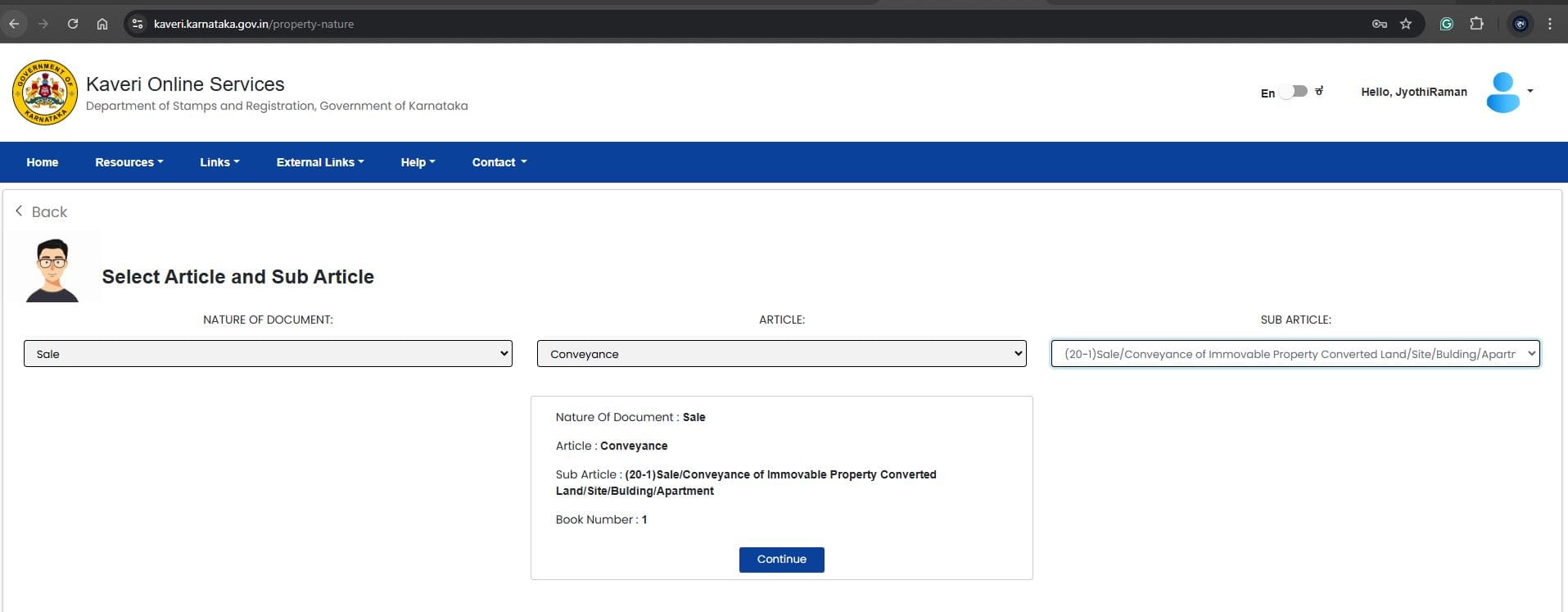
Select any Article and Sub-Article. For example, we chose Sale and Conveyance of Immovable Property (see highlighted section in the screenshot below).
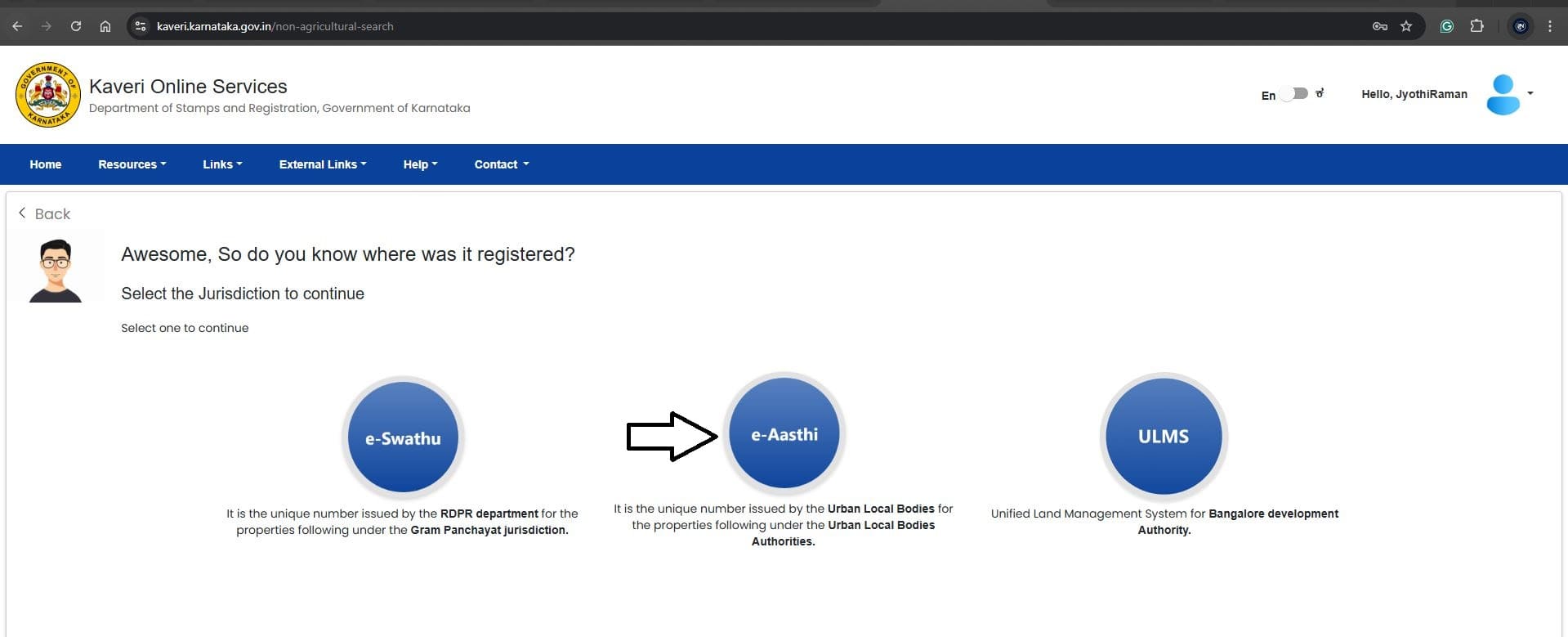
Select the Jurisdiction. In my case, the property is in the BBMP jurisdiction, so I selected e-Aasthi. Refer to the image below
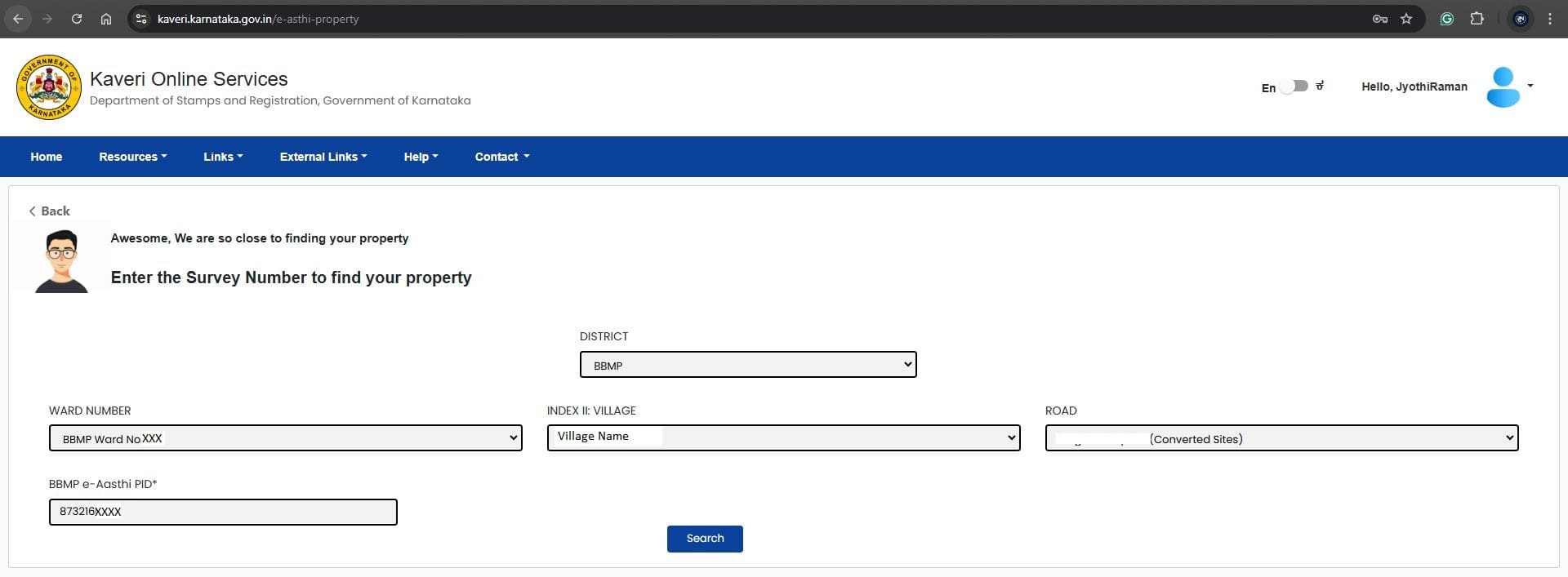
Enter the following information about the property, we can locate this information in the ekhata which we downloaded above
- DISTRICT
- WARD NUMBER.
- INDEX II: VILLAGE
- ROAD
- BBMP e-Aasthi PID
Refer to the image
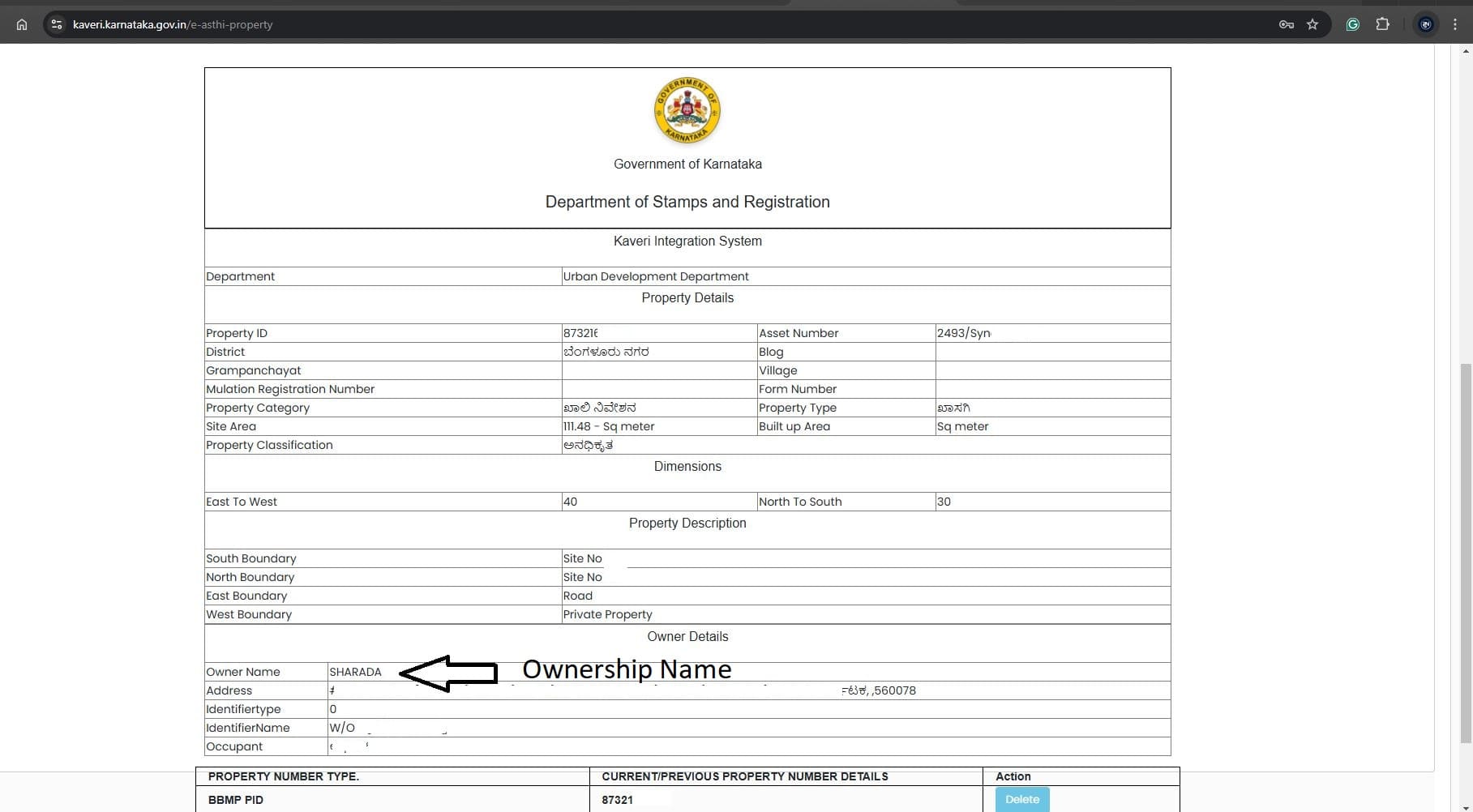
Click on Search and Ownership name SHARADA displayed below, refer to the image
STEP 4: DOWNLOAD THE PROPERTY TAX RECEIPT
To download the property tax receipt, you need the 10-digit property tax application number, which can be found in the eKhata downloaded earlier. Typically, this number is located on page 2 of the eKhata (see highlighted section in the screenshot below)
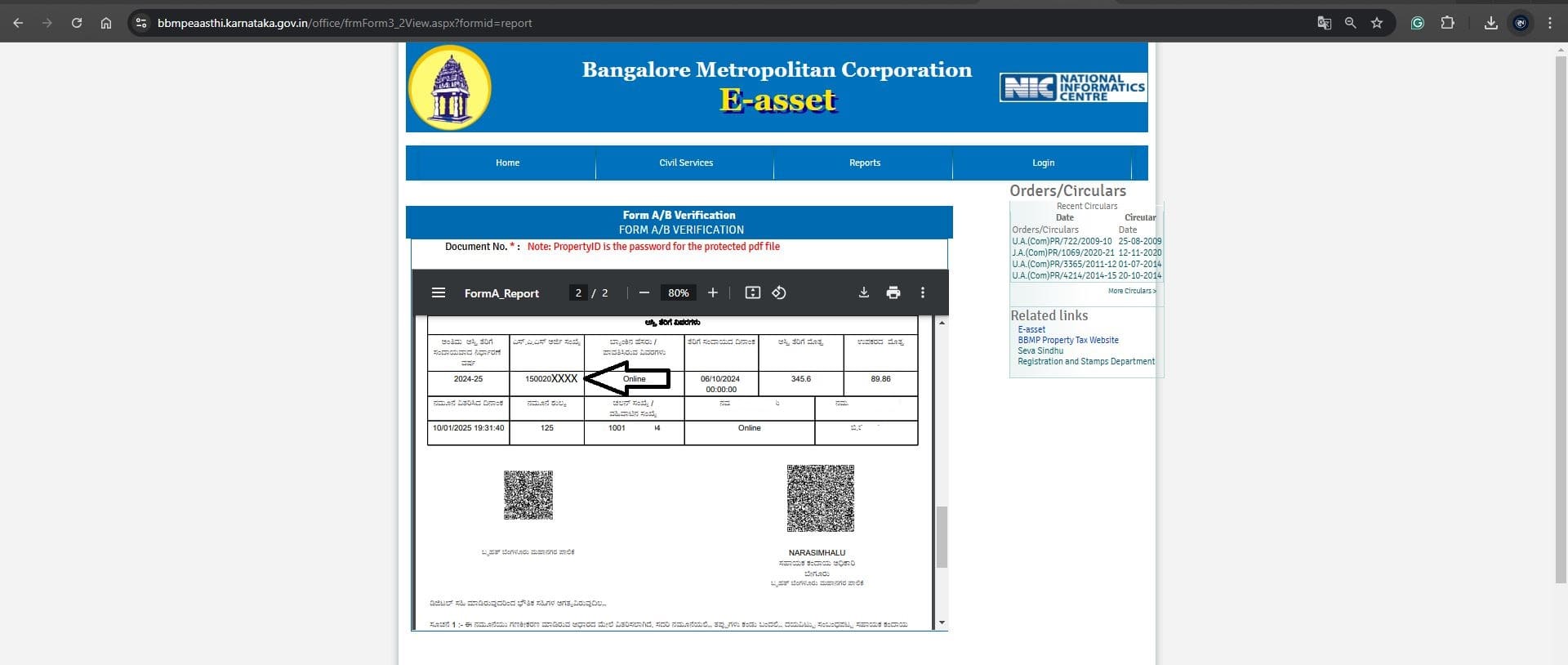
As per the ekhata, the tax application number is 150020XXXX. Log in to the municipality website, in our case, the BBMP website.
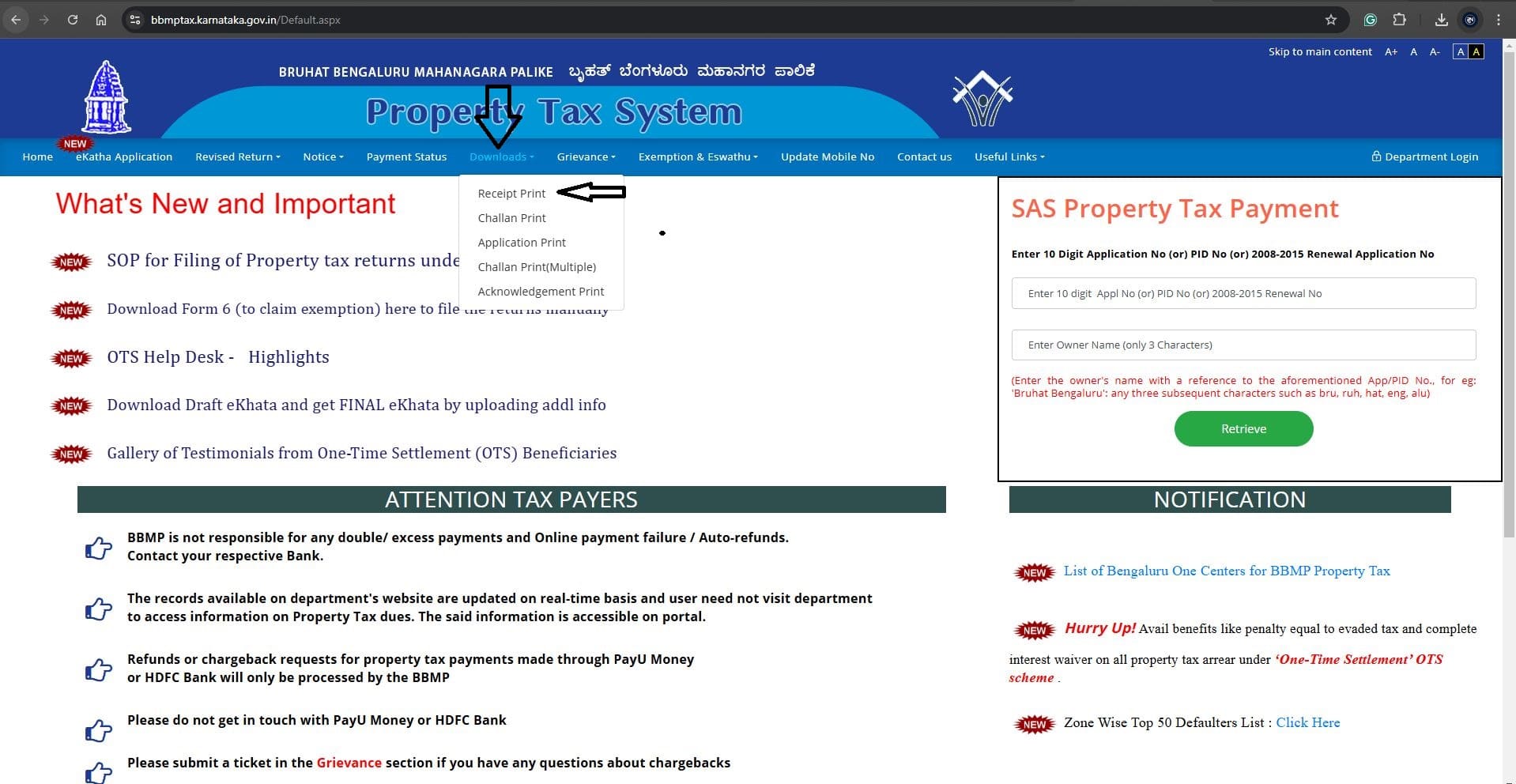
In the menu, select Downloads and Receipt Print. Refer to the image below
Enter the 10-digit tax application number and Captcha. Refer to the image below
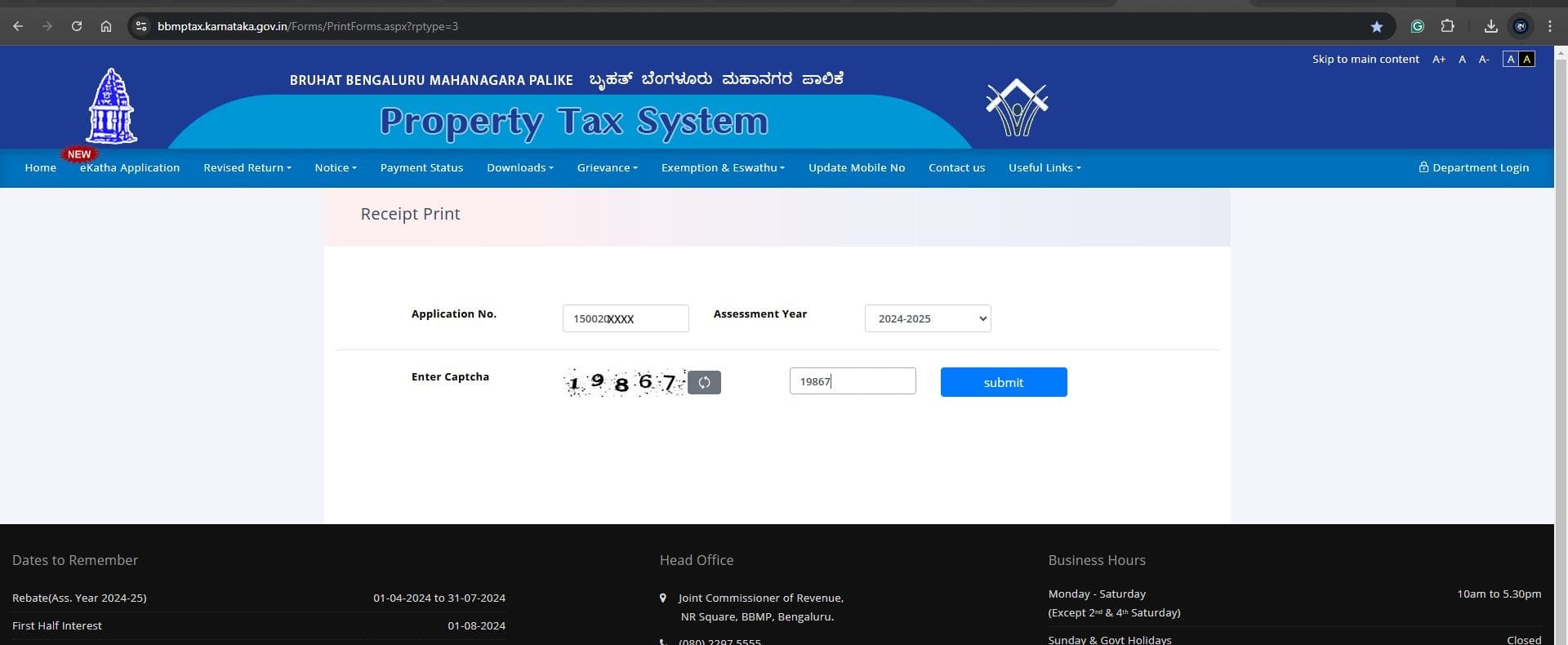
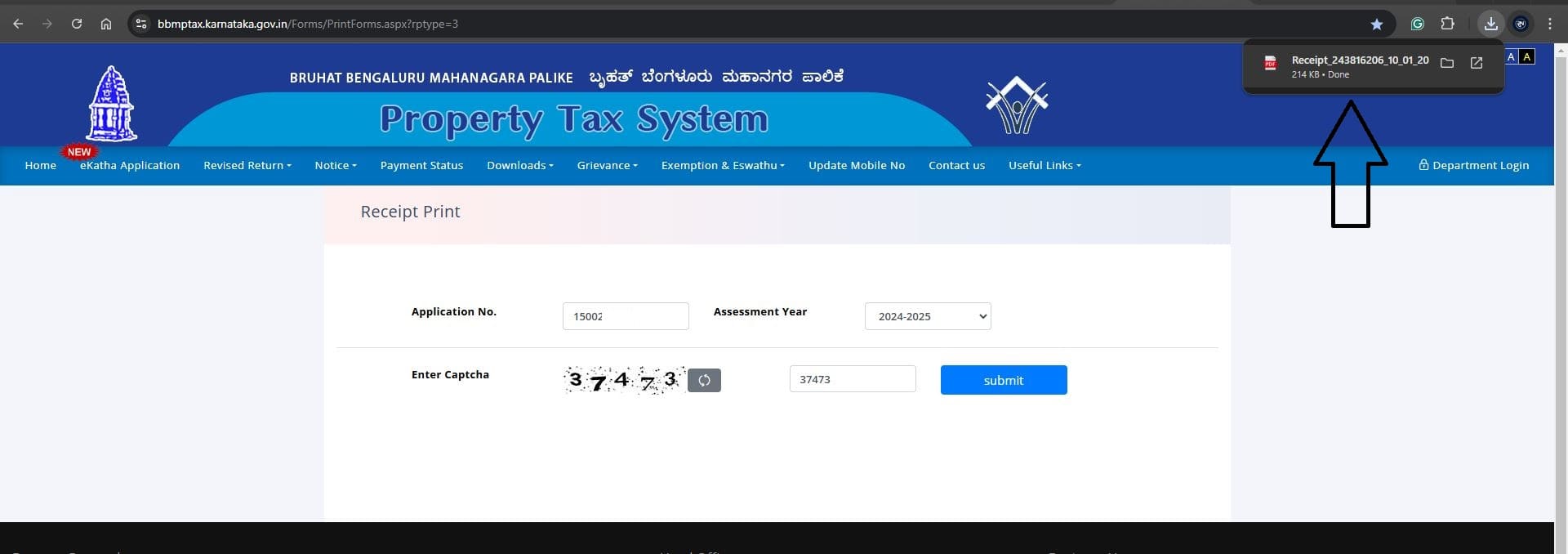
Click Submit, and the property tax receipt downloads in PDF. Refer to the download in the image below
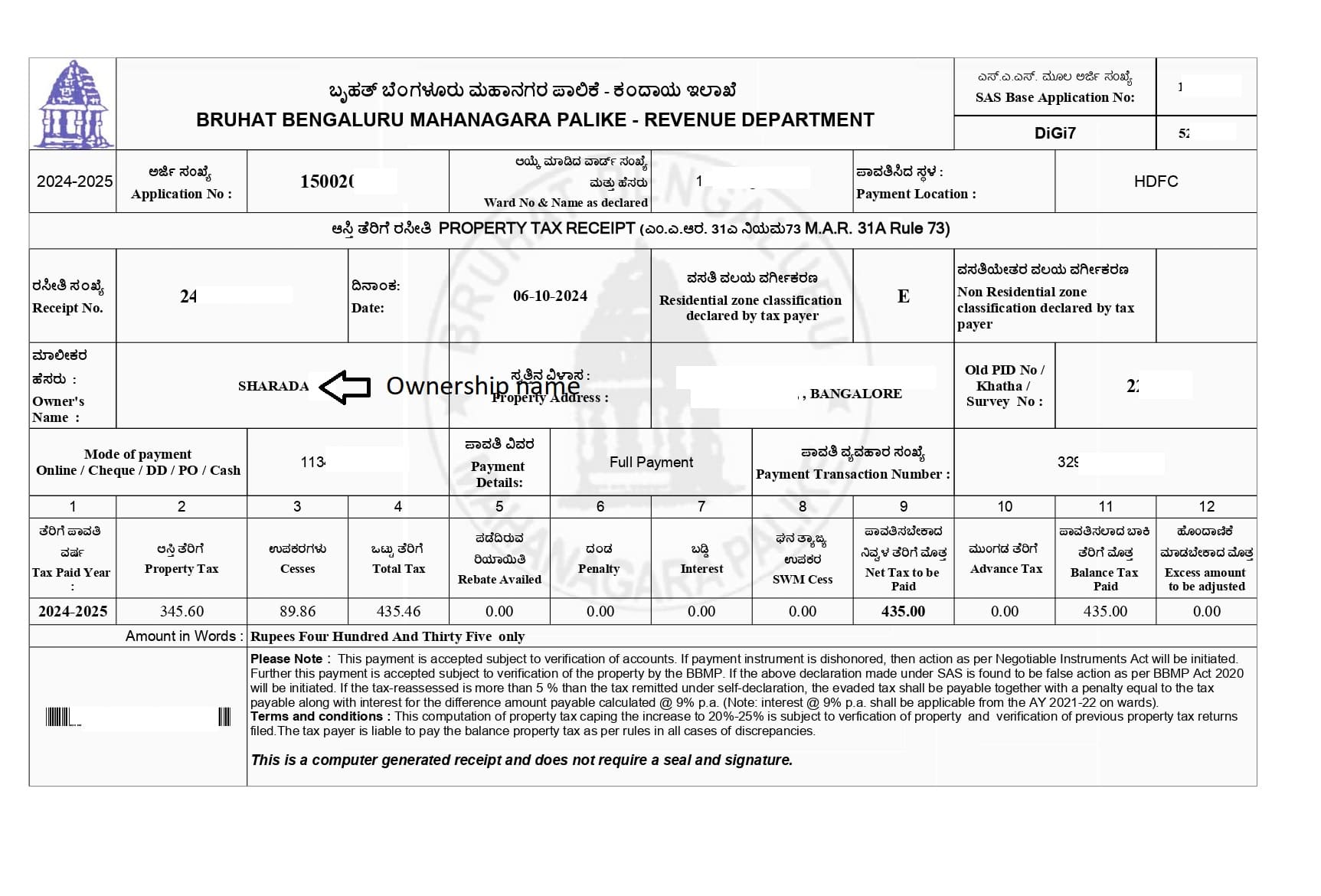
We highlighted the ownership name SHARADA in the below property tax receipt
FINAL OUTCOME
By downloading all four documents online: EC, Certified Copy, eKhata, and Property Tax Receipt, we confirmed that Ms. Sharada is the rightful owner of Property No. 34.
This verification helped my client avoid paying an advance without proof, ensuring a safe and transparent transaction.
WHY OWNERSHIP VERIFICATION MATTERS
- Protects buyers from fraudulent claims
- Confirms property is free from disputes or encumbrances
- Ensures property taxes are updated with the rightful owner
- Provides legal confidence before making an advance or final payment
Need help with property ownership verification in Bangalore?
- Email: pgnproperties@gmail.com
- WhatsApp: +91-97424-79020
FAQs
Q1. How can I check property ownership online in Bangalore?
You can verify property ownership in Bangalore by downloading four key documents: Encumbrance Certificate (EC), Registered Deed (CC), eKhata, and Property Tax Receipt from official government portals.
Q2. Is Encumbrance Certificate (EC) enough to confirm property ownership?
No. While EC shows ownership and transaction history, you must also check the Registered Deed, eKhata, and Property Tax Receipt for complete verification.
Q3. Can I download a Certified Copy of the Sale Deed online in Bangalore?
Yes. Using the registration number, you can download the Certified Copy (CC) of the Sale Deed through Kaveri Online Services by paying a small fee.
Q4. What is the cost of downloading eKhata in Bangalore?
The BBMP eKhata can be downloaded by paying Rs.125 on the BBMP eAasthi portal.
Q5. Why is property tax receipt important for ownership verification?
The property tax receipt links the property to municipal records and confirms that the property is registered under the rightful owner’s name.