
- Visit the official website of Kaveri Online Services, here is the website link https://kaveri.karnataka.gov.in/landing-page
- Create an account and login using your username & password
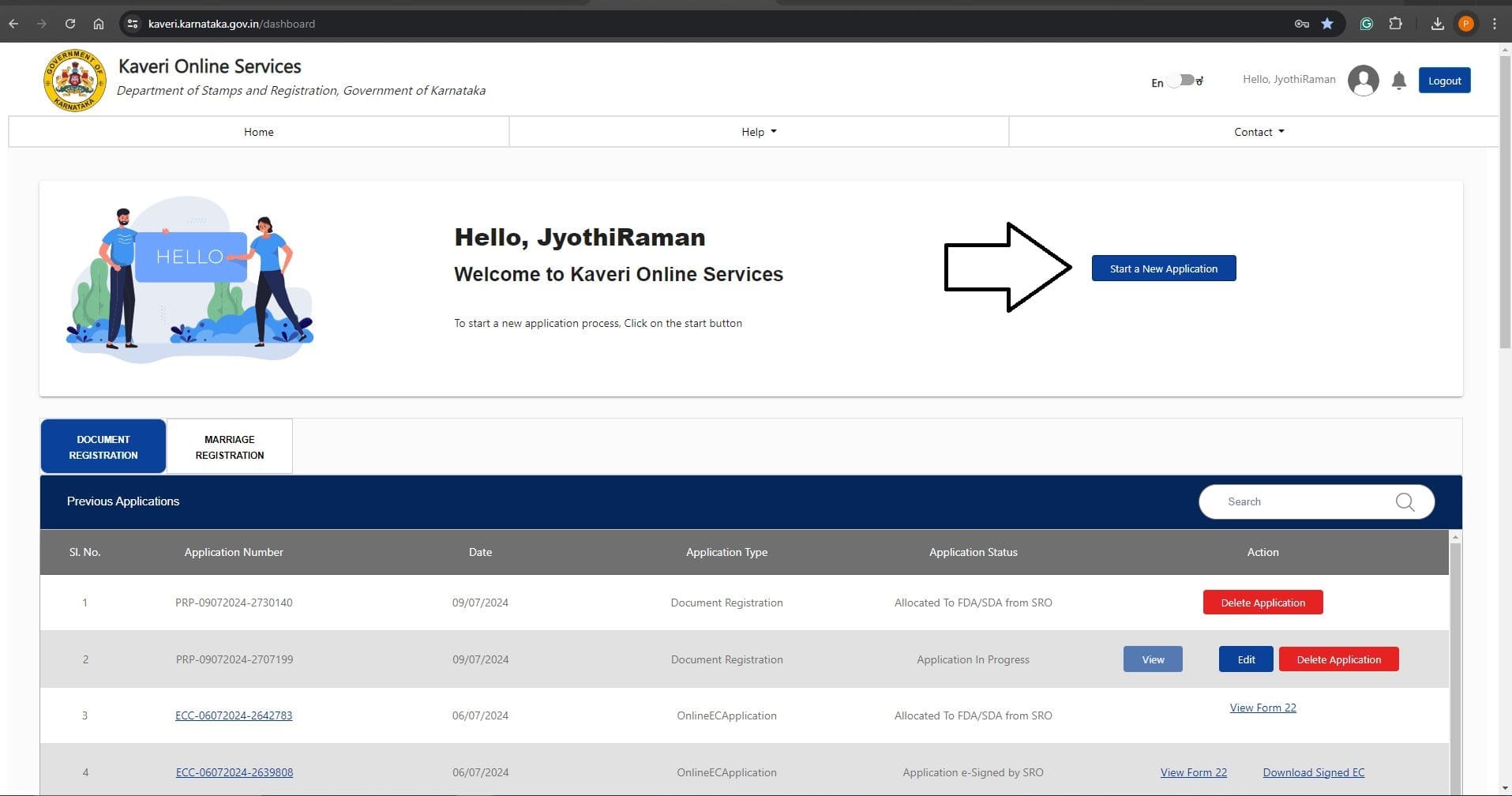 Click on CERTIFIED COPY - (ONLINE CC), refer to the below image
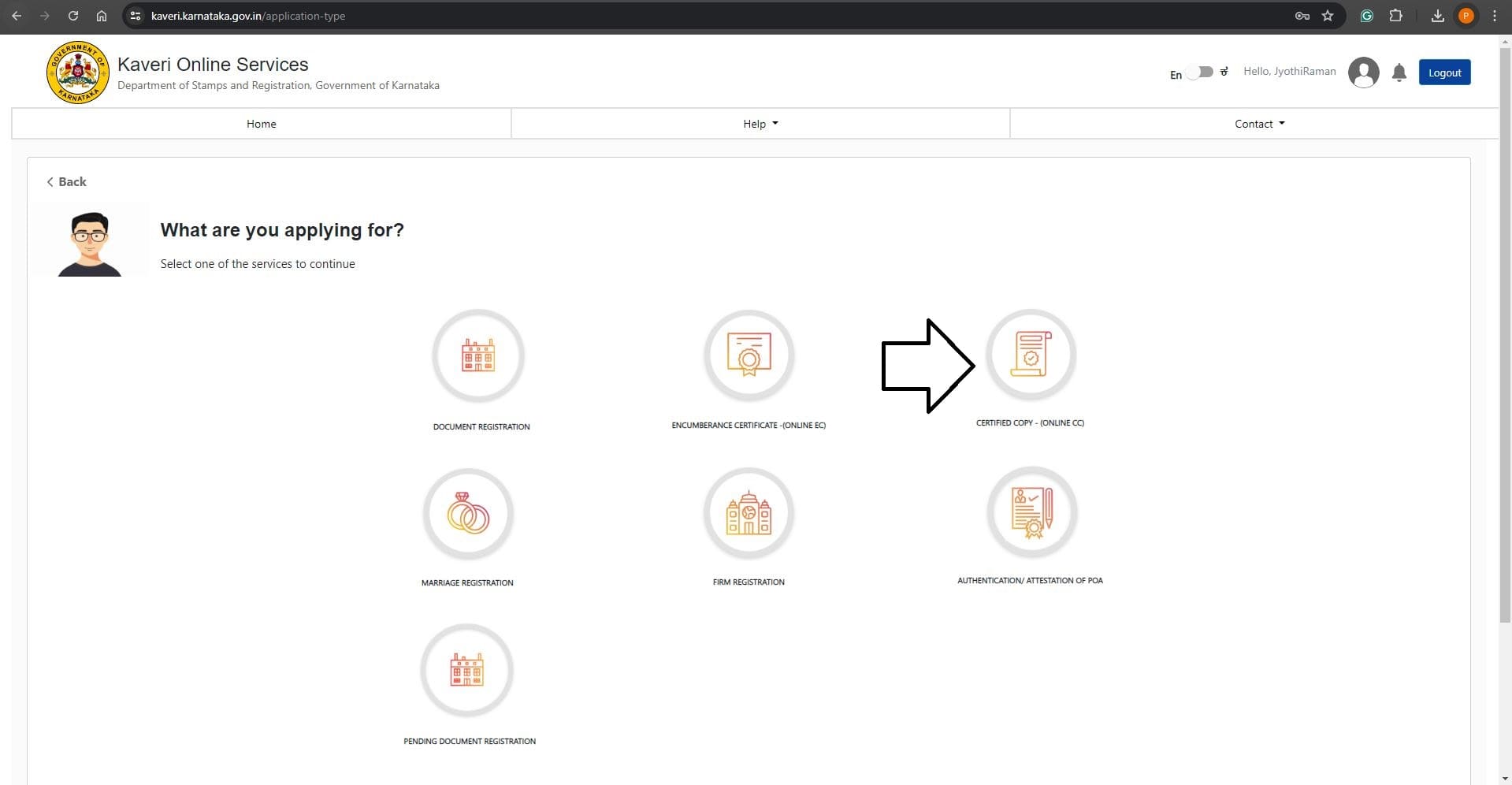 In Prerequisite for CC, Click on Continue, refer to the below image
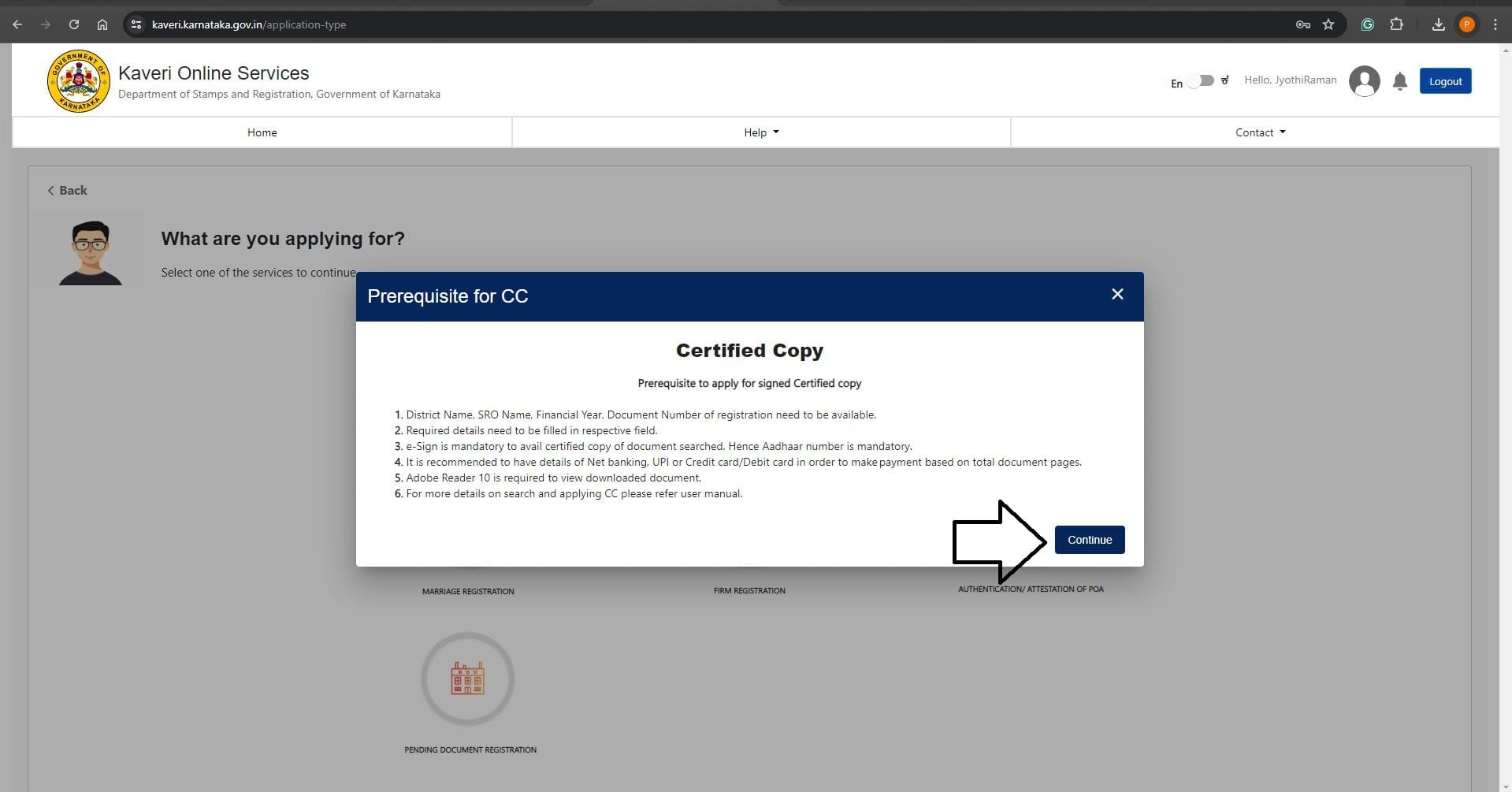
Before we proceed further, let's understand the abbreviation of registration number because the registration number reveals the required data to fill application further For example: The marriage registration number is BYP-HMXXX–2021–22, This registration number consists of four pieces of information, that are:
- Sub-registrar Office
- Marriage Type
- Document Number
- Year of Registration
- BYP: Every sub-registrar office has a short name. BYP is the short name of Byatarayanapura sub-registrar office which comes in Gandhinagar District Jurisdiction in Bengaluru Urban
- HM: is the abbreviation of Hindu Marriage, similarly we have abbreviations for two more marriage types, they are:
- XXX: is the unique identity number. This number is called “Document Number”.
- 2021–22: is the year of registration
- DOCUMENT TYPE: Select Marriage Registration from dropdown list
- Marriage Type: Selected Hindu Marriage (Select your marriage type)
- DISTRICT: Selected Gandhinagar (Select the District where your marriage was registered)
- SUB REGISTER OFFICE: Selected Byatarayanapura (Select the sub-registrar office where your marriage was registered)
- DOCUMENT NUMBER: Entered XXX, (Enter your unique identity number)
- YEAR OF REGISTRATION: Selected 2021–22, (Select the year of your marriage registration)
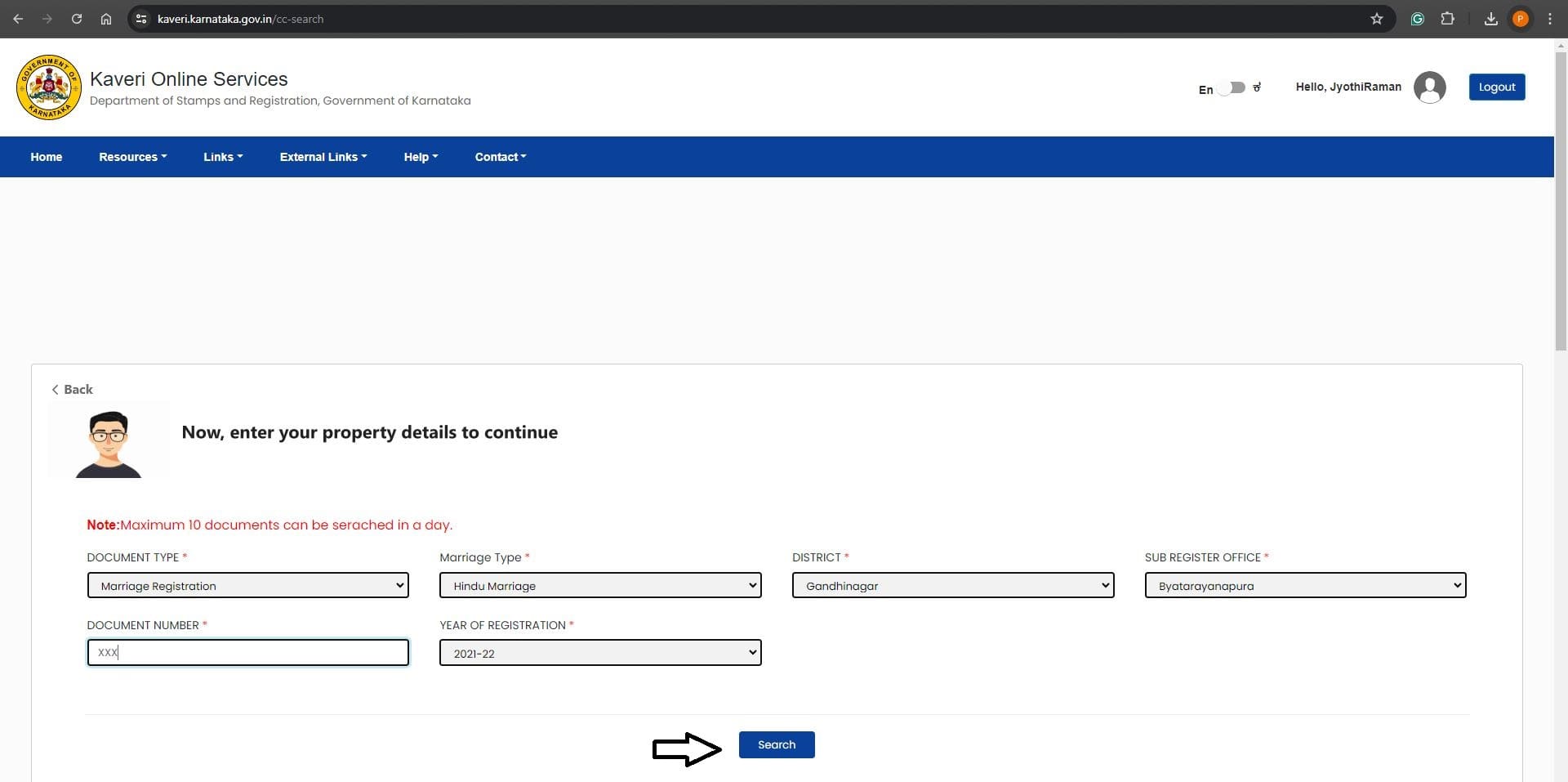 Click on Search. Refer to the arrow mark in above image
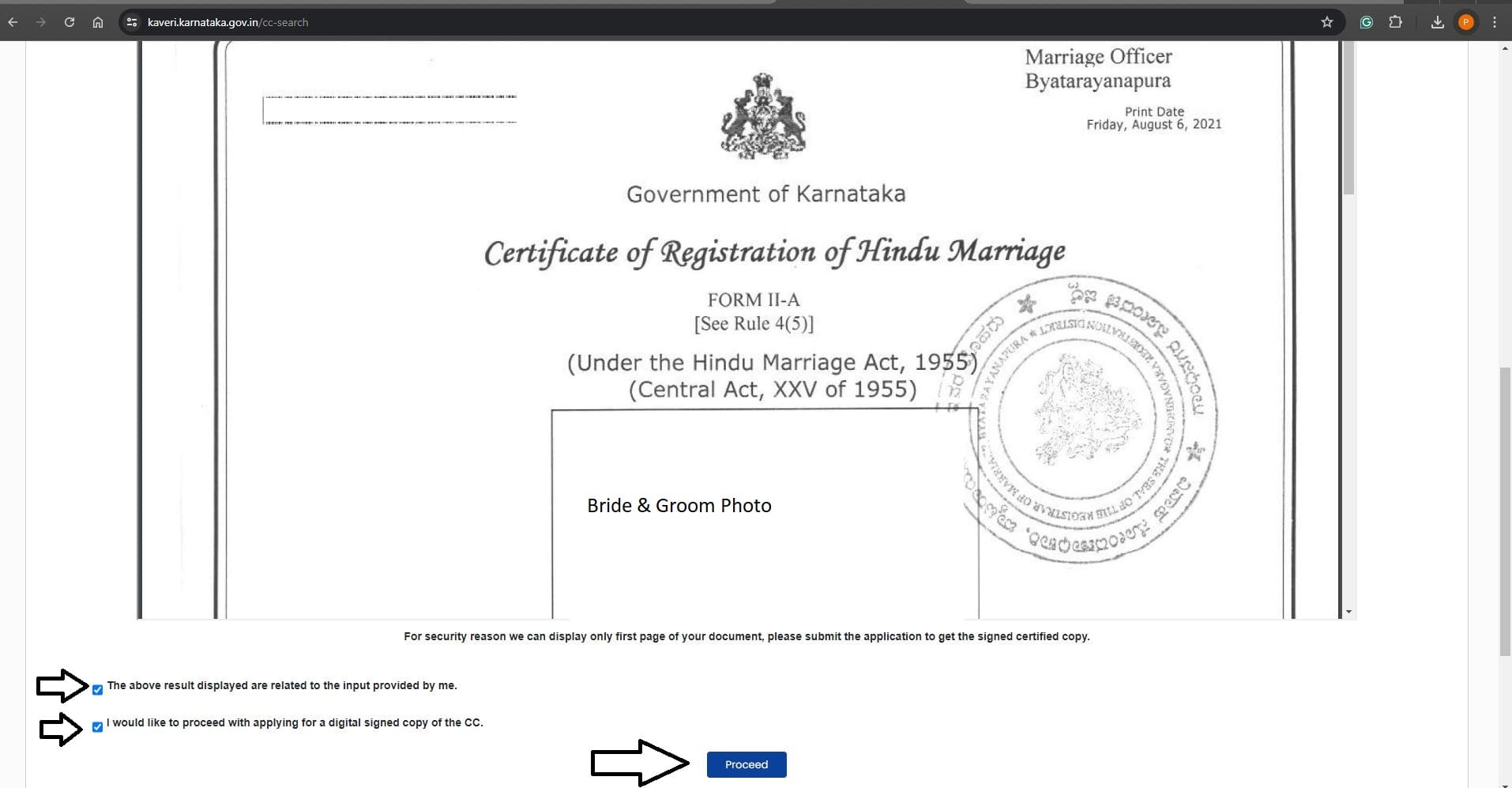
Information copy displays. If the information copy belongs to you, Check the Terms & Conditions and Click on Proceed. Refer to the arrow marks in image below
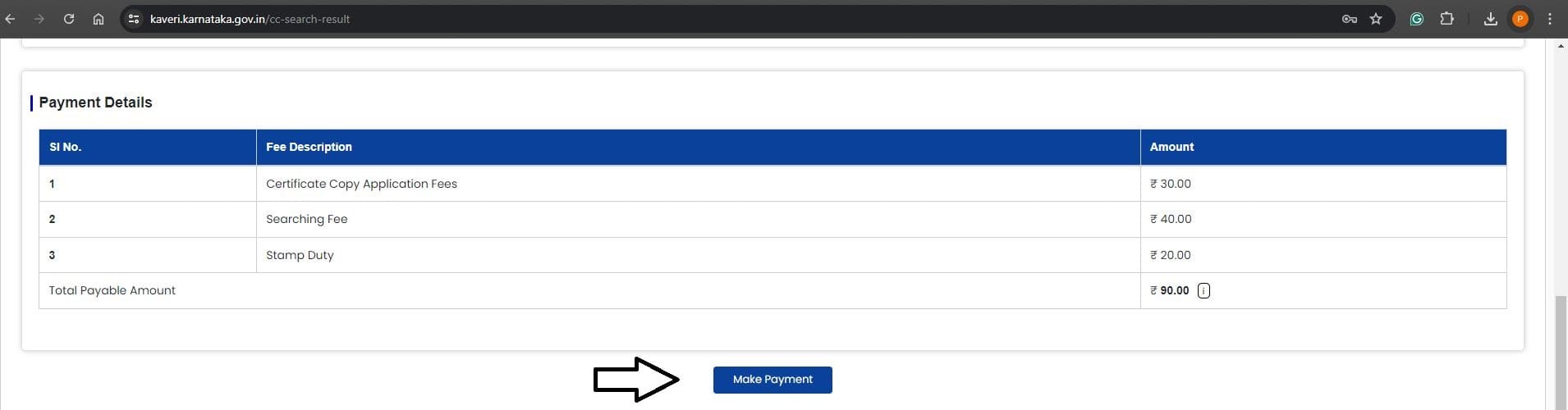
Click on Make Payment and Pay the government fee of Rs. 90, refer to the image below
Click on e-sign
 The page directs to Aadhar-based OTP authentication. Refer to below image
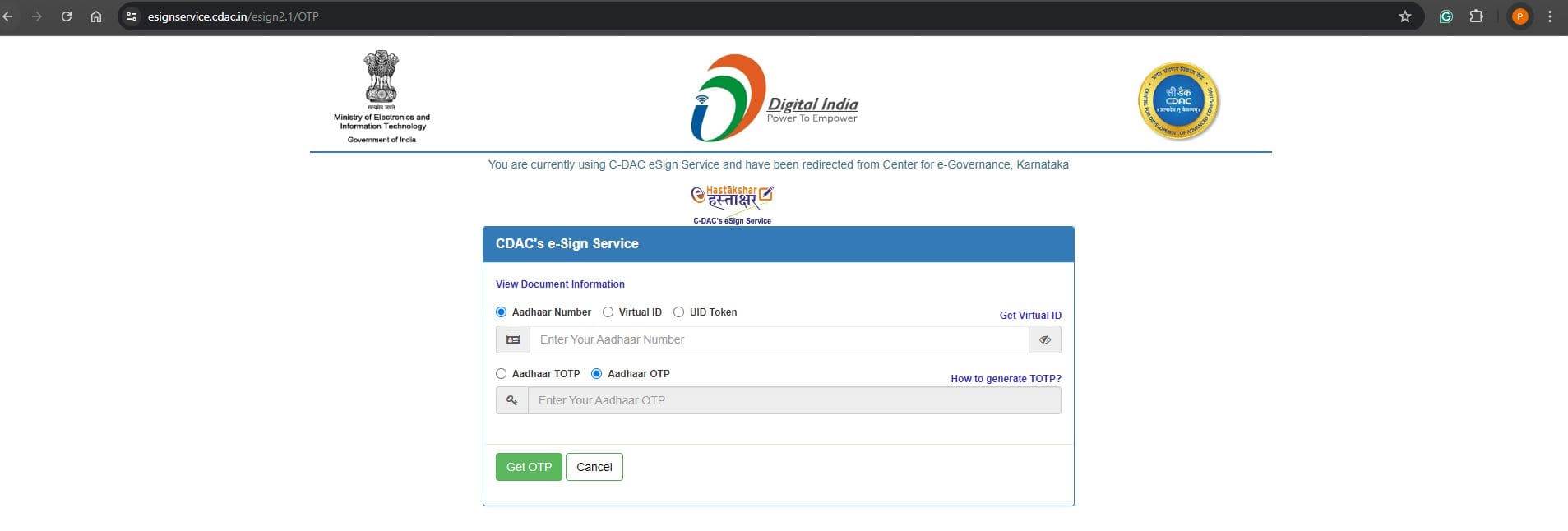 After the successful OTP authentication, click on Submit
The certified copy will be ready for download within 3–4 working days. Again, log in to Kaveri Online Services and find Download on the home page. We highlighted the download option image below for your reference
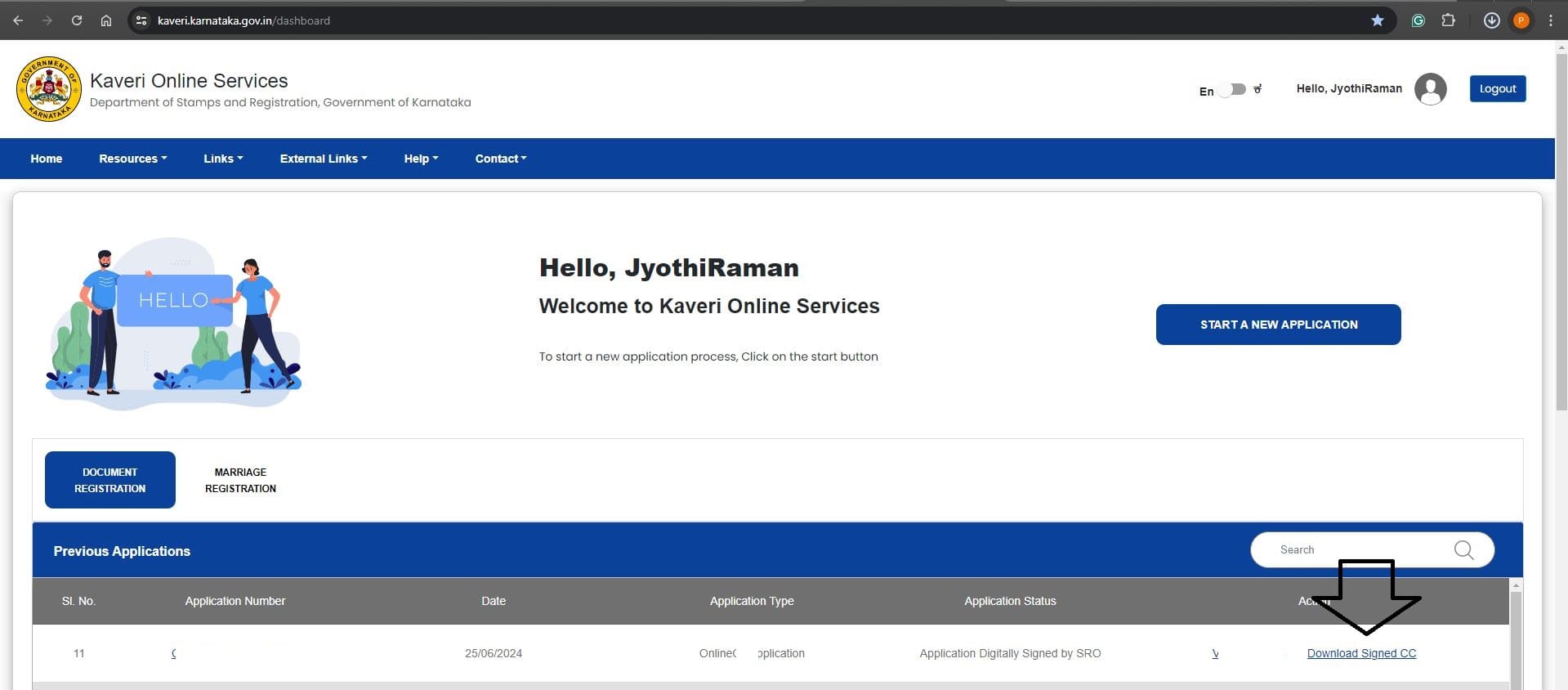 Your marriage certificate copy downloaded in PDF.
For assistance, please write to us pgnproperties@gmail.com or WhatsApp to +91-974247-9020 Thank you for reading…