
If you're a property owner under the Greater Bengaluru Authority (GBA) and need to download your e-Khata, the process on the new eAasthi 2.0 portal is quick — provided you have the right property details on hand. Here's a complete walkthrough, including the difference between a view-only copy and a signed copy.
WATCH OUR VIDEO GUIDE:
What You'll Need Before You Start
To search for your property on the GBA eAasthi 2.0 portal, you only need one of the following:
- Ward Number or Ward Name
- Property ePID (Electronic Property ID)
- SAS Property Tax ID
Any single identifier is enough to pull up your record.
Step-by-Step Guide to Download Your E-Khata
Step 1: Log Into the GBA eAasthi 2.0 Website
Visit the official portal at gbaeaasthi.karnataka.gov.in.
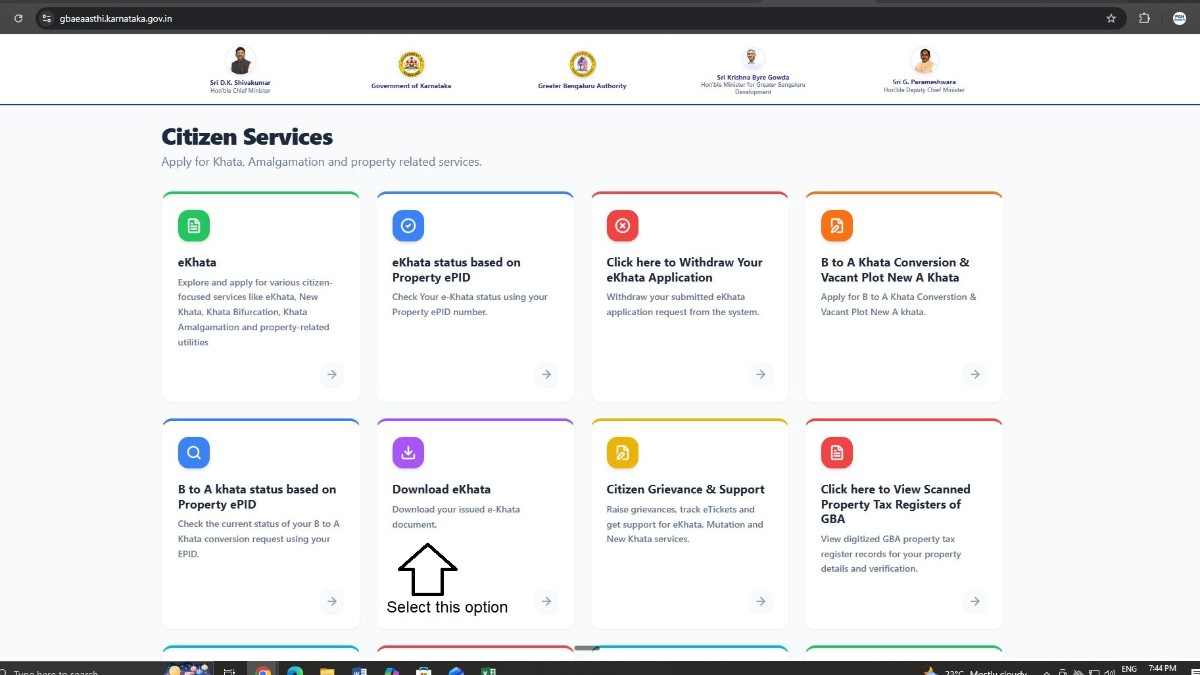
Step 2: Select "Download eKhata" on the Homepage
Once you're on the homepage, locate and click the "Download eKhata" option.
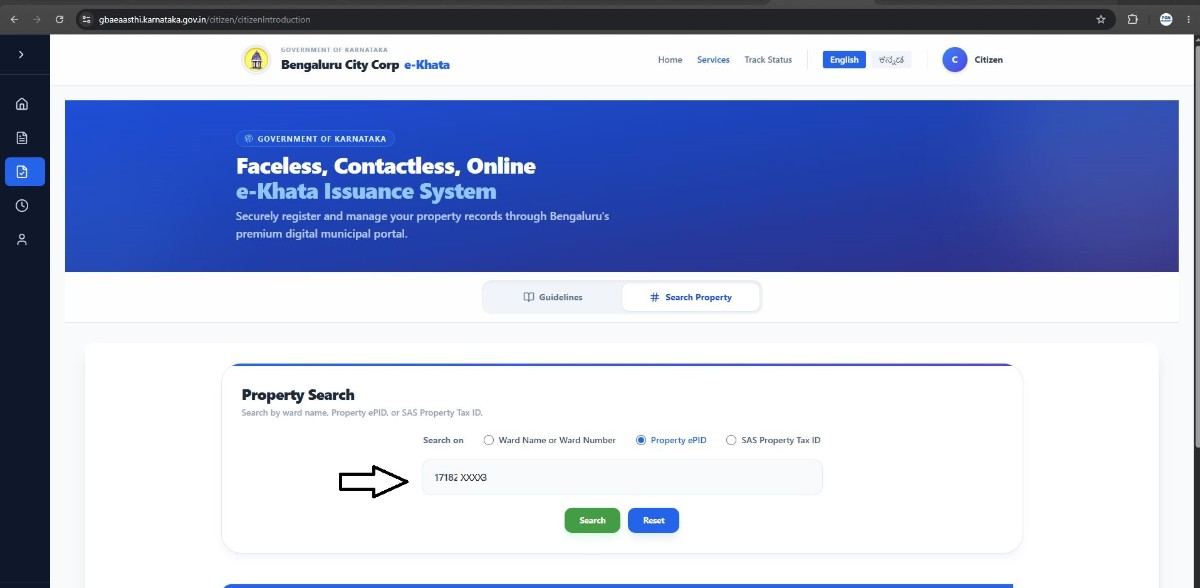
Step 3: Enter Your Search Details
Choose whichever identifier you have on hand — Ward Number/Name, ePID, or SAS Property Tax ID — and enter it in the search field. In this example, the search is done using the Property ePID.
Click "Search" once your details are entered.
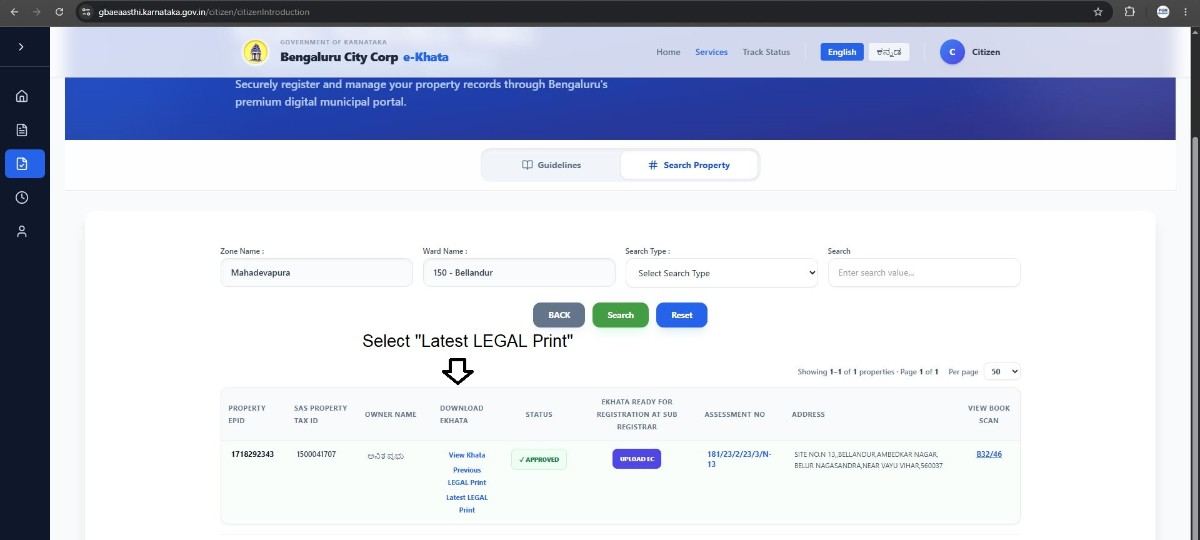
Step 4: Select "Latest LEGAL Print" Under Download eKhata
On the results page, under the "DOWNLOAD EKHATA" section, select "Latest LEGAL Print" to pull up the most current version of your record.
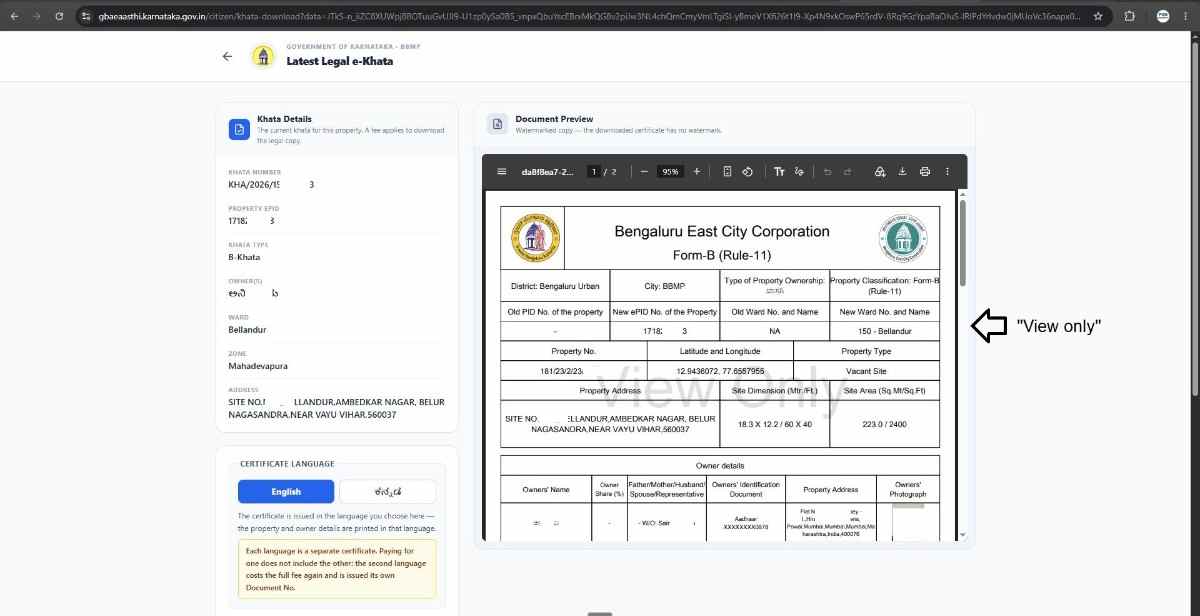
Step 5: View Your E-Khata
You'll now see a view-only copy of your e-Khata.
View-Only Copy vs. Signed Copy: Which One Do You Need?
This is the part most people get confused about — and it can save you money if you understand it upfront.
If you need the e-Khata purely for personal reference — say, to double-check property details or keep a record — the free, view-only copy is sufficient. There's no need to pay anything extra.
If you need the e-Khata for banking or property registration purposes, the view-only copy won't work. Banks and sub-registrar offices require the officially signed version. For this, you'll need to download the signed copy, which comes with a fee of approximately:
- ₹125 — signed e-Khata fee
- ₹50 — software fee
That's a total of roughly ₹175 for the legally valid, signed version.
We provide assistance for ekhata, write to us:
PGN Property
Email ID: pgnproperties@gmail.com
Contact No.+91-9742479020