
If your property does not have a Property Tax ID (SAS ID), it is likely that the property also does not have a Khata registered under the Greater Bengaluru Authority (GBA).
The good news is that GBA allows property owners to apply for both a new SAS Property Tax ID and Khata through a single online application.
Watch our video guide:
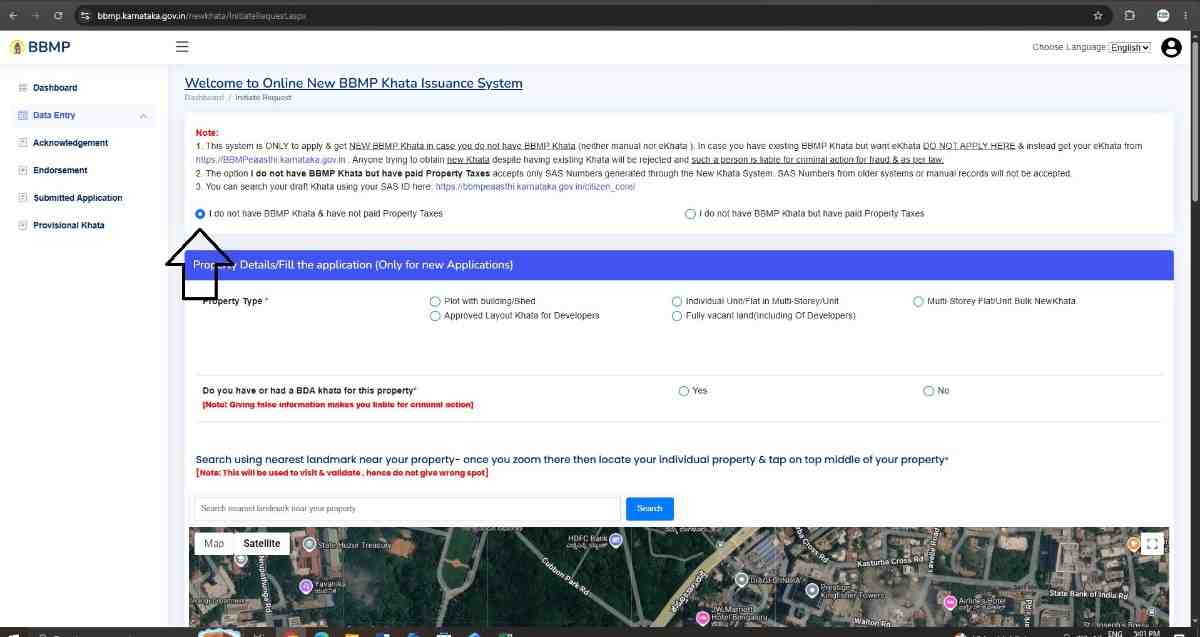
Step 1: Submit a New Khata Application
Visit the GBA New Khata Portal:
https://bbmp.karnataka.gov.in/newkhata
While filling out the application, select the option: "I do not have BBMP Khata & have not paid Property Taxes."
Step 2: Enter Property Details
Provide the required property information, including:
- Property Type
- Geo-location of the Property
- Property Photograph
- Sale Deed Registration Details
- Encumbrance Certificate (EC)
- BESCOM Consumer Number
- BWSSB Connection Details (if applicable)
Ensure that all details and supporting documents are uploaded correctly before submitting the application.
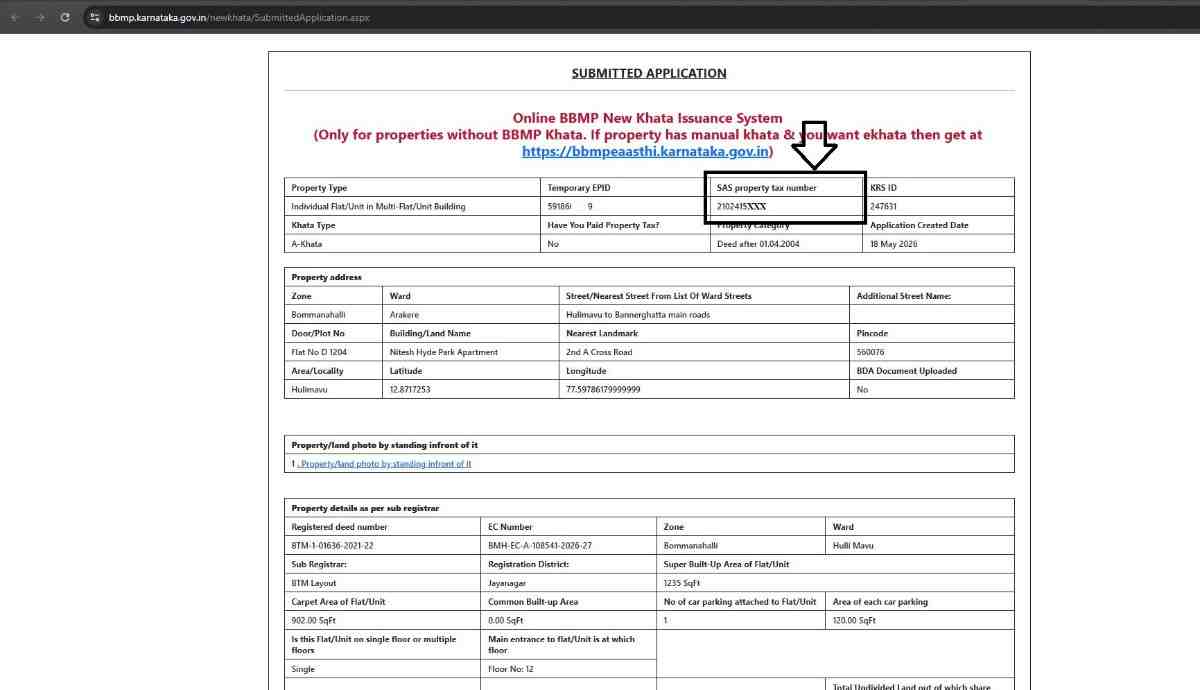
Step 3: Receive the SAS Property Tax ID
Once the application is successfully submitted, a new SAS Property Tax ID will be generated by the system.
Step 4: Wait for Internal Approval
The Greater Bengaluru Authority generally takes around two working days to complete the internal verification and approval process for the newly generated Property Tax ID.
No action is required from the applicant during this period.
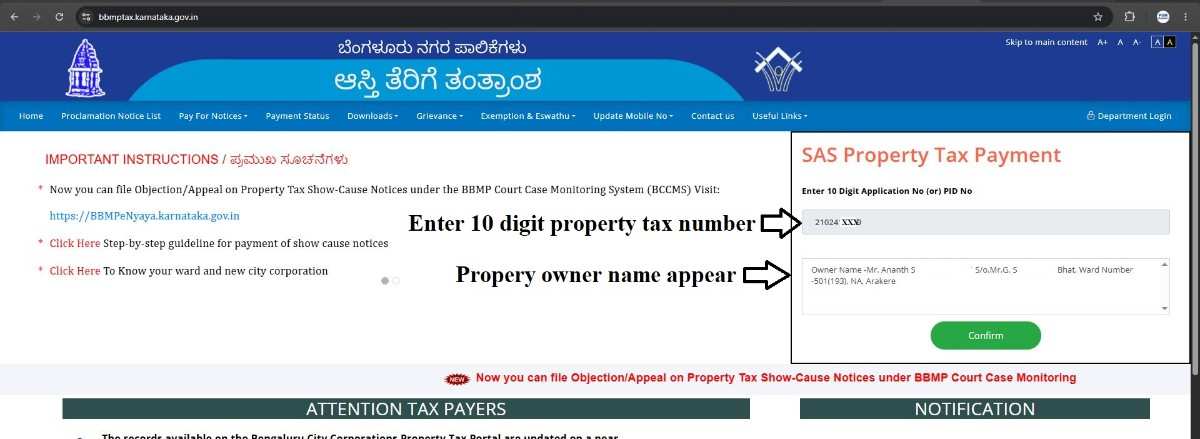
Step 5: Access the Property Tax Portal
After two days, visit the Property Tax Portal:
https://bbmptax.karnataka.gov.in
Enter the newly generated SAS Property Tax ID to access the property tax account.
Conclusion
Property owners who do not have an SAS Property Tax ID or Khata can now apply for both through a single online application under GBA. Once the application is approved, the generated SAS ID can be used for property tax assessment and payment through the online property tax portal.
Need assistance with Property Documentation and Registration in Bengaluru?
Email: pgnproperties@gmail.com
WhatsApp / Call: +91-9742479020