
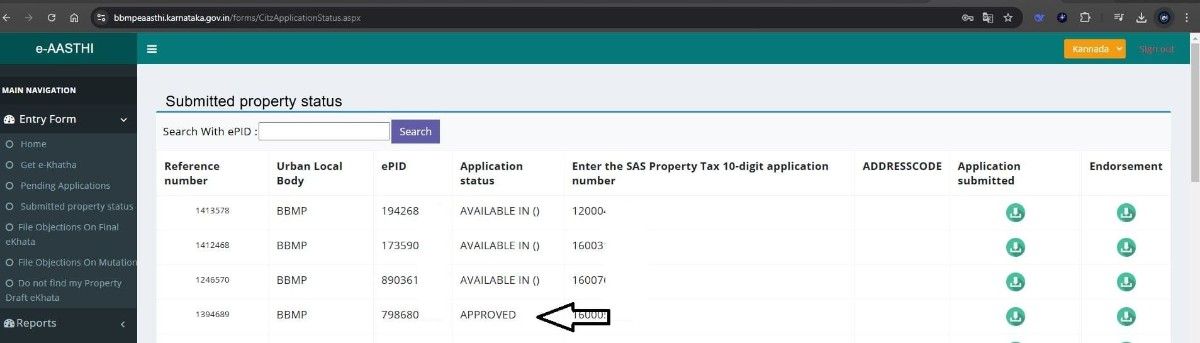
You can now download the e-Khata by following the simple steps listed below. We have also included a YouTube video to help you understand the process more easily. Step 1: Visit the BBMP e-Khata Download Page Go to the official BBMP e-Khata download page: BBMP e-Khata Download Step 2: Enter Your ePID Number Enter your 10-digit ePID number in the provided field and click on Search. Refer to screenshot below
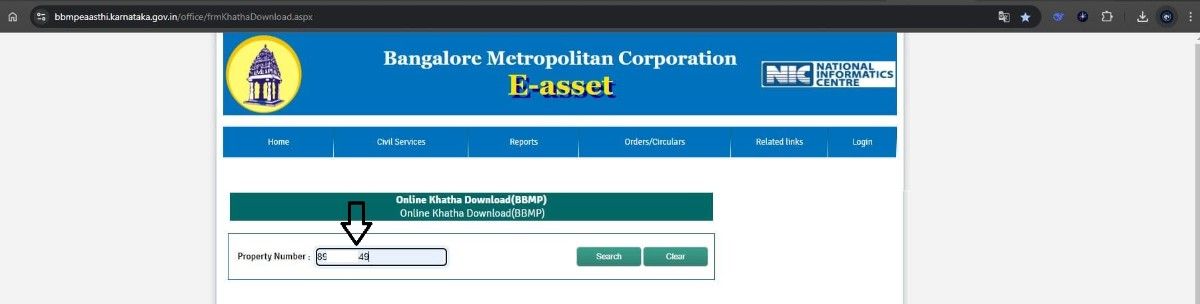 Step 3: Pay the Download Fee
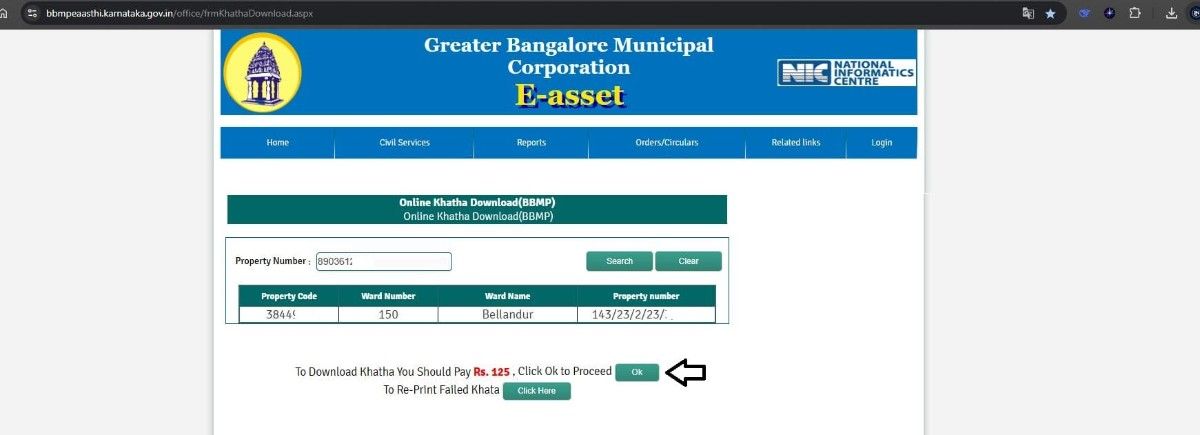
A pop-up will appear prompting you to pay a fee of Rs.125. Click OK to proceed with the payment via UPI or other available options. Refer to the screenshot below
Step 3: Pay the Download Fee
A pop-up will appear prompting you to pay a fee of Rs.125. Click OK to proceed with the payment via UPI or other available options. Refer to the screenshot below
 Step 4: Access the Document
Once the payment is successful, you can open the downloaded e-Khata document. Please note that the document is password-protected. Use your ePID number as the password to open it.
Step 4: Access the Document
Once the payment is successful, you can open the downloaded e-Khata document. Please note that the document is password-protected. Use your ePID number as the password to open it.
 Step 5: Download the e-Khata PDF
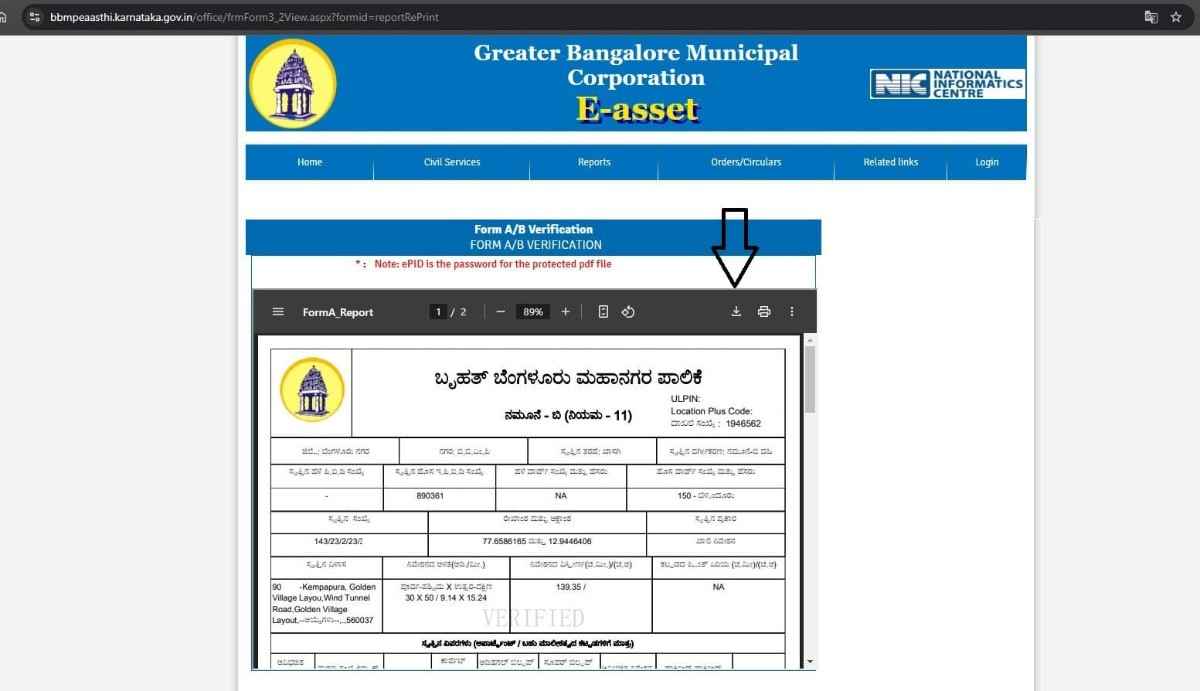
After unlocking the document, click on the Download icon to save it as a PDF. We highlighted the download icon in image below for your reference
Step 5: Download the e-Khata PDF
After unlocking the document, click on the Download icon to save it as a PDF. We highlighted the download icon in image below for your reference
 This completes the procedure to download the BBMP e-Khata Online
Frequently Asked Questions (FAQs)
- What do I do once my BBMP e-Khata application shows "Approved"?
- Where do I go to download my approved BBMP e-Khata?
- What details are needed to locate my approved e-Khata?
- Is there a fee to download the e-Khata?
- Will the downloaded e-Khata PDF be accessible right away?
- How do I save or print the e-Khata after unlocking it?
ABOUT US PGN Property, Bangalore We provide end-to-end assistance for Khata and property registration in Bangalore.
- Email: pgnproperties@gmail.com
- Call or WhatsApp: +91-9742479020