
An Encumbrance Certificate (EC) is a vital document that confirms ownership and the transaction history of a property. It plays a key role in the BBMP e-Khata application process.
In this post, I explain how we obtained an EC for one of our clients who purchased a property from a builder and needed the EC to apply for e-Khata through the e-Aasthi portal.
INFORMATION REQUIRED FOR EC APPLICATION
Before you apply for an EC online, make sure you have the following property details:
- District
- Taluk
- Hobli / Town
- Village
- Property Number
CASE STUDY: EC FOR A NEW PROPERTY REGISTERED IN 2015
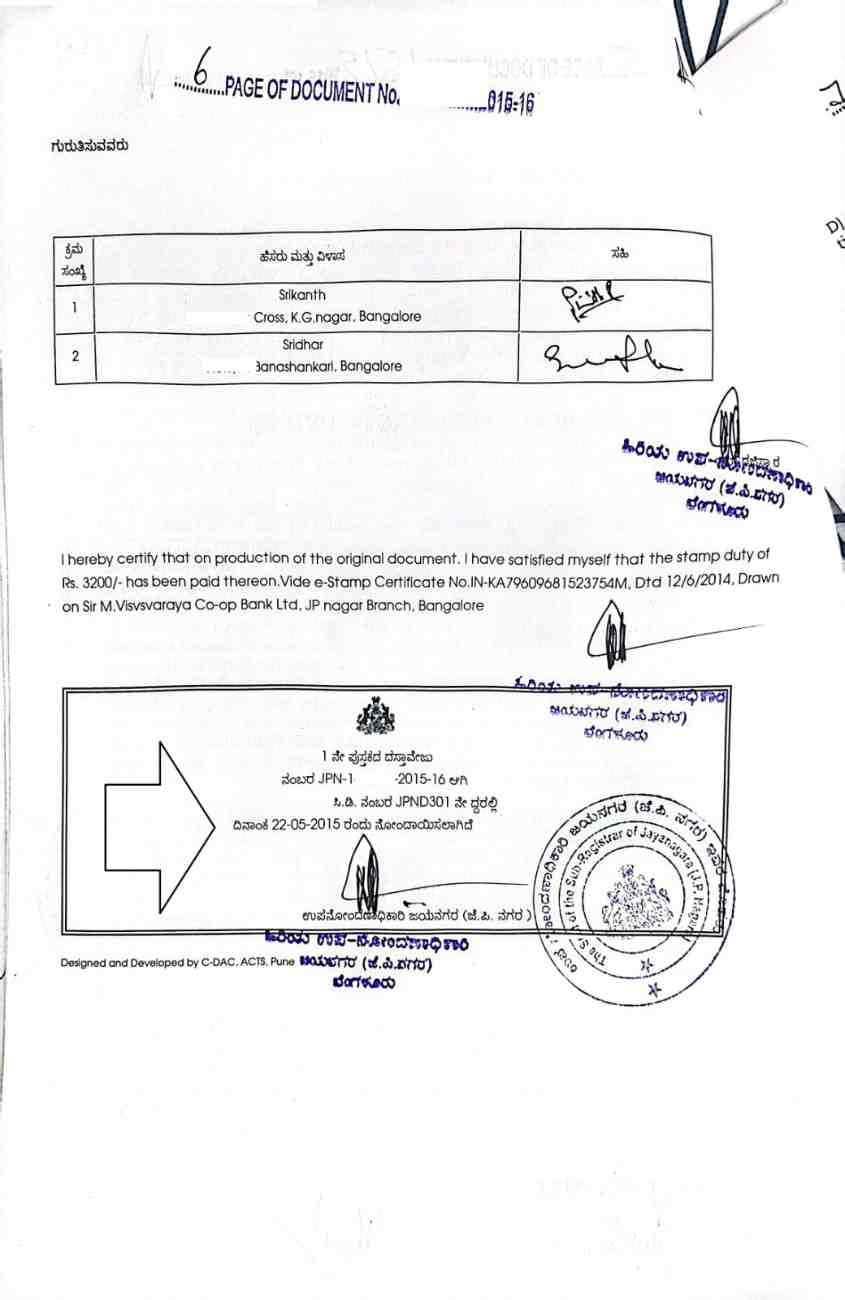
One of our clients purchased a new property from a builder, with the Sale Deed registered on 22–05–2015. Since there were no prior transactions, the EC would only reflect this single registration. We highlighted the registration date in below sale deed for your reference
We followed the steps below to obtain the EC for the BBMP e-Khata application.
Step 1: Visit the Kaveri Online Services Portal
Go to https://kaverionline.karnataka.gov.in
Click on “START A NEW APPLICATION” from the homepage.
(Refer to the image below)

Step 2: Select the EC Application Type
Choose “ENCUMBRANCE CERTIFICATE – (ONLINE EC)”
(Refer to the image below)

Step 3: Fill in Property Details
Enter the relevant property details:
- District
- Taluk
- Hobli / Town
- Village
- Property Number
(Refer to the image below)

Step 4: Select the Search Period
Since the property was registered on 22–05–2015, we selected:
- From Date: 20–05–2015 (2 days before registration)
- To Date: Today’s date (e.g., 10–10–2024)
(Refer to the highlighted search period in the image below)

Step 5: Submit and Pay for EC
- Click Search to view the result.
- The system displayed a fee of Rs. 130 for the selected period.
(Refer to the payment page image)

Step 6: Complete e-Sign and Submit
- Proceed with Aadhaar-based e-signature.
- Submit the application.

Step 7: Download the EC
- Within 3 working days, the signed EC will be available for download.
- Click “Download Signed EC”.
(Refer to the image with the download option highlighted)

HOW TO USE THE EC IN BBMP E-KHATA APPLICATION
Once the EC is ready:
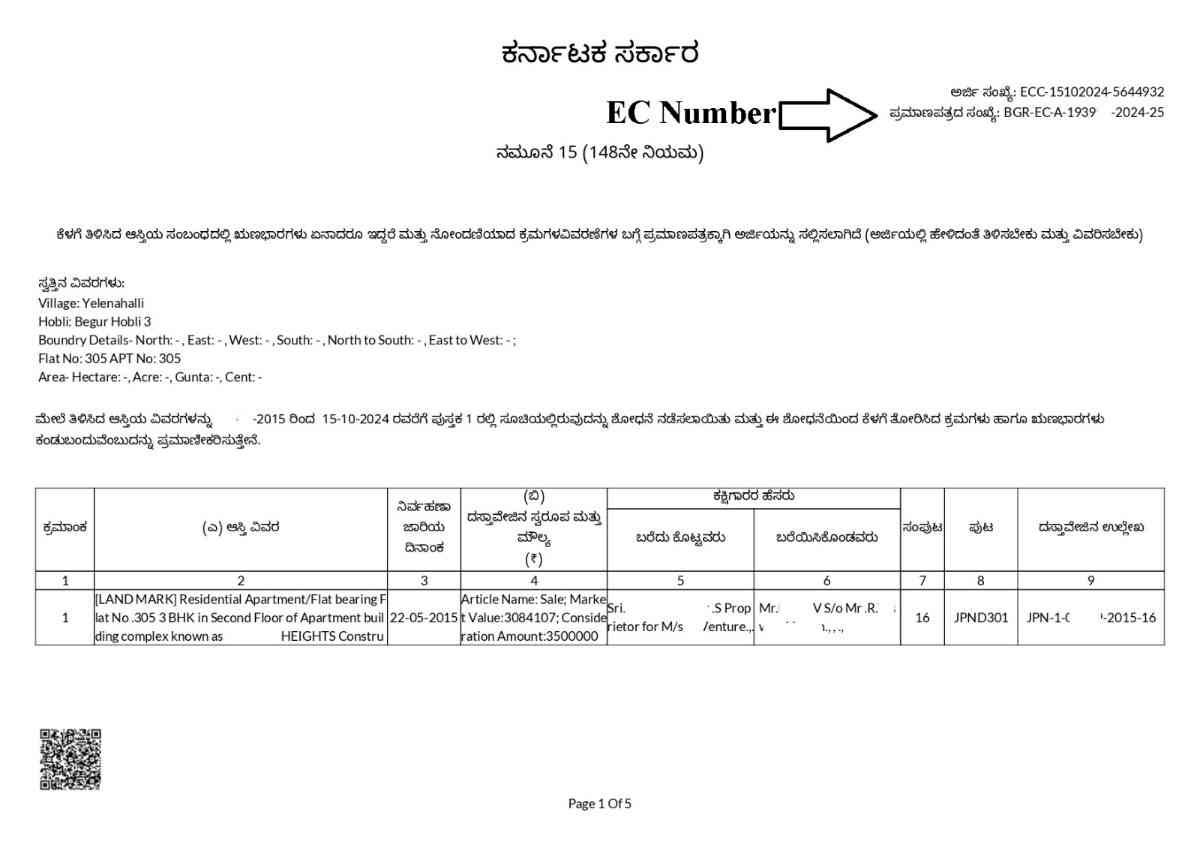
- Locate the EC Number in the downloaded document.
(We have highlighted it in the sample image below)
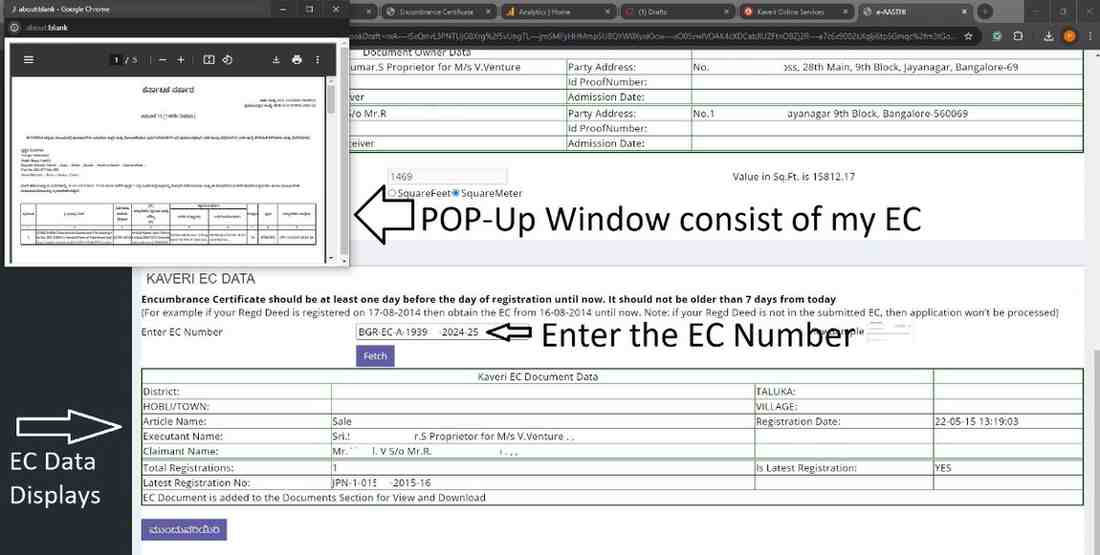
- Go to the e-Aasthi portal and begin the e-Khata application, simply enter the EC Number.
- The system will auto-fetch the EC data and display it.
(Refer to the image highlighting where the EC number was entered and the automatic data pop-up)
SUMMARY
This completes the online process to obtain an Encumbrance Certificate and explains how it integrates seamlessly with the BBMP e-Khata application via the e-Aasthi portal.
NEED HELP?
We provide end-to-end assistance for EC application, e-Khata filing, and BBMP documentation.
- Email: pgnproperties@gmail.com
- WhatsApp: +91-97424 79020