
WHAT IS A GIFT DEED?
- A Gift Deed enables the legal transfer of ownership without the exchange of money.
- The person transferring the property is the Donor.
- The recipient is the Donee.
- No consideration (payment) is involved.
- Gift Deeds within family members attract reduced stamp duty in Karnataka.
KEY CONTENTS OF A GIFT DEED Ensure your Gift Deed draft includes:
- Date and place of execution
- Full details of Donor and Donee (name, age, address, relationship, signature)
- Complete property description (e.g. Property Number, Survey Number, Village, Hobli, Taluk)
- Details of two witnesses including name, age, gender, address and signature
DOCUMENTS REQUIRED FOR GIFT DEED REGISTRATION
- Previous Registered Sale Deed (how the Donor acquired the property)
- Gift Deed Draft (in PDF format)
- e-Khata (mandatory since Nov 2024)
- Aadhaar cards of Donor and Donee
- Aadhaar cards of two witnesses
WATCH THE VIDEO GUIDE Walks you through the complete process of registering a Gift Deed in Karnataka using Kaveri Online Services — from preparing the required documents to payment demonstration, slot booking, a real registered Gift Deed document, and EC (Encumbrance Certificate) verification after registration.
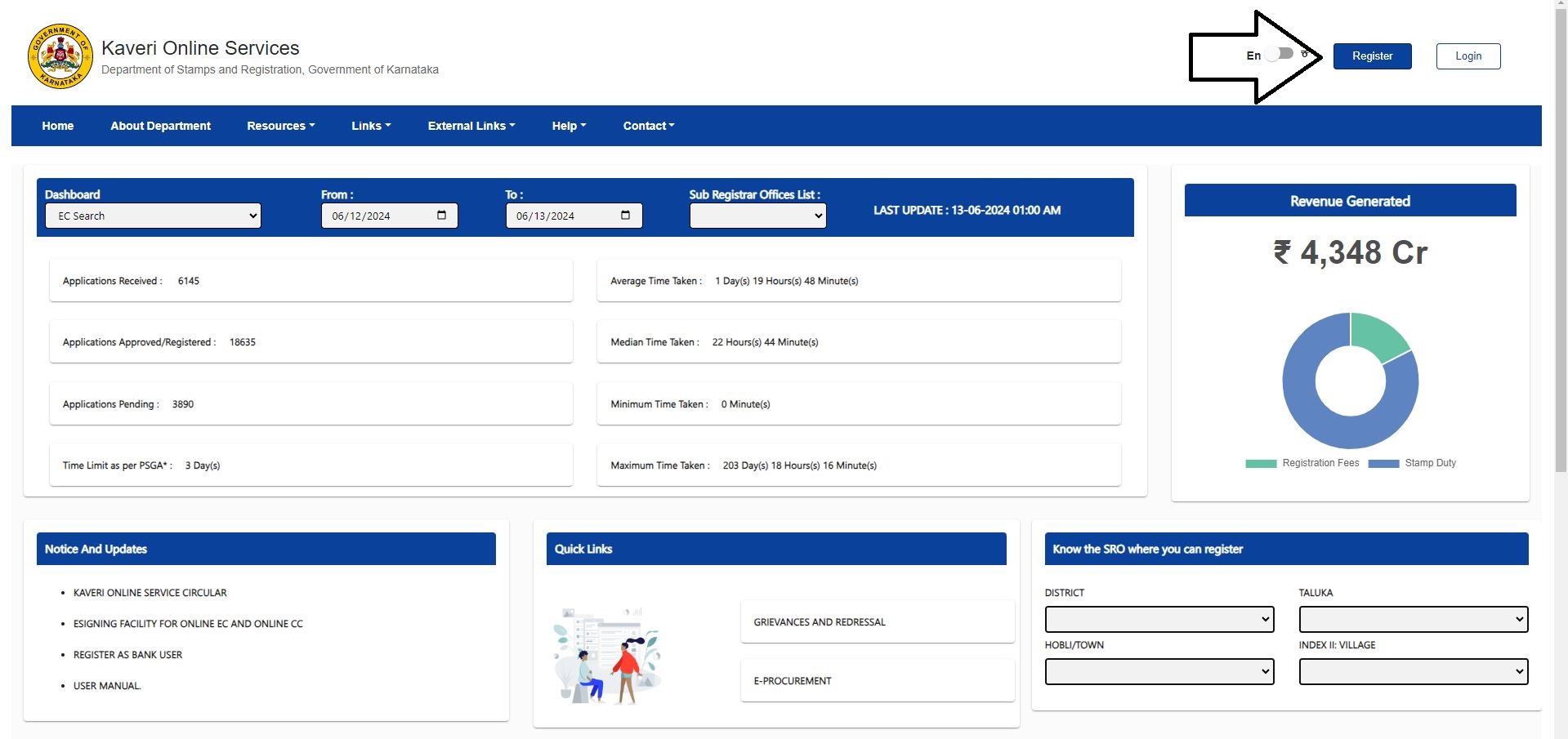
STEP-BY-STEP PROCEDURE ON KAVERI ONLINE SERVICES Visit the official website of Kaveri Online Services. The website link is Kaveri Online Services (karnataka.gov.in). Click on Register and Create an Account. We highlighted the Register tab in the image below
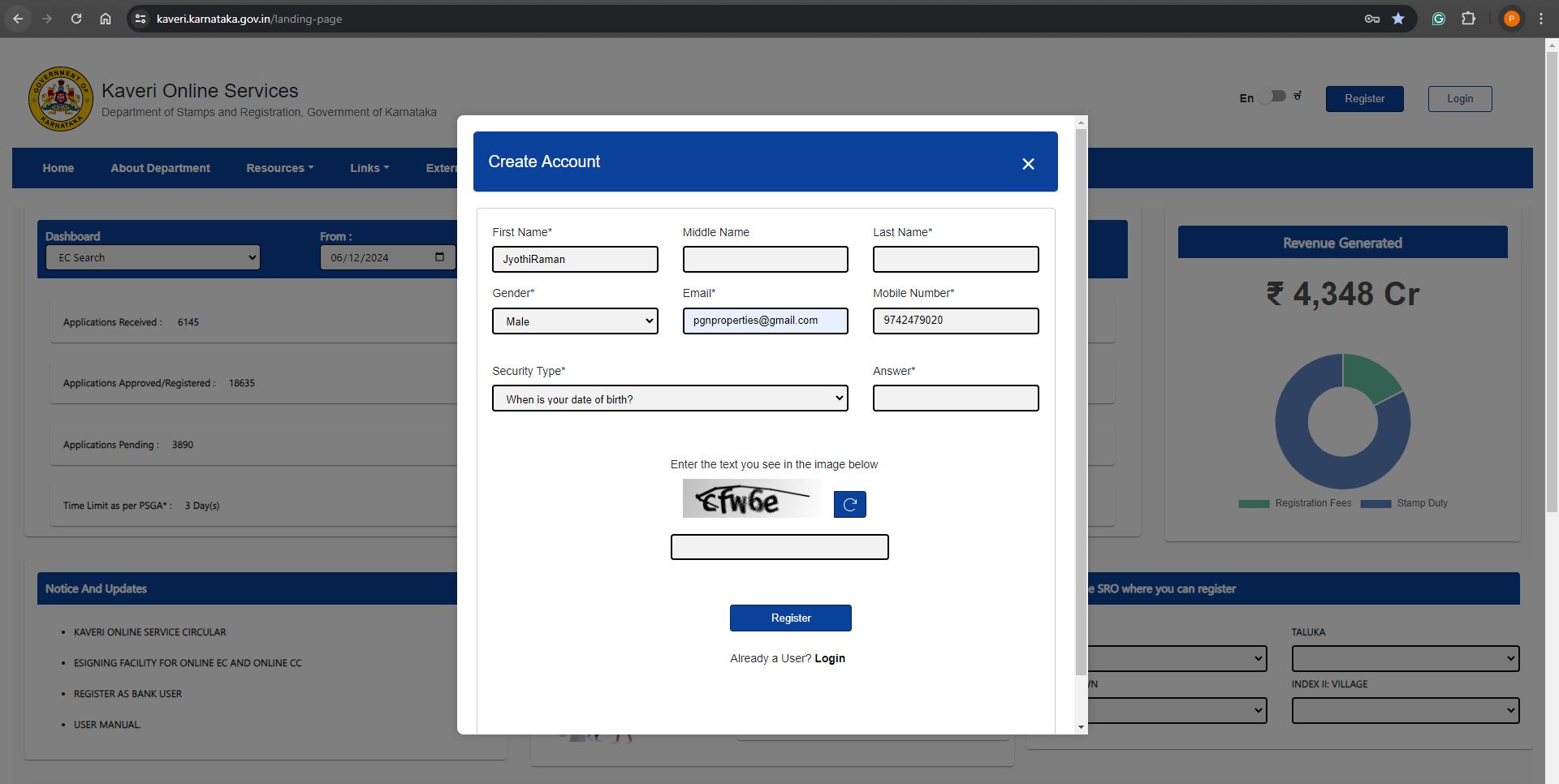
 We need name, Gender, email ID, and mobile number to create an account. Refer to the below account creation page
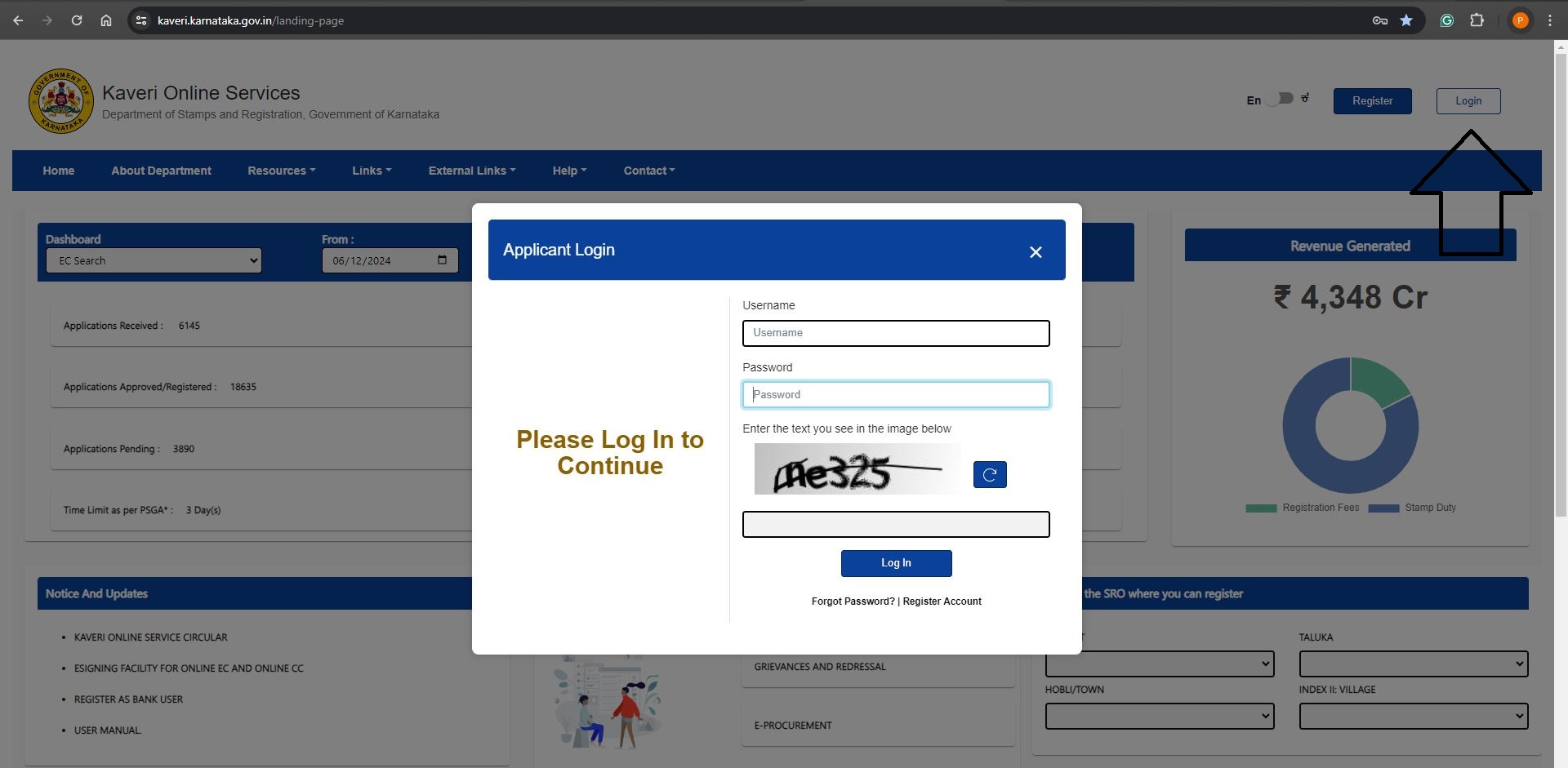
 Your email ID is the username and password that comes to your email. Login using your email ID and password. We highlighted the login tab in below image
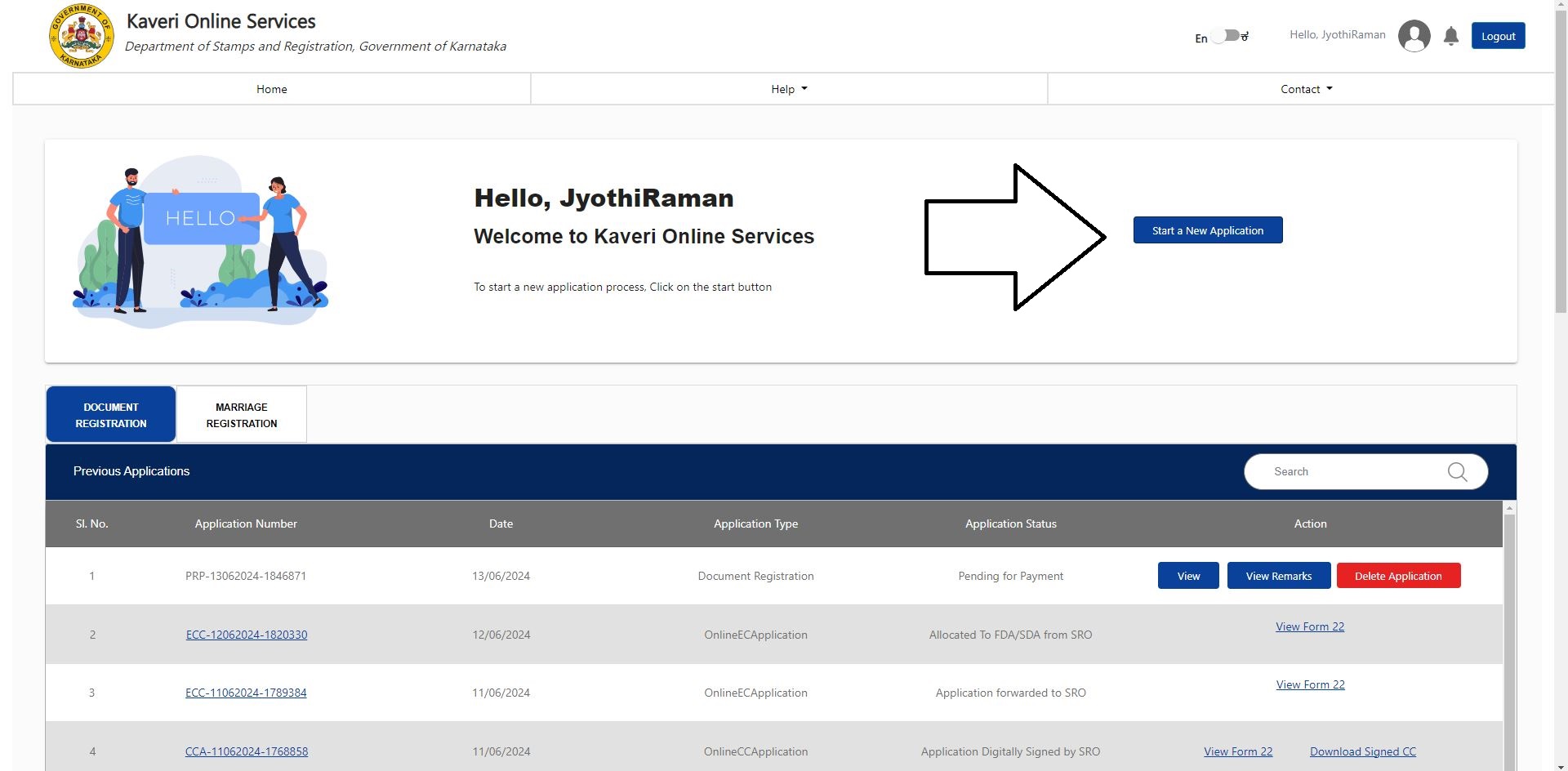
 After login, click on “Start a New Application”. Refer to the below image
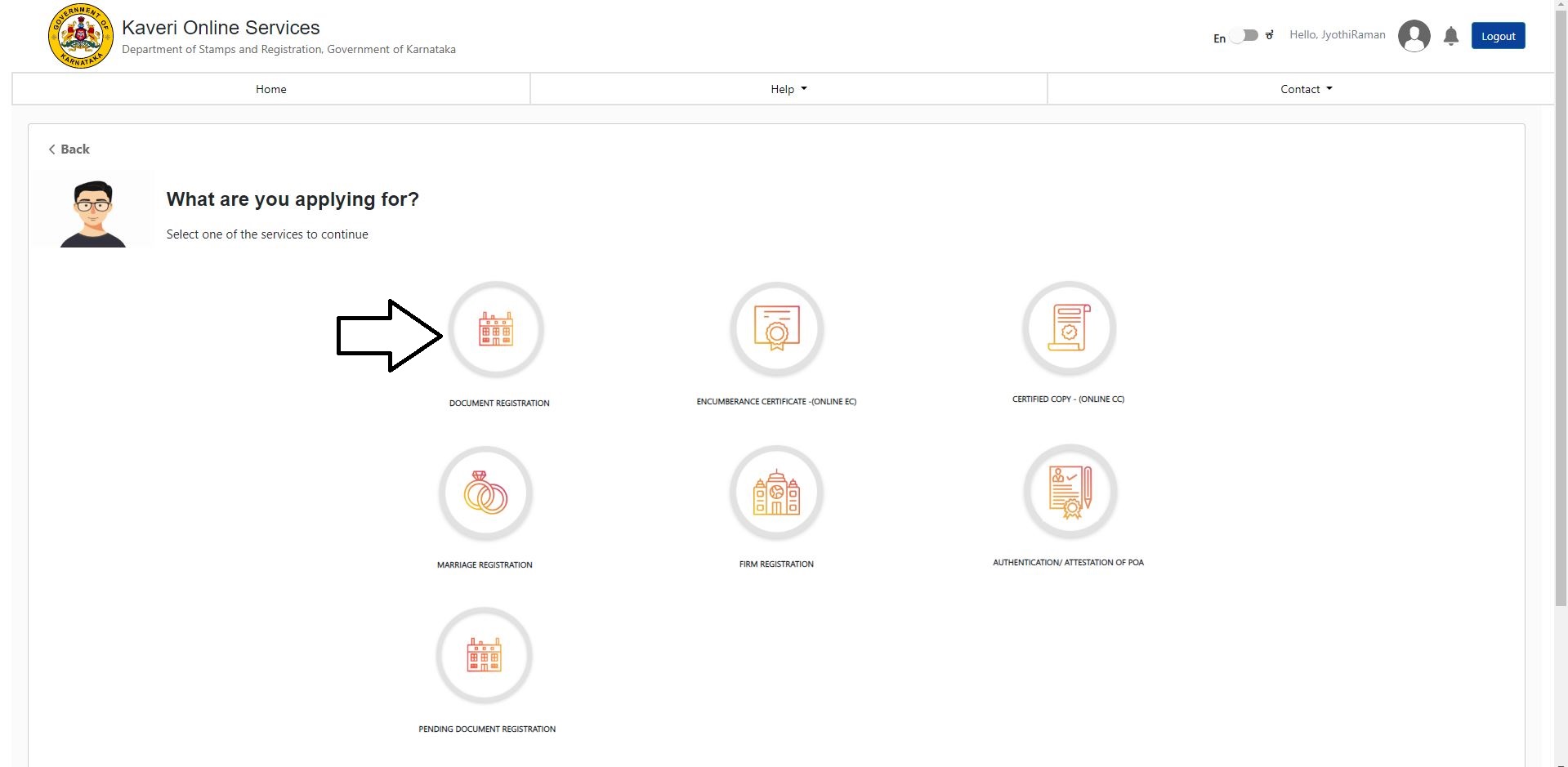
 Click on “DOCUMENT REGISTRATION”, refer to the below image
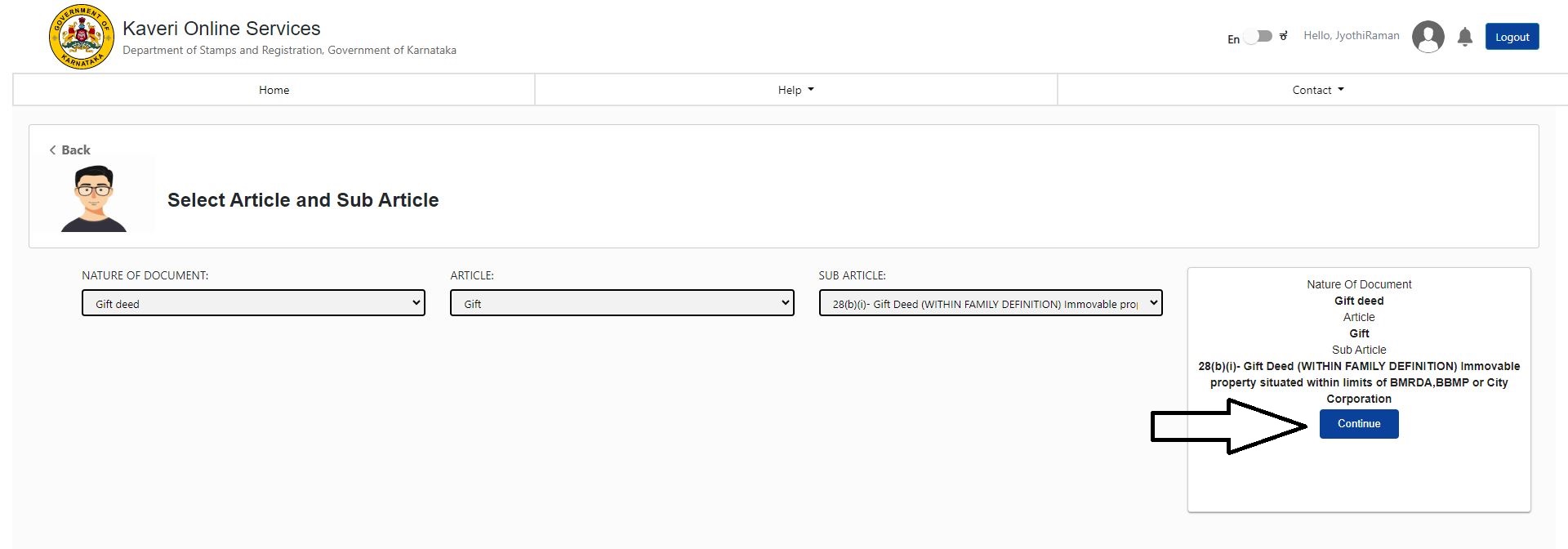
 Click on “Continue”, refer to the below image
In Article and Sub Article, select the following option from the dropdown list
Click on “Continue”, refer to the below image
In Article and Sub Article, select the following option from the dropdown list
- NATURE OF DOCUMENT: Gift deed
- ARTICLE: Gift
- SUB ARTICLE: 28(b)(i)- Gift Deed (WITHIN FAMILY DEFINITION) Immovable property situated within limits of BMRDA,BBMP or City Corporation
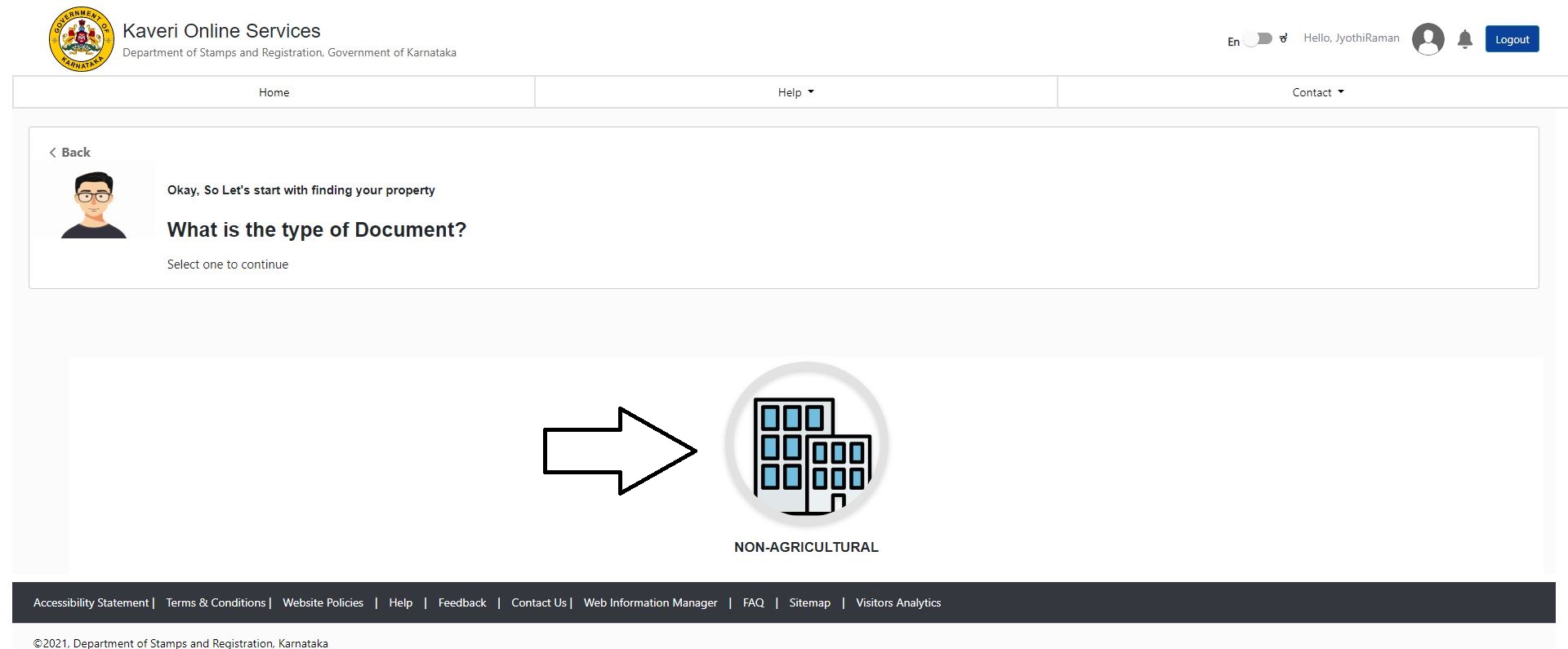
 Select NON-AGRICULTURAL, refer to the below image
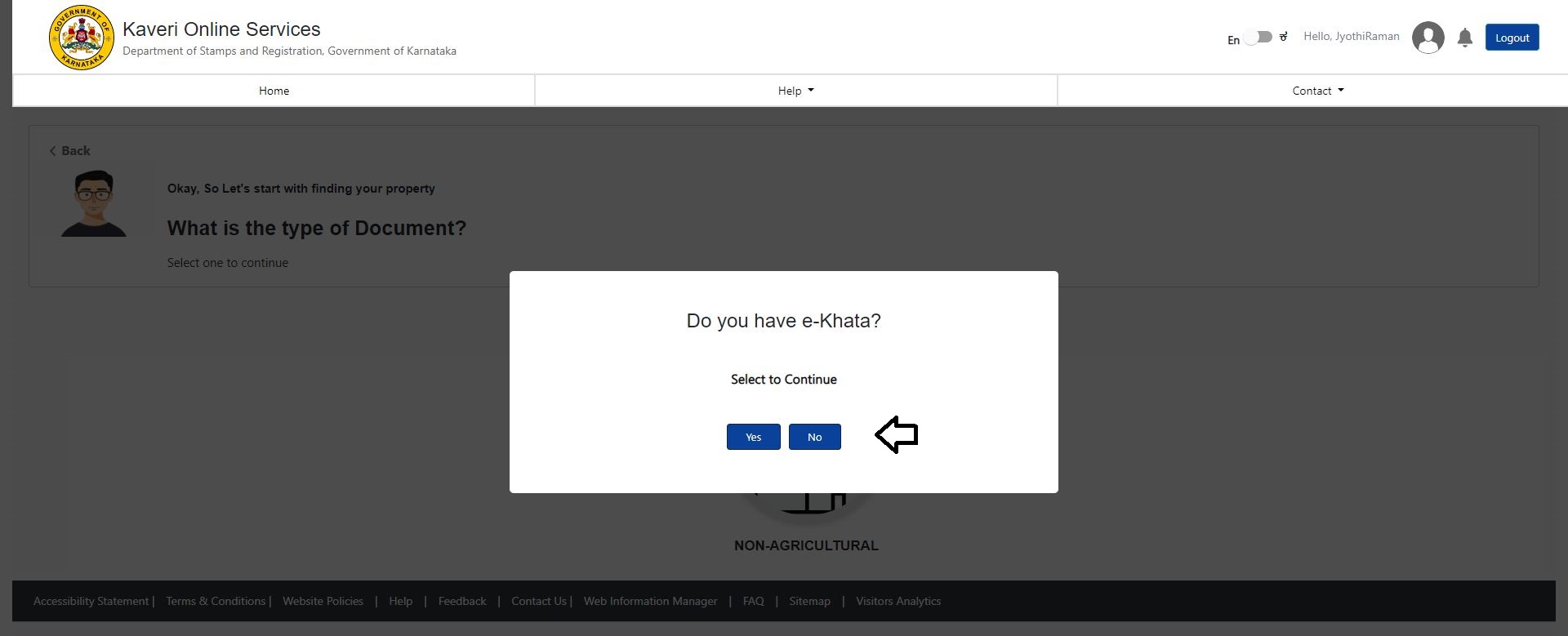
 Do you have e-Khata?
I don’t have e-Khata, hence I selected “No”. Refer to the below image
Do you have e-Khata?
I don’t have e-Khata, hence I selected “No”. Refer to the below image
 I have not applied for e-Khata yet, so I selected the reason “Have not applied” from the dropdown list. Refer to the below image
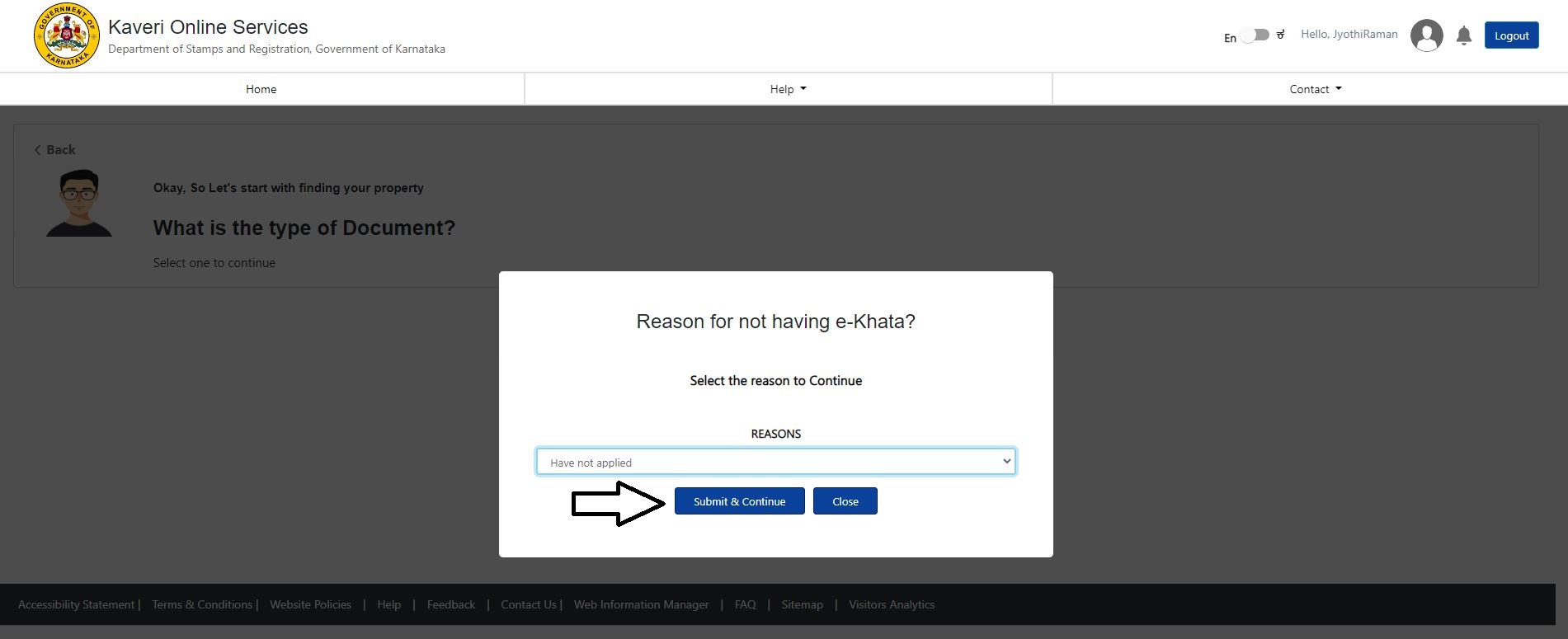 Click on Submit & Continue
(Edit on 8th Nov 2024: ekhata is mandatory for the registration of gift deed)
Click on Submit & Continue
(Edit on 8th Nov 2024: ekhata is mandatory for the registration of gift deed)
Enter the property description, which includes
- DISTRICT
- WARD NUMBER
- INDEX II: VILLAGE
- Zone, ROAD
- Flat No. /Apt No.
- Total Area (in Sq. Meter)
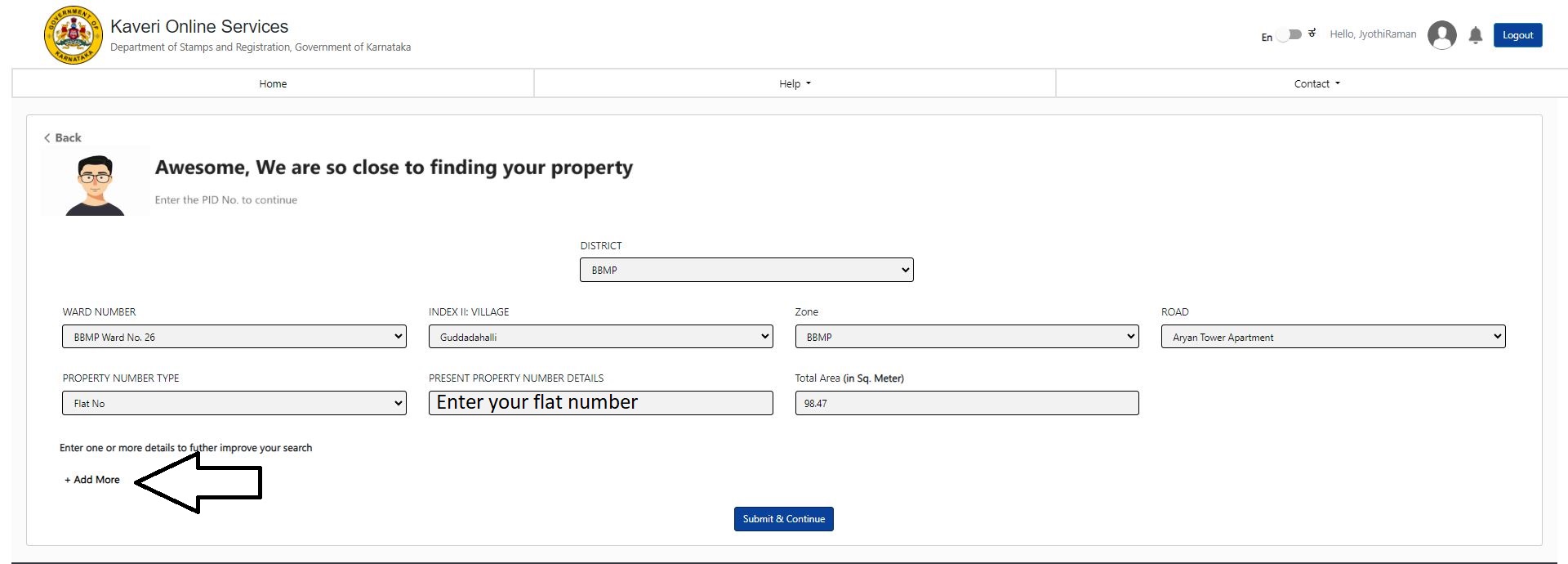 We added Survey number of the property, Refer to the below image
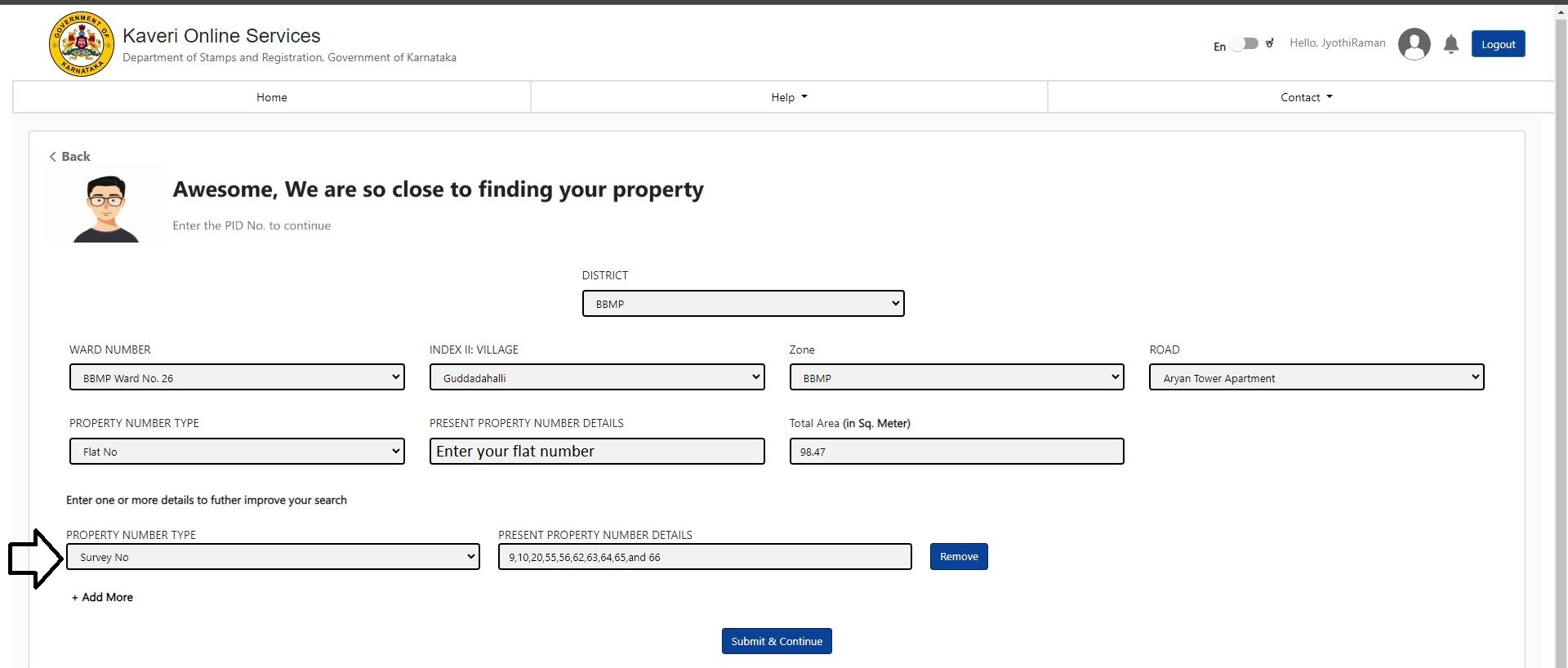 Click on Submit & Continue
Based on the property description provided above, my property search is below
Click on Submit & Continue
Based on the property description provided above, my property search is below
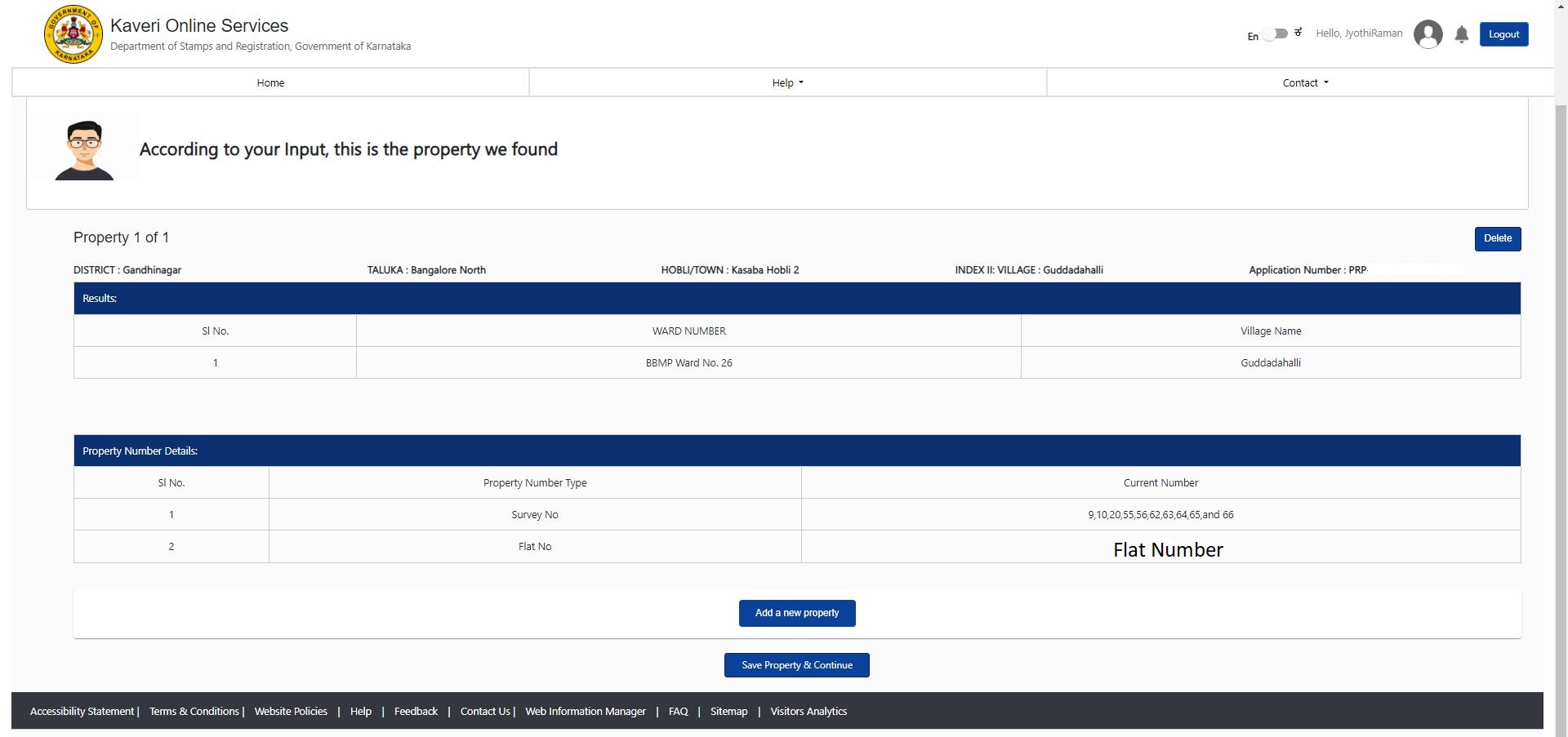 Click on Save Property & Continue
Enter the property schedule, such as East-to-West measurement, North-to-South measurements. Boundaries and description of property I copied Schedule A, B, and C from gift deed draft and pasted in the Description of Property Similarly, I copied boundaries from gift deed draft and pasted them here, as this will save my time and effort from typing. Refer to below filled image
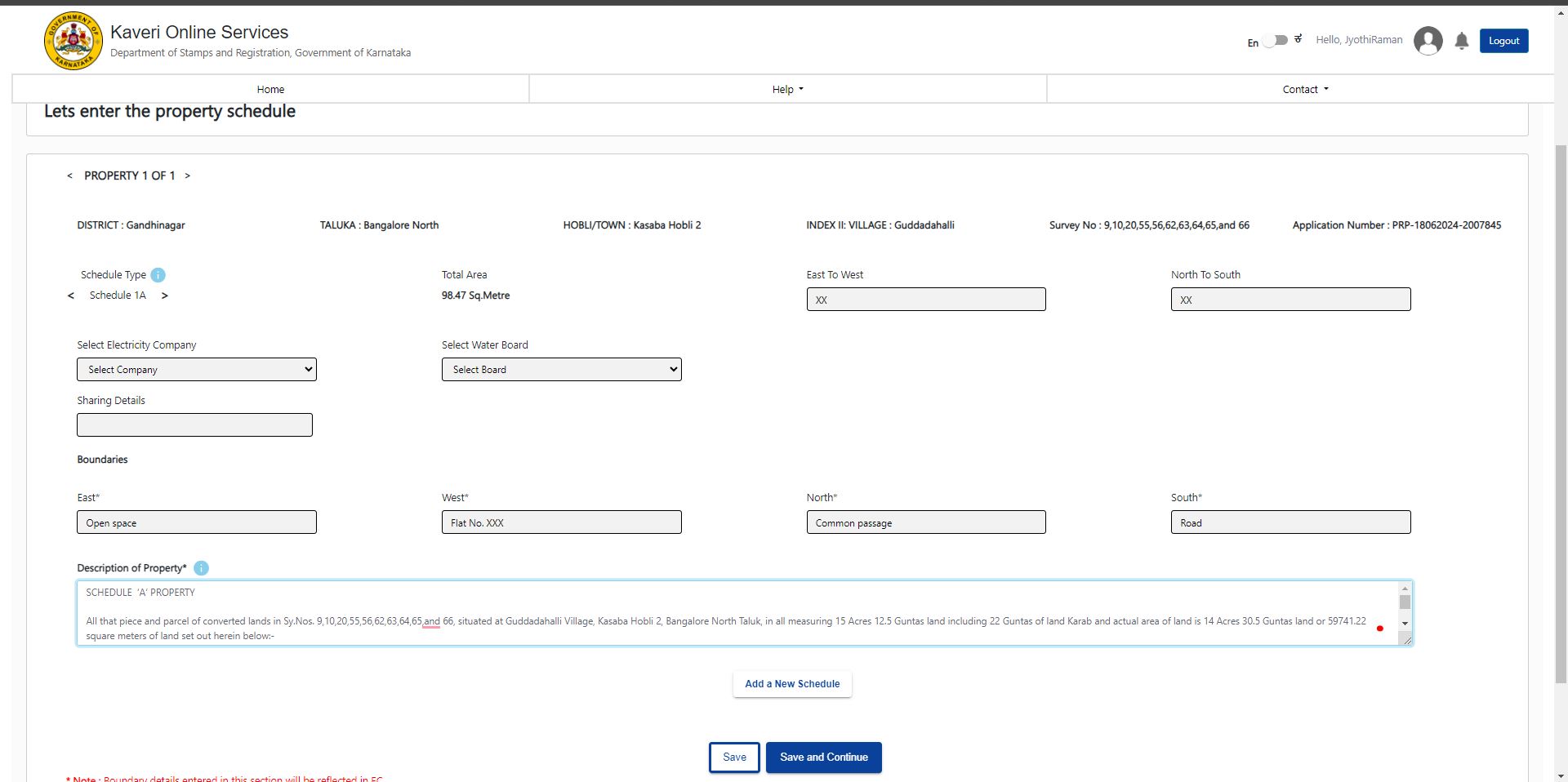 Click on Save and Continue
As per the context, one donor (husband) and one donee (wife). The total number of executant is 2 Selected 2 in Number of Executant, Refer to the below image
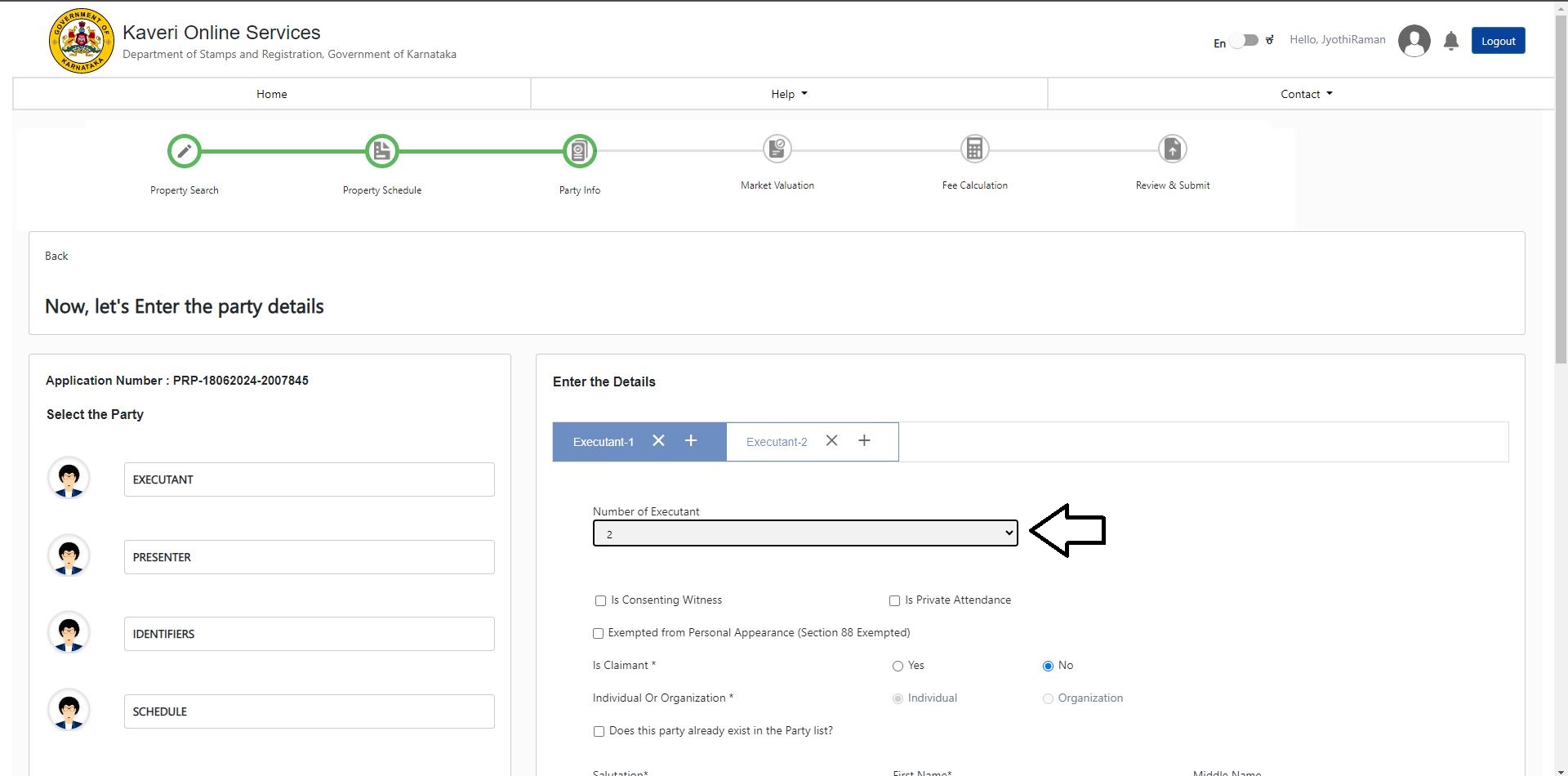 In Executant -1: we entered the details of Donor (husband details)
- Is Claimant: Select No
- Individual Or Organization: Select Individual
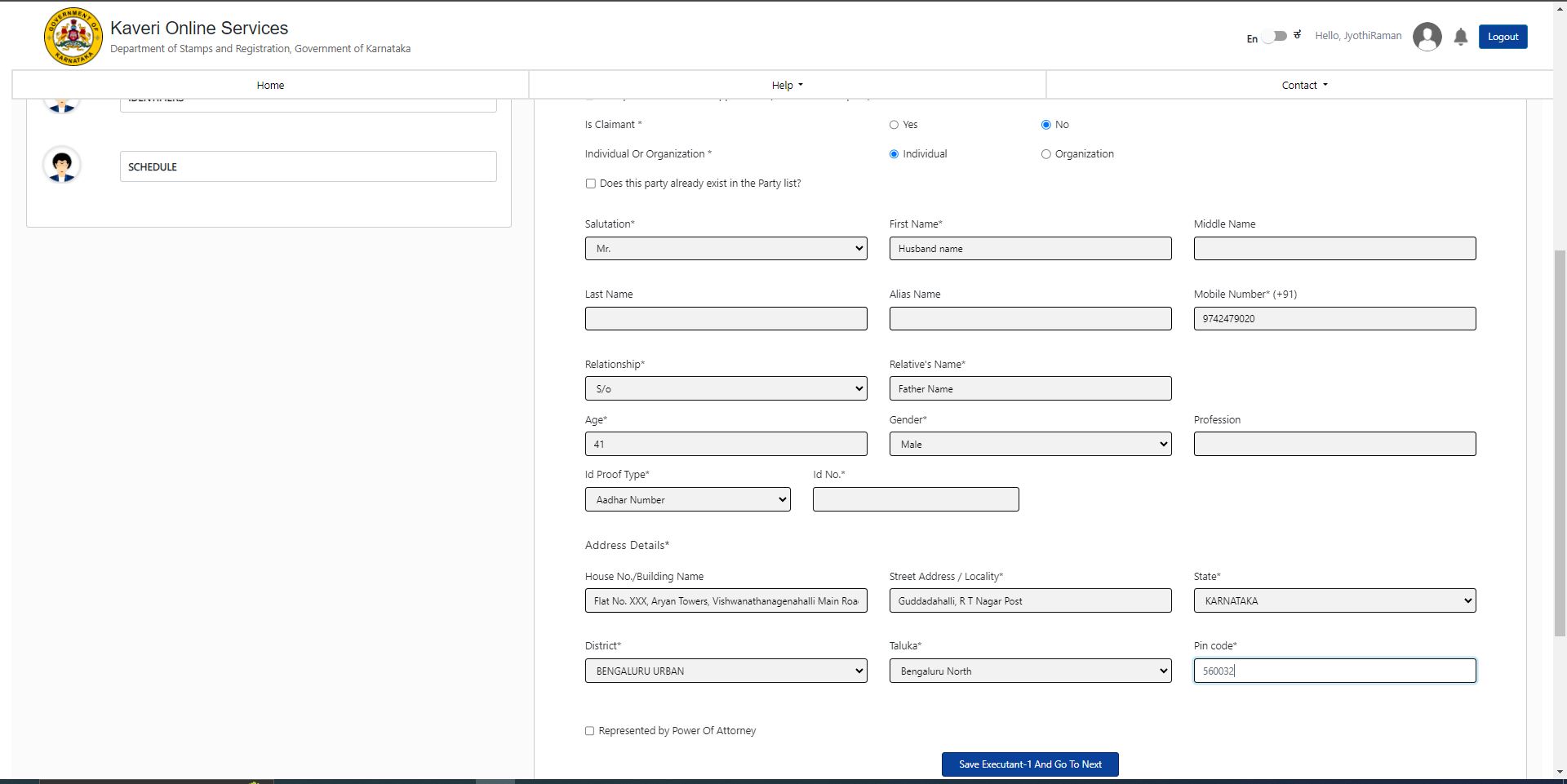 Click on Save Executant -1 And Go To Next
In Executant-2: we entered the details of Donee (wife details)
Click on Save Executant -1 And Go To Next
In Executant-2: we entered the details of Donee (wife details)
- Is Claimant: Select Yes
- Individual Or Organization: Select Individual
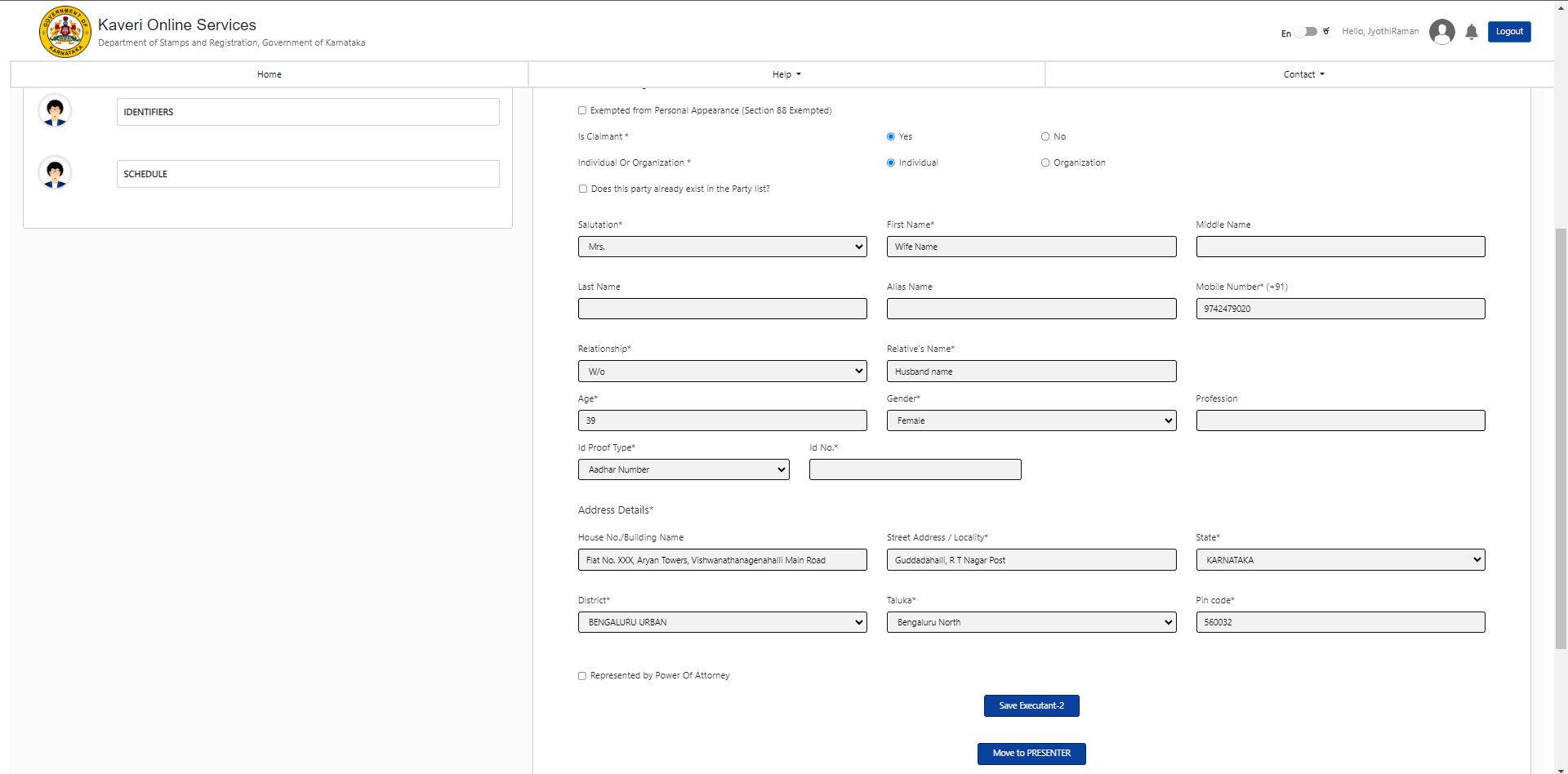 Click on Save Executant -2
Click on Move to PRESENTER
Click on Save Executant -2
Click on Move to PRESENTER
Choose Presented from dropdown list, we can choose either Donor or Donee. I chose Donor and click on “Make Presenter”. Refer to the below image
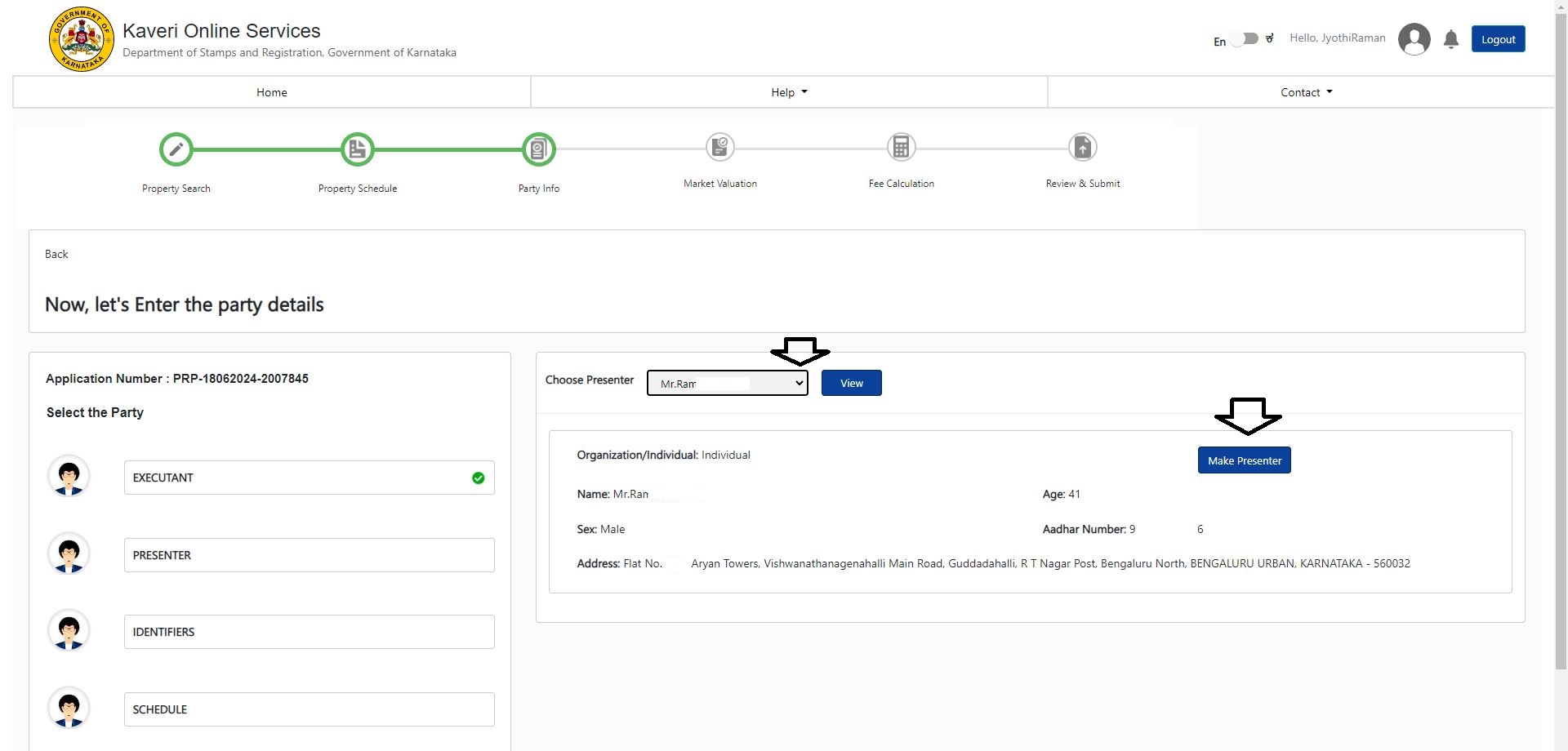
In IDENTIFIER -1: enter the details of the witness, such as Name, Age, Gender, Relative's Name, Address In IDENTIFIES: Select Donor from dropdown list (this means Identifier - 1 is witnessing to the donor). Refer to below image
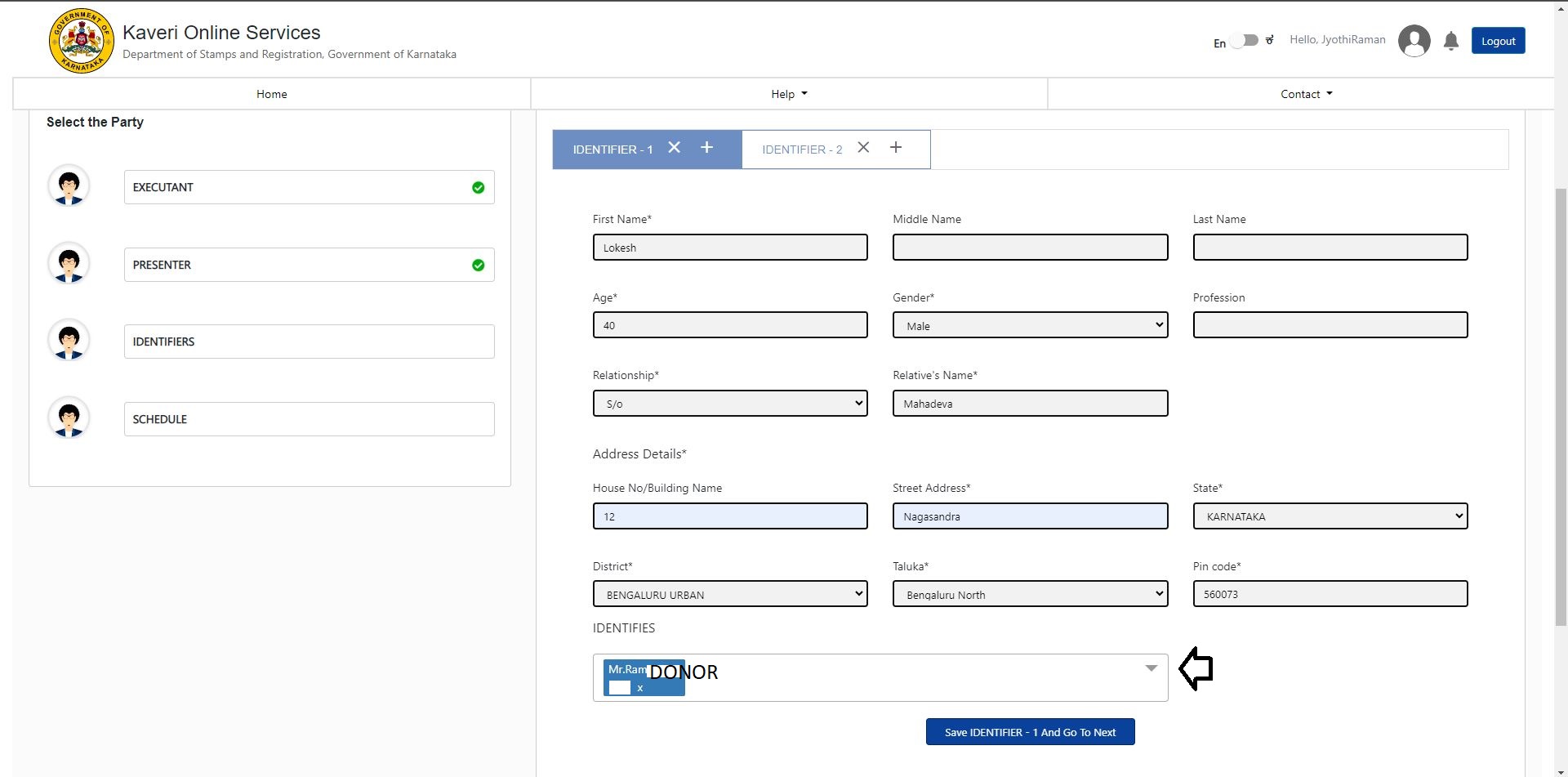 Click on Save IDENTIFIER -1 And Go To Next
In IDENTIFIER -2: enter the details of another witness, such as Name, Age, Gender, Relative's Name, Address
In IDENTIFIES: Select Donee from dropdown list (this means Identifier - 2 is witnessing to the donee). Refer to the below image
Click on Save IDENTIFIER -1 And Go To Next
In IDENTIFIER -2: enter the details of another witness, such as Name, Age, Gender, Relative's Name, Address
In IDENTIFIES: Select Donee from dropdown list (this means Identifier - 2 is witnessing to the donee). Refer to the below image
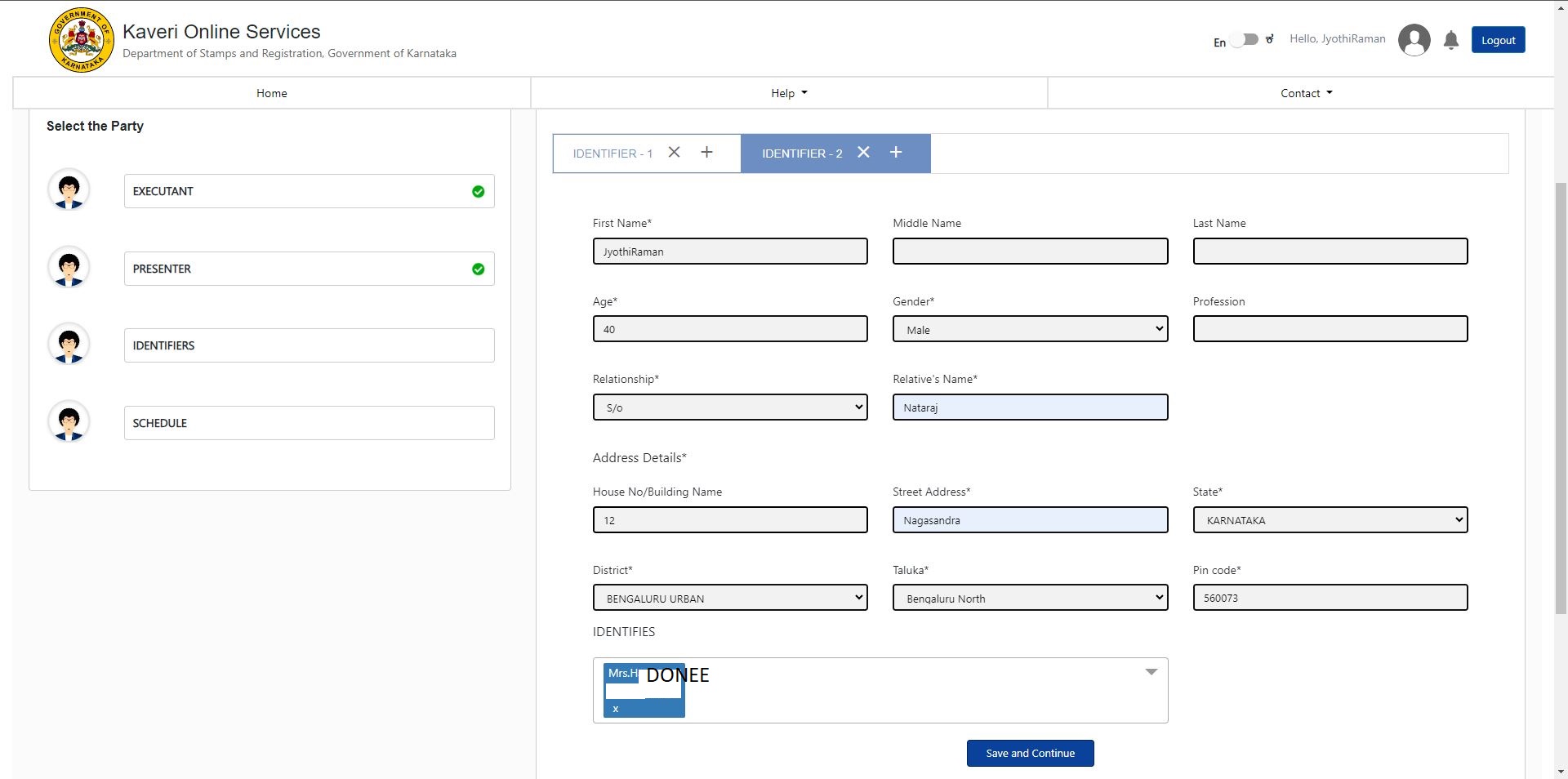 Click on Save and Continue
Allocate this schedule to: Select Donee from dropdown list, Refer to the below image
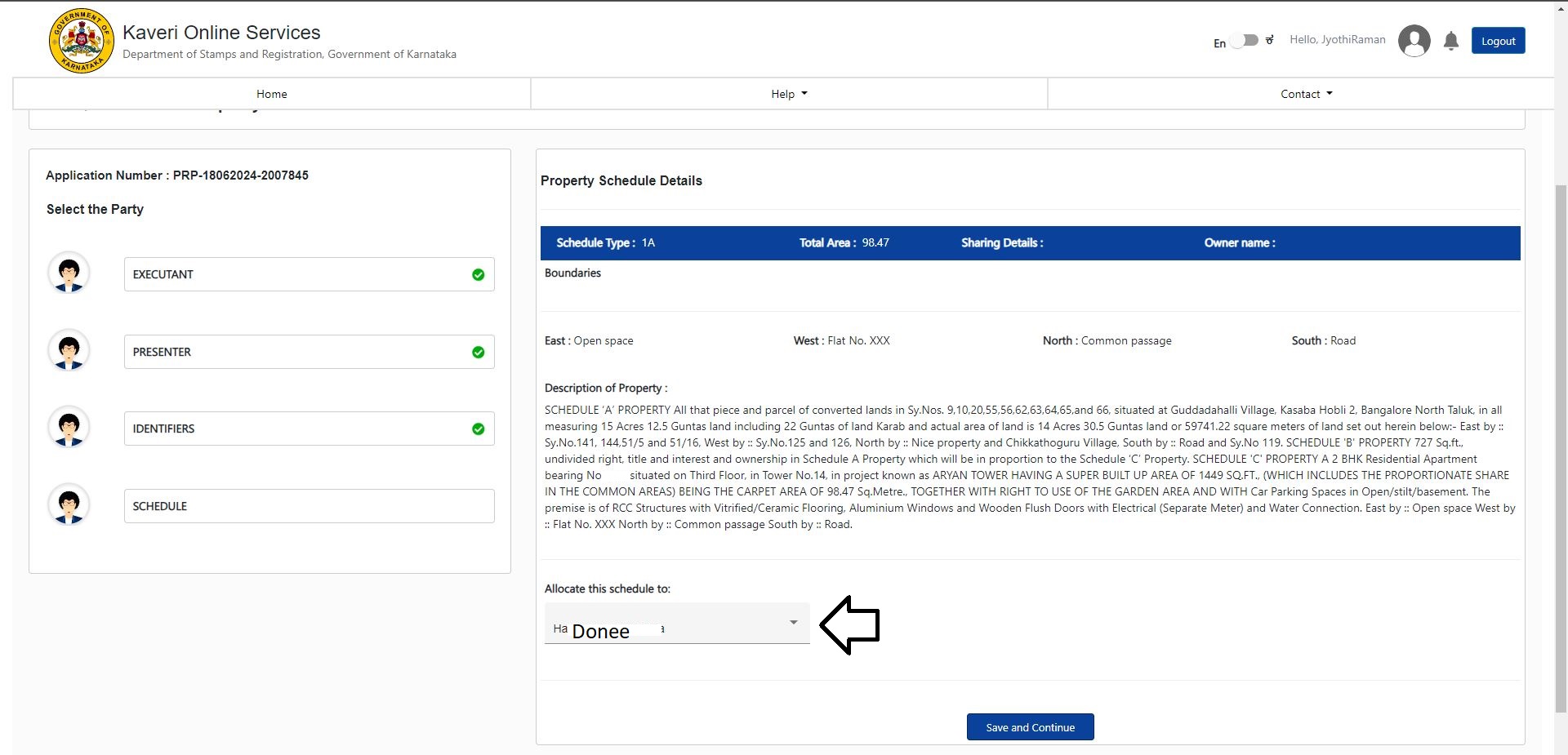 Click on Save and Continue
Gift Deed does not require market value calculation, refer to below image
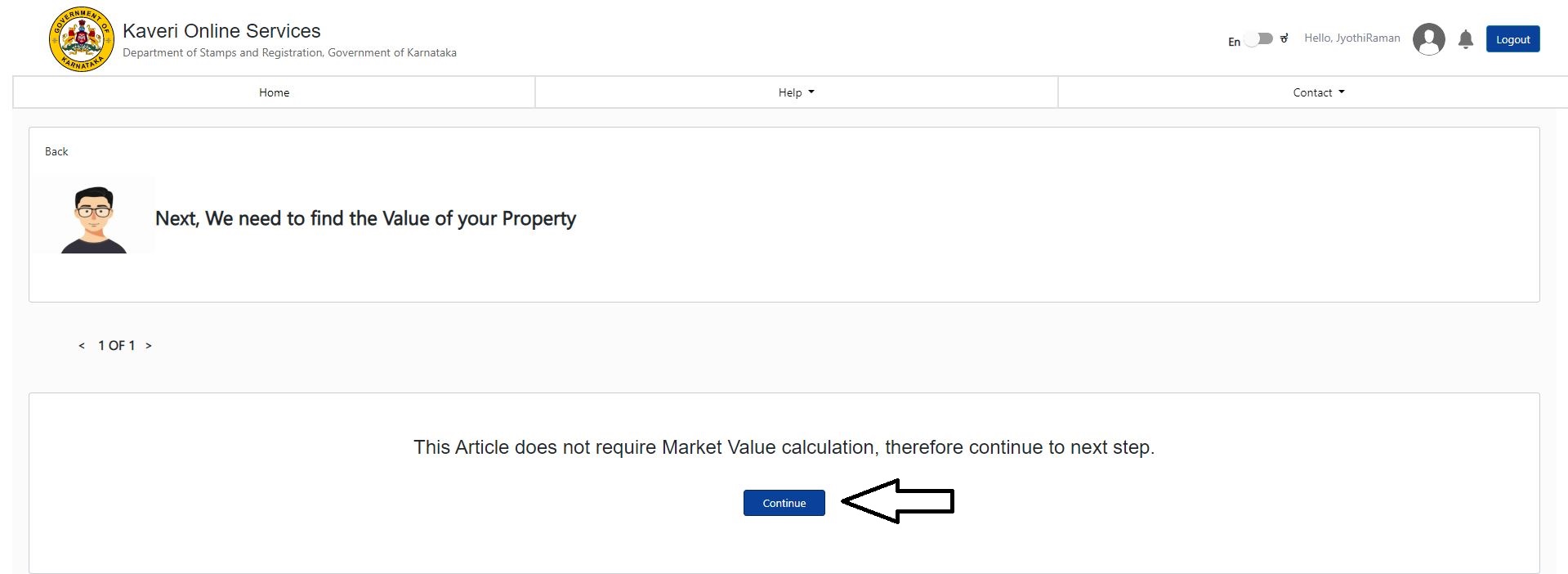 Click on Continue,
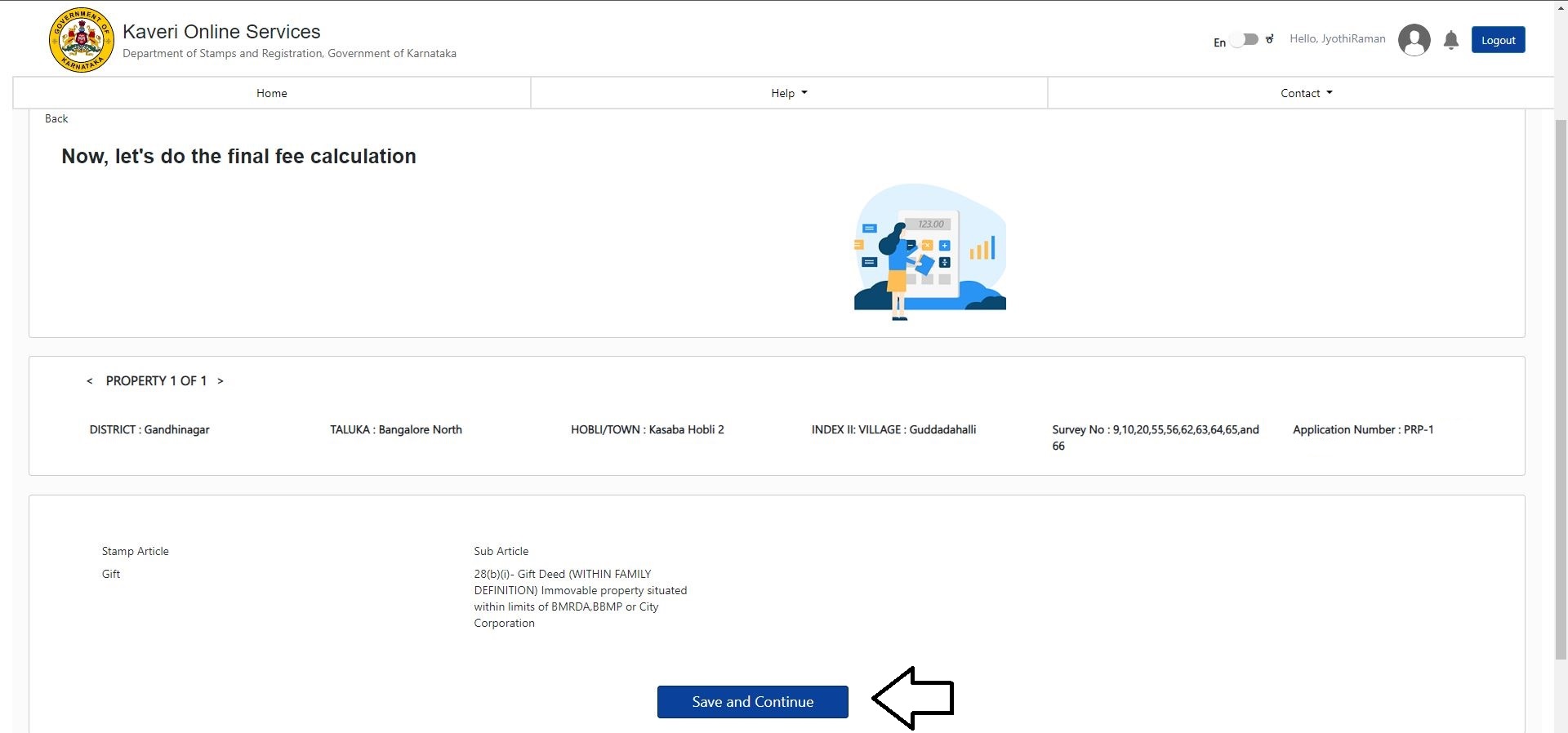
In fee calculation, Click on Save and Continue, refer to the below image
 My Gift Deed draft consists of 18 pages, and 18 are entered in the number of pages. Refer to below image
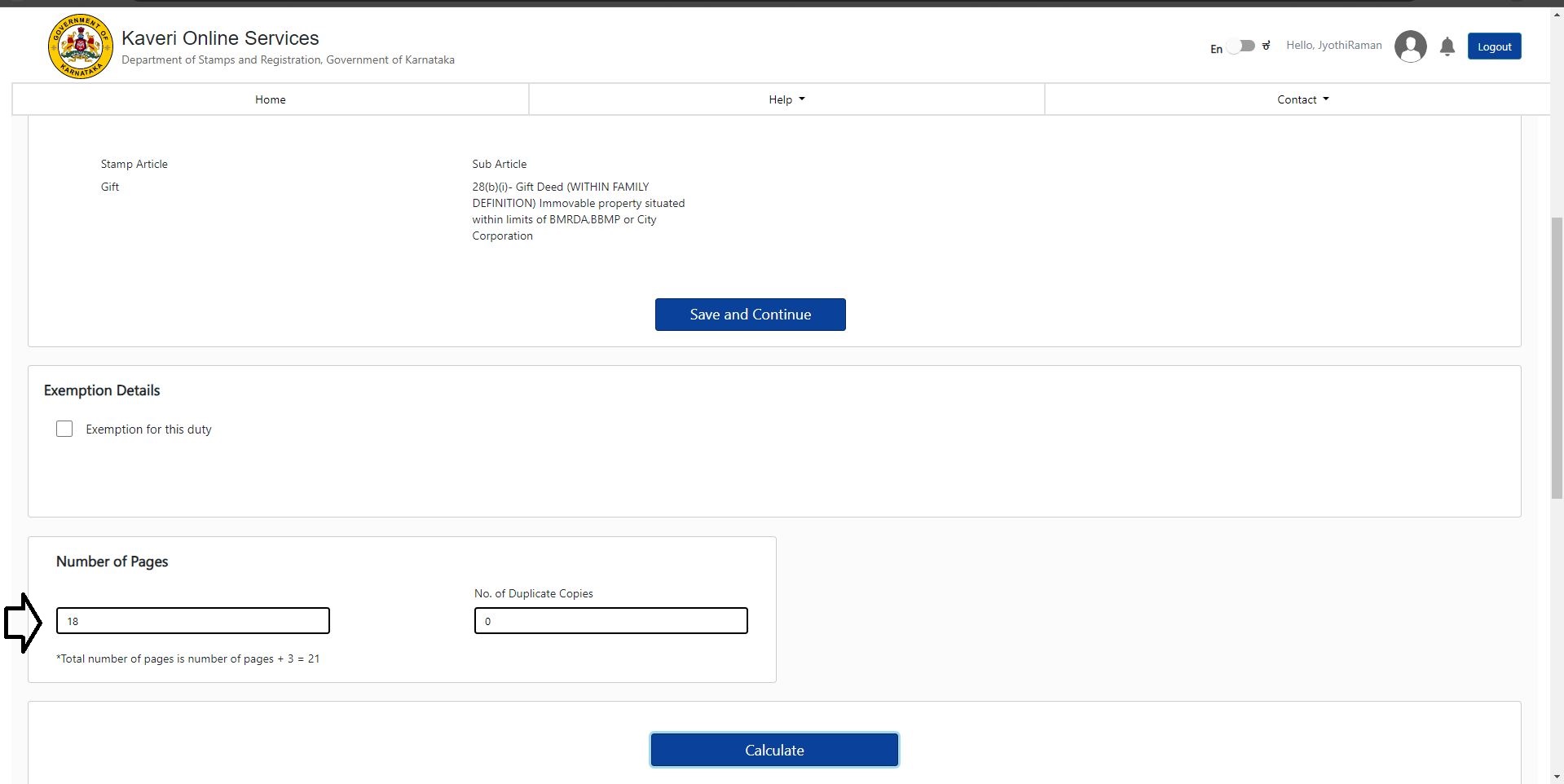 Click on Calculate
My total government fee including stamp duty and registration fees appears. My fee is Rs. 7,385. refer to the below
Click on Calculate
My total government fee including stamp duty and registration fees appears. My fee is Rs. 7,385. refer to the below
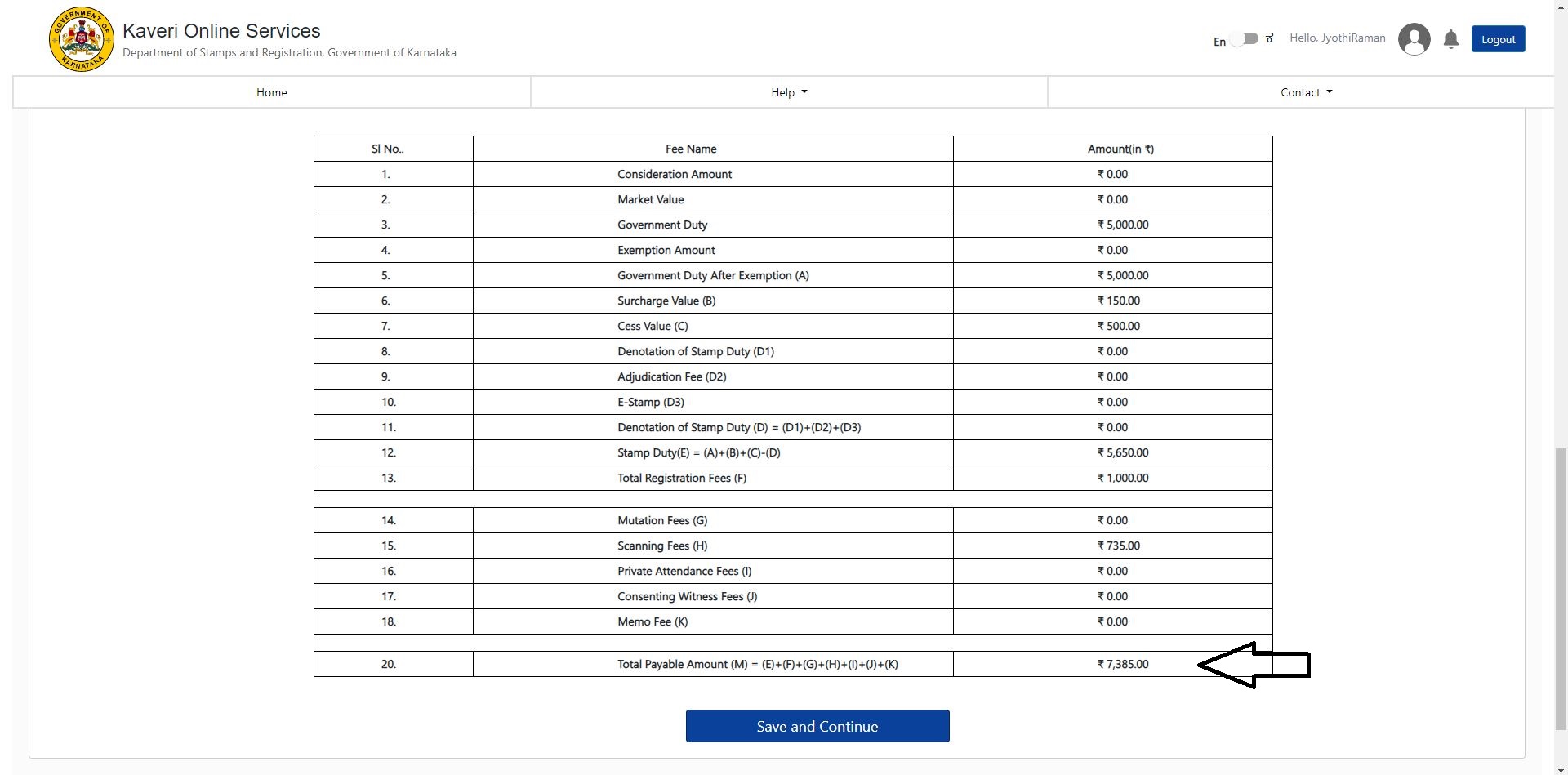 Click on Save and Continue
Review your data for corrections on the final page before submitting your application for approval. Refer to the below final page
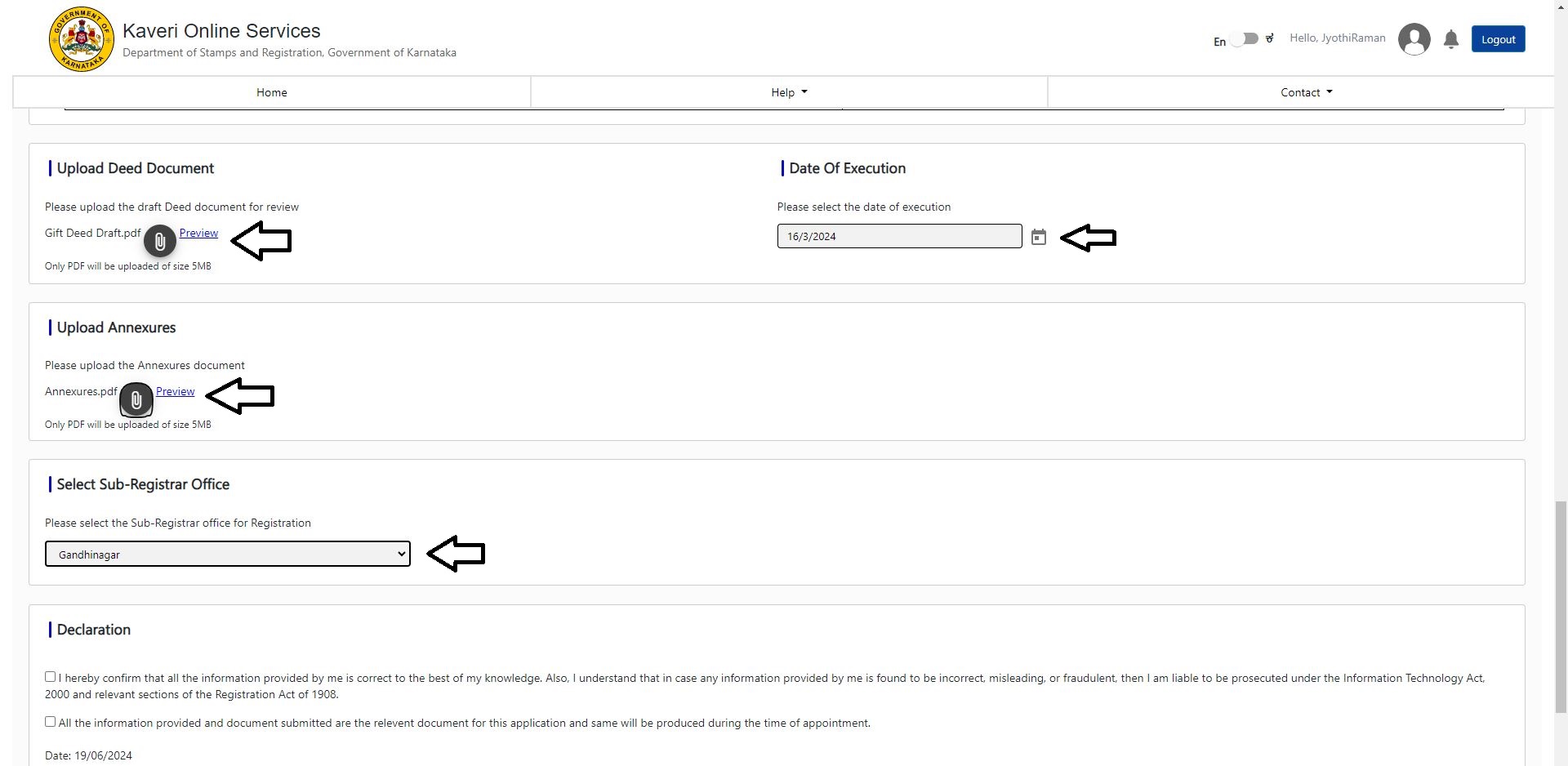
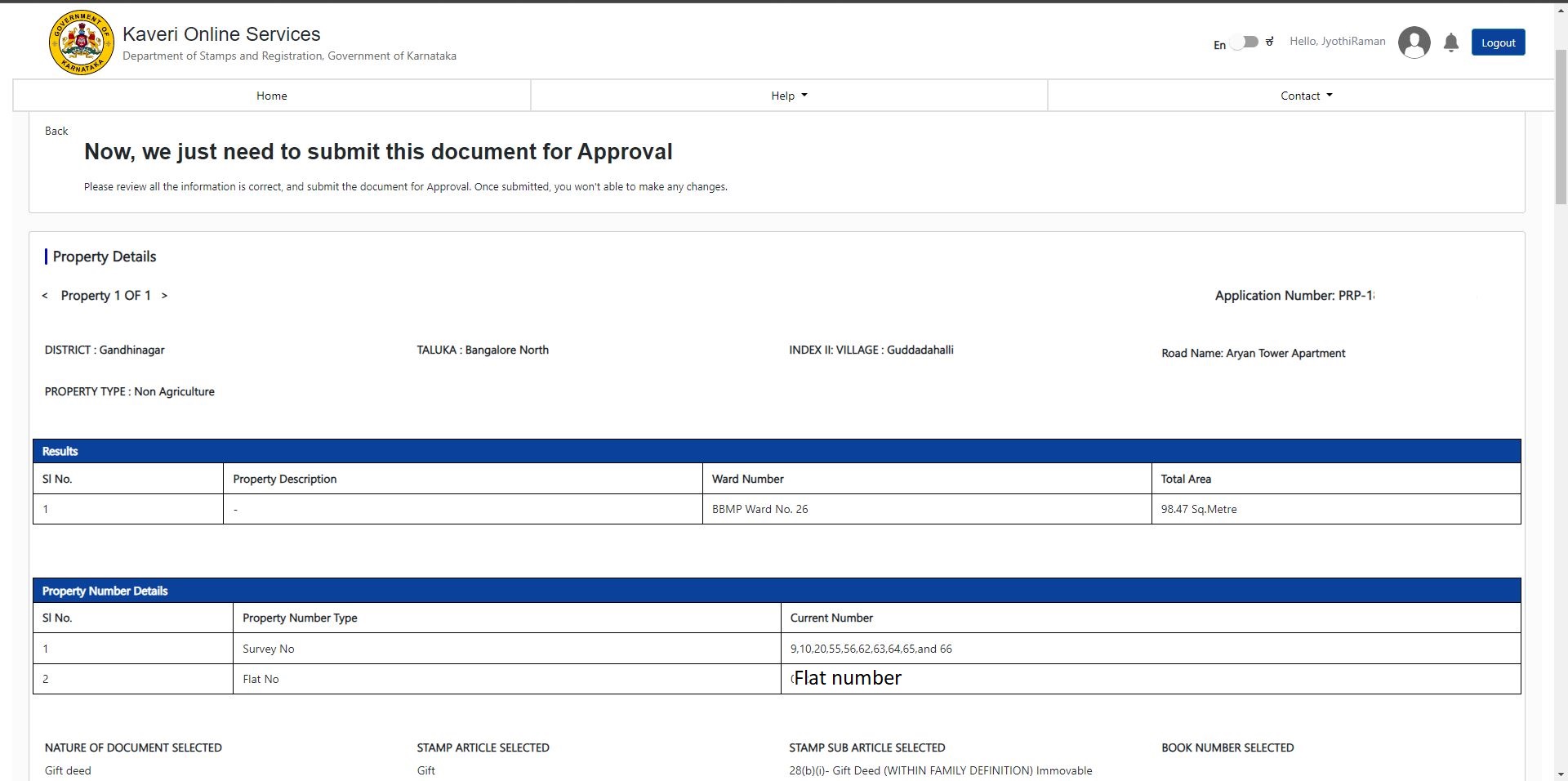 Scroll down to the bottom of the page and do the following:
- In Upload Deed Document: Upload Gift Deed draft in pdf (file size less than 5MB)
- In Date Of Execution: Select the date mentioned in Gift Deed draft that you uploaded above
- In Upload Annexures: Merge the property tax receipt, Khata, donor ID proof, Donee ID proof in one PDF and upload (file size less than 5MB)
- In Select Sub-Registrar Office: Select sub-registrar office from dropdown list. I want to register this Giff Deed in Gandhinagar sub-registrar office, hence I selected Gandhinagar
Check the Declaration. Refer to the below image
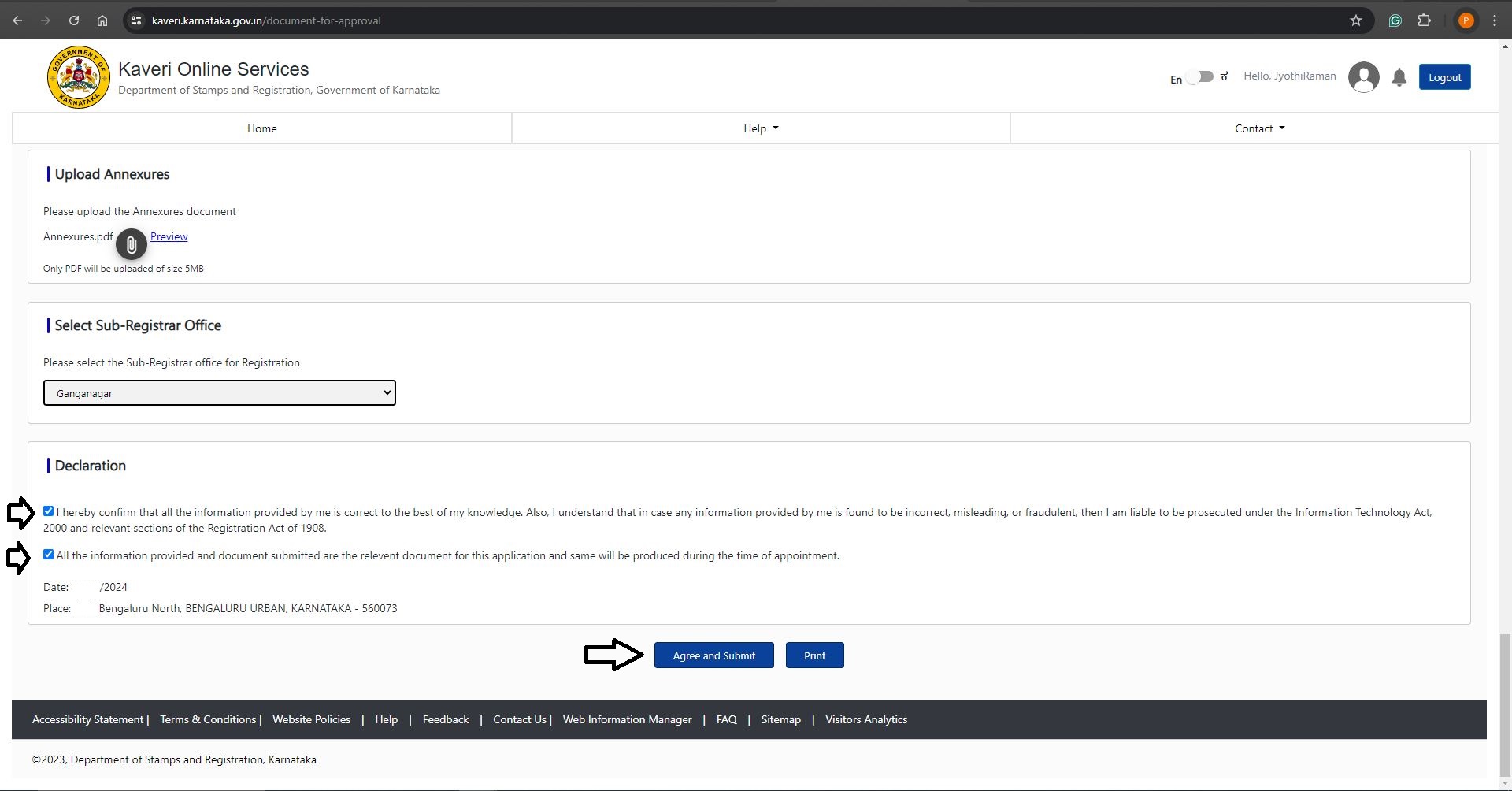 Click on Agree and Submit
Our application was approved in 3 working days + we paid the government fee + Booked the slot for registration As per our registration slot, we carried following documents to Gandhinagar sub-registrar office
- Printout of Application summary report
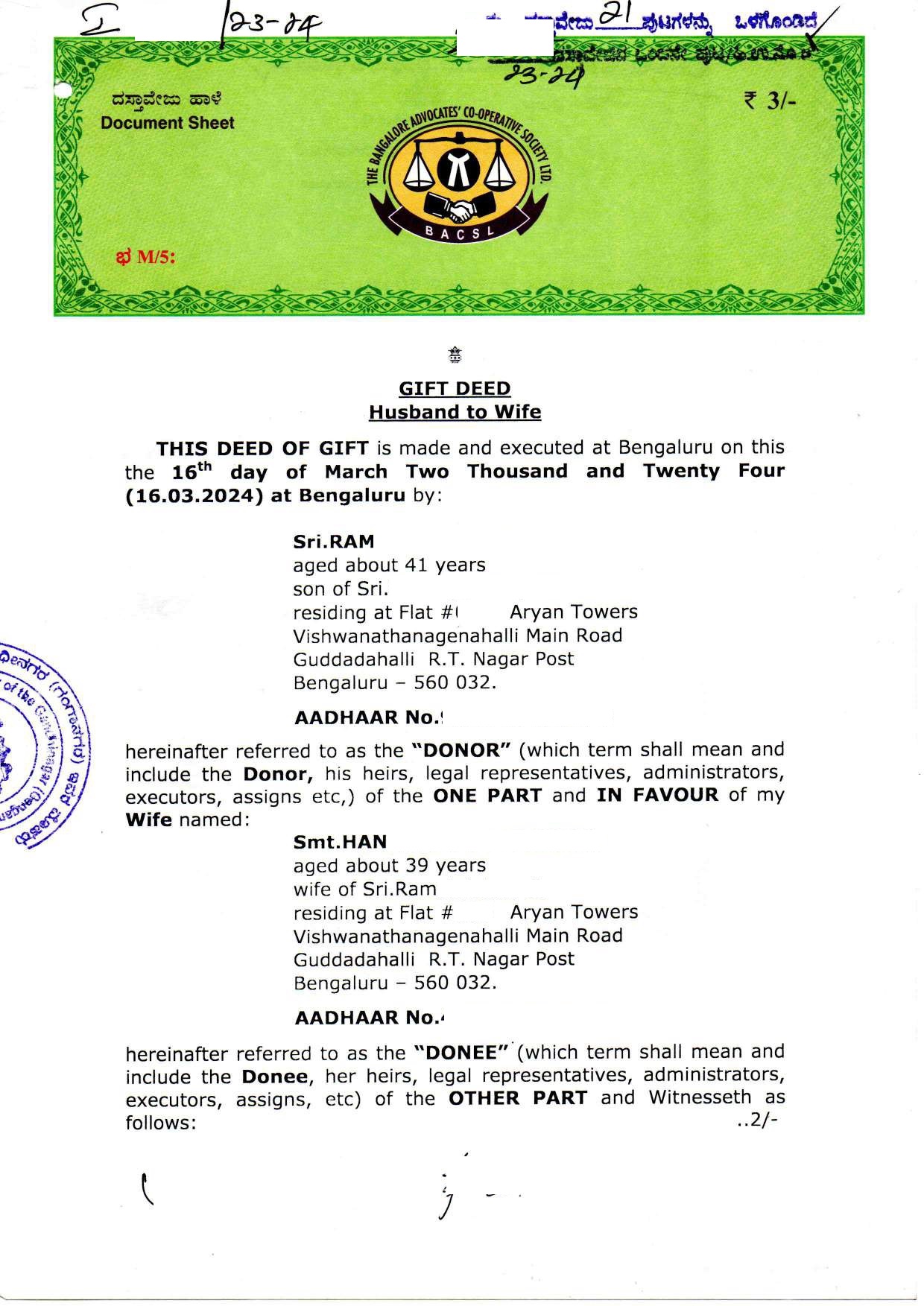
- Gift Deed printed on Document paper (to be registered)
- ID proof of Donor and Donee
 NEED HELP WITH GIFT DEED REGISTRATION?
We assist with end-to-end Gift Deed documentation and registration in Bangalore.
NEED HELP WITH GIFT DEED REGISTRATION?
We assist with end-to-end Gift Deed documentation and registration in Bangalore.
- Email: pgnproperties@gmail.com
- WhatsApp: +91-97424-79020